Azure Databricks
An Apache Spark-based analytics platform optimized for Azure.
This browser is no longer supported.
Upgrade to Microsoft Edge to take advantage of the latest features, security updates, and technical support.
' cx='32' cy='32' r='32' /%3E%3Ctext x='50%25' y='55%25' dominant-baseline='middle' text-anchor='middle' fill='%23FFF' %3EA%3C/text%3E%3C/svg%3E)
Hi Experts,
Struckup in configuring the syntax for the below query.
Sample SQL Query:
select column1, substr(fst_path, (instr(fst_path, 'JJJ_image_lib') + LENGTH('JJJ_image_lib'))), fst_index,
substr(bck_path, (instr(bck_path, 'JJJ_image_lib') + LENGTH('JJJ_image_lib'))), bck_index, s_id, s_seq, t_seq
from SCHEMA.TABLE where code = 'ABCD' and dept in ('A','B') and
fSt_index is not null order by t_seq, s_seq;
Requirement is: I want to pass the Code value dynamically - for this i have created Parameter at pipeline level and when i try to add this query in Pipeline --> Copy Activity --> Query --> Add Dynamic Content Query(Pipeline Expression Builder) - I;m getting some syntactical errors like missing commas or arguments etc and tried few options but still missing something hence seeking your advise.
I understand we need to use Concact operator as we have more conditions in where clause - So please share your thoughts how to frame above query in Query Add Dynamic Content.
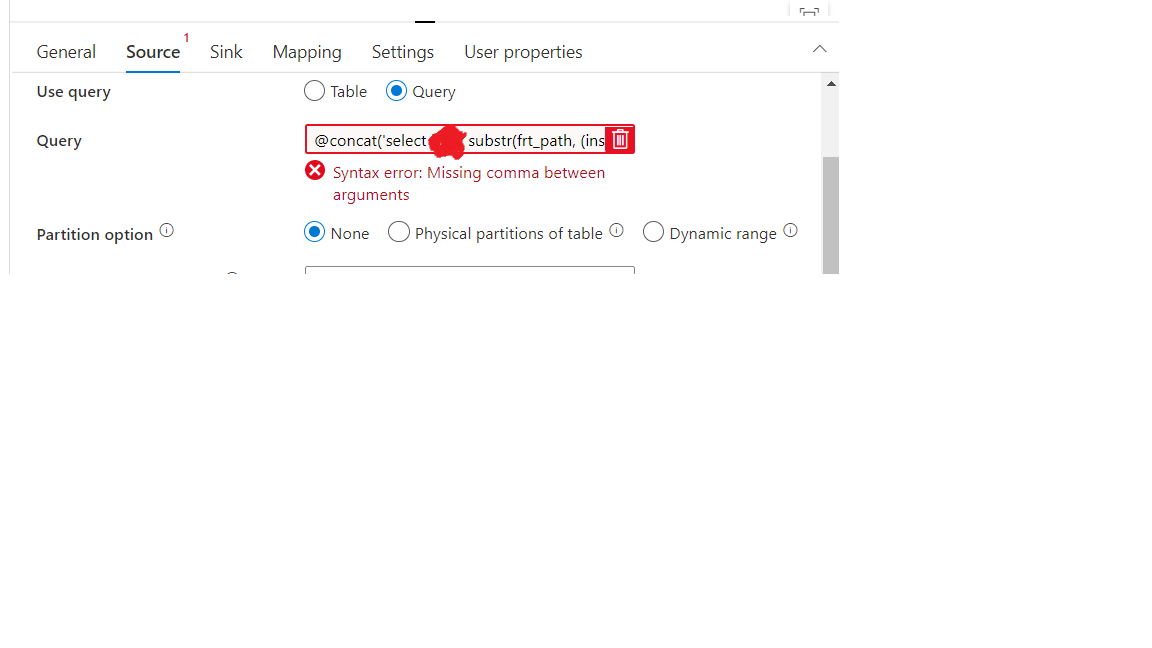
Appreciated your help, Thank You.
Regards,
Kumar P.

@Nandan Hegde - Could you take a look into this request and share your thoughts?
Regards,
Kumar

Hey,
Please use the below query
select column1, substr(fst_path, (instr(fst_path, 'JJJ_image_lib') + LENGTH('JJJ_image_lib'))), fst_index,
substr(bck_path, (instr(bck_path, 'JJJ_image_lib') + LENGTH('JJJ_image_lib'))), bck_index, s_id, s_seq, t_seq
from SCHEMA.TABLE where code = '@{pipeline().parameters.Test}' and dept in ('A','B') and
fSt_index is not null ;
No need of order by while copying, so excluded it :)
Also the above code is w.r.t assumption you only needed to parameterise where code = '@{pipeline().parameters.Test}'
and replace test with your parameter name

Hi @Anonymous , Just checking in to see if the above answer helped. If this answers your query, do click  and upvote
  for the same. And, if you have any further query do let us know.
Hi @Nandan Hegde - Thank you, it helped.
Regards,
Kumar.