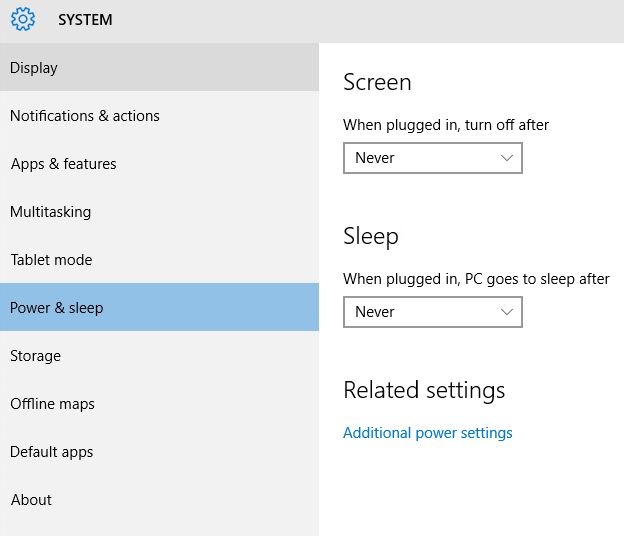
The GPO policies for this on my machine are under Computer Configuration\Administrative Templates\System\Power Management\Video and Display Settings. It is there you configure the turn off for screen. The PC settings are under Sleep Settings. Try setting those and see if it behaves correctly.
How to disable screen and sleep timeout in windows 10 using gpo or reg
I have problem disabling Screen and sleep timeout. We use the policy below but did not work.
user configuration/policies/Administrative templates/control panel/personalization
Enable screen saver - Disabled
Password protect the screen saver - Disabled
Screen saver timeout - Disabled
Change the password protect the screen saver to enable and set to 0 but still not working.
how to set the Screen and Sleep to never using policy?
TIA
Windows for business | Windows Client for IT Pros | User experience | Other
-
Michael Taylor 61,101 Reputation points
2022-09-08T14:32:25.313+00:00
2 additional answers
Sort by: Most helpful
-
Michael Taylor 61,101 Reputation points
2022-09-07T15:02:31.76+00:00 Seems like it should work. Some followup questions.
1) Are you sure you are applying the policy to the correct user(s)?
2) GPO is cached (for 20 mins I think). Did you force a GPO refresh (gpupdate) to ensure the policy was applied?I'm assuming you don't have any other GPOs that are conflicting with this one. For example a local GPO would override a domain GPO.
-
B14D3 61 Reputation points
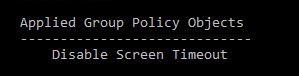
2022-09-08T03:35:10.013+00:00 gpresult shows it is applied. It is set to block inheritance and I tried to link the gpo only and to user ou. No other gpo applied
Is there a way to set something like this (Never, Never) using gpo or reg or ps.