Azure SQL Database
An Azure relational database service.
This browser is no longer supported.
Upgrade to Microsoft Edge to take advantage of the latest features, security updates, and technical support.
' cx='32' cy='32' r='32' /%3E%3Ctext x='50%25' y='55%25' dominant-baseline='middle' text-anchor='middle' fill='%23FFF' %3EMD%3C/text%3E%3C/svg%3E)
Hi all,
I'm trying to build reporting database for my company and I ruled out replica database as its not supported. I thought I would build another database in a different server and cache the results of the reports and connect it to our website in that way I can make the reports run with in seconds or less than that. Or would there be any alternatives to make our reports faster. I found that external tables could be used for cross database query can the same be used for cross server queries?

Hey,
Elastic query can be used to communicate between 2 Azure SQL databases ( irrespective of server)
https://learn.microsoft.com/en-us/azure/azure-sql/database/elastic-query-overview?view=azuresql
But there are some performance issues in case of large amount of data due to cross DB queries (Similar to performance issues of linked server in on prem)

Hi @MR D Thank you for posting your question on Microsoft Q&A and for using Azure services.
As per my understanding, you are trying to push data from one server to another server in Azure SQL Database elastic pool. It is possible for example to copy Database1 on server1 to a new database named Database2 within an elastic pool called pool2, on server2.
Please check the below steps.
Copy to a different server
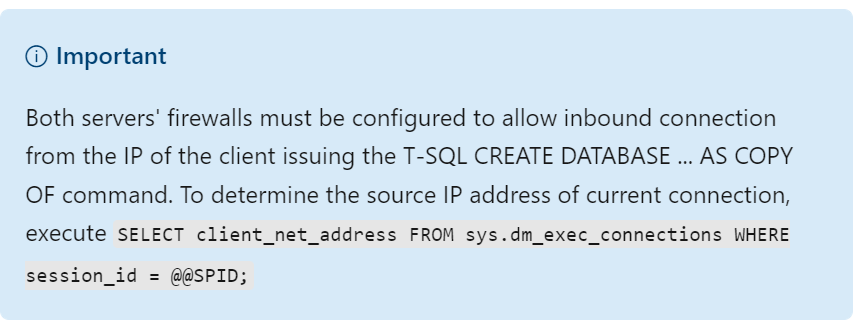
Log in to the master database of the target server where the new database is to be created. Use a login that has the same name and password as the database owner of the source database on the source server. The login on the target server must also be a member of the dbmanager role or be the server administrator login.
-- Execute on the master database of the target server (server2) to start copying from Server1 to Server2
CREATE DATABASE Database2 AS COPY OF server1.Database1;
Similarly, the below command copies Database1 on server1 to a new database named Database2 within an elastic pool called pool2, on server2.
-- Execute on the master database of the target server (server2) to start copying from Server1 to Server2
CREATE DATABASE Database2 AS COPY OF server1.Database1 (SERVICE_OBJECTIVE = ELASTIC_POOL( name = pool2 ) );
Would there be any alternatives to make our reports faster. I found that external tables could be used for cross database query can the same be used for cross server queries?
Yes, external tables can be used for cross database query in Azure SQL database.
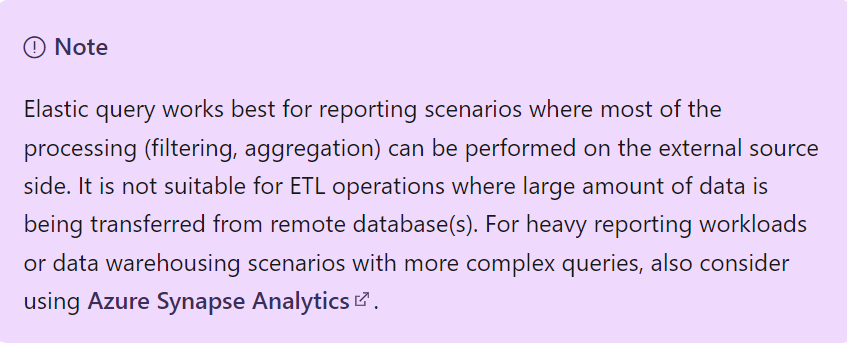
Please read more on Azure SQL Database elastic query overview (preview) you will find more detailed answers to your questions.
Regards,
Oury
Hi @MR D Please do let us know if you have any questions. If the answer was helpful, please do not forget to mark as accept answer.
Regards,
Oury