Azure Virtual Machines
An Azure service that is used to provision Windows and Linux virtual machines.
This browser is no longer supported.
Upgrade to Microsoft Edge to take advantage of the latest features, security updates, and technical support.
' cx='32' cy='32' r='32' /%3E%3Ctext x='50%25' y='55%25' dominant-baseline='middle' text-anchor='middle' fill='%23FFF' %3END%3C/text%3E%3C/svg%3E)
I've been unable to unlock my VM disk which is locked by Bitlocker.
I've tried to follow the instructions provided here: https://learn.microsoft.com/en-us/azure/virtual-machines/troubleshooting/troubleshoot-bitlocker-boot-error#solution
However, I can't see the BEK from my attached disk (F).
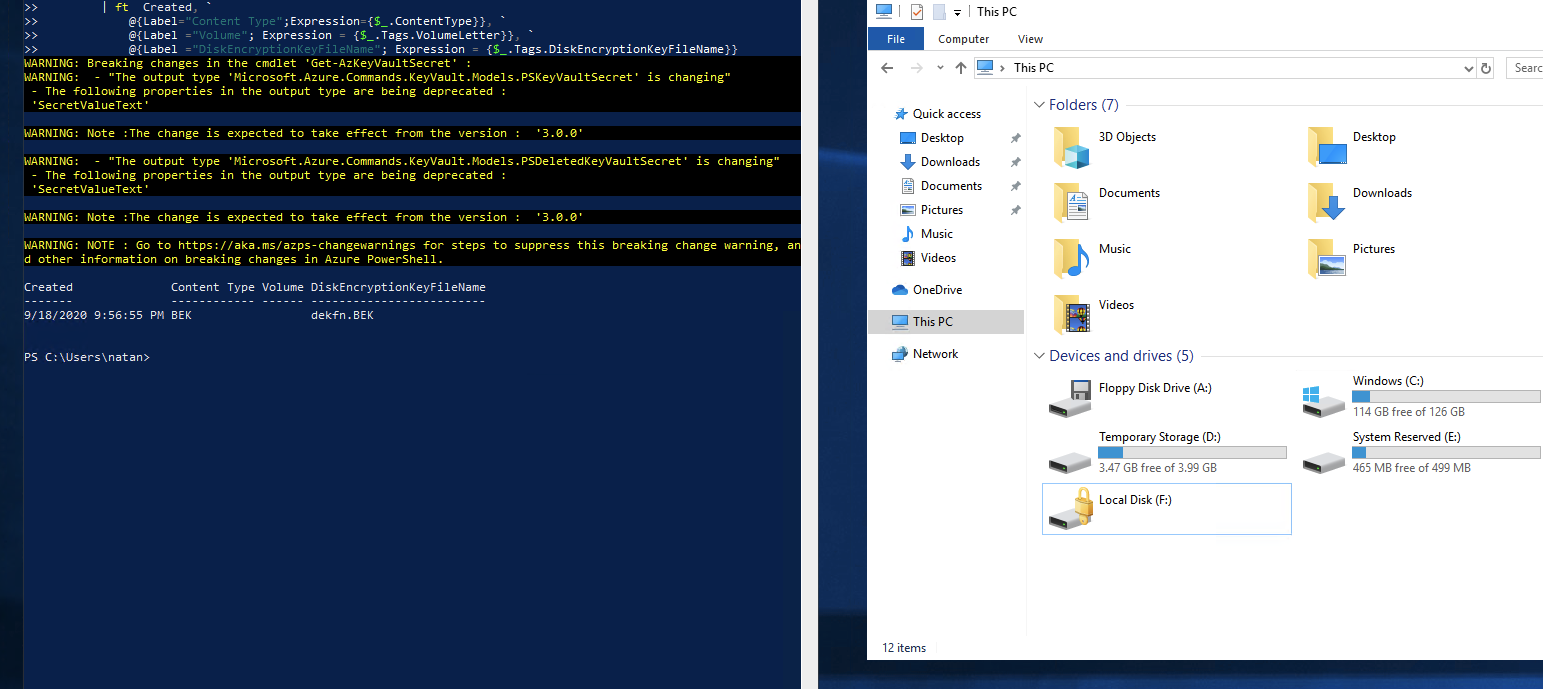
I also would like to add the comment that I've never set the encryption on this disk.
I had to create a new key vault to be able to replace a key vault that was set RANDOMLY to my DISK when I did a resize of my VM.
And if the machine is running (Status Running but Locked on BitLocker), the commands to disable the encryption stays running for life but never completes, since the machine is not receiving any instructions.

@Natan Dutra Firstly, apologies for the delay in responding here and any inconvenience this issue may have caused.
This template disables encryption on a running windows vm: https://azure.microsoft.com/en-in/resources/templates/201-decrypt-running-windows-vm/
Disables encryption on an IaaS virtual machine:
Since you are informing you have never enabled azure disk encryption, you may run the below mentioned cmdlets and check the status through PS and Portal
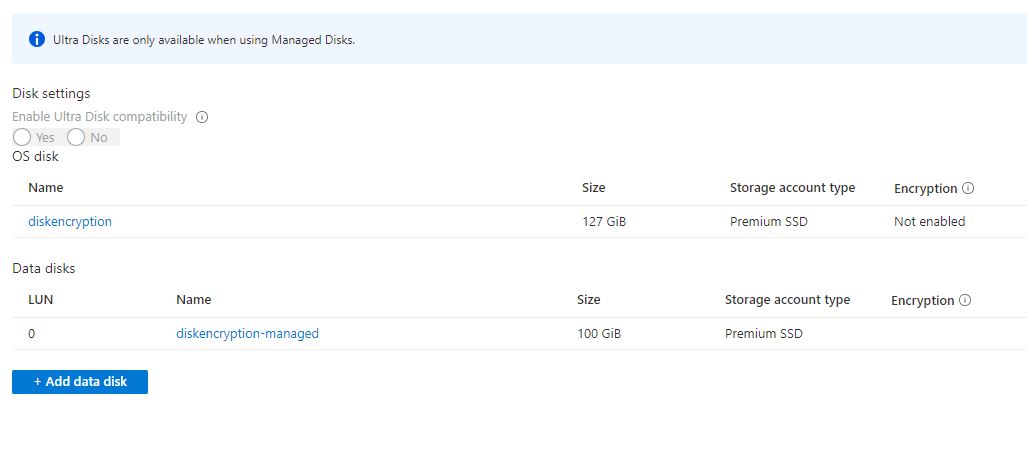
Verify the disks are encrypted: To check on the encryption status of an IaaS VM, use the Get-AzVmDiskEncryptionStatus cmdlet
Get-AzVmDiskEncryptionStatus -ResourceGroupName 'MyVirtualMachineResourceGroup' -VMName 'MySecureVM'
Disable disk encryption: To disable the encryption, use the Disable-AzVMDiskEncryption cmdlet. Disabling data disk encryption on Windows VM when both OS and data disks have been encrypted doesn't work as expected. Disable encryption on all disks instead.
Disable-AzVMDiskEncryption -ResourceGroupName 'MyVirtualMachineResourceGroup' -VMName 'MySecureVM'
Disable encryption: https://learn.microsoft.com/en-us/azure/virtual-machines/windows/disk-encryption-windows
Once the data disks are no longer encrypted, you can proceed to perform the clean-up operations to remove the ADE extension from the virtual machine and ADE configuration files from the VM following the instructions below. Remove-AzVMDiskEncryptionExtension. Running Remove-AzVMDiskEncryptionExtension before the encryption is disabled will fail.
Hope this helps!
Kindly let us know if the above helps or you need further assistance on this issue.
---------------------------------------------------------------------------------------------------------------------------------------------------------
Please don’t forget to "Accept the answer” and “up-vote” wherever the information provided helps you, this can be beneficial to other community members.
@Natan Dutra Just checking in to see if the above answer helped. If this answers your query, please don’t forget to "Accept the answer" and Up-Vote for the same, which might be beneficial to other community members reading this thread. And, if you have any further query do let us know.
@Natan Dutra Just checking in to see if the above answer helped. If this answers your query, please don’t forget to "Accept the answer" and Up-Vote for the same, which might be beneficial to other community members reading this thread. And, if you have any further query do let us know.
Hello @Sumarigo-MSFT , I actually gave up on the VM, deleted all my resources, and moved on to App Services.