Note
Access to this page requires authorization. You can try signing in or changing directories.
Access to this page requires authorization. You can try changing directories.
In her recent blog post, Enterprise Security MVP Deb Shinder, shares her favourite Windows 7 keyboard shortcuts with the community. You can read an excerpt of her post below:
“...I have a collection of cool ergonomic keyboards, a couple of which are shown in the photos here, and I certainly don’t want them to go to waste. And with Windows 7, I can use the keyboard to even more advantage, because of all the new keyboard shortcuts. The Windows key figures heavily in many of these shortcuts. Here are some examples:
WIN + SPACE: Same effect as clicking the “Show Desktop” area at the end of the taskbar; all windows become transparent so you can see through to the desktop.
WIN + G: Don’t need to see the entire desktop? Just want to see the information displayed on your gadgets? This one brings the gadgets to the top.
WIN + T: Scroll through the items in the taskbar. It’s really cool to be able to do this without taking your hands away from the keyboard.
WIN + P: Select display options when connected to a projector (Computer only, Duplicate, Extend or Projector only).
ALT + P (in Explorer): show or hide the Preview pane (I love this one).
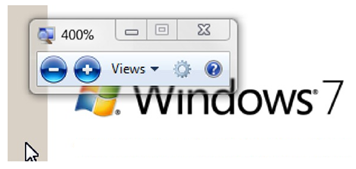
WIN + the Plus or Minus key: This lets you zoom in or out, magnifying the screen without using the mouse.
WIN + Left or right arrow key: This will dock the active window to the left or right side of the monitor, just as dragging to the side does.
WIN + SHIFT + left or right arrow key (with multiple monitors): Moves the active window to the monitor to the left or right of the one on which it’s currently residing.
WIN + Up or down arrow: Maximizes or minimizes the active window
For the full list of Windows 7 keyboard shortcuts (not just the new ones), see here.
Read Deb’s full blog post here
Technorati Tags: MVP Award Program,MVP Deb Shinder,Windows 7,Keyboard Shortcuts
| Share this post : |  |
 |
 |
 |
 |
 |
 |
 |