Note
Access to this page requires authorization. You can try signing in or changing directories.
Access to this page requires authorization. You can try changing directories.
Windows Mobile 6.5 から、Widgetアプリケーションプラットフォームがあります。
Getting started with widgets on Windows Mobile 6.5
これまでのバイナリタイプのアプリケーションではなく、HTMLベースのWebアプリケーションをブラウザ無しで動かす環境です。なので、Webアプリを作っている人なら簡単にアプリを作れるので結構お勧めです。
問題はまだ、Windows Mobile 6.5の環境が正式にないことw
材料
- HTMLソース(必要に応じて画像など)
- config.xml :Widget 設定ファイル
- アイコン用画像:任意
HTMLソースサンプル
<html>
<head>
<title>今日のモコナ</title>
</head>
<body>
<p>モコナさんの日々(<a href="mocona.jpg">今日のモコナ</a>)。
きょうは予防接種。</p>
<p><img border="0" src="mocona.jpg" ></p>
</body>
</html>
config.xml サンプル
<?xml version="1.0" encoding="utf-8" ?>
<widget version="1.0" xmlns="https://www.w3.org/ns/widgets" id="">
<name>mocona photo</name> :アプリ名
<content src="widget.htm" type="text/html" /> :HTMLソース名
<access network="true" /> :ネットワークアクセスをするかどうか
<icon src="icon.jpg"/> :アイコンファイル
<description>This is mocona's lovely photos.</description> :説明
</widget>
作り方
- 材料をすべてまとめてZip圧縮します
- 拡張子を wgt に変更します
- デバイスにコピーして実行(インストールします)
インストールから実行まで
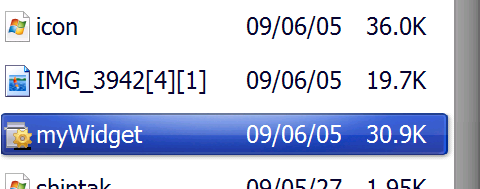
デバイスから見ると wgt ファイルはこのようにアイコンがついて見えます。
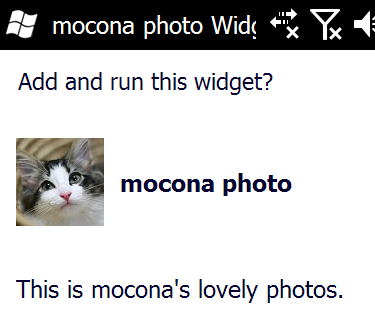
実行するとこのように、アイコン写真と、アプリ名、説明(すべて config.xmlで指定したもの)が表示され、インストールを始めます。
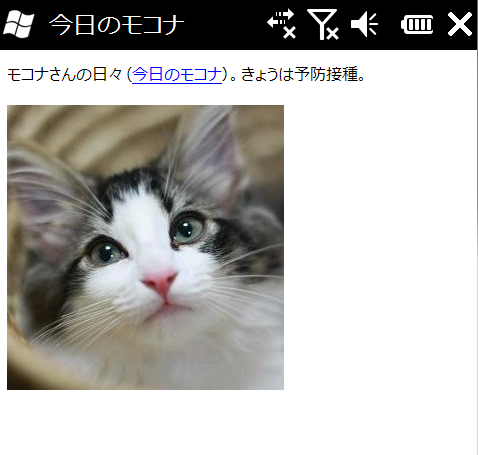
インストールが終わると、いきなり実行します。OK! もこなラブリー。
ちゃんとアプリケーションとしてアイコンつきで登録されます。
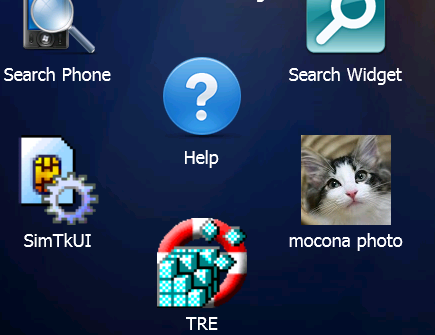
ちなみに、VGA以上の環境では推奨するアイコンサイズは60ドットないし90ドットだそうです。