Note
Access to this page requires authorization. You can try signing in or changing directories.
Access to this page requires authorization. You can try changing directories.
Question
Wednesday, March 27, 2019 9:02 AM
What I'm trying to do is to get the files I display from a folder to a listbox where each file will be displayed on a single row. Here's my code that I have and an image of the view
private void LoadPlayable()
        {

            string crrGame = MLHSetting.Default.currGame;
            string Spath = FullGamePath + @"\" + crrGame.Trim() + ".json";


            var cfg = gameInfo.LoadFromFile(Spath);

            DirectoryInfo playMissions = new DirectoryInfo(cfg.currPathString.Trim());

            m_Playable.Clear();

            foreach(FileInfo Files in playMissions.GetFiles("*." + cfg.missionnext))
            {
                m_Playable.Items.Add(Files.Name + Environment.NewLine);
            }
        }
Here's what the code displays in the listbox. I just need it to display one file on one row.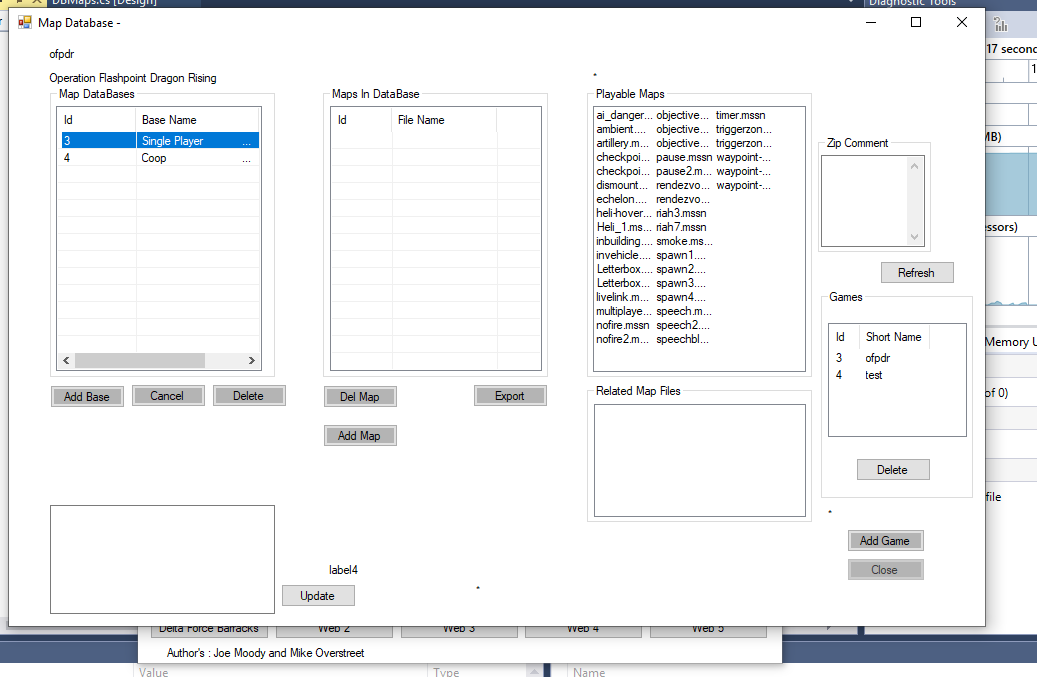
http://www.df-barracks.com Delta Force Barracks
http://www.starfiresoft.com Starfire Software
All replies (1)
Wednesday, March 27, 2019 9:55 AM ✅Answered
Hello,
Can you indicate what the problem is?
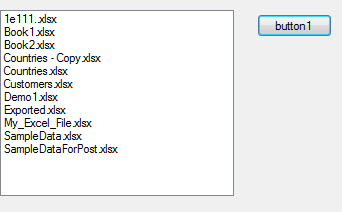
Here is a simple example
namespace WindowsFormsApp2
{
    public partial class Form1 : Form
    {
        public Form1()
        {
            InitializeComponent();
        }

        private void button1_Click(object sender, EventArgs e)
        {
            listBox1.Items.Clear();
            var folderName = "C:\\Data";

            var results = Directory
                .GetFiles(folderName, "*.xlsx")
                .Select(file => Path.GetFileName(file))
                .ToArray();

            listBox1.Items.AddRange(results);
        }
    }
}
Please remember to mark the replies as answers if they help and unmarked them if they provide no help, this will help others who are looking for solutions to the same or similar problem. Contact via my Twitter (Karen Payne) or Facebook (Karen Payne) via my MSDN profile but will not answer coding question on either.
NuGet BaseConnectionLibrary for database connections.
StackOverFlow