Note
Access to this page requires authorization. You can try signing in or changing directories.
Access to this page requires authorization. You can try changing directories.
Note
After upgrading to Windows 10 Insider Build 14393.3 you will notice watermark in the bottom right of the desktop is now absent**.**
To find out the version number of Windows 10, do the following:
In Start Search box, type in winver and hit the Enter key.
The About Windows message will pop up on screen to show the version number.
http://i1377.photobucket.com/albums/ah58/soumitrasengupta/14393.3_zpsgieusl9r.jpg~original

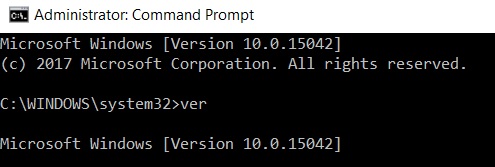
Another way to find the version number is through the Command Prompt.
In the Start Search box, type cmd. Right-click on the Command Prompt icon and select Run as administrator.
In Command Prompt window, type in ver and hit the Enter key.