Note
Access to this page requires authorization. You can try signing in or changing directories.
Access to this page requires authorization. You can try changing directories.
Monitoring Coverage provides a centralized experience to view and enable recommended monitoring settings for common Azure resource types. This feature uses Azure Advisor recommendations to help identify gaps in your observability posture and quickly enable data collection and alerting at scale with minimal configuration.
Capabilities provided by the monitoring coverage feature include:
- Get an overview of monitoring coverage across common Azure resource types.
- Identify and apply Azure Advisor recommendations at scale.
- Enable recommended monitoring settings for multiple resources from a single, centralized location.
- View detailed information for each resource, including current monitoring configuration and applicable recommendations.
Supported resource types
The preview release of monitoring coverage supports Virtual Machines (VMs) and Azure Kubernetes Service (AKS).
How to access
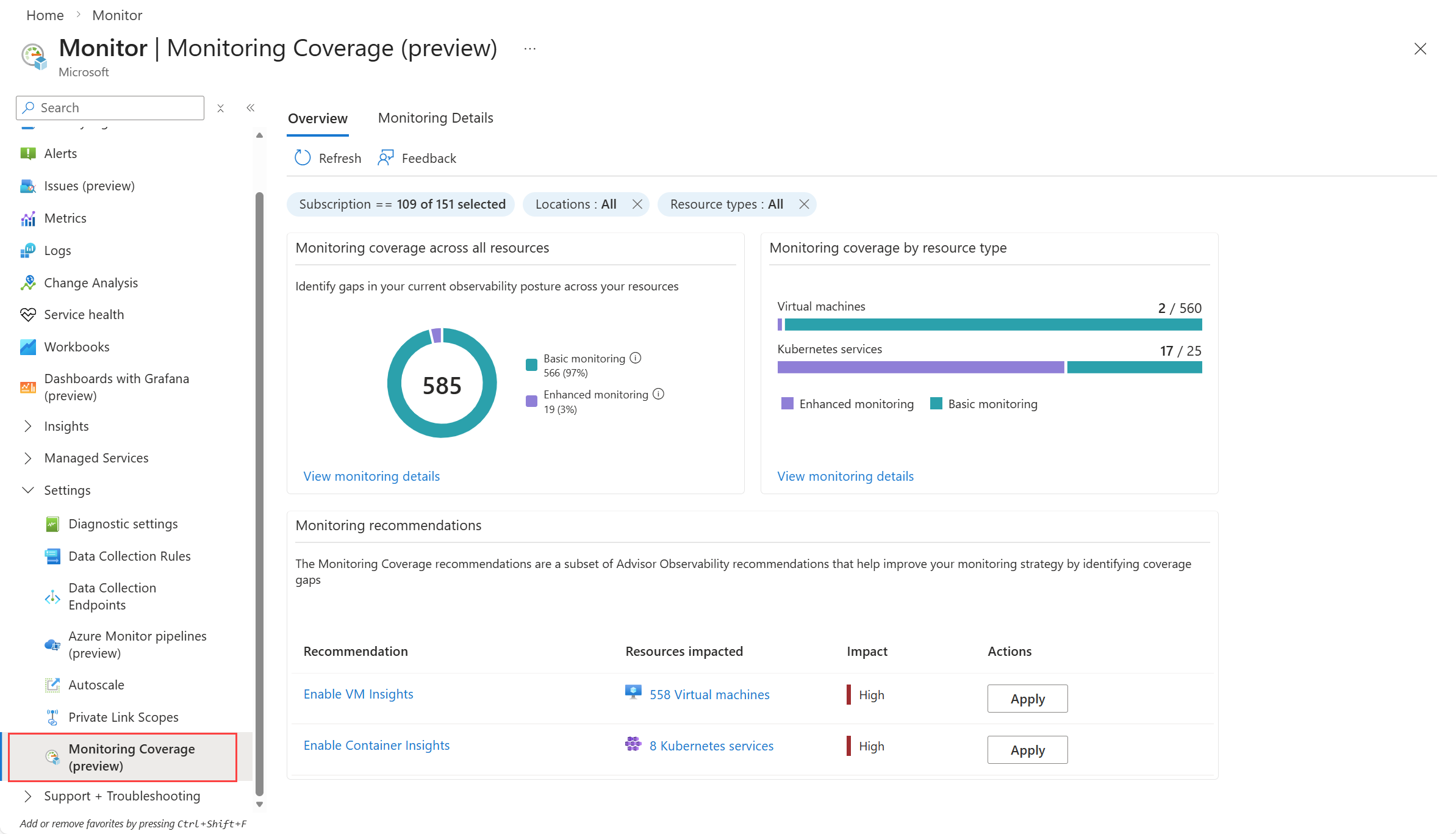
Open the Monitor menu in the Azure portal and select Monitoring Coverage (preview) in the Settings section. Filter the included resources by any of the criteria at the top of the page.
Overview page
The Overview tab summarizes monitoring coverage across your selected resources. It helps you identify coverage gaps and provides quick actions to enable recommendations. The view distinguishes between:
- Basic monitoring. Standard monitoring that’s enabled by default when the resource is created.
- Enhanced monitoring. Recommended monitoring settings from Microsoft that provide additional observability and can improve your overall observability posture. Enabling enhanced monitoring may incur additional costs.
Click Apply next to a recommendation to open the Enablement page, where you can configure and apply the recommended settings to multiple resources at once.
Monitoring Details page
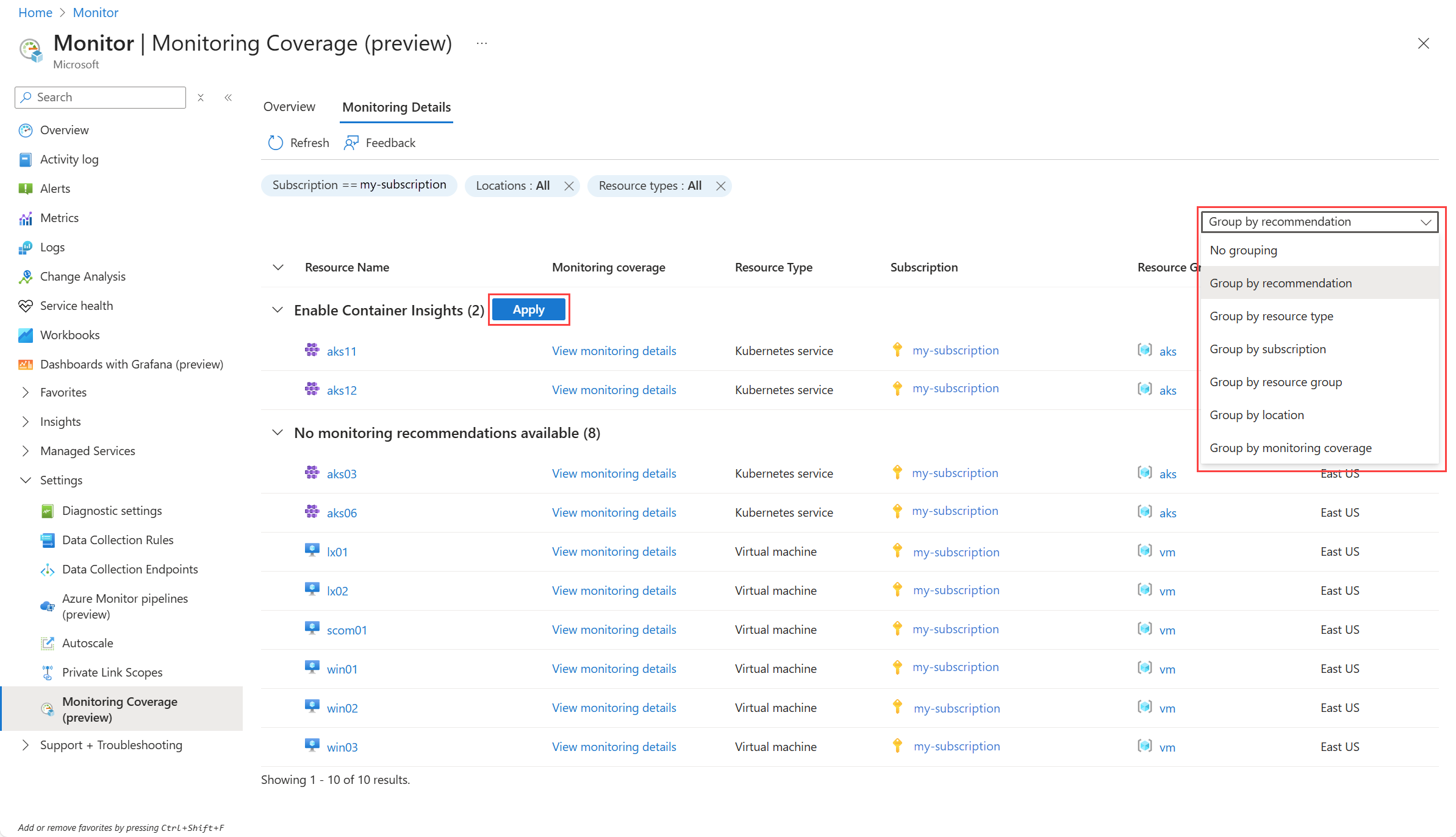
The Monitoring Details page provides monitoring recommendations for individual resources. View resources as a list or group them by various properties. If a resource has multiple recommendations, it may appear under multiple recommendation groupings.
Hover over the value in Monitoring coverage to view the recommended configurations, and click the value to enable the recommendations for that resource.
When you select a grouping, such as a specific recommendation, an Apply button is displayed next to each group. Click this button to open the Enablement page with all resources in that group pre-selected.
Enablement page
The Enablement page lists all resources that are included in the operation and allows you to apply the recommended monitoring settings. Select the resources you want to configure and then click View details and configure to open configuration options specific to the resource type, such as choosing a Log Analytics workspace.
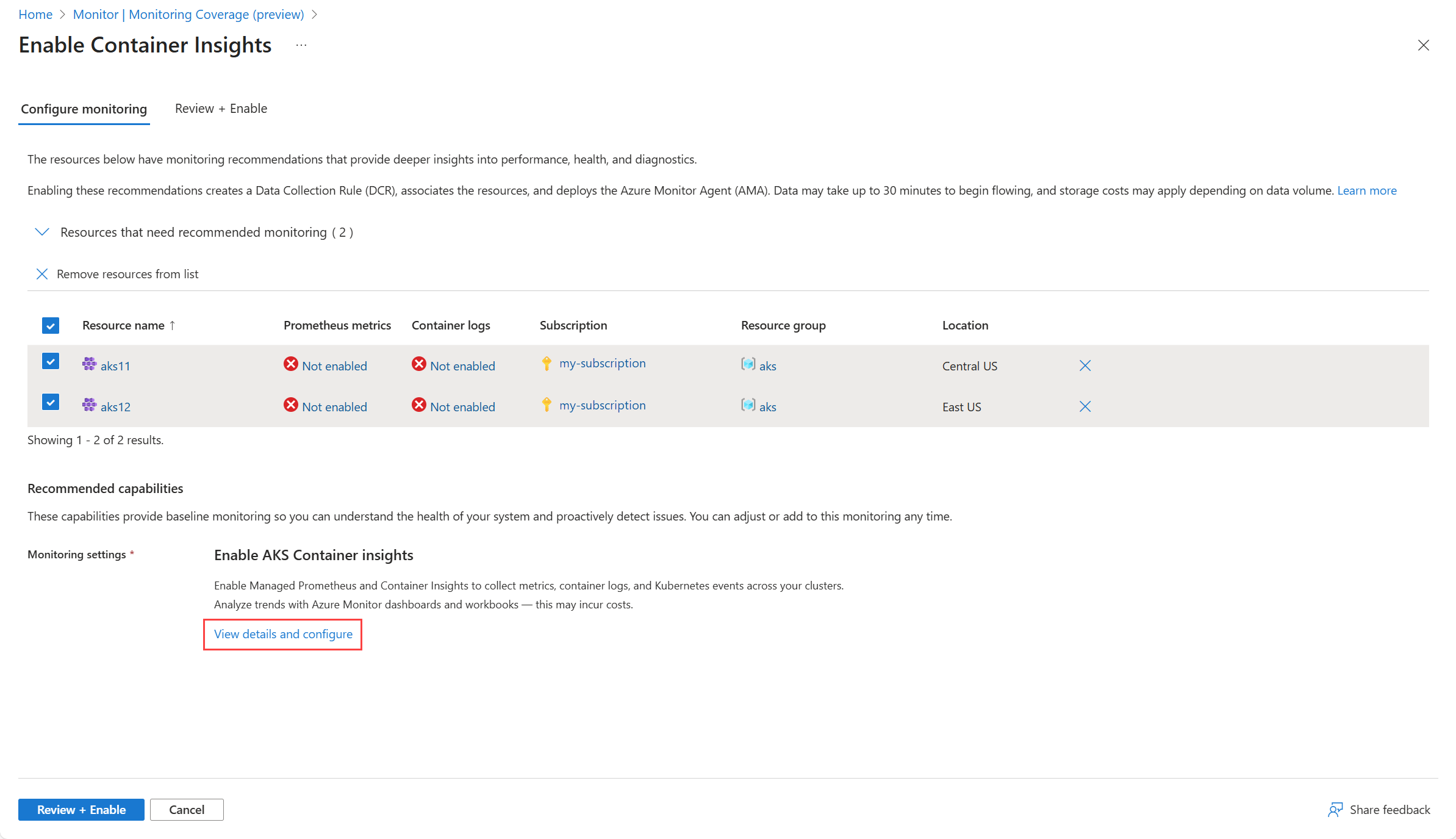
After configuring settings, select Review + Enable to summarize the changes that will be applied. Once you select Enable, it may take 30–60 minutes for monitoring data to start appearing in the selected destination.
Note
The preview version supports enabling monitoring for up to 100 resources at a time and requires an existing Log Analytics Workspace.