Note
Access to this page requires authorization. You can try signing in or changing directories.
Access to this page requires authorization. You can try changing directories.
If you're using an event handler in Azure Web PubSub, you might have outbound traffic to upstream endpoints backed by a private link service. To secure such outbound traffic, you can create an outbound private endpoint connection in your Web PubSub services to reach these endpoints in a private way.

Azure Private Link Service can be backed by any application running behind Azure Standard Load Balancer. That means you can host your event handler in Virtual Machine, Virtual Machine Scale Set or Azure Kubernetes Service.
This outbound method is subject to the following requirements:
- The Private Link Service visibility must be configured "visible to anyone"
- The Web PubSub resource must be on the Standard tier or the Premium tier.
Private endpoints of secured resources that are created by using Azure Web PubSub APIs are called shared private link resources. You're "sharing" access to the Private Link Service. These private endpoints are created inside the Web PubSub service execution environment and aren't directly visible to you.
Prerequisites
- An Azure account with an active subscription. Create an account for free.
- An Azure Web PubSub instance.
- An Azure Private Link Service. Create a Private Link Service.
Note
The examples in this article use the following values:
- The resource ID of this Azure Web PubSub resource is
/subscriptions/00000000-0000-0000-0000-000000000000/resourceGroups/contoso/providers/Microsoft.SignalRService/webPubSub/contoso-webpubsub. - The resource ID of the Azure Private Link Service resource is
/subscriptions/00000000-0000-0000-0000-000000000000/resourceGroups/contoso/providers/Microsoft.Network/privateLinkServices/contoso-pls. - We'd like to use the domain
pls.contoso.comto call the Private Link Service endpoint.
To use the steps in the following examples, replace these values with your own subscription ID, the name of your Web PubSub resource, and the name of your Private Link Service.
If you plan to use HTTPS for pls.contoso.com in event handler settings, make sure the application behind Azure Private Link Service is configured with correct certificate.
Create a shared private link resource to a Private Link Service
In the Azure portal, go to your Azure Web PubSub resource.
On the left menu, select Networking.
Select Private access.
Select Add shared private endpoint.

Enter a name for the shared private endpoint.
To set your target linked sources, either choose Select from your resources or enter your resource ID in Specify resource ID.
Optionally, you can enter text in Request message to send a request to the target resource owner.
Enter FQDN as
pls.contoso.com.Select Add.
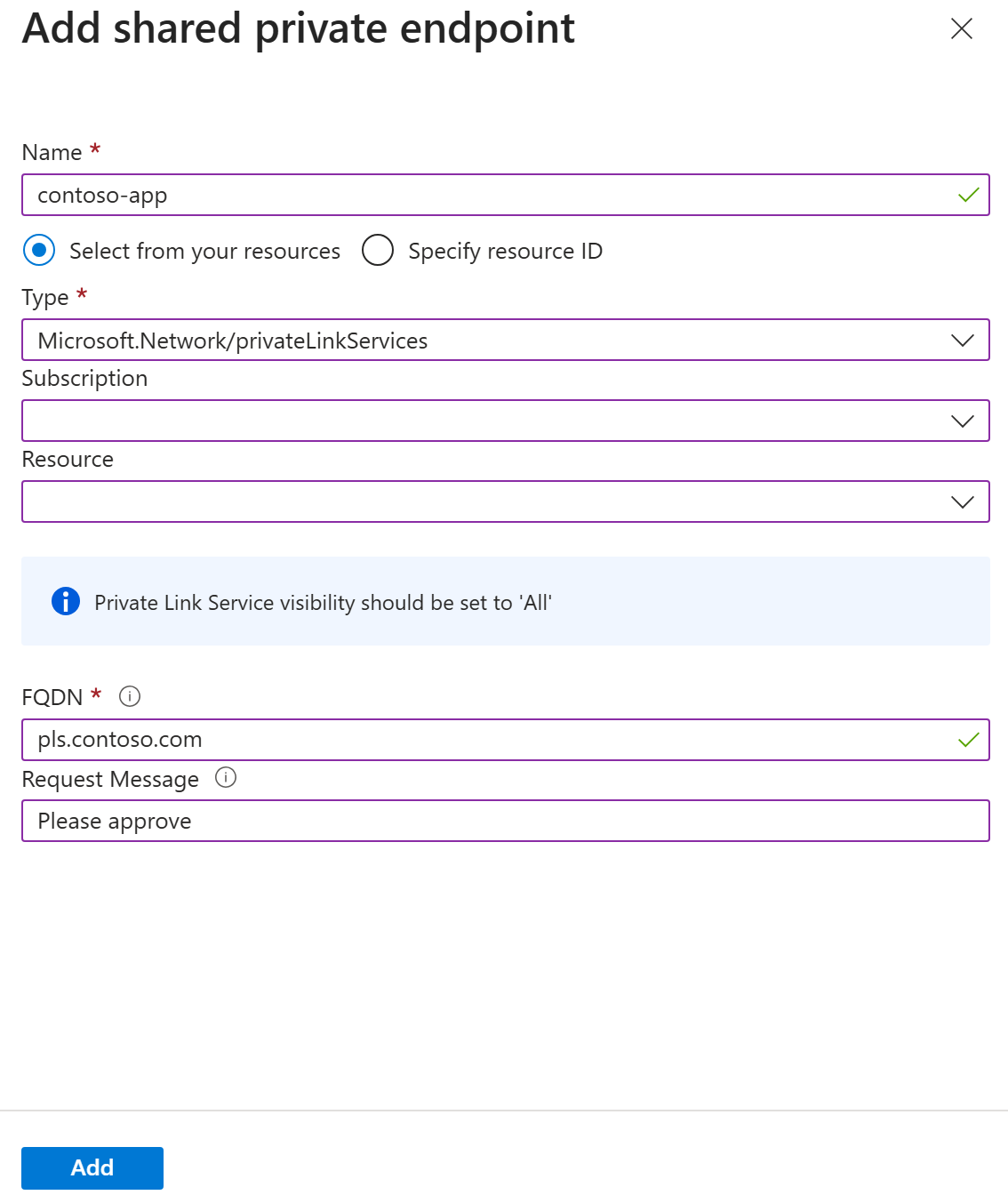

The value for Provisioning state in the shared private endpoint resource is Succeeded. Connection state is Pending until the endpoint is approved at the target resource.

Approve the private endpoint connection
When the shared private endpoint connection has a Pending status, the connection request must be approved at the target resource.
- In the Azure portal, go to your Azure Private Link Service.
- On the left menu, select Settings - Private endpoint connections.
- Select the pending connection that you created in your Web PubSub resource.
- Select Approve, and then select Yes to confirm.

You can select Refresh to check the status. It might take a few minutes for the status Connection state to update to Approved.
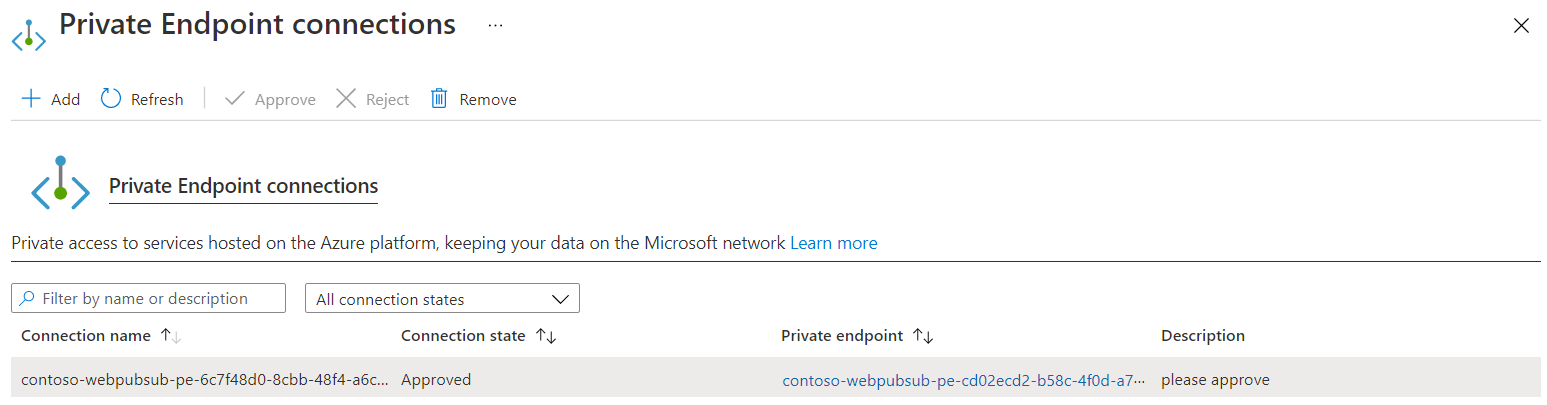
Query the status of the shared private link resource
It takes a few minutes for the approval to be reflected in Web PubSub. You can check the state by using either the Azure portal or the Azure CLI.

At this point, the private endpoint between Azure Web PubSub and Azure Private Link Service is established. You can use URL like http://pls.contoso.com/eventhandler in event handler settings. When Azure Web PubSub sends event handler requests, pls.contoso.com is internally resolved to a private address and traffic go through private network.