Note
Access to this page requires authorization. You can try signing in or changing directories.
Access to this page requires authorization. You can try changing directories.
This article describes how to migrate an Azure Database for PostgreSQL flexible server that uses the v1 logical backup solution to the v2 physical backup experience by using the Azure portal. During migration, you move the existing protected item to v2 while retaining the same backup policy and Backup vault.
Important
Migration from v1 to v2 is one way. Recovery points created earlier on the v1 stack remain available on the same protected item. You can restore these recovery points by using the Restore as Files option. To return to v1, you must stop protection and delete backup instance to reconfigure backup on the v1 stack.
Prerequisites
Before you migrate the protected item to v2 experience, ensure that you meet the following prerequisites:
- Upgrade the PostgreSQL major version to 15 or later
- Scale a Burstable server to General Purpose or Memory Optimized tiers
Configure migration of Azure PostgreSQL flexible server backups to v2 experience
You can start the configuration flow from the Backup vault, Resiliency, or the LTR (Vaulted Backups) pane of the flexible server. This section describes how to migrate the protected item to v2 from Resiliency.
To configure backup migration to v2 experience by using Resiliency, follow these steps:
Go to Resiliency > Backup and recovery > Protected items.
On the Protected items pane, use the filters to find the protected item. Set Datasource type to Azure PostgreSQL flexible server/elastic cluster and select the backup instance to open that you want to migrate.
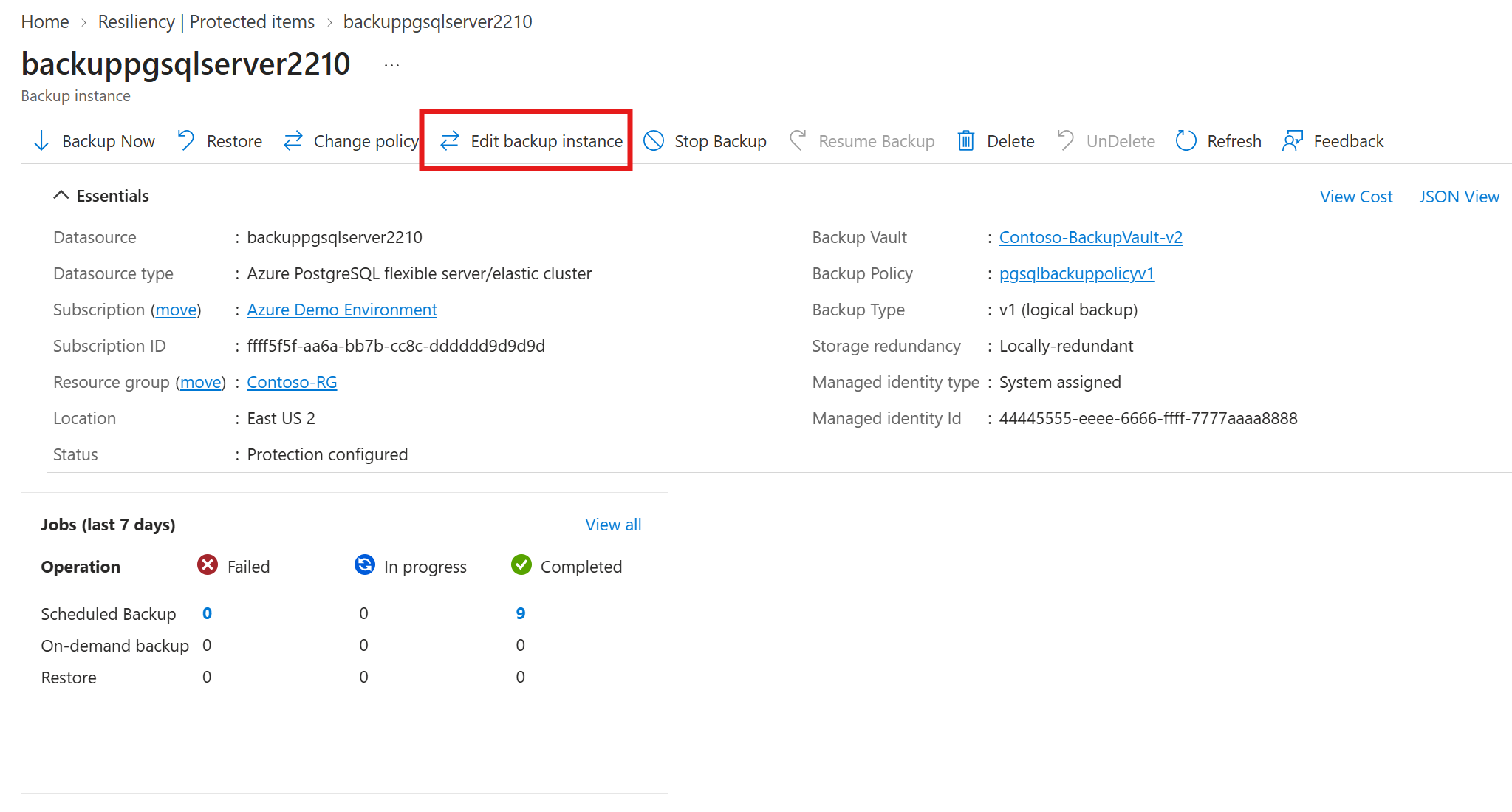
On the selected backup instance pane, select Edit backup instance.
On the Edit Backup instance pane, under Backup type, select v2 (physical backup) (preview).
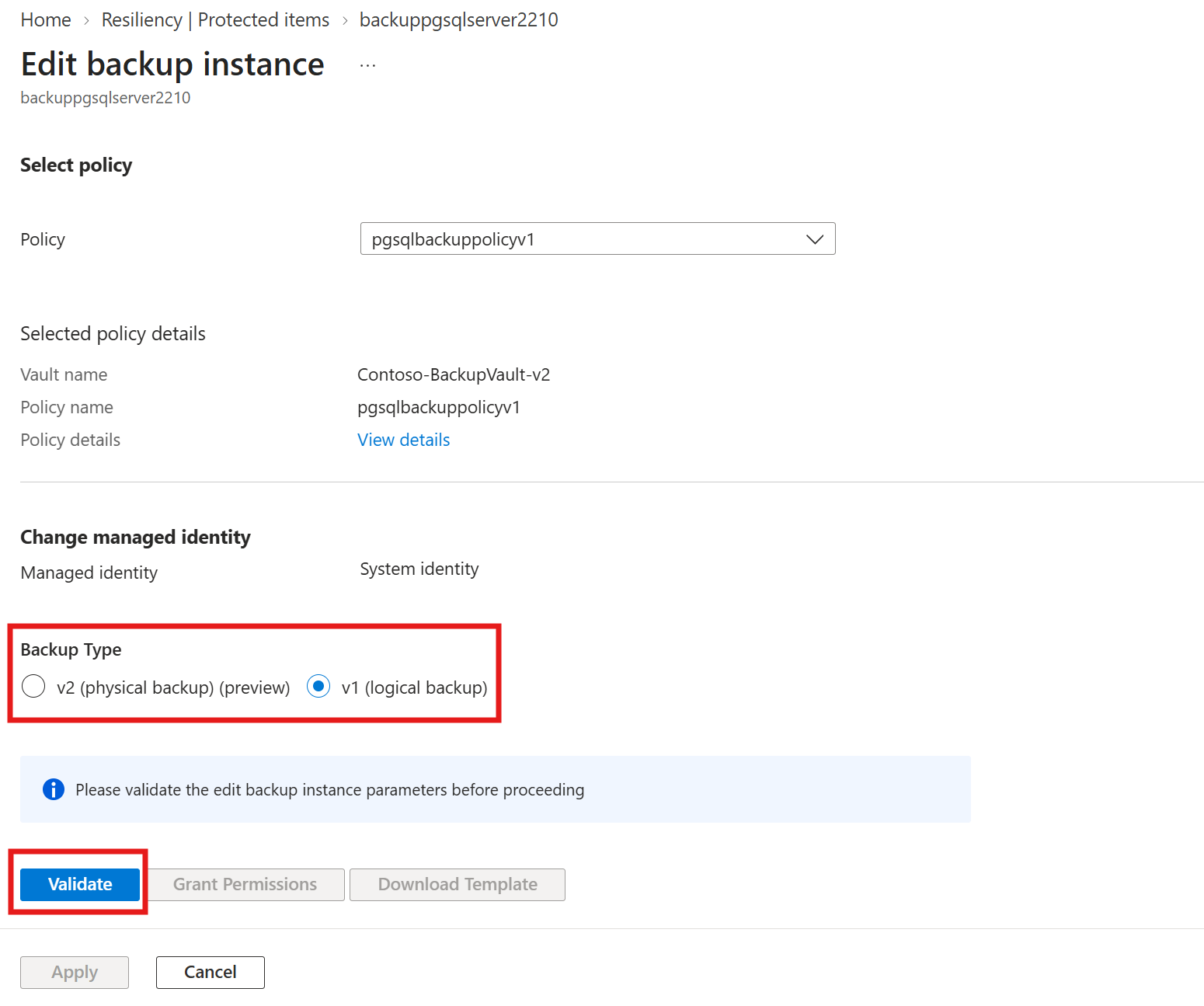
To validate and save the edit backup instance parameters, select Validate.
