Note
Access to this page requires authorization. You can try signing in or changing directories.
Access to this page requires authorization. You can try changing directories.
Azure Arc helps you onboard infrastructure assets outside of Azure and deploy Azure services to your infrastructure, whether on-premises or in a multicloud environment.
With Azure Arc-enabled Kubernetes, you can attach and configure Kubernetes clusters from any location. You can connect clusters on public cloud providers or your on-premises datacenter to Azure Arc.
Azure landing zone sandbox subscription
ArcBox runs in your Azure landing zone sandbox subscription and bootstraps all required Azure resources within a single resource group.
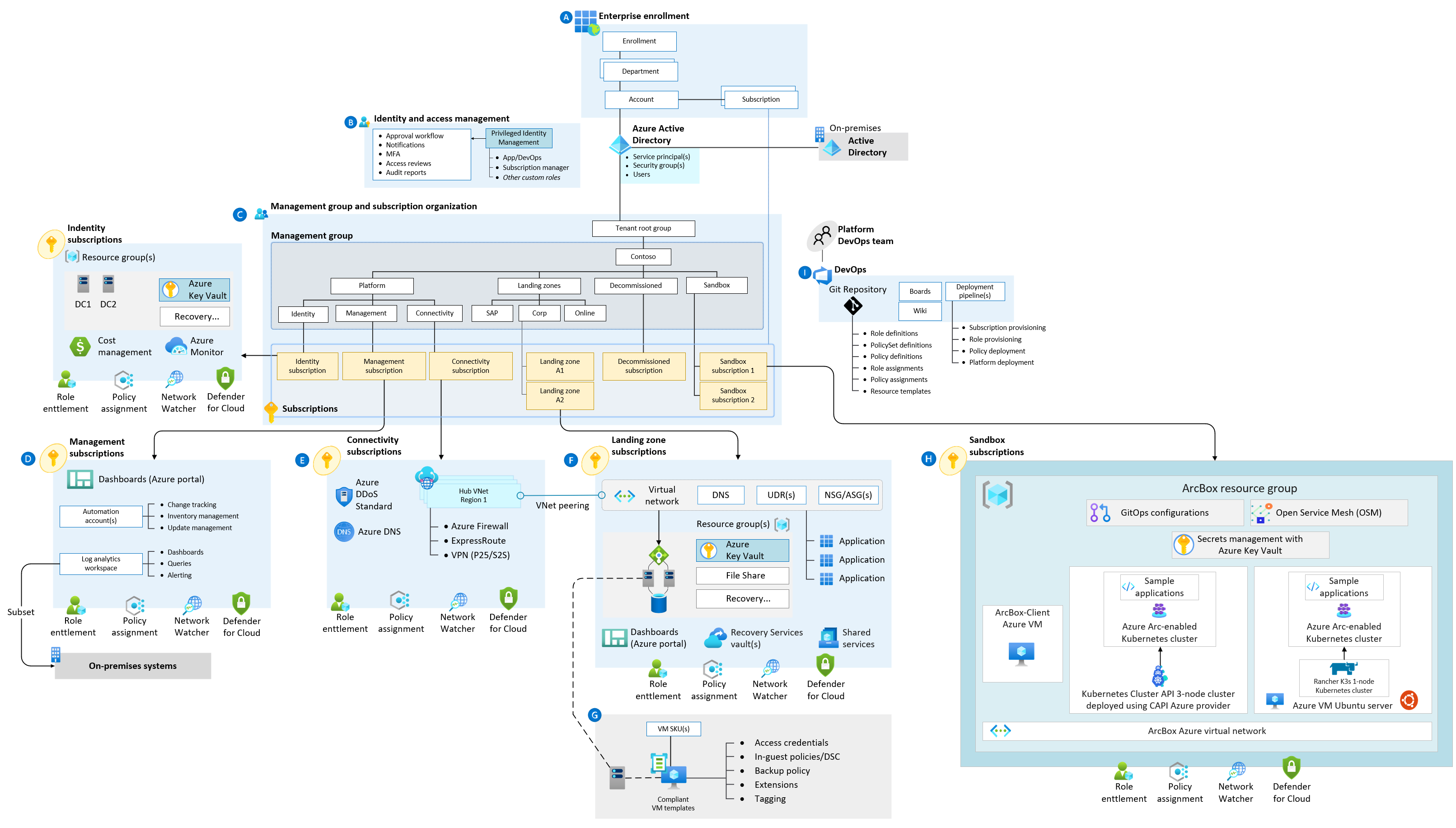 .
.For more information on the design areas labeled A-I in the visual, see environment design areas.
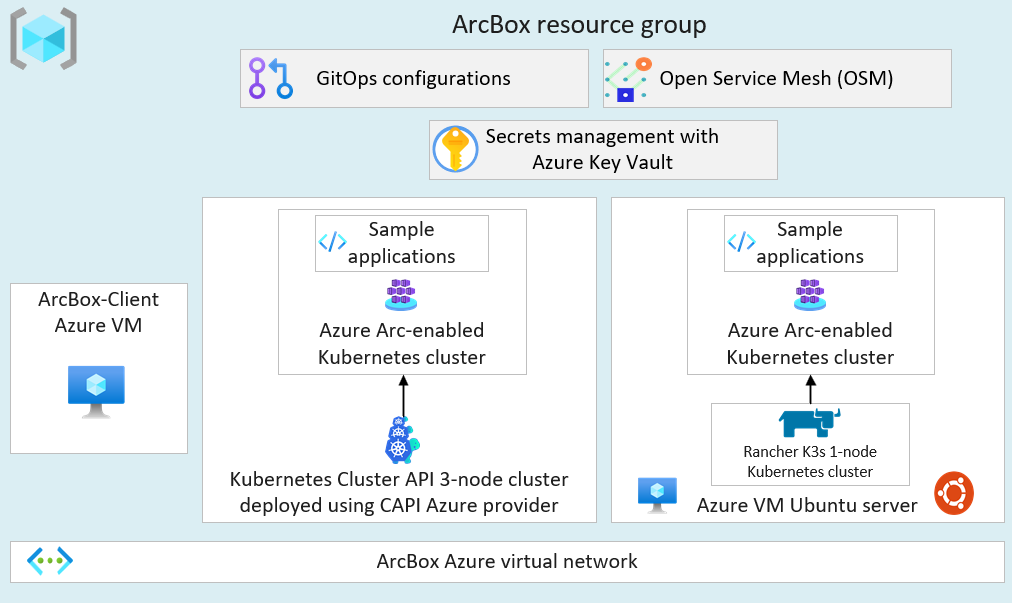
The single resource group ArcBox deploys contains two Azure Arc-enabled Kubernetes clusters. It also includes a unified operations resource layer to integrate with Azure services and understand Azure Arc-enabled Kubernetes value proposition.
Deployment options and prerequisites
The ArcBox solution can be deployed using one of the four methods:
- Azure Bicep using the Azure CLI
- Terraform using the Terraform CLI
- Azure Resource Manager (ARM) template using the Azure CLI
- Azure Resource Manager (ARM) template using the Azure portal
Based on the desired deployment method, you can install either Azure CLI or Terraform CLI.
You can practice your skills with an automated, easy-to-deploy sandbox solution in Azure Arc named "ArcBox" using an Azure Arc-enabled Kubernetes environment. Azure sandbox solution is powered by Azure Arc Jumpstart. ArcBox is entirely self-contained within a single Azure subscription and resource group. It lets you get hands-on with the Azure Arc-enabled servers technology while needing nothing more than an Azure subscription.
Next steps
The Azure Arc-enabled Kubernetes landing zone accelerator sandbox is based on the fully automated Jumpstart ArcBox solution. For more information and guidance on how to get started, refer to the Jumpstart ArcBox website page.