Note
Access to this page requires authorization. You can try signing in or changing directories.
Access to this page requires authorization. You can try changing directories.
This article explains how to enable soft delete, recover soft-deleted resources, and permanently purge resources in Azure Cosmos DB.
Prerequisites
- An Azure Cosmos DB account.
- Sufficient permissions (Cosmos DB Account Contributor or Owner role).
- Your subscription must be registered for the Azure Cosmos DB soft delete preview feature. For registration steps, see Register your subscription.
Configure soft delete
When soft delete is enabled on an account, any regular delete operation automatically becomes a soft delete. There's no separate action or API required. Whether you delete a resource through the Azure portal, SDK, or ARM API, the resource is soft-deleted and retained for the configured retention period.
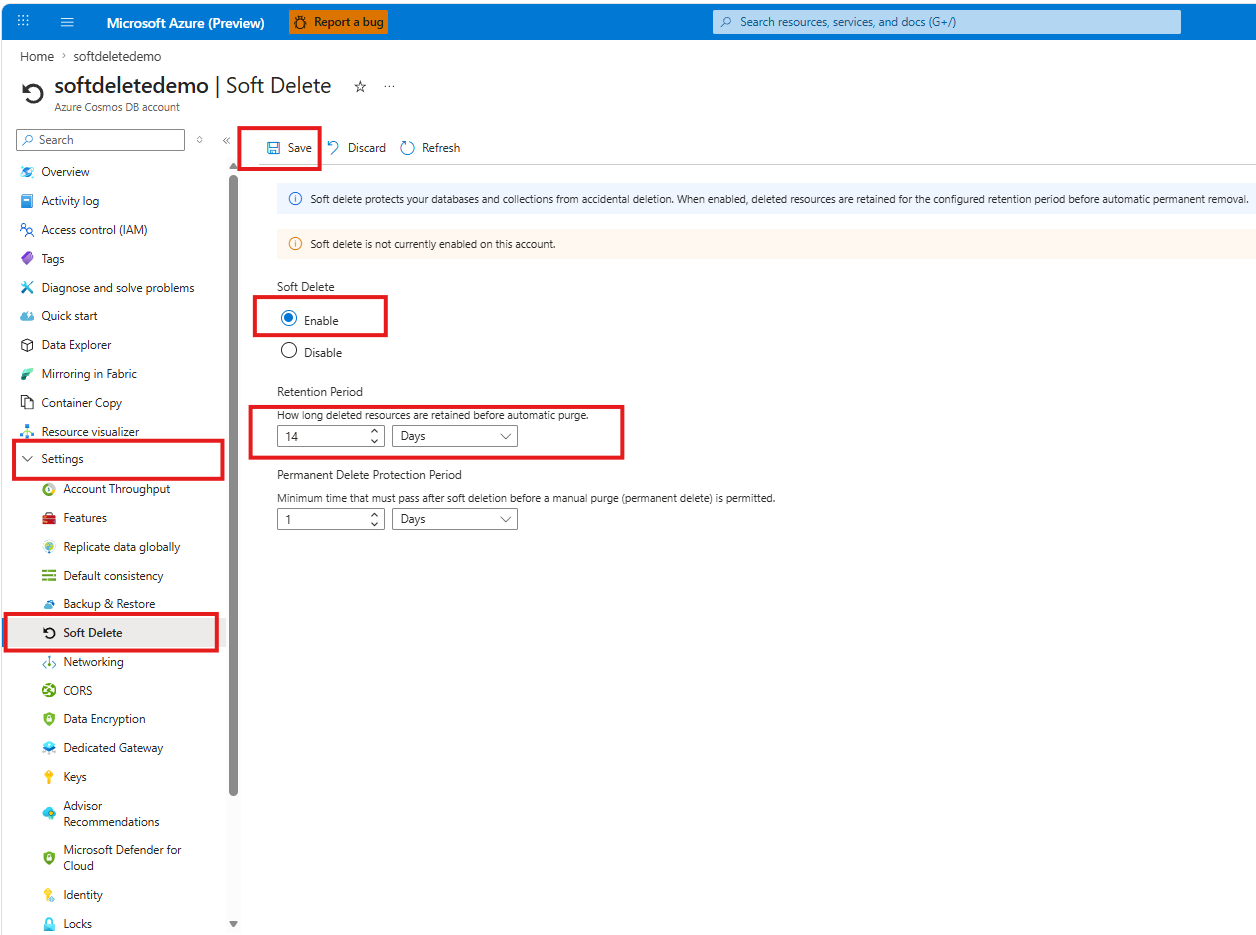
Follow these steps to configure soft delete on the account using the Azure portal.
In the Azure portal, go to your Azure Cosmos DB account.
In the left menu under Settings, select Soft Delete.
Under Soft Delete, select Enable.
Under Retention Period, set how long deleted resources are retained before automatic purge. The default is 1 day.
Optionally, configure the Permanent Delete Protection Period to set the minimum time that must pass after soft deletion before a manual purge is permitted.
Select Save.
Recover a soft-deleted resource
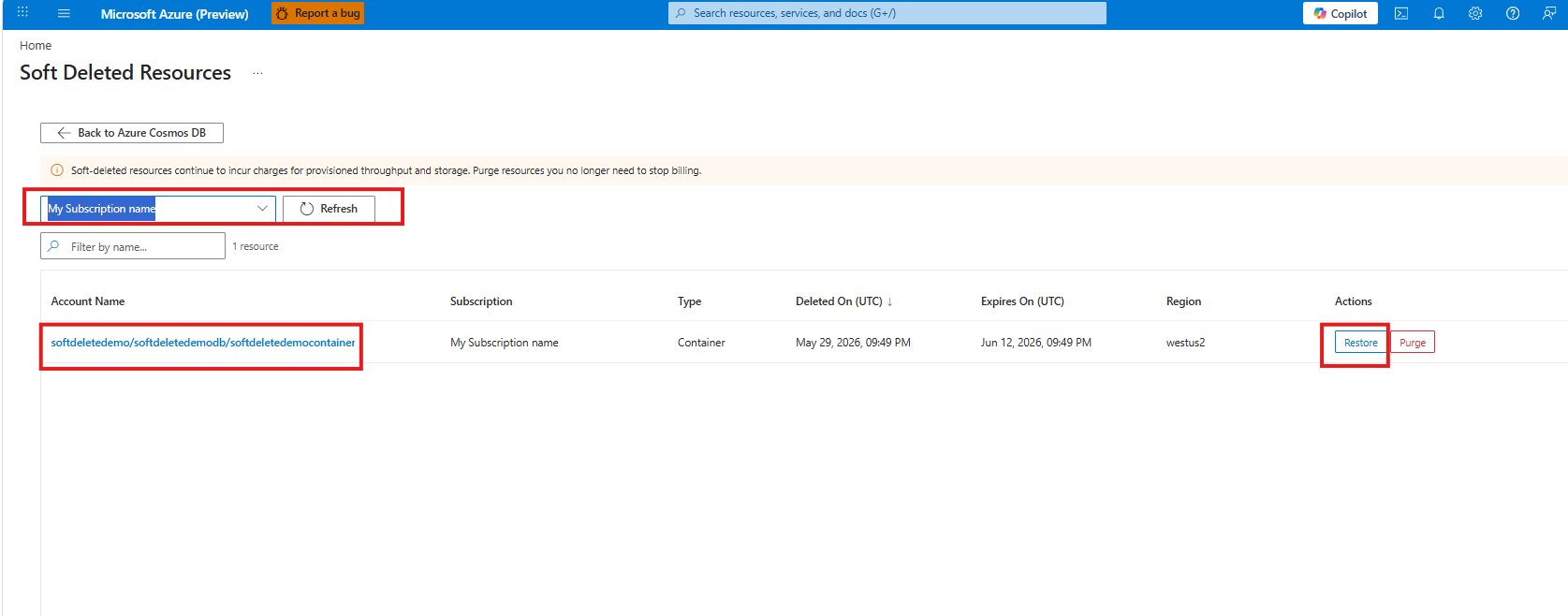
Follow these steps to recover a soft-deleted Azure Cosmos DB resource using the Azure portal.
In the Azure portal, search for and select Soft Deleted Resources under Azure Cosmos DB.
Select your subscription from the dropdown.
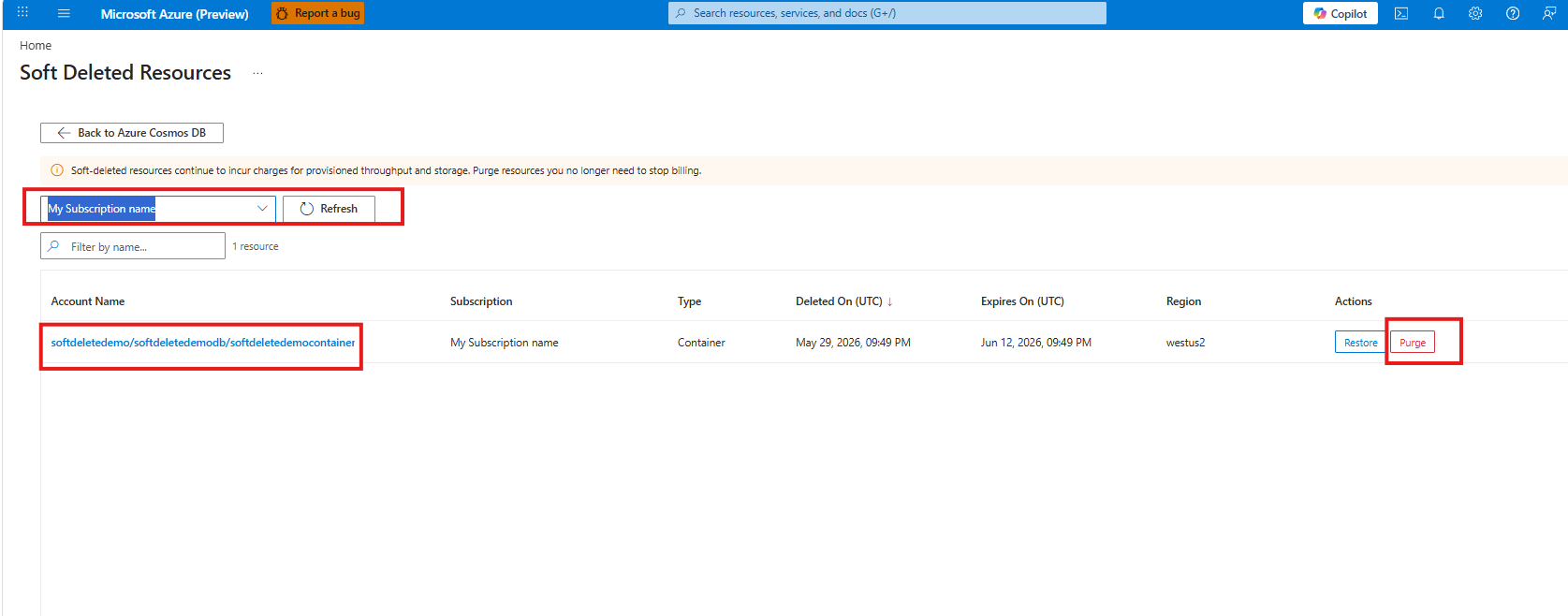
The list shows all soft-deleted resources with their account name, subscription, type, deletion date, expiration date, and region.
Find the resource you want to recover and select Restore in the Actions column.
Purge a soft-deleted resource
Purging permanently deletes a soft-deleted resource before the retention period ends. Once purged, the resource can't be recovered through soft delete.
In the Azure portal, search for and select Soft Deleted Resources under Azure Cosmos DB.
Select your subscription from the dropdown.
Find the resource you want to permanently delete and select Purge in the Actions column.