Note
Access to this page requires authorization. You can try signing in or changing directories.
Access to this page requires authorization. You can try changing directories.
Azure DocumentDB provides seamless scalability and in-region high availability (HA). This document serves as a quick guide for developers who want to learn how to scale and configure their clusters.
Prerequisites
An Azure subscription
- If you don't have an Azure subscription, create a free account
An existing Azure DocumentDB cluster
- If you don't have a cluster, create a new cluster
Use the Bash environment in Azure Cloud Shell. For more information, see Get started with Azure Cloud Shell.

If you prefer to run CLI reference commands locally, install the Azure CLI. If you're running on Windows or macOS, consider running Azure CLI in a Docker container. For more information, see How to run the Azure CLI in a Docker container.
If you're using a local installation, sign in to the Azure CLI by using the az login command. To finish the authentication process, follow the steps displayed in your terminal. For other sign-in options, see Authenticate to Azure using Azure CLI.
When you're prompted, install the Azure CLI extension on first use. For more information about extensions, see Use and manage extensions with the Azure CLI.
Run az version to find the version and dependent libraries that are installed. To upgrade to the latest version, run az upgrade.
Scale cluster compute
The cluster tier allows you to configure number of vCores and amount of RAM on your cluster's physical shards. You can change the cluster tier to suit your needs at any time without interruption. For example, you can increase from M50 to M60 or decrease M50 to M40.
On the cluster sidebar, under Settings, select Scale.
To change the cluster tier, select the new tier from the drop-down menu.
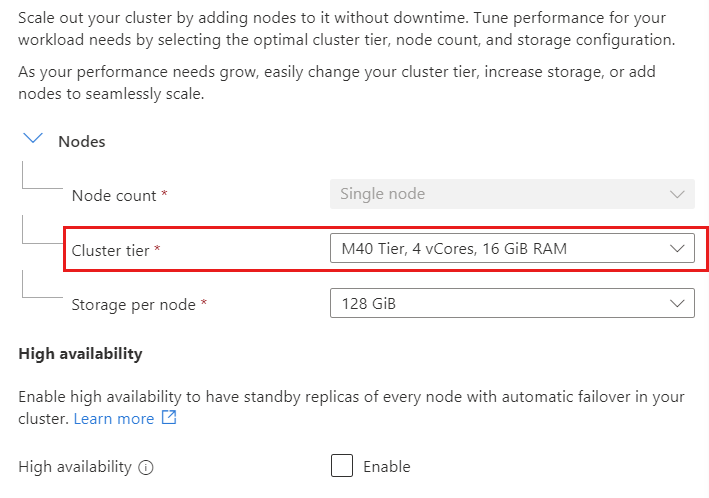
Select Save to persist your change.
Note
Downgrade from regular compute tier to a burstable tier isn't supported.
Increase storage size
You can increase the storage size to give your database more room to grow. For example, you can increase the storage from 128 GiB to 256 GiB.
To increase the storage size, select the new size from the drop-down menu.
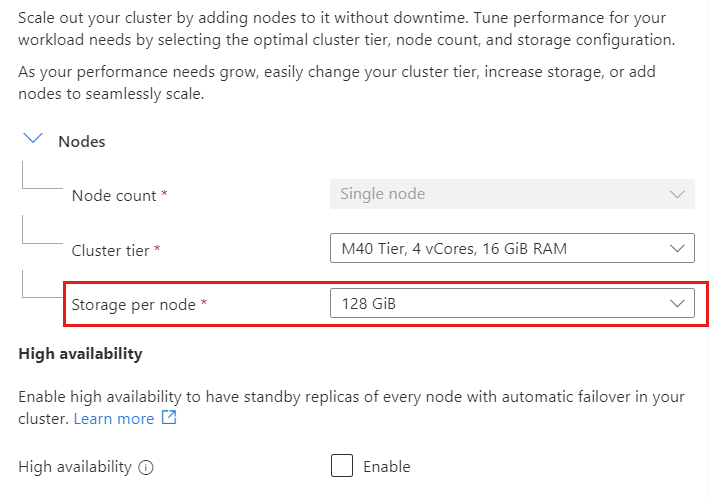
Select Save to persist your change.
Important
Storage size can only be increased, not decreased.
Enable or disable high availability
You can enable or disable in-region high availability (HA) to suit your needs. In-region HA avoids database downtime by maintaining replica shards of every primary shard in a cluster. If a primary shard goes down, incoming connections are automatically redirected to its replica shard, ensuring that there's minimal downtime.
To enable or disable in-region HA, toggle the checkbox option.
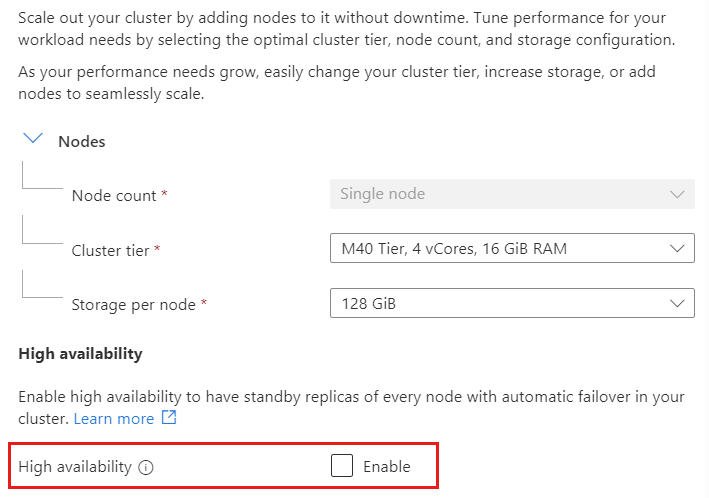
Select Save to persist your change.
Increase the number of physical shards
When a database grows beyond the capacity of a single physical shard cluster, you can either increase the storage size or add more physical shards. After a new physical shard is added to the cluster, you must perform a cluster rebalancing operation to redistribute data across the shards. Each physical shard in a cluster always has the same compute and storage configuration.
To add physical shards, select new shard count from the list.
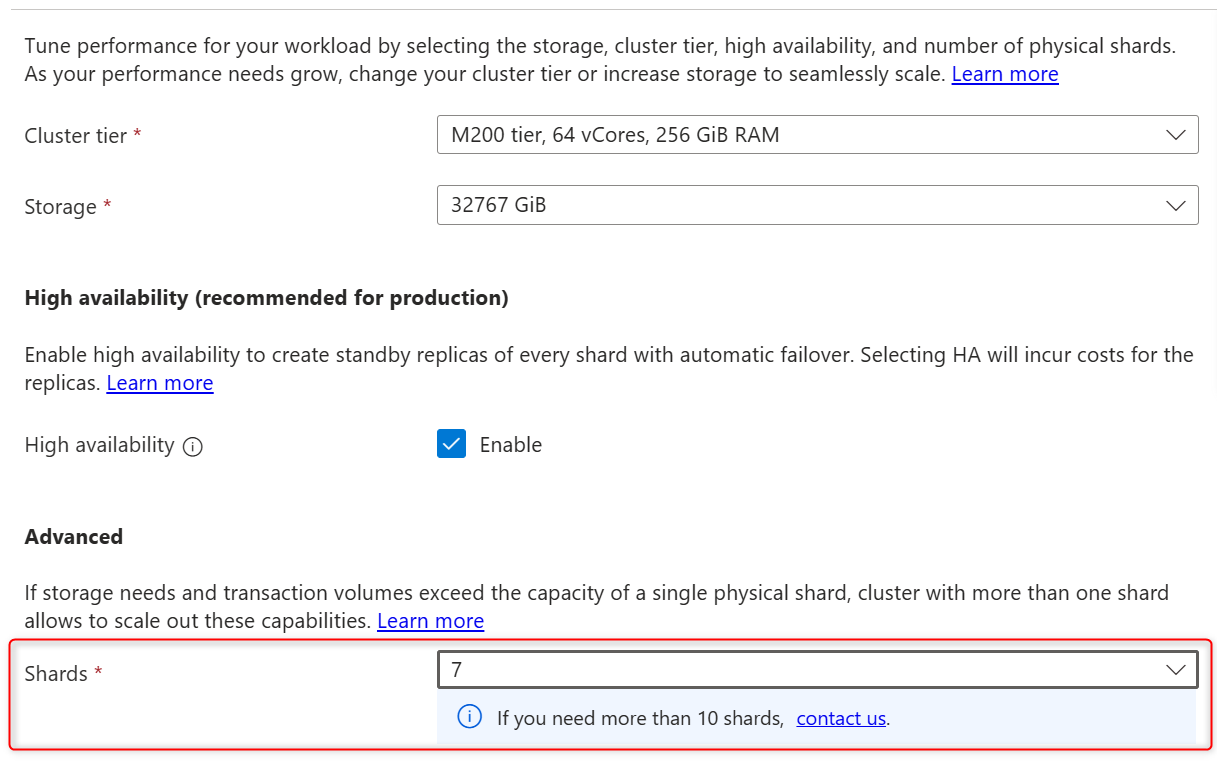
Select Save to persist your change.
Select Continue in the pop-up window to persist your change.
Tip
If you need more than 10 physical shards on your cluster, open a support ticket.
Rebalance data
After a physical shard is added to a cluster, or if multishard cluster has uneven storage usage across its physical shards, data rebalancing redistributes data between shards without any downtime.
In preview, data rebalancing needs to be enabled on cluster:
- In the Azure portal, open cluster properties.
- Under Settings on the Features page, select Rebalancer for multishard clusters.
- In the Rebalancer for multishard clusters panel, select Enable.
To initiate data rebalancing, connect to the cluster using a management tool such as the Mongo shell.
Start the rebalancer with the
sh.startBalancer()command.Check the rebalancer status using
sh.isBalancerRunning().Stop the rebalancer with the
sh.stopBalancer()command.
Note
The duration of the rebalancing process depends on the volume of data being moved between physical shards. The operation is performed online and doesn't affect cluster availability or functionality.
Next steps
In this guide, we showed that scaling and configuring your Azure DocumentDB cluster in the Azure portal is a straightforward process. The Azure portal includes the ability to adjust the cluster tier, increase storage size, enable or disable high availability, and add physical shards without any downtime.