Note
Access to this page requires authorization. You can try signing in or changing directories.
Access to this page requires authorization. You can try changing directories.
What this feature does
This preview capability uses Copilot Chat context to help draft and refine Azure Cosmos DB queries.
Prerequisites
- Visual Studio Code with GitHub Copilot and GitHub Copilot Chat enabled.
- Azure Databases extension with preview build installed.
- Connected Azure Cosmos DB for NoSQL account and container context.
Use the @cosmosdb participant
In Chat, invoke the participant with natural prompts or slash commands.
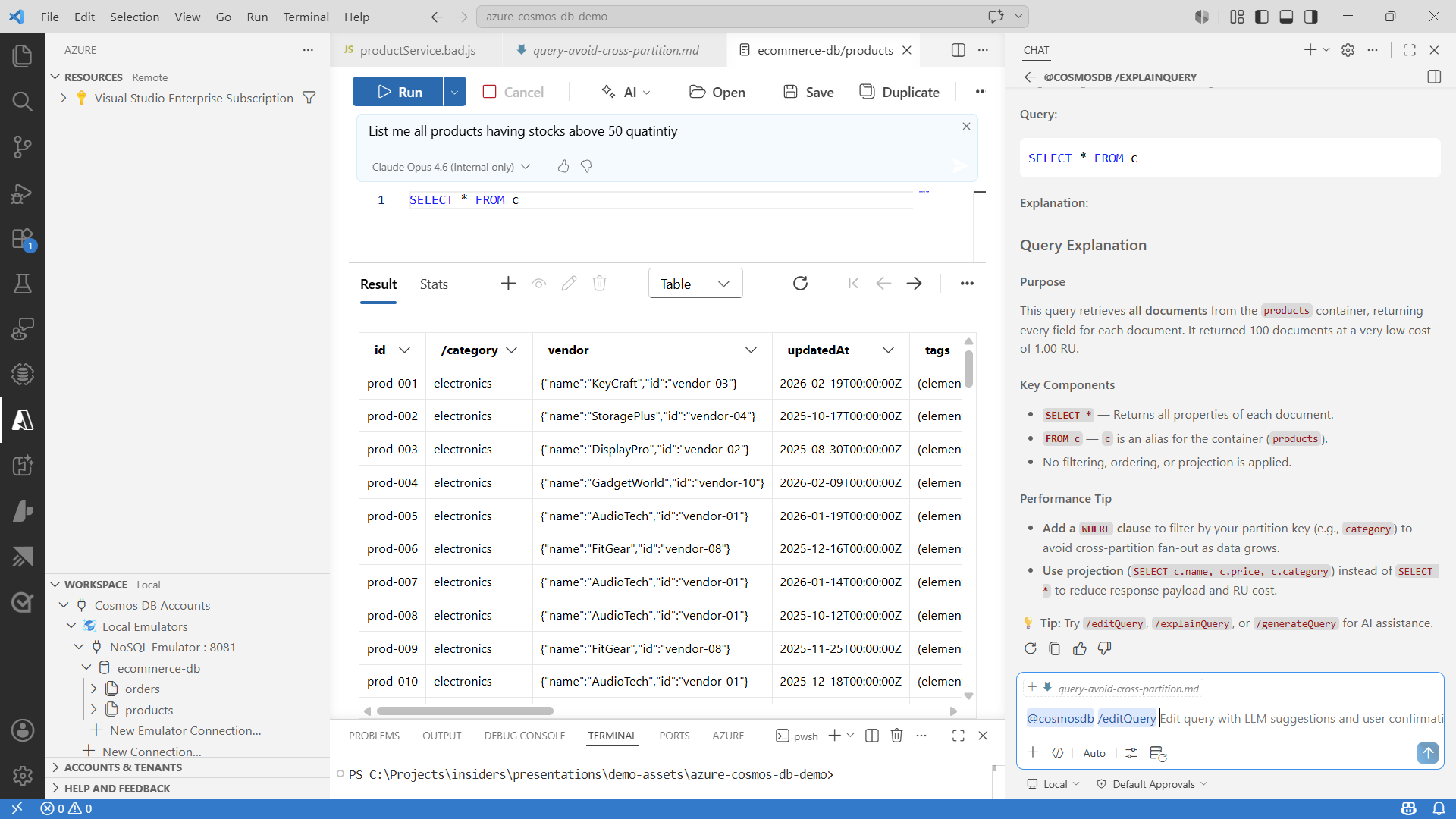
Example commands:
@cosmosdb /help
@cosmosdb /generateQuery Find documents where status = 'pending'
@cosmosdb /explainQuery SELECT * FROM c WHERE c.status = 'pending'
@cosmosdb /editQuery Add ORDER BY c._ts DESC
@cosmosdb /question What is the difference between IS_DEFINED and IS_NULL?
Suggested workflow
- Generate a query from natural language.
- Run it in the query editor.
- Use explain to validate semantics.
- Use edit to refine projection, filters, ordering, or pagination.
Improve answer quality
- Provide exact field names when possible.
- Include sort and pagination intent explicitly.
- Keep prompts scoped to one task per request.
Troubleshooting
- If
@cosmosdbis not recognized, verify preview extension installation and reload the window. - If Copilot Chat is unavailable, verify sign-in and Copilot access.
- If explain or edit fails, verify the source query is valid.
- If responses are off-target, rephrase with explicit schema and filter details.