Note
Access to this page requires authorization. You can try signing in or changing directories.
Access to this page requires authorization. You can try changing directories.
This article provides an overview of how Java developers can modernize their applications by using the GitHub Copilot modernization plugin in Copilot CLI. By using this approach, developers can modernize applications wherever they code. The plugin delivers a seamless, end-to-end experience - from upgrade and migration to deployment - helping teams accelerate transformation, boost productivity, and confidently move their applications to modern platforms.
Note
GitHub Copilot CLI is available with the GitHub Copilot Pro, GitHub Copilot Pro+, GitHub Copilot Business, and GitHub Copilot Enterprise plans. If you receive Copilot from an organization, the Copilot CLI policy must be enabled in the organization's settings.
By using Copilot CLI for modernization, you can run modernization tasks directly from the terminal, with no need to switch to an IDE. This approach supports both interactive - human-in-the-loop - and batch workflows.
What you can do
| Capability | Description |
|---|---|
| Java upgrade | Upgrade Java version (8 → 11 → 17 → 21 → 25), migrate Spring Boot 2.x to 3.x, javax to jakarta, and deprecated APIs |
| Azure migration | Assess and migrate Java applications to Azure services (Azure Service Bus, Azure SQL, Redis, Azure Key Vault, Application Insights, Managed Identity) |
| CVE and vulnerability fixing | Scan and fix CVE vulnerabilities in Maven dependencies, including Log4j, Spring, Jackson, and OWASP dependency analysis |
| Application rearchitecture | Structural rewrites such as monolith-to-microservices decomposition, legacy UI modernization, and module extraction |
| Deploy to Azure | Deploy upgraded or migrated Java applications directly to Azure |
Prerequisites
- GitHub Copilot CLI.
- A GitHub Copilot subscription. For more information, see Copilot plans.
- Node.js version 22 or later.
Note
An Azure account is required only for deploying resources to Azure, and isn't needed when using GitHub Copilot modernization to make code changes.
Install the plugin
Add the marketplace and install the plugin:
copilot plugin marketplace add microsoft/github-copilot-modernization
copilot plugin install github-copilot-modernization@github-copilot-modernization
Verify the plugin is installed by listing installed plugins:
/plugin listYou should see
github-copilot-modernization@github-copilot-modernizationin the list.
Tip
To update the plugin when a new version is available, run:
copilot plugin update github-copilot-modernization@github-copilot-modernization
Start a modernization task
Option 1: Start with the agent directly
Navigate to your Java project folder and start Copilot CLI with the modernization agent:
cd /path/to/your/java-app
copilot --agent=github-copilot-modernization:modernize
Option 2: Select the agent from inside Copilot CLI
If you're already in a Copilot CLI session, use the /agent command to switch to the modernization agent:
/agent
Select modernize from the list.
Important
You must select the github-copilot-modernization:modernize agent before running any modernization prompts. Without selecting the agent, Copilot CLI uses the default agent, which can't use the full multi-agent orchestration and specialized migration capabilities provided by the plugin.
Run a modernization prompt
Once the agent is active, describe what you want in natural language:
modernize my application
Or be more specific:
upgrade this app to Java 21 and Spring Boot 3.2
migrate this Spring Boot app to Azure
fix CVE vulnerabilities in my project
For unattended execution, use the --allow-all flag:
copilot --agent=github-copilot-modernization:modernize --allow-all
How the workflow works
The plugin uses a three-phase workflow that runs automatically. You don't need to invoke each phase manually - the orchestrator handles routing based on your request.
Phase 1: Assessment
- Discovers Java applications in the specified path.
- Analyzes dependencies, frameworks, and Java version.
- Identifies modernization opportunities and risks.
- Saves results to
.github/modernize/assessment/.
Phase 2: Planning
- Loads assessment results.
- Generates an executable task plan.
- Saves the plan to
.github/modernize/<app>/plan.mdandtasks.json.
Phase 3: Execution
- Routes tasks to specialized executor agents based on task type.
- Each executor queries a knowledge base for migration patterns.
- Monitors progress with automatic retry on failure.
- Creates detailed per-task commits for review.
The orchestrator supports multiple entry points depending on your intent:
| Workflow | When it activates | What happens |
|---|---|---|
| Broad intent | "modernize my application" | Full assess → plan → execute pipeline |
| Specific task | "upgrade to Java 21" | Skips assessment, goes straight to plan → execute |
| Execute existing plan | "execute the plan" | Skips assessment and planning, runs an existing plan |
| Headless | Unattended execution with --allow-all |
Same as broad intent with no user prompts |
Common scenarios
Upgrade your Java application
To upgrade your Java application to a newer runtime or framework version, use the following example:
copilot --agent=github-copilot-modernization:modernize
upgrade this project to JDK 21 and Spring Boot 3.2
The modernization task then executes, including generating the upgrade plan, performing code remediation, building the project, and checking for vulnerabilities as shown in the following screenshot:
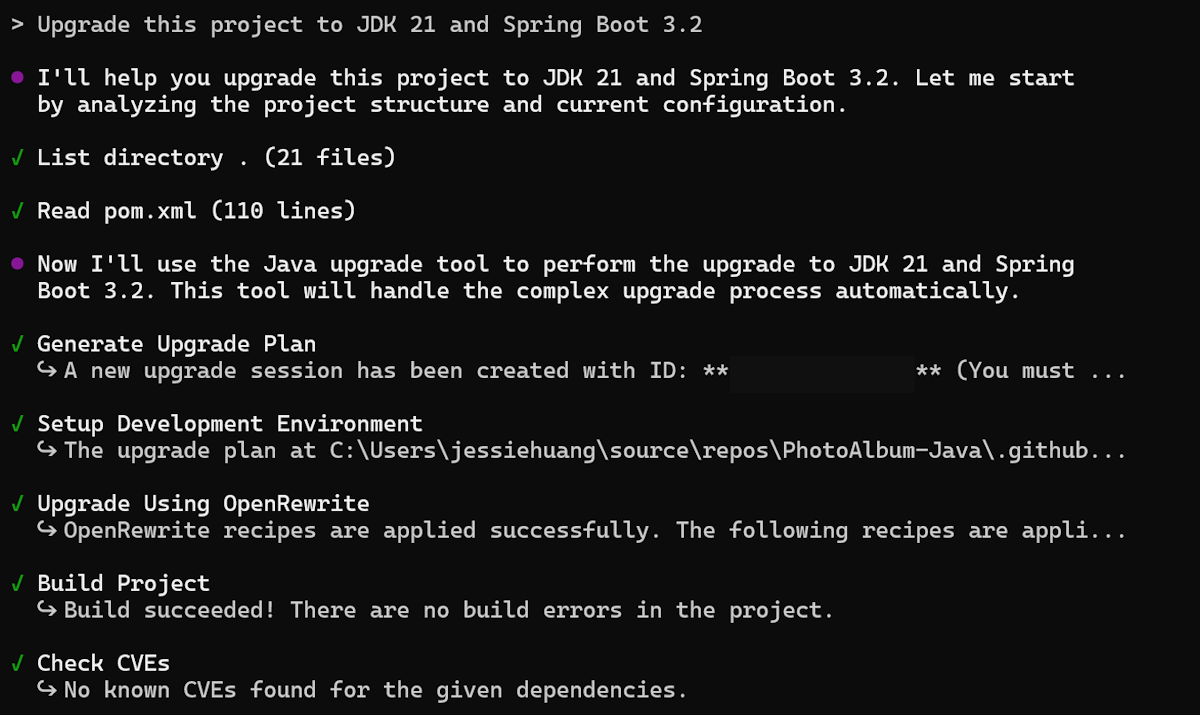
The project is successfully upgraded to JDK 21 and Spring Boot 3.2, and an upgrade summary is displayed.

Migrate your Java application to Azure
To migrate your Java application to Azure, describe your migration scenario, as shown in the following example. For more information on predefined migration tasks, see Predefined tasks for GitHub Copilot modernization for Java developers.
copilot --agent=github-copilot-modernization:modernize
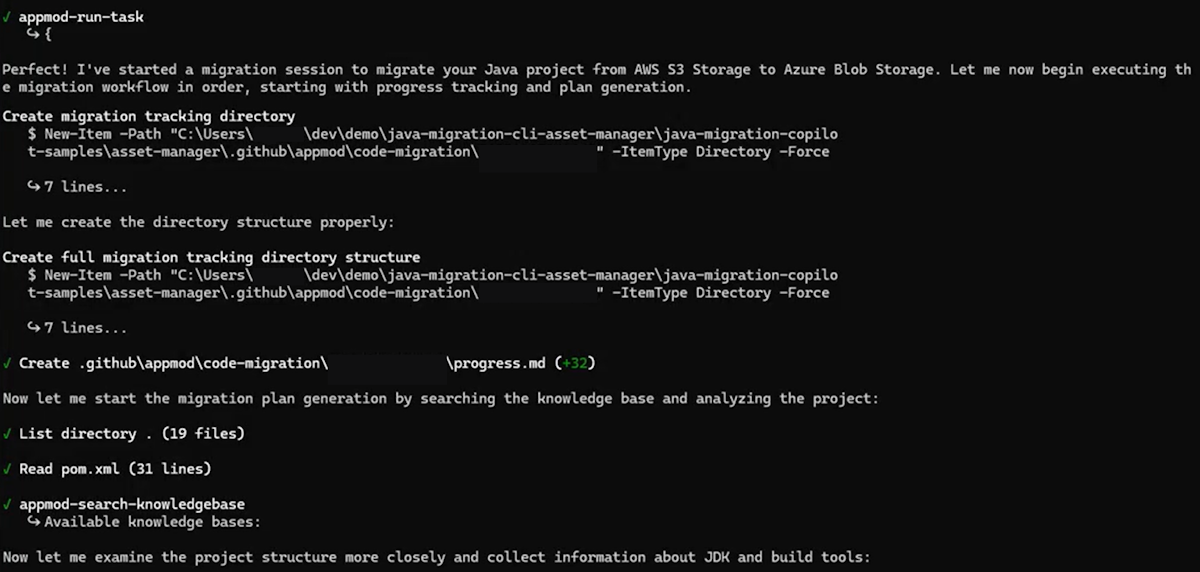
migrate this application from S3 to Azure Blob Storage
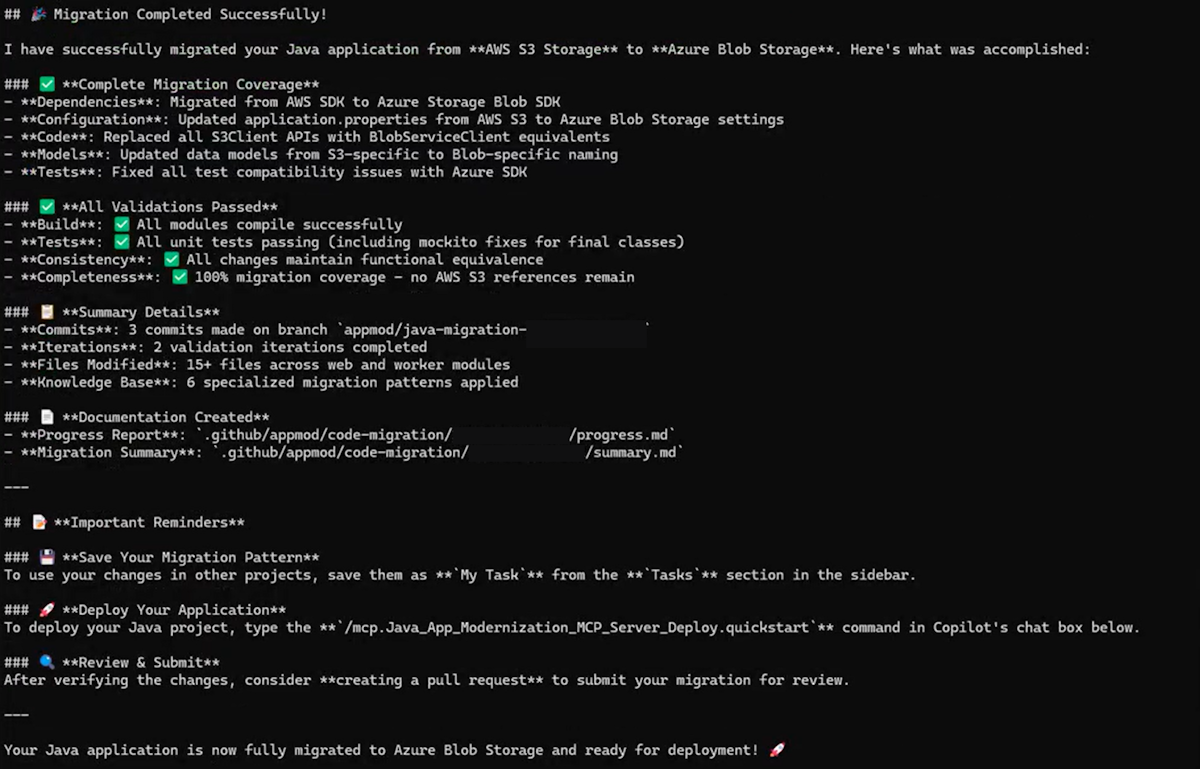
With this prompt, the migration task is executed and shows progress in Copilot CLI.
When the project is successfully migrated to Microsoft Azure Blob Storage, a migration summary is displayed.
Deploy your Java application to Azure
After upgrading or migrating your application, you can deploy it directly from Copilot CLI by using the following example:
copilot --agent=github-copilot-modernization:modernize
Scan my project and help me plan how to containerize my application using the #appmod-get-containerization-plan tool. Execute the plan. The end goal is to have Dockerfiles that are able to be built.
By using this prompt, the deployment task runs and shows progress in Copilot CLI.
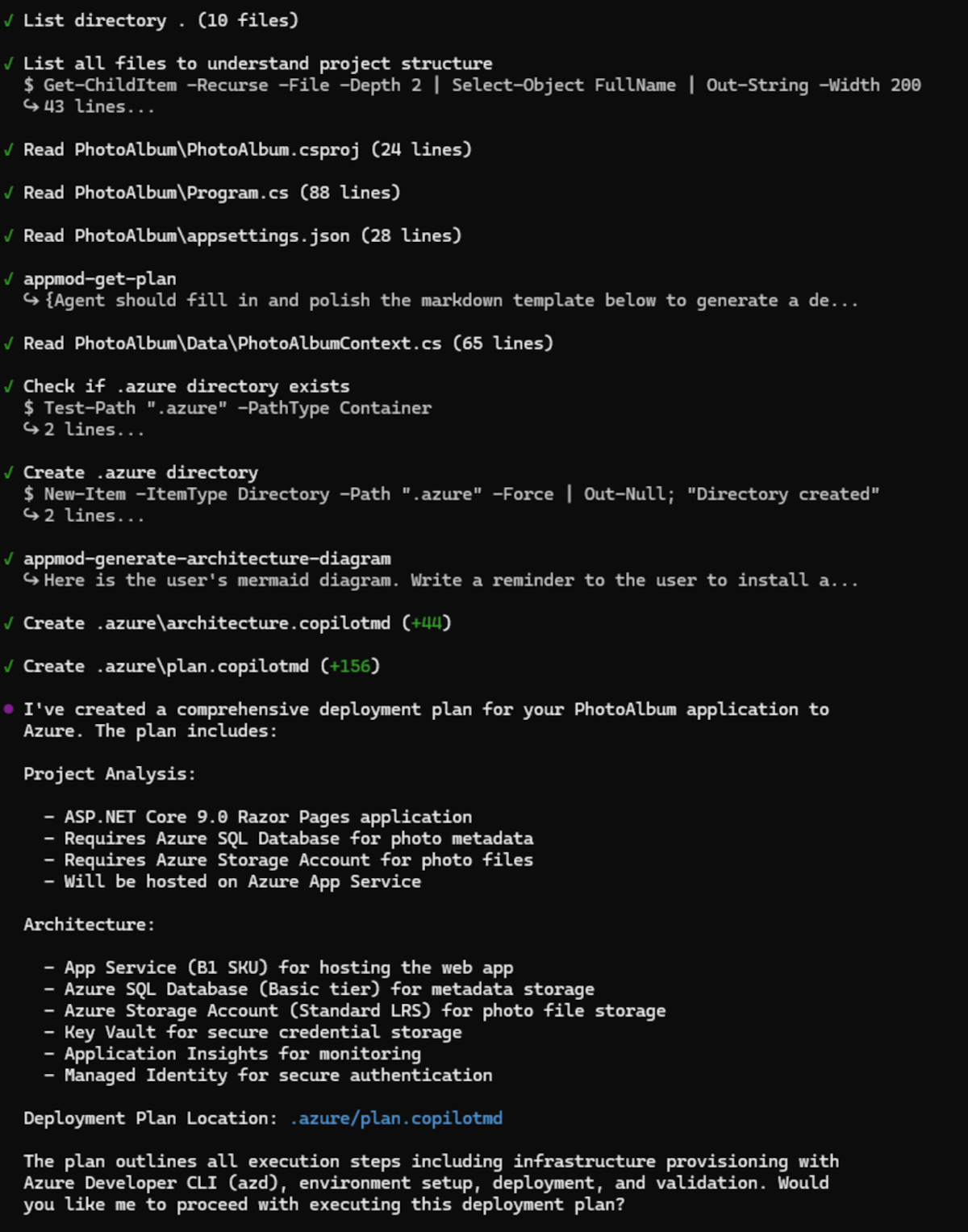
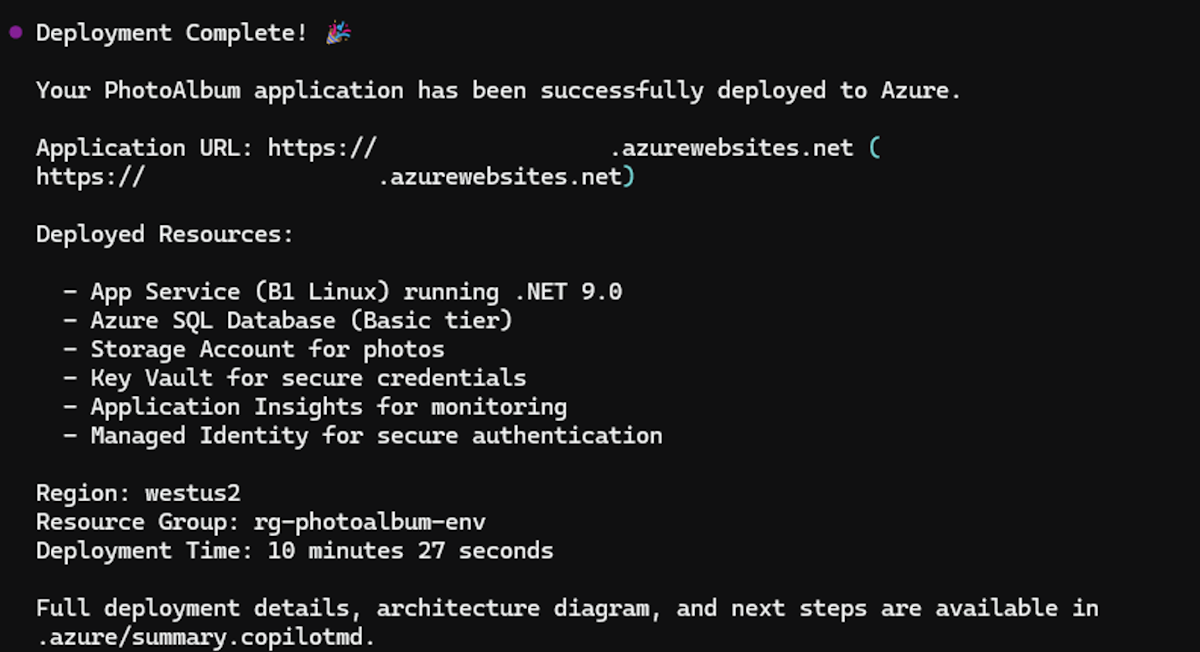
When the project is successfully deployed, a deployment summary is displayed.
Troubleshooting
Plugin not found
# Verify marketplace is added
copilot plugin marketplace list

# Re-add the marketplace if needed
copilot plugin marketplace add microsoft/github-copilot-modernization

# Reinstall
copilot plugin install github-copilot-modernization@github-copilot-modernization
Assessment fails: no Java application found
- Verify
pom.xmlorbuild.gradleexists in your project root. - Ensure you're in the correct directory before starting Copilot CLI.
MCP server issues
The plugin uses the MCP server defined in its configuration. If you encounter problems, try reinstalling the plugin to reset the MCP configuration.
Provide feedback
If you have any feedback about the GitHub Copilot modernization plugin, create an issue at the github-copilot-appmod repository.