Note
Access to this page requires authorization. You can try signing in or changing directories.
Access to this page requires authorization. You can try changing directories.
This quickstart shows you how to optimize chat results by using the modernize custom agent to migrate Java applications to Azure. The modernize custom agent is optimized for application modernization tasks and enables you to use simple, natural language prompts to perform complex migration scenarios.
Prerequisites
- A GitHub account with an active GitHub Copilot subscription under any plan.
- One of the following IDEs:
- The latest version of Visual Studio Code. Must be version 1.113 or later.
- GitHub Copilot in Visual Studio Code. For setup instructions, see Set up GitHub Copilot in Visual Studio Code. Be sure to sign in to your GitHub account within Visual Studio Code.
- GitHub Copilot modernization. Restart Visual Studio Code after installation.
- The latest version of IntelliJ IDEA. Must be version 2023.3 or later.
- GitHub Copilot. Must be version 1.5.59 or later. For more information, see Set up GitHub Copilot in IntelliJ IDEA. Be sure to sign in to your GitHub account within IntelliJ IDEA.
- GitHub Copilot modernization. Restart IntelliJ IDEA after installation. If you don't have GitHub Copilot installed, you can install GitHub Copilot modernization directly.
- The latest version of Visual Studio Code. Must be version 1.113 or later.
- Java 21 or later.
- Maven or Gradle to build Java projects.
Note
An Azure account is required only for deploying resources to Azure, and isn't needed when using GitHub Copilot modernization to make code changes.
If you're using Gradle, only the Gradle wrapper version 5 or later is supported.
The Kotlin Domain Specific Language (DSL) isn't supported.
The function My Skills isn't supported yet for IntelliJ IDEA.
Select the modernize custom agent
The modernize custom agent provides the best experience for Java application migration and modernization tasks. Use the following steps to select it:
Open Visual Studio Code and ensure you have the GitHub Copilot modernization extension installed.
Open the Copilot chat window by selecting the chat icon in the Activity Bar.
In the chat window, locate the agent selector dropdown menu at the top of the chat input box and select modernize from the list. This custom agent is designed for Java application modernization and migration scenarios.
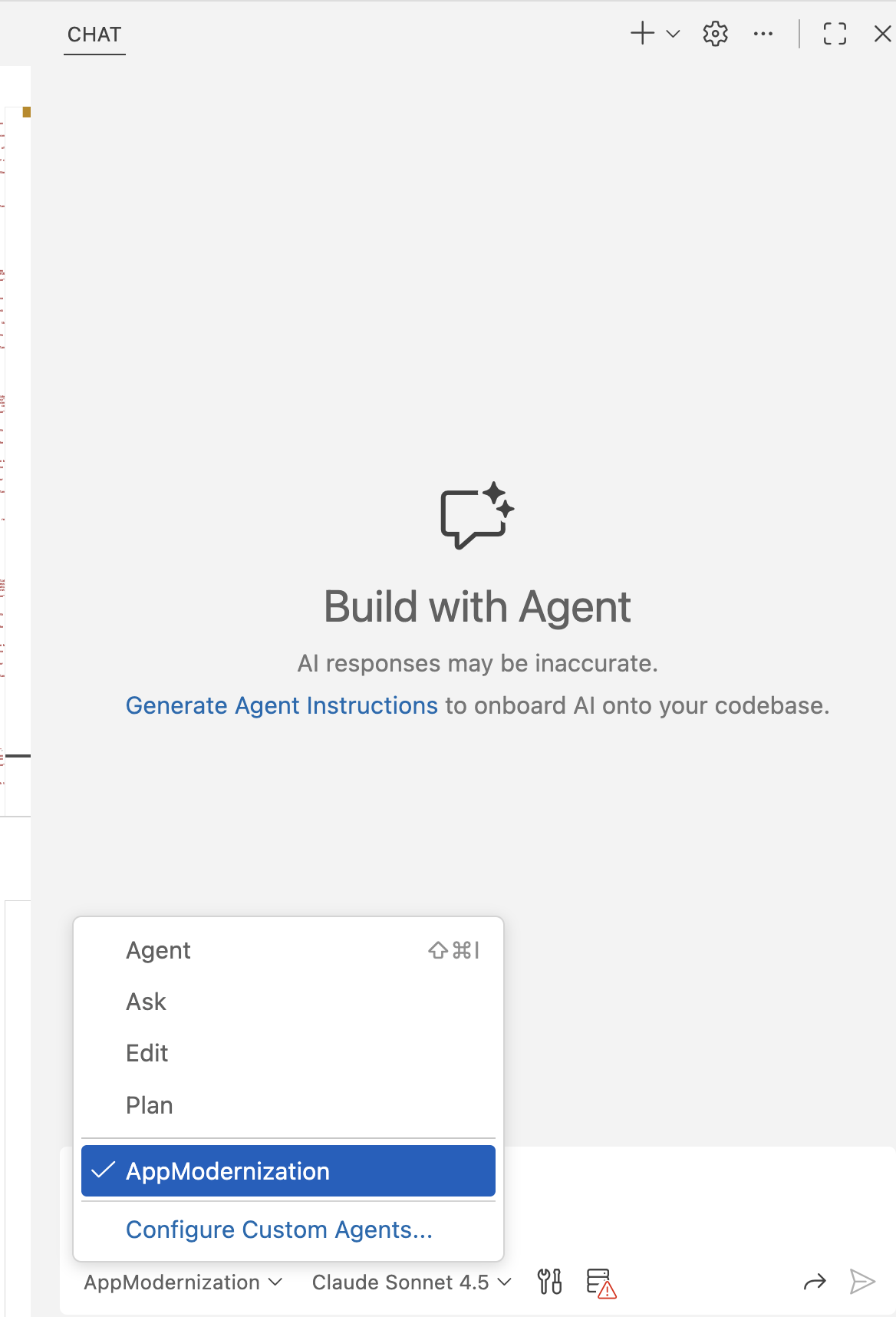
Note
Although you can select different language models in the chat window, Claude Sonnet 4.6 is the tested and recommended model for best results with Java application modernization tasks.
Important
The modernize custom agent is currently available only for Visual Studio Code.
Use simple prompts for migration
With the modernize agent selected, use simple, natural language prompts to perform migration tasks. The agent understands migration context and can handle complex scenarios with minimal input.
Example: Migrate from RabbitMQ to Azure Service Bus
Make sure you have a Java project open in Visual Studio Code that uses RabbitMQ.
In the Copilot chat window, select the
modernizeagent and enter the following prompt:migrate from rabbitmq to Azure service busThe agent analyzes your code, creates a migration plan, makes code changes, runs validations, and generates a summary. Select Continue to proceed through each step and Keep to accept the changes.
Other migration scenarios
The modernize agent supports various migration scenarios with simple prompts. Here are more examples:
Database migration:
migrate from Oracle to Azure PostgreSQLAuthentication migration:
migrate to Managed Identity for Azure SQL DatabaseStorage migration:
migrate from AWS S3 to Azure Storage BlobMessaging migration:
migrate from ActiveMQ to Azure Service BusSecret management:
migrate secrets to Azure Key Vault