Note
Access to this page requires authorization. You can try signing in or changing directories.
Access to this page requires authorization. You can try changing directories.
This quickstart shows how to generate infrastructure-as-code (IaC) files and provision Azure resources for your project by using GitHub Copilot modernization.
Before deploying an application to Azure, you need the right cloud infrastructure in place. The Generate Infrastructure as Code and Provision task in the GitHub Copilot modernization extension automates this process. It analyzes your project, generates IaC files, and provisions the required Azure resources. This process includes the ability to create an Azure landing zone tailored to your application, covering networking, identity, governance, and security foundations.
Prerequisites
- An Azure account with an active subscription. Create one for free.
- A GitHub account with an active GitHub Copilot subscription under any plan.
- One of the following IDEs:
- The latest version of Visual Studio Code (version 1.113 or later) with the following extensions:
- GitHub Copilot in Visual Studio Code. For setup instructions, see Set up GitHub Copilot in Visual Studio Code. Be sure to sign in to your GitHub account within Visual Studio Code.
- GitHub Copilot modernization. Restart Visual Studio Code after installation.
- The latest version of IntelliJ IDEA (version 2023.3 or later) with the following plugins:
- GitHub Copilot (version 1.5.59 or later). Be sure to sign in to your GitHub account within IntelliJ IDEA.
- GitHub Copilot modernization. Restart IntelliJ IDEA after installation.
- The latest version of Visual Studio Code (version 1.113 or later) with the following extensions:
Prepare your infrastructure
Use the following steps to generate IaC files and provision Azure resources:
Open your project in your IDE.
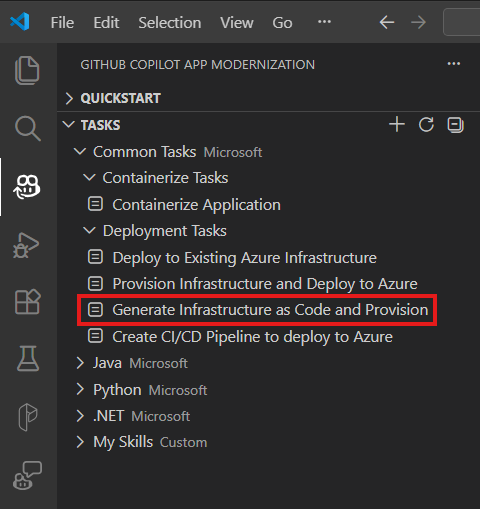
From the Activity sidebar, open the GitHub Copilot modernization extension pane. Under the Tasks section, select Generate Infrastructure as Code and Provision, and then select Run.
After you select the button, the Copilot chat window with Agent Mode opens automatically.
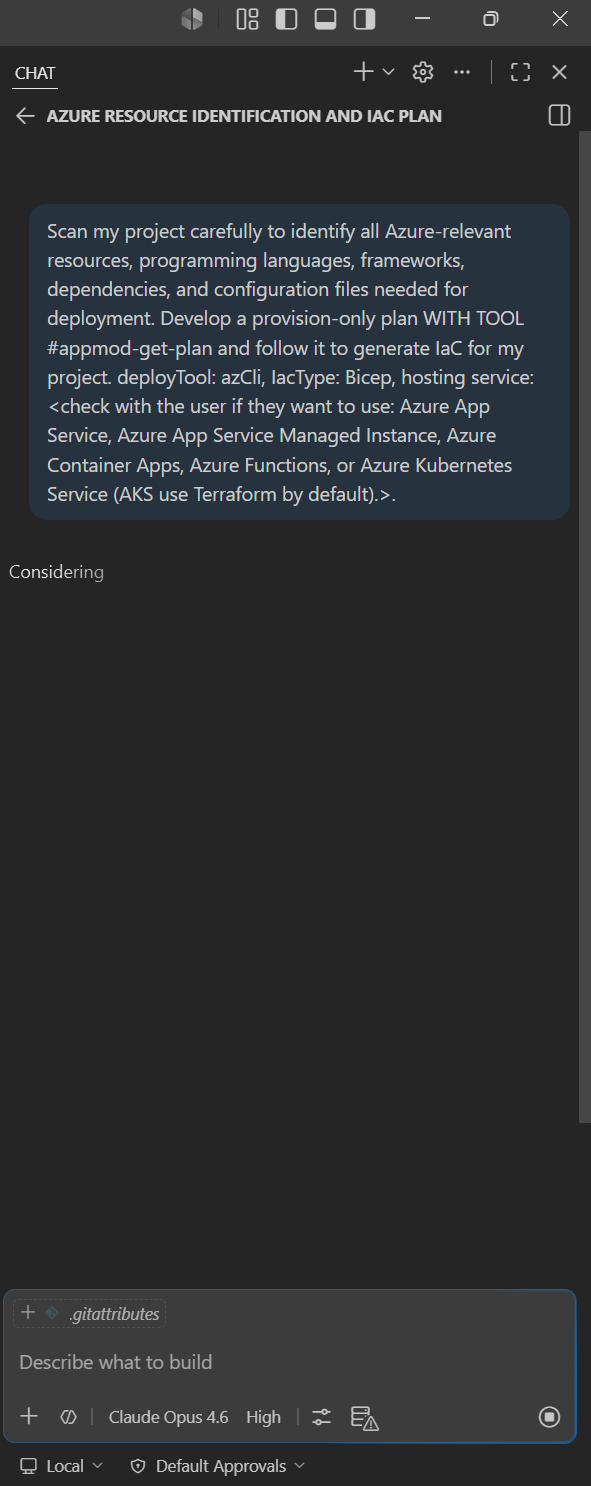
Select Continue repeatedly to confirm each tool action in the Copilot Chat window. The Copilot Agent uses various tools to facilitate infrastructure preparation. Each tool's usage requires confirmation by selecting Continue. Provide Copilot with the necessary information, such as subscription and resource group, as it prompts you.
Copilot typically goes through the following steps to prepare your infrastructure:
- Analyzes your project to determine the technology stack, dependencies, and resource requirements.
- Proposes an Azure architecture with the appropriate hosting services and supporting resources.
- Generates IaC files, such as Bicep or Terraform.
- Provisions Azure resources based on the generated IaC files.
- Creates a summary of the infrastructure provisioning results.
Note
For the best results, use Claude Opus 4.5 or later models.
The agent can also reference assessment reports, architecture diagrams, landing zone guidelines, or compliance and security requirement documents in the repository to inform infrastructure decisions.
Customize with your own prompts
The Generate Infrastructure as Code and Provision button sends a predefined prompt. For more control, type a custom prompt directly in the Copilot chat with Agent Mode. This approach lets you combine different inputs and tailor the output to your needs.
Tip
Example prompts for different scenarios:
"Create an Azure landing zone tailored to my application's architecture and requirements"- design a landing zone with networking, identity, and governance foundations."Generate Bicep files for my project's Azure infrastructure based on the assessment report in docs/assessment.md, don't provision yet"- generate IaC only, referencing an assessment report."Provision Azure infrastructure following the architecture diagram in docs/architecture.png and the compliance policies in docs/security-requirements.md"- combine architecture and compliance inputs."Generate Terraform files for my project and provision resources in East US region"- request a specific IaC format and region.