Note
Access to this page requires authorization. You can try signing in or changing directories.
Access to this page requires authorization. You can try changing directories.
Azure DevOps Services
Tip
For the latest extension development guidance, including theming and migration from VSS.SDK, see the Azure DevOps Extension SDK developer portal.
If you have a web page that can be hosted in an iframe, it can also be hosted in Azure DevOps Services. This webpage would be a tab on the backlog pages. In this example, we'll add a Hello World tab on the Product Backlog and the Iteration Backlog.
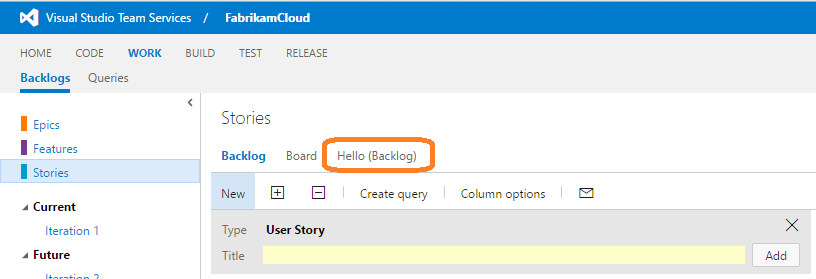
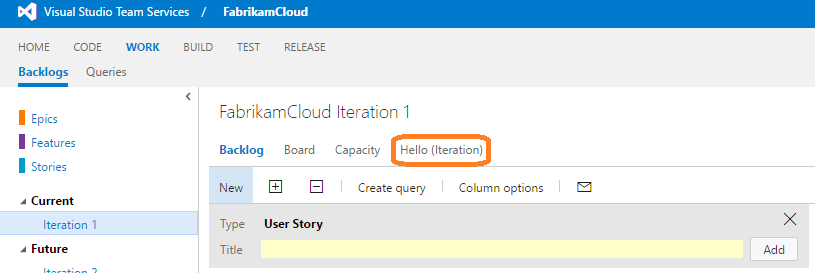
Create your web page
Install the azure-devops-extension-sdk package and place the
SDK.jsfile inhome/sdk/scripts.npm install azure-devops-extension-sdkCreate the web page you want to display. The following example adds a simple
hello-world.htmlpage to thehomedirectory.In your HTML page, reference the SDK and call
SDK.init()followed bySDK.notifyLoadSucceeded().<!DOCTYPE html> <html xmlns="http://www.w3.org/1999/xhtml"> <head> <title>Hello World</title> <script src="sdk/scripts/SDK.js"></script> </head> <body> <script type="text/javascript">SDK.init();</script> <h1>Hello World</h1> <script type="text/javascript">SDK.notifyLoadSucceeded();</script> </body> </html>
Update your extension manifest
Update your extension manifest file with the following code:
...

	"contributions": [
		{
	        "id": "Fabrikam.HelloWorld.Backlog.Tabs",
	        "type": "ms.vss-web.tab",
	        "description": "Adds a 'Hello' tab to the Product and Iteration backlog tabs.",
	        "targets": [
	            "ms.vss-work-web.product-backlog-tabs",
				"ms.vss-work-web.iteration-backlog-tabs"
	        ],
	        "properties": {
	            "name": "Hello",
	            "uri": "hello-world.html",
				"registeredObjectId": "backlogTabObject"
	        }
	    }
	],
	"scopes": [
		"vso.work"
	],
	"files": [
		{
			"path": "hello-world.html", "addressable": true
		},
		{
			"path": "scripts", "addressable": true
		},
		{
			"path": "sdk/scripts", "addressable": true
		},
		{
			"path": "images/logo.png", "addressable": true
		}
	]
...
Contributions
The contributions stanza contains information about your tasks.
For each contribution in your extension, the manifest defines
- the type of contribution (tab in this case),
- the contribution target (the product or iteration backlog tabs in this case),
- and the properties that are specific to each type of contribution. For a tab, we have
| Property | Description |
|---|---|
| name | Name of the hub |
| uri | Path (relative to the extension's base URI) of the page to surface as the tab |
| registeredObjectId | ID of the object registered for the tab. Include code like the example below in the html file indicated in the "uri" property of the contribution shown previously. |
Scopes
It includes the scopes that your extension requires.
In this case, we need vso.work to access work items.
Files
Include all of the files your extension accesses.
For your files, set addressable to true unless you include other files that don't need to be URL-addressable.
Register the tab object
SDK.register("backlogTabObject", {
    pageTitle: function(state) {
        return "Hello Tab";
    },
	updateContext: function(tabContext) {
	},
    isInvisible: function(state) {
        return false;
    },
    isDisabled: function(state) {
        return false;
    }
});
Learn about all of the places where you can add a hub in Extensibility points.