Note
Access to this page requires authorization. You can try signing in or changing directories.
Access to this page requires authorization. You can try changing directories.
Features
- Pipeline Agent end of support for Debian 9, Fedora 32, macOS 10.14 and others
- Setting AGENT_ACKNOWLEDGE_NO_UPDATES
Pipeline Agent end of support for Debian 9, Fedora 32, macOS 10.14 and others
With the rollout of agent v3 nearing completion, agent v2 nears the end of its lifecycle.
Starting with version 2.218 of the agent, pipelines running on an operating system that is no longer supported by agent v3 will fail with the following error message:
This operating system will stop receiving updates of the Pipelines Agent in the future. To be able to continue to run pipelines please upgrade the operating system or set an environment variable or agent knob “AGENT_ACKNOWLEDGE_NO_UPDATES” to “true”. See https://aka.ms/azdo-pipeline-agent-v2-eos for more information.
You have two options to address the above error in your pipelines:
- The recommended option is to move your agents to machines with newer operating systems. This is the preferred option as it will allow you to get future updates to the agent.
- Set the AGENT_ACKNOWLEDGE_NO_UPDATES variable on the agent.
Setting AGENT_ACKNOWLEDGE_NO_UPDATES
To acknowledge Pipeline agent v2 no longer receiving updates, you can configure an environment variable on the agent (e.g. /etc/environment, /etc/profile.d, Windows System Settings):
AGENT_ACKNOWLEDGE_NO_UPDATES=true
You can also set a pipeline variable from a YAML pipeline:
jobs:
- job: 'agentWithVariables'
  displayName: 'Agent with variables'

  variables:
    AGENT_ACKNOWLEDGE_NO_UPDATES: 'true' # Required to not fail job on operating system that is not supported by .NET 6
And here is an example of how to set a pipeline variable in a classic pipeline:

Any of the methods above to set AGENT_ACKNOWLEDGE_NO_UPDATES=true will let the 2.218 or later 2.x agent continue to operate on the operating system that is not supported by agent v3.
Resources
Next steps
Note
These features will roll out over the next two to three weeks.
Head over to Azure DevOps and take a look.
How to provide feedback
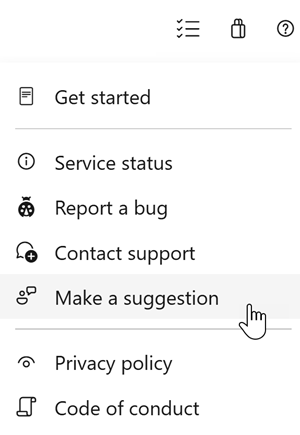
We would love to hear what you think about these features. Use the help menu to report a problem or provide a suggestion.
You can also get advice and your questions answered by the community on Stack Overflow.