Note
Access to this page requires authorization. You can try signing in or changing directories.
Access to this page requires authorization. You can try changing directories.
Features
- New state filter available for Coverage in security overview
- Enhanced filtering and search capabilities for Coverage
- Granular enablement panels now available for project and organization-level enablement
New state filter available for Coverage in security overview
In addition to the search and project filters, we've also added a new State filter. This allows you to filter by specific enablement states per Advanced Security feature across your organization for increased granularity and improved status monitoring. All filtering changes are also available via API and reflected as URL parameters in your browser.

Enhanced filtering and search capabilities for Coverage
Previously, the security overview Coverage page was a flat list of repositories which was hard to navigate or to find specific enablement statuses. We've added a search bar for keyword search and also a project slicer so you can now filter for enablement status across specific projects.

Granular enablement panels now available for project and organization-level enablement
Previously, users did not have the ability to modify sub-features at the project or organization-level, such as push protection or dependency scanning auto-injection. These changes now bring the same granular controls you see at the repository level to the project and organization enablement experiences after you select Enable all.

Next steps
Note
These features will roll out over the next two to three weeks.
Head over to Azure DevOps and take a look.
How to provide feedback
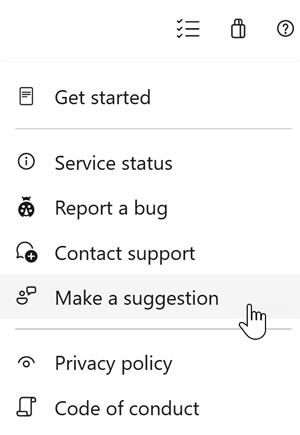
We would love to hear what you think about these features. Use the help menu to report a problem or provide a suggestion.
You can also get advice and your questions answered by the community on Stack Overflow.