Note
Access to this page requires authorization. You can try signing in or changing directories.
Access to this page requires authorization. You can try changing directories.
Features
New run pipeline panel
In this sprint, we've improved the security and experience of using YAML pipelines for continuous deployment (CD) scenarios. Previously, managing the pipeline artifact to deploy was tedious and error prone. It wasn't clear which run you were going to deploy by default. If you wanted to change the artifact, you couldn't select by run branch.
- Fist, the new panel lets you fill in parameters, as they may determine which pipeline artifact to deploy.

- After you click on Next:Resources, you will see which pipeline artifact has been chosen. This way, you are sure of what you're going to deploy.

- If you want to change the pipeline artifact, you can use the Branch selector to narrow down your search.

- When your pipeline defines parameters but doesn't use any artifacts, the UI will let you know that no pipeline artifacts were found.

- When your pipeline doesn't define parameters, the Run pipeline panel is one step, similar to today.
This is how it looks when the pipeline uses pipeline artifacts.

And this is how it looks when your pipeline doesn't use pipeline artifacts.

Next steps
Note
These features will roll out over the next two to three weeks.
Head over to Azure DevOps and take a look.
How to provide feedback
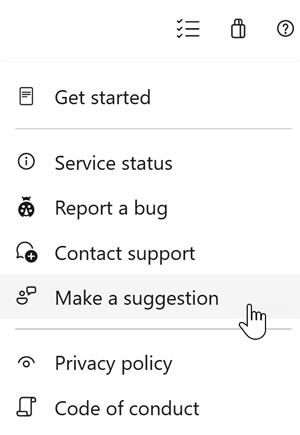
We would love to hear what you think about these features. Use the help menu to report a problem or provide a suggestion.
You can also get advice and your questions answered by the community on Stack Overflow.