Note
Access to this page requires authorization. You can try signing in or changing directories.
Access to this page requires authorization. You can try changing directories.
Features
Clearer artifact selection for YAML CD deployments
In this sprint, we enhanced the security and deployment experience for YAML pipelines in CD scenarios.
Previously, managing the pipeline artifact to deploy was tedious and error‑prone. It wasn’t always clear which run would be deployed by default, and selecting a different artifact such as by run branch was not supported.
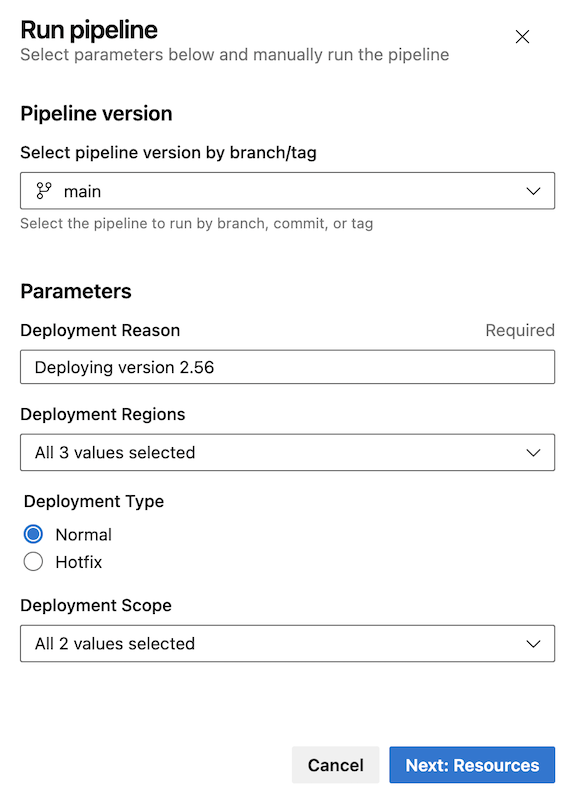
The updated deployment panel now guides you to configure parameters first, ensuring they are applied before determining the pipeline artifact to deploy. This reduces deployment errors and makes artifact selection more predictable and secure.
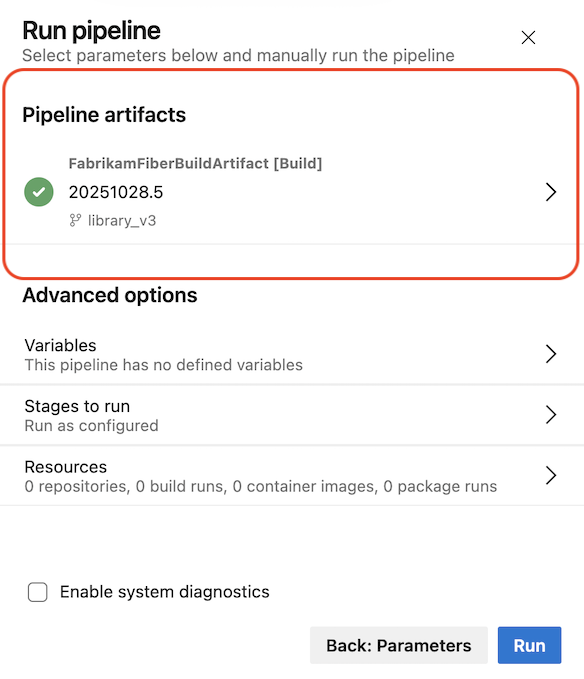
After selecting Next: Resources, the deployment panel clearly shows which pipeline artifact has been selected, giving confidence in exactly what will be deployed.
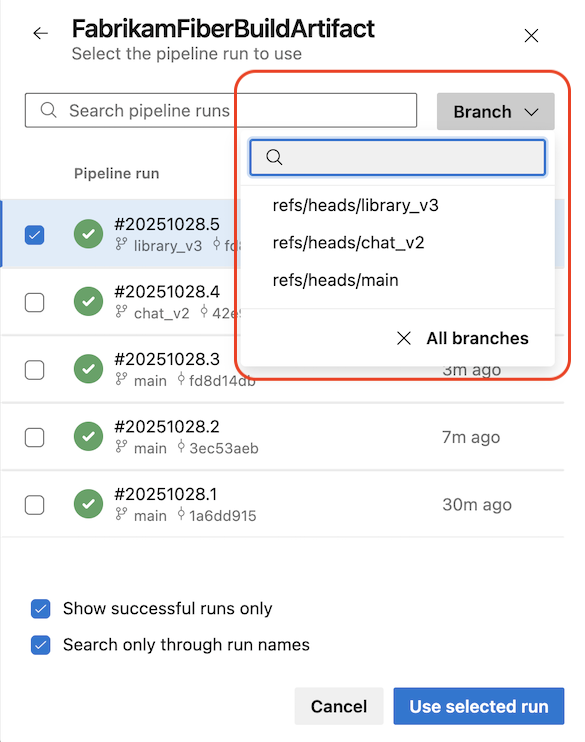
If you want to change the pipeline artifact, you can use the branch selector to narrow down your search.
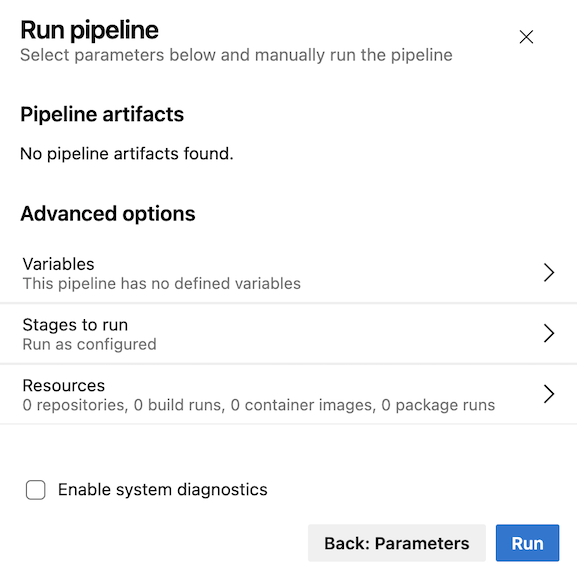
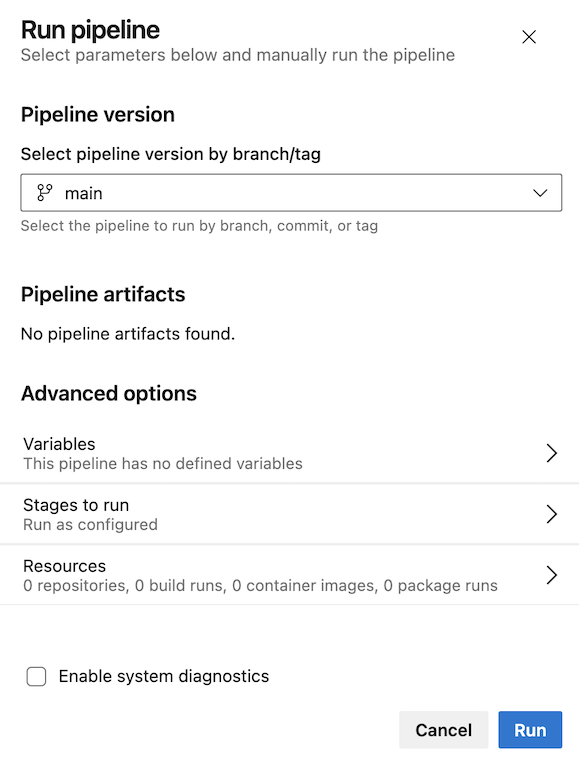
When a pipeline defines parameters but does not use pipeline artifacts, the UI clearly indicates this to avoid confusion.
When your pipeline doesn’t define parameters, the Run pipeline panel remains consistent with the current experience. When the pipeline uses pipeline artifacts, the updated panel reflects that flow, as shown below.
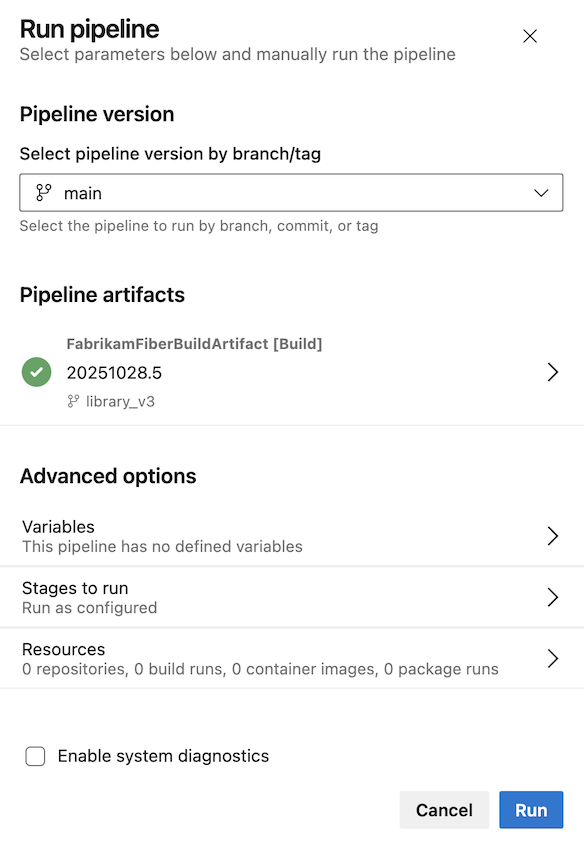
Here’s how the experience looks when your pipeline doesn’t use pipeline artifacts.
Next steps
Note
These features will roll out over the next two to three weeks.
Head over to Azure DevOps and take a look.
How to provide feedback
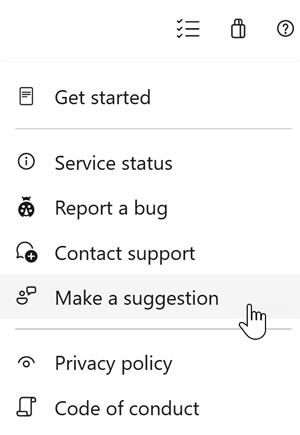
We would love to hear what you think about these features. Use the help menu to report a problem or provide a suggestion.
You can also get advice and your questions answered by the community on Stack Overflow.