Note
Access to this page requires authorization. You can try signing in or changing directories.
Access to this page requires authorization. You can try changing directories.
Sprint 266 delivers focused improvements to security, reliability, and usability across Azure DevOps. This update includes refinements to Azure Test Plans that improve testing workflows and reporting, along with enhancements to GitHub Advanced Security for Azure DevOps to help teams better identify and manage code vulnerabilities.
Check out the release notes for details.
GitHub Advanced Security for Azure DevOps
- Secret asset metadata generally available via API
- Code scanning now supports Rust
- Expanded CodeQL buildless scanning for C/C++
Repos
Pipelines
Test Plans
- Associate test cases from work item is now generally available
- Support for data-driven tests with VSTest task
- Bug fixes and accessibility improvements
GitHub Advanced Security for Azure DevOps
Secret asset metadata generally available via API
This feature adds richer context and classification to detected secrets, helping teams more quickly understand risk and prioritize remediation. Additional metadata is available via the Alerts API, with upcoming UI enhancements planned to surface this information directly in the product experience.
Code scanning now supports Rust
With GitHub Advanced Security, you can now scan Rust code using CodeQL. Rust is supported with CodeQL version 2.21.1+ when managing your own CodeQL toolchain, or with Advanced Security task version 1.1.137+, enabling security scanning for Rust projects. Buildless scanning (buildtype: none) for Rust is also available with CodeQL 2.23.3+, streamlining the analysis process for Rust codebases.
For more details, see the Rust is now generally available blog.
Expanded CodeQL buildless scanning for C/C++
CodeQL now supports buildless scanning (buildtype: none) for C/C++ projects, allowing teams to analyze code without requiring a full build. This is available with CodeQL version 2.21.4+ (when managing your own CodeQL toolchain) or Advanced Security task version 1.1.137+. Buildless scanning reduces setup complexity and shortens scan times while maintaining analysis coverage. For setup details, see Configure code scanning.
Repos
Disabling the save operation for obsolete TFVC policies
As previously outlined in our plan published on the DevOps Blog, we are disabling the creation and modification of obsolete TFVC policies as part of a phased deprecation. Existing obsolete policies remain available for use and viewing in their current state. We recommend migrating to the new policy type before the next phase of this process begins.
For questions or feedback, please reach out via the Developer Community.
Pipelines
Clearer artifact selection for YAML CD deployments
In this sprint, we enhanced the security and deployment experience for YAML pipelines in CD scenarios.
Previously, managing the pipeline artifact to deploy was tedious and error‑prone. It wasn’t always clear which run would be deployed by default, and selecting a different artifact such as by run branch was not supported.
The updated deployment panel now guides you to configure parameters first, ensuring they are applied before determining the pipeline artifact to deploy. This reduces deployment errors and makes artifact selection more predictable and secure.
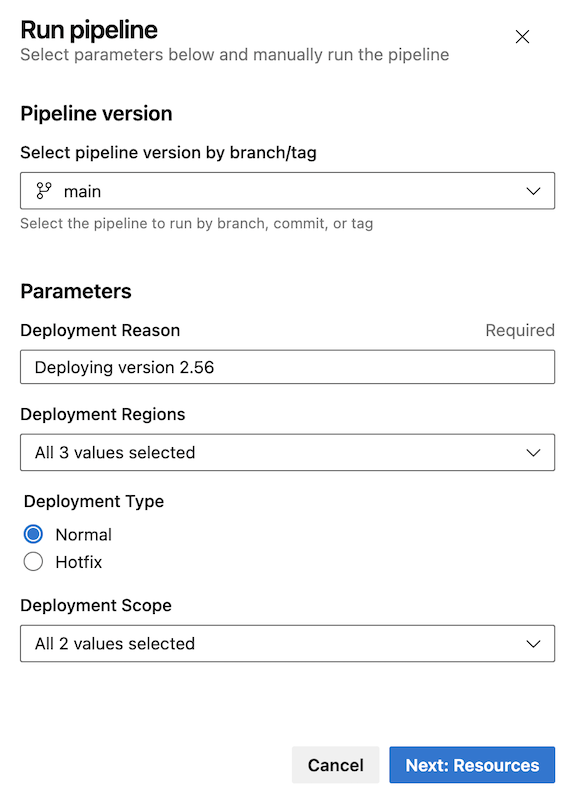
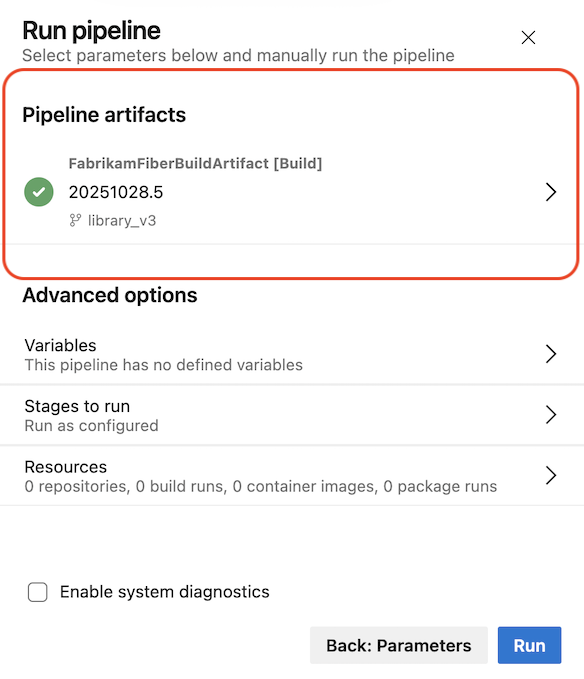
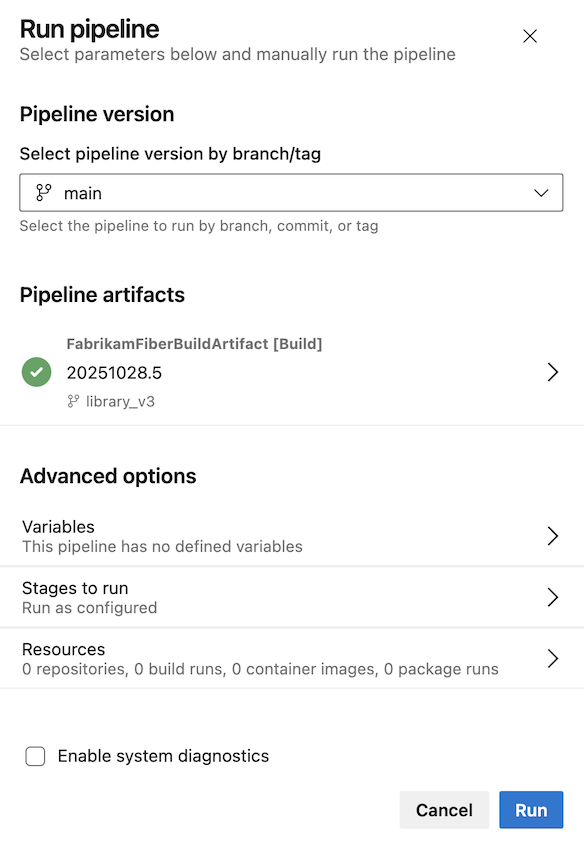
After selecting Next: Resources, the deployment panel clearly shows which pipeline artifact has been selected, giving confidence in exactly what will be deployed.
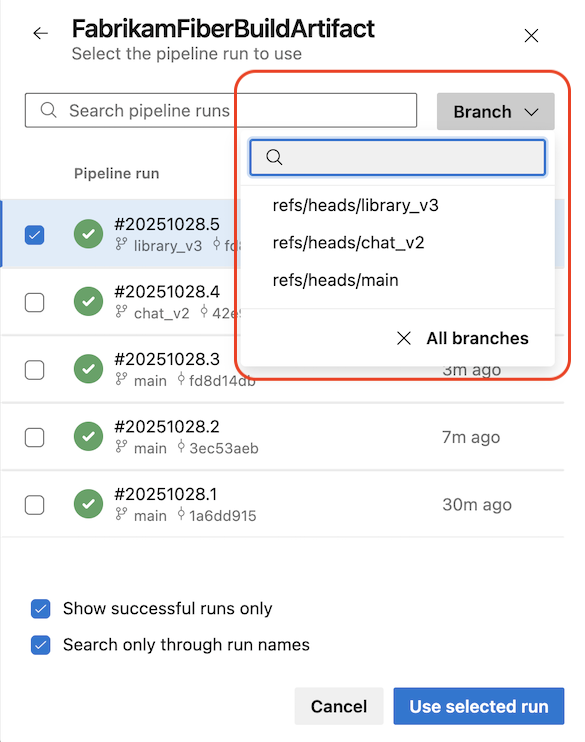
If you want to change the pipeline artifact, you can use the branch selector to narrow down your search.
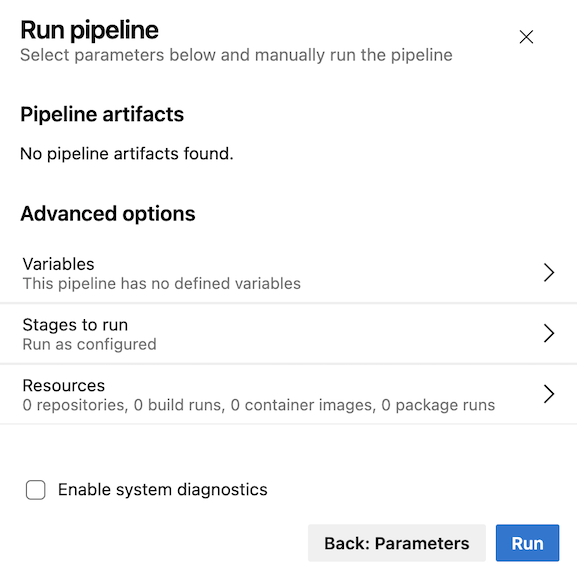
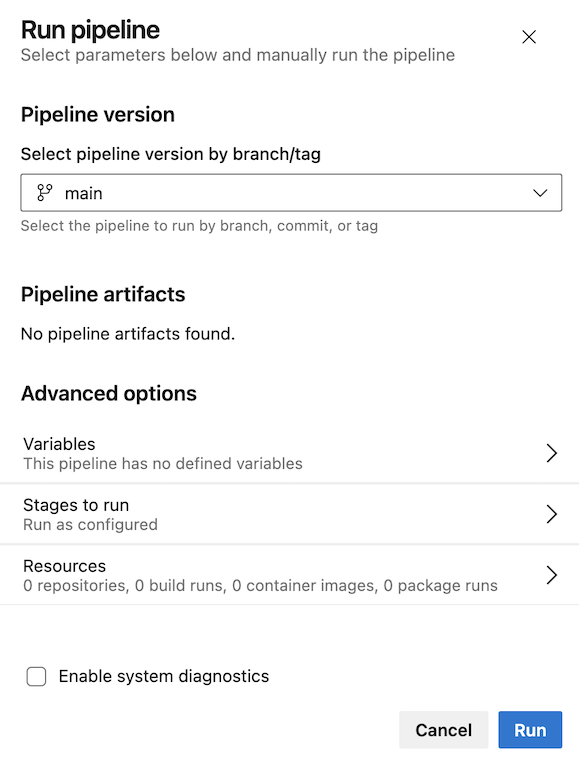
When a pipeline defines parameters but does not use pipeline artifacts, the UI clearly indicates this to avoid confusion.
When your pipeline doesn’t define parameters, the Run pipeline panel remains consistent with the current experience. When the pipeline uses pipeline artifacts, the updated panel reflects that flow, as shown below.
Here’s how the experience looks when your pipeline doesn’t use pipeline artifacts.
Test Plans
Associate test cases from work item is now generally available
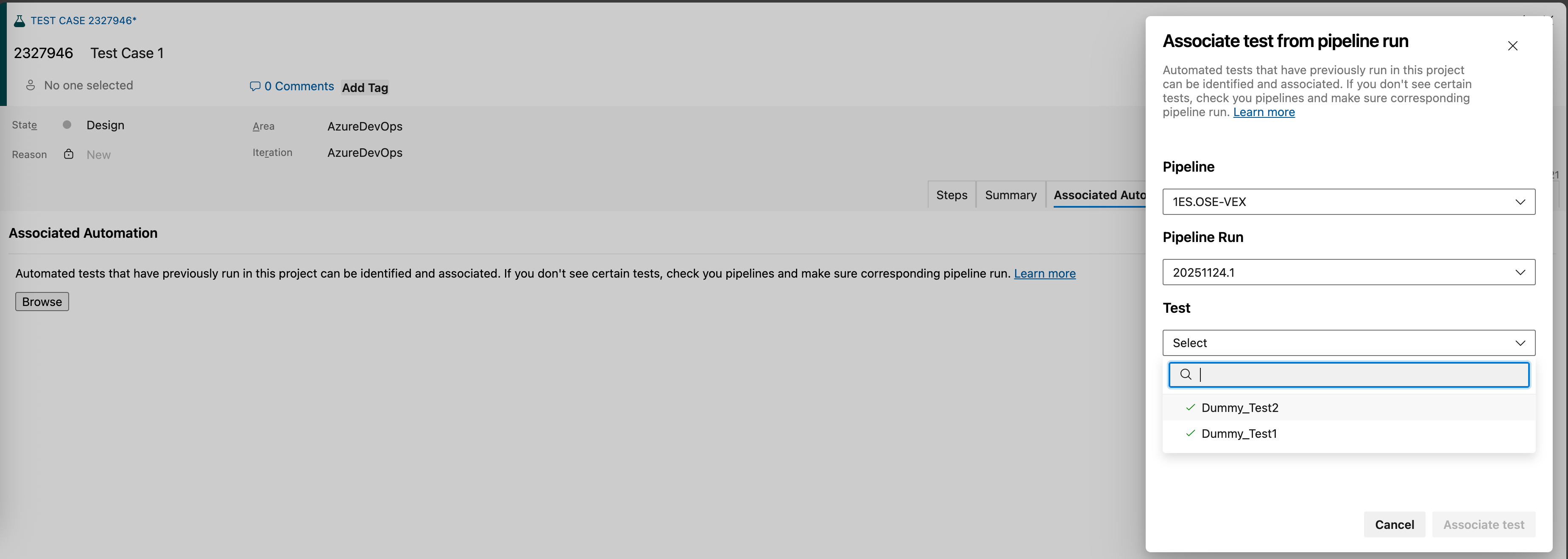
We’re excited to announce that the automated test association flow introduced in our earlier blog post is now generally available. In addition to linking automated tests across languages and frameworks, you can now create the same associations directly from the test case itself, making the experience simpler, faster, and more intuitive.
Support for data-driven tests with VSTest task
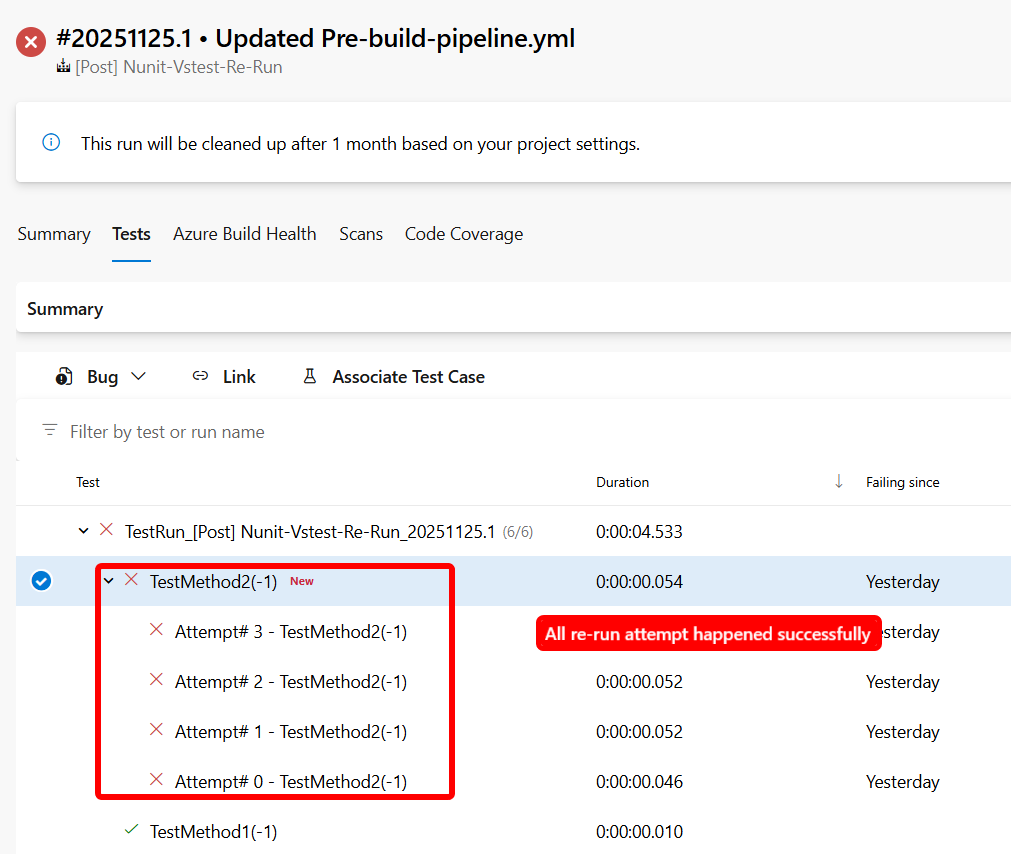
We’ve added support for data‑driven (parameterized) tests with static inputs across MSTest, NUnit, and xUnit frameworks. In pipeline runs, each data set is now executed and reported as a distinct test attempt, providing better visibility into test coverage and execution outcomes.
You can learn more about Visual Studio Test v3 task here.
Bug fixes and accessibility improvements
This release includes a set of targeted bug fixes and accessibility enhancements focused on improving test workflows, search reliability, and screen reader usability. These updates address issues reported by the Developer Community and make key experiences more inclusive and easier to navigate.
Bug fixes
- Improved “Search for existing bug” ID search logic to make it easier to relate existing bugs during test runs.
- Fixed the Test Case View Linked Items Shows Random Work Items issue reported in the Developer Community.
- Fixed the issue reported in the Developer Community where Test cases disappeared from the execution grid after changing their execution status while Assigned To filter is applied.
Accessibility improvements
- Narrator now announces the correct number of rows and columns in the grid within the New test case pane.
- Added visual label Description to the "description" textbox in the New task pane for better screen reader support.
Next steps
Note
These features will roll out over the next two to three weeks. Head over to Azure DevOps and take a look.
How to provide feedback
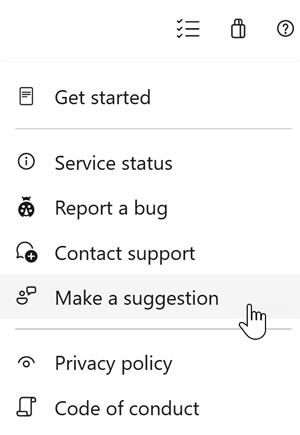
We would love to hear what you think about these features. Use the help menu to report a problem or provide a suggestion.
You can also get advice and your questions answered by the community on Stack Overflow.