Note
Access to this page requires authorization. You can try signing in or changing directories.
Access to this page requires authorization. You can try changing directories.
Features
Retirement of action logging and switch to screen recording
Our desktop Azure Test Runner client relies on Problem Steps Recorder (PSR), a tool introduced in Windows 7 that is now being deprecated in newer Windows versions. As a result, the action log functionality in our desktop test runner may no longer work in future updates.
To ensure uninterrupted test tracking, we recommend switching to screen recording in our web runner, Test & Feedback Extension, which provides a modern, reliable way to capture and manage test steps. If you need assistance transitioning to the Test & Feedback Extension, please reach out to our support team.
Auto-pause manual test run
Never lose progress on your test runs with auto-pause test case run. This new feature automatically pauses your test case run if your work is interrupted, ensuring that partial progress is saved without needing a manual pause. Whether you step away or close the session, you can easily resume your test case right where you left off, reducing the risk of data loss and improving your workflow. By simplifying the pause and resume process, auto-pause helps you stay focused on testing without worrying about losing your progress. Give it a try, and let us know via email what you think!
Next steps
Note
These features will roll out over the next two to three weeks.
Head over to Azure DevOps and take a look.
How to provide feedback
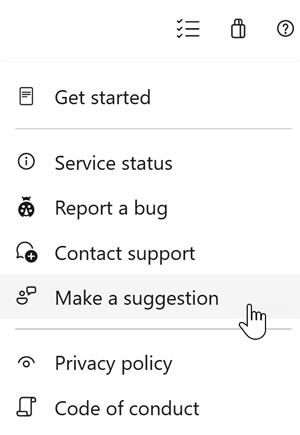
We would love to hear what you think about these features. Use the help menu to report a problem or provide a suggestion.
You can also get advice and your questions answered by the community on Stack Overflow.