Note
Access to this page requires authorization. You can try signing in or changing directories.
Access to this page requires authorization. You can try changing directories.
Features
- Associate test cases from work item is now generally available
- Support for data-driven tests with VSTest task
- Bug fixes and accessibility improvements
Associate test cases from work item is now generally available
We’re excited to announce that the automated test association flow introduced in our earlier blog post is now generally available. In addition to linking automated tests across languages and frameworks, you can now create the same associations directly from the test case itself, making the experience simpler, faster, and more intuitive.
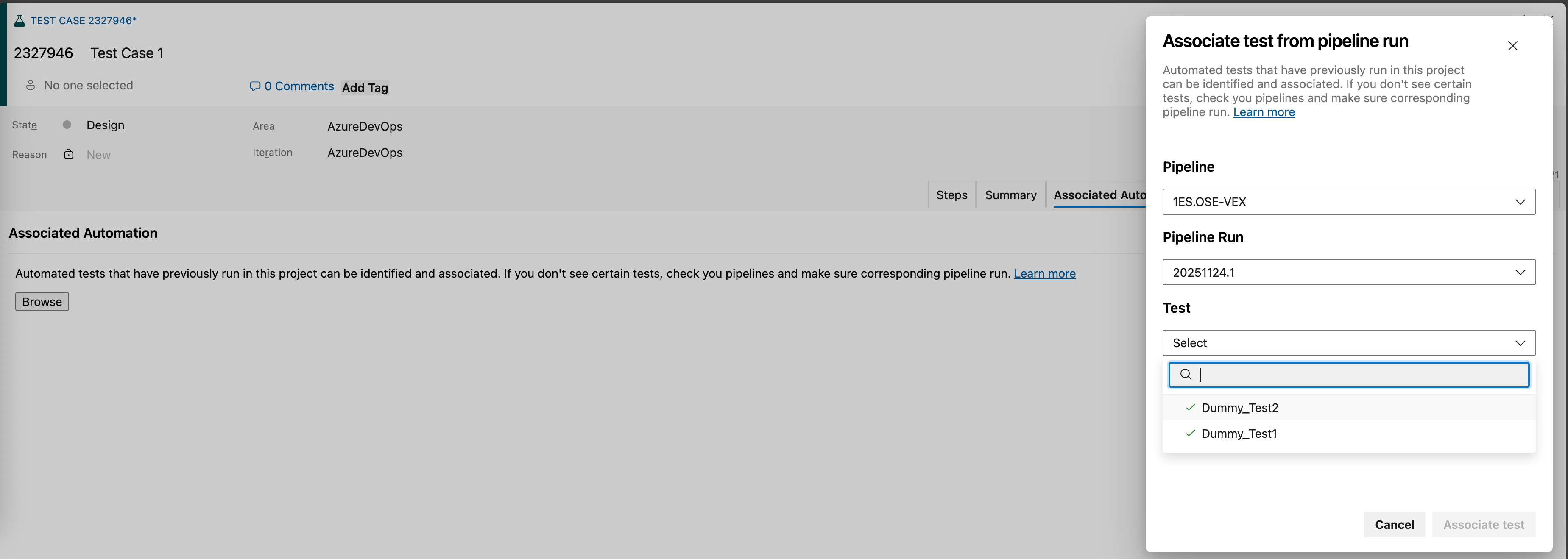
Support for data-driven tests with VSTest task
We’ve added support for data‑driven (parameterized) tests with static inputs across MSTest, NUnit, and xUnit frameworks. In pipeline runs, each data set is now executed and reported as a distinct test attempt, providing better visibility into test coverage and execution outcomes.
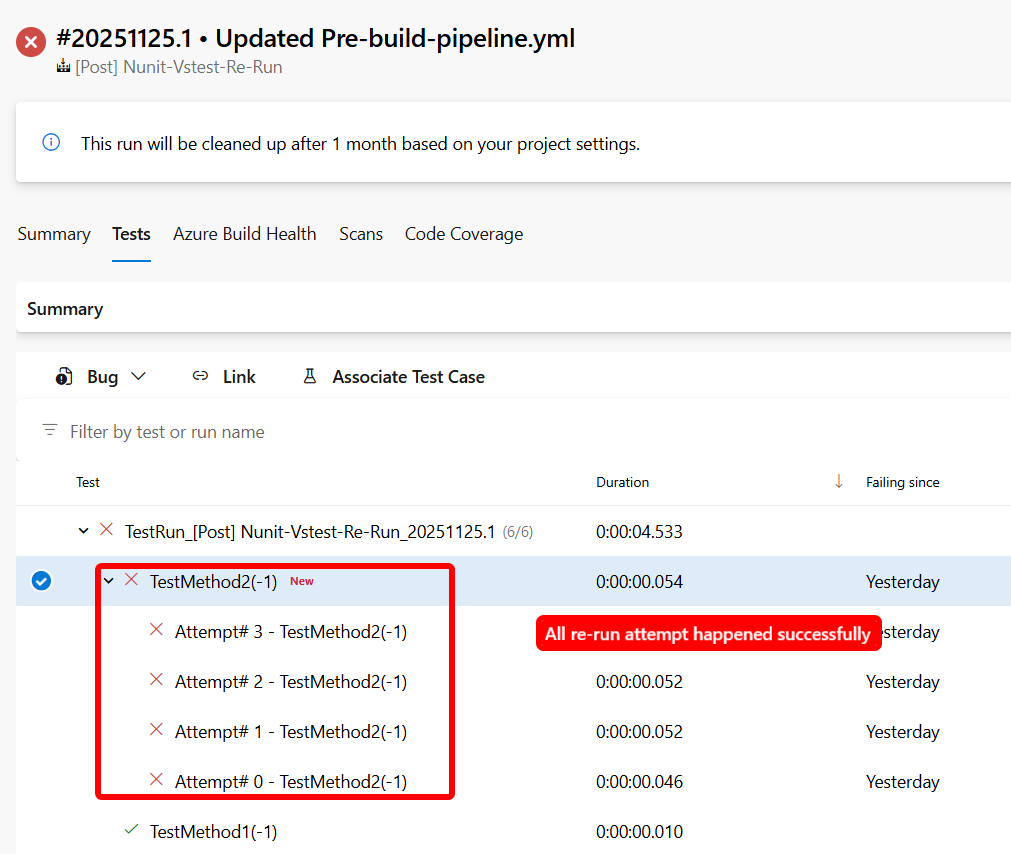
You can learn more about Visual Studio Test v3 task here.
Bug fixes and accessibility improvements
This release includes a set of targeted bug fixes and accessibility enhancements focused on improving test workflows, search reliability, and screen reader usability. These updates address issues reported by the Developer Community and make key experiences more inclusive and easier to navigate.
Bug fixes
- Improved “Search for existing bug” ID search logic to make it easier to relate existing bugs during test runs.
- Fixed the Test Case View Linked Items Shows Random Work Items issue reported in the Developer Community.
- Fixed the issue reported in the Developer Community where Test cases disappeared from the execution grid after changing their execution status while Assigned To filter is applied.
Accessibility improvements
- Narrator now announces the correct number of rows and columns in the grid within the New test case pane.
- Added visual label Description to the "description" textbox in the New task pane for better screen reader support.
Next steps
Note
These features will roll out over the next two to three weeks.
Head over to Azure DevOps and take a look.
How to provide feedback
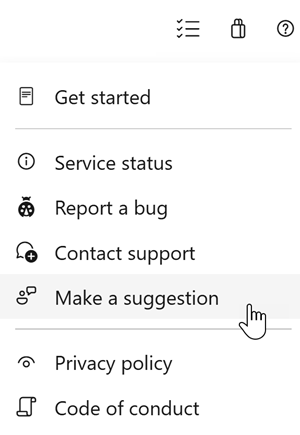
We would love to hear what you think about these features. Use the help menu to report a problem or provide a suggestion.
You can also get advice and your questions answered by the community on Stack Overflow.