Note
Access to this page requires authorization. You can try signing in or changing directories.
Access to this page requires authorization. You can try changing directories.
Features
- Permissions enforcement in security overview
- Build identity access restricted for Advanced Security APIs (temporarily reverted)
- Stale scan detection in security overview coverage
Permissions enforcement in security overview
Security overview now enforces the Advanced Security: Read alerts permission across all views (Risk and Coverage). Repositories where the current user lacks this permission are no longer visible in security overview results. This change ensures that security overview respects the same access controls as the repository-level alerts experience, preventing unauthorized visibility into which repositories have active findings.
Build identity access restricted for Advanced Security APIs (temporarily reverted)
This change has been temporarily rolled back. See Build identity access restricted for Advanced Security APIs rollback for more details.
Advanced Security REST APIs no longer accept build service identities (such as Project Collection Build Service) as callers. This change prevents pipeline-based automation from accessing or modifying security alert data using build service accounts, reducing the risk of unintended alert state changes during CI/CD runs. If you have automation that interacts with Advanced Security APIs using a build identity, update those workflows to use a named user or service principal with the appropriate Advanced Security permissions.
Stale scan detection in security overview coverage
The security overview coverage pane now identifies tools with scans older than 90 days. Tools that haven't produced results in over 90 days display a stale indicator, helping security teams quickly spot repositories where scanning may have stopped running or where pipeline configurations need attention. This visibility makes it easier to maintain comprehensive scan coverage across your organization and catch configuration drift before it creates blind spots.
Next steps
Note
These features will roll out over the next two to three weeks.
Head over to Azure DevOps and take a look.
How to provide feedback
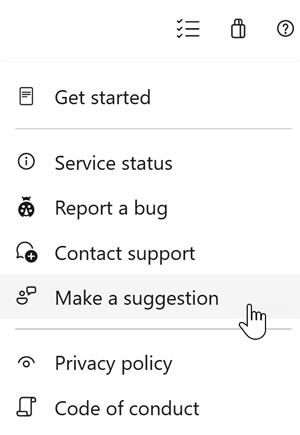
We would love to hear what you think about these features. Use the help menu to report a problem or provide a suggestion.
You can also get advice and your questions answered by the community on Stack Overflow.