Note
Access to this page requires authorization. You can try signing in or changing directories.
Access to this page requires authorization. You can try changing directories.
Features
Abandon pipeline run
To improve deployment security and prevent redeployment of the wrong artifact, you can now abandon a pipeline run. Abandoning a run makes it read-only, so its stages can't be rerun.
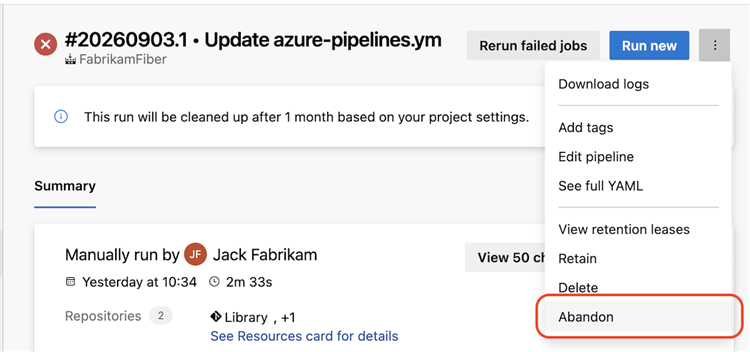
A run must be in a final state, such as Failed or Canceled, before you can abandon it. Abandoning a run can't be reversed. You must have the Abandon builds pipeline permission to abandon a run.
Out-of-order stage execution
Sometimes, you want to accelerate a rollout, such as when you're deploying a hotfix. Out-of-order stage execution lets you skip ahead when running a pipeline.
Imagine you have a pipeline that deploys to three Azure regions in sequence: West US, Central US, and East US.
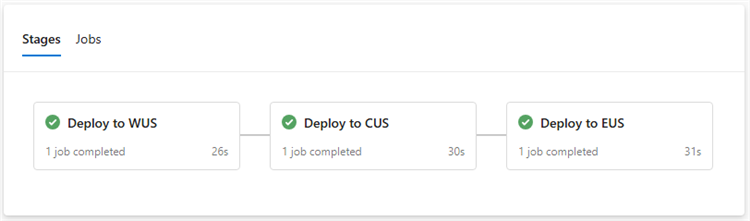
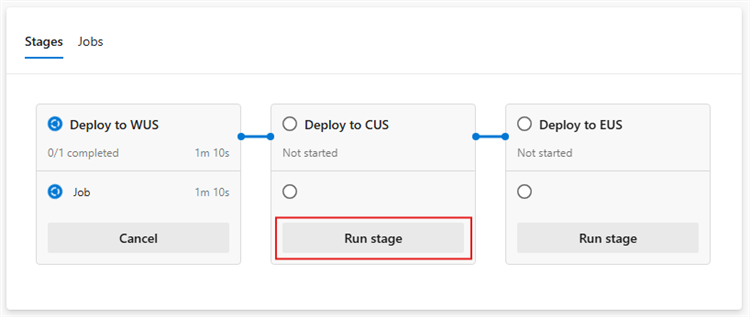
If you're deploying a hotfix, you might want to deploy to Central US and East US before the West US deployment finishes. Expand the stage that you want to run out of order, and then select Run stage.
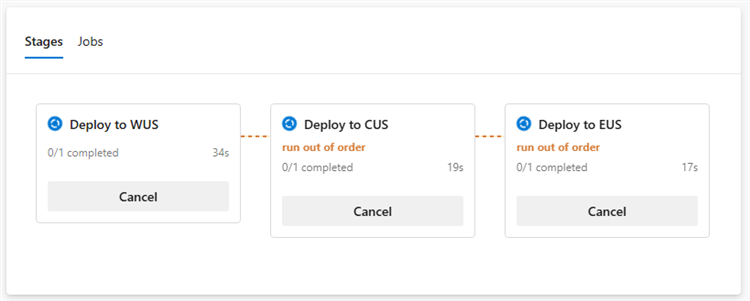
Out-of-order stage execution also lets you bypass a failed stage. For example, if deployment to West US fails and the failure will take time to resolve, you can still proceed with deployment to Central US.
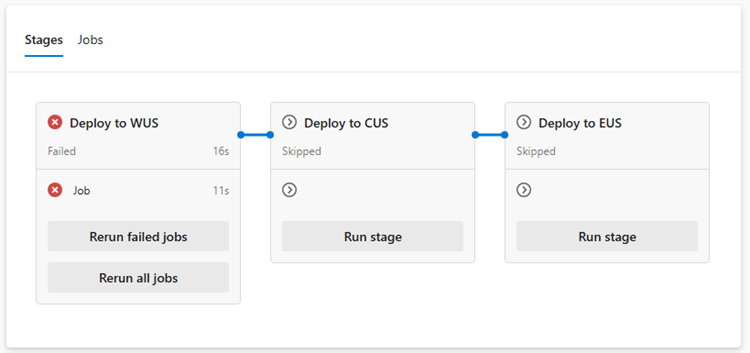
Access to out-of-order stage execution requires the new Manage stage run order permission.
You can't skip ahead of a stage marked isSkippable: false. For example, if you mark the stage that deploys to Central US as non-skippable, you can't run the East US stage before the Central US stage finishes successfully.
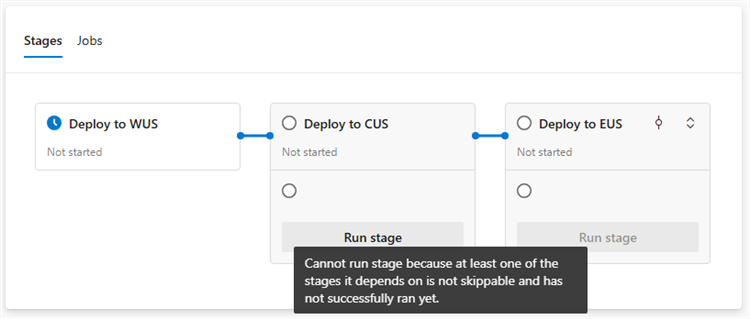
When you run a stage out of order, Azure Pipelines evaluates its run condition. For example, if a stage specifies condition: eq(variables['Build.SourceBranchName'], 'main') and you're running the pipeline on a release branch, you can't run the stage out of order because the condition evaluates to false.
Force-cancel pipeline runs
Writing YAML stage condition expressions can lead to unexpected pipeline run behavior, such as a stage that can't be canceled. This issue occurs when the stage condition evaluates to true regardless of the pipeline run state. For example, condition: eq(variables['Build.SourceBranchName'], 'main') doesn't check the run state.
You can now force-cancel a pipeline run to stop this behavior.

Warning
Force-canceling a pipeline run terminates all running stages, jobs, and steps immediately. No further stages, jobs, or steps run. This action might leave your system in an inconsistent or undesired state. The run is abandoned and can't be rerun.
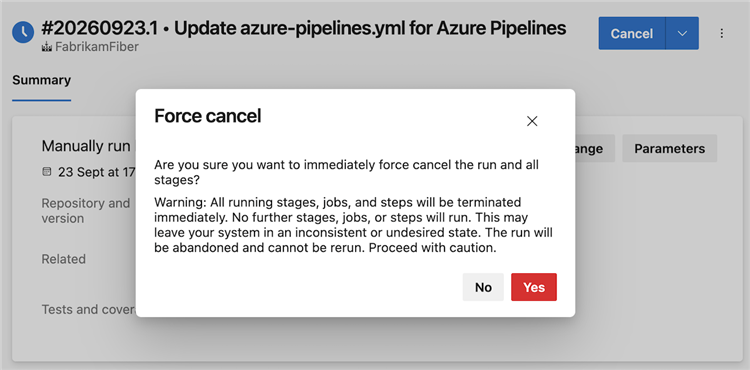
To force-cancel a pipeline run, you need the following pipeline permissions:
- Manage stage run order
- Stop builds
- Abandon builds
Next steps
Note
These features will roll out over the next two to three weeks.
Head over to Azure DevOps and take a look.
How to provide feedback
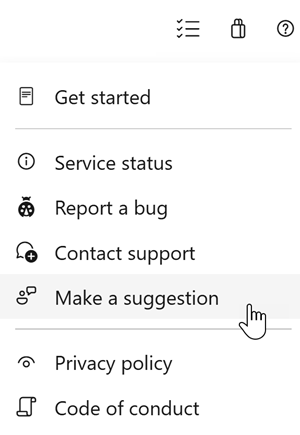
We would love to hear what you think about these features. Use the help menu to report a problem or provide a suggestion.
You can also get advice and your questions answered by the community on Stack Overflow.