Note
Access to this page requires authorization. You can try signing in or changing directories.
Access to this page requires authorization. You can try changing directories.
This sprint brings built-in Code Search to Azure DevOps without requiring an extension, CodeQL default setup to public preview for GitHub Advanced Security for Azure DevOps, enhances Azure Boards editing and filtering experiences, and improves GitHub service connection details in Azure Pipelines.
Check out the release notes for details.
General
GitHub Advanced Security for Azure DevOps
- CodeQL default setup for code scanning (public preview)
- Combined alerts view and security campaigns in security overview
- Alert UX enhancements: "All" confidence filter
Azure Boards
Azure Pipelines
General
Built-in Code Search, no extension required
Code Search now works out of the box in Azure DevOps. New and existing customers who haven't used Code Search before can get started immediately without installing a Marketplace extension or doing extra configuration.
To get started, enter your query in the Azure DevOps search box, switch to the Code tab in the results, and start exploring your code.
GitHub Advanced Security for Azure DevOps
CodeQL default setup for code scanning (public preview)
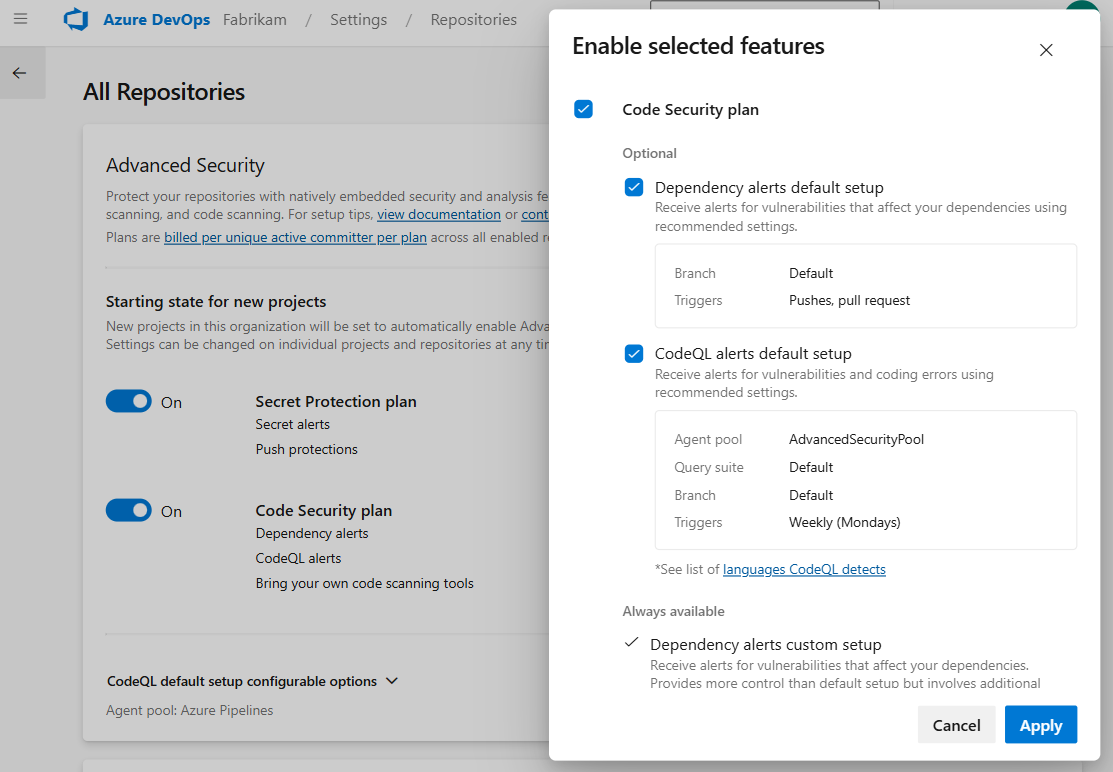
CodeQL default setup is now available in public preview for GitHub Advanced Security for Azure DevOps. With CodeQL default setup, you can enable code scanning for your repositories without any manual pipeline configuration. Once enabled, CodeQL automatically scans your code using Azure Pipelines and surfaces security vulnerabilities directly in your repository alerts.
To get started, enable CodeQL default setup from your organization, project, or repository settings. You can optionally configure or change the agent pool used for scanning through organization settings under All Repositories.
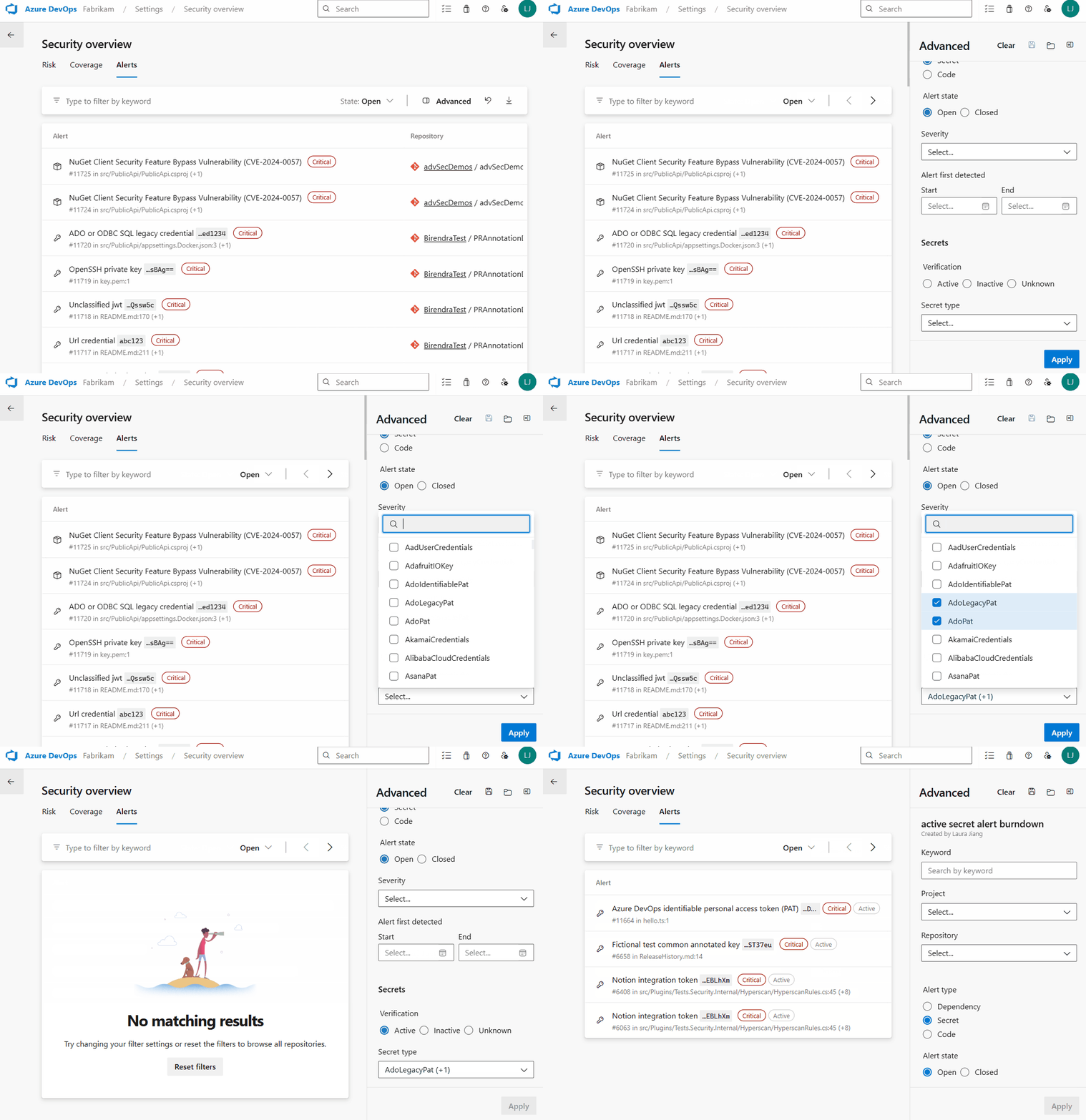
Combined alerts view and security campaigns in security overview
Security overview now includes a combined alerts view, giving security administrators a single place to see and act on security alerts across all repositories in their organization. Instead of navigating to each repository individually, you can now search, filter, and prioritize alerts from one centralized dashboard.
Security campaigns let you create and share filtered views of alerts to coordinate remediation efforts across teams. Use filters to focus on specific vulnerability types, severity levels, or repositories, then share the view with your team.
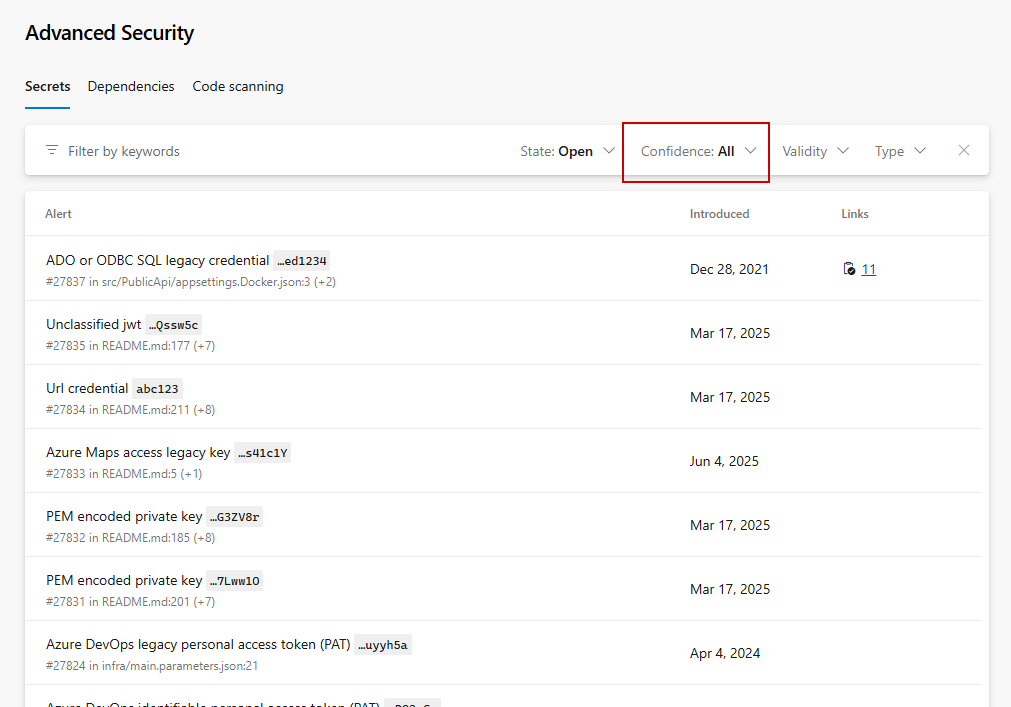
Alert UX enhancements: "All" confidence filter
We've added an "All" confidence filter that lets you see all secret alerts at once, without having to cycle through High and Other filters individually. "All" is now the default when you open the Secrets tab. This is a change only made in the UI - continue to use High,Other via API as needed to see all Confidences for secret alerts.
Azure Boards
Improving the Markdown editor for work items
Markdown multi-line fields in Azure DevOps work items now have a clearer separation between preview and edit modes.
By default, fields open in preview mode, allowing you to read and interact with content without accidentally entering edit mode. When you're ready to make changes, select the edit icon at the top of the field to switch into editing.
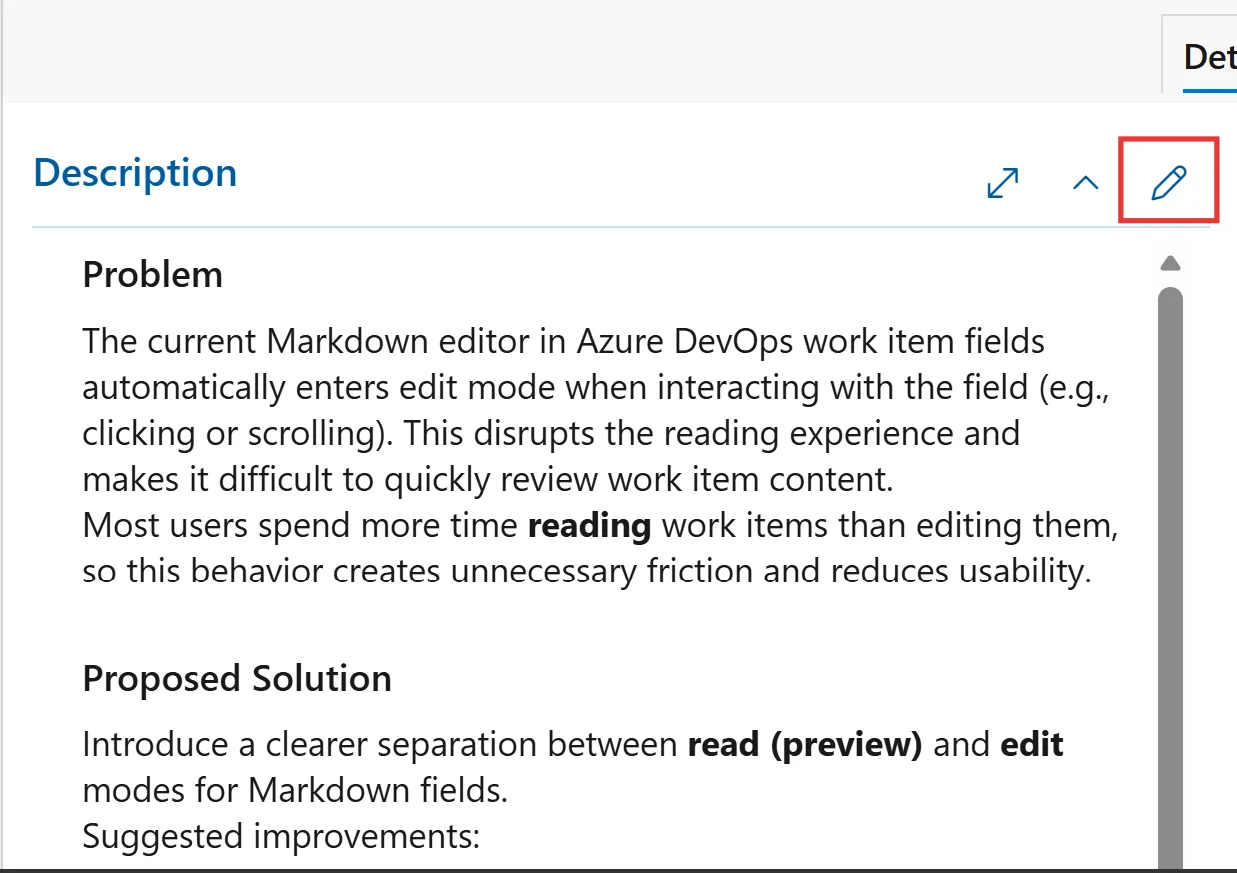
After you complete your updates, you can exit edit mode and return to preview mode.
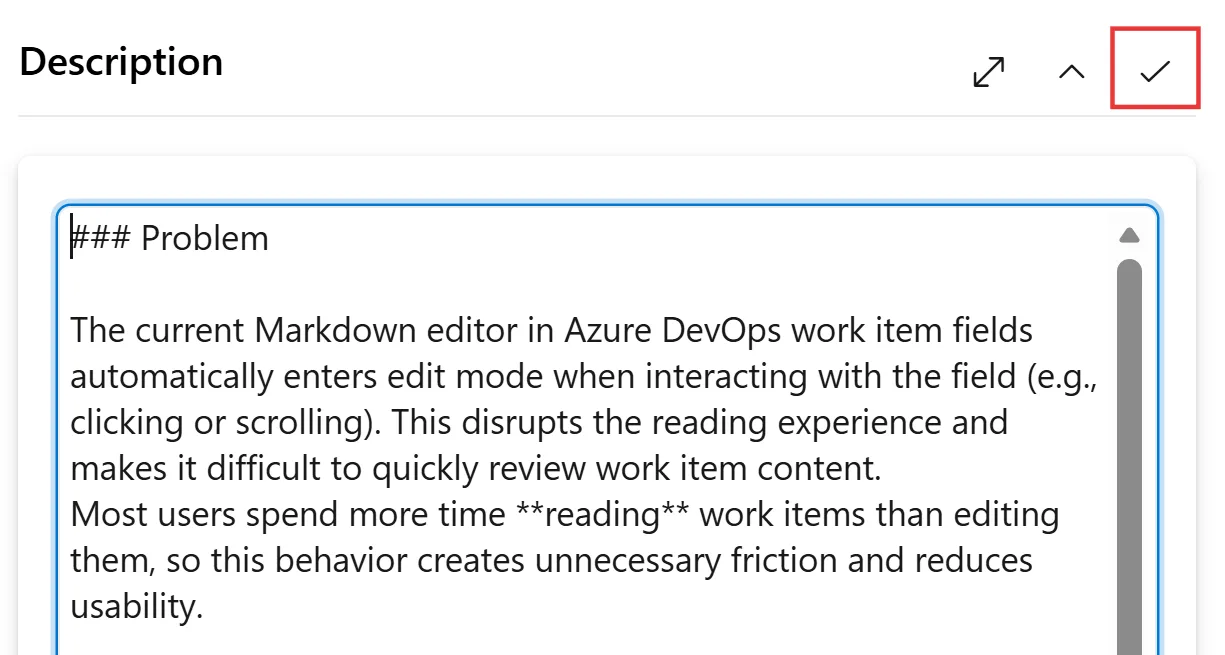
These changes address this community suggestion ticket.
Filter Boards and backlogs by additional fields
We're excited to introduce the ability to use additional fields as filters on both backlog and Kanban boards. This has been a long-standing request from the developer community.
With this update, you'll continue to see the same default filters you're familiar with. In addition, you can now open the filter settings and add any field that's already displayed on backlog columns or Kanban cards. Once applied, your selected fields become immediately available in the filter controls, making it easier to refine and focus your work.
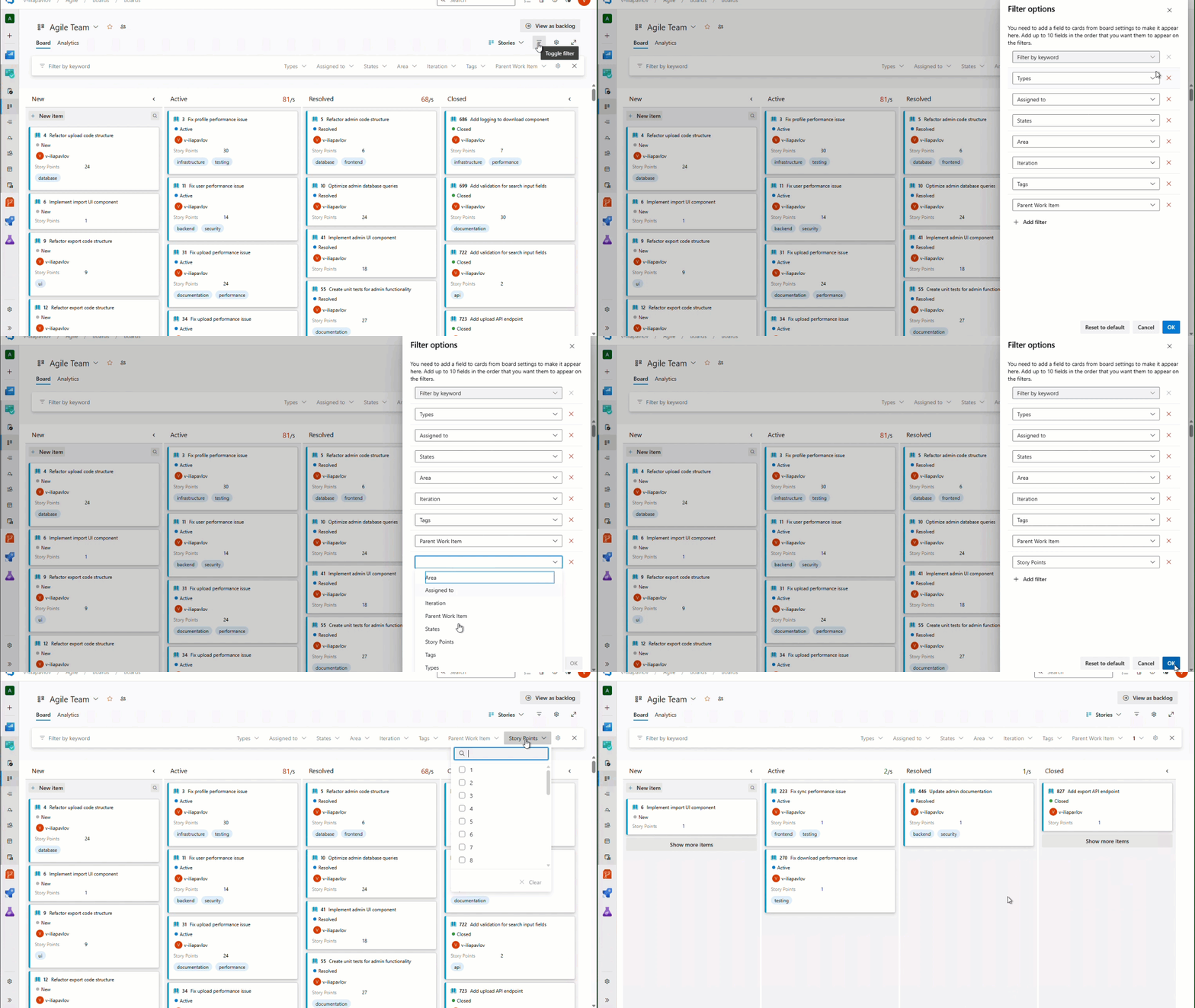
Filters for sprint backlog and board will be coming soon.
Azure Pipelines
Improvements to Service Connections
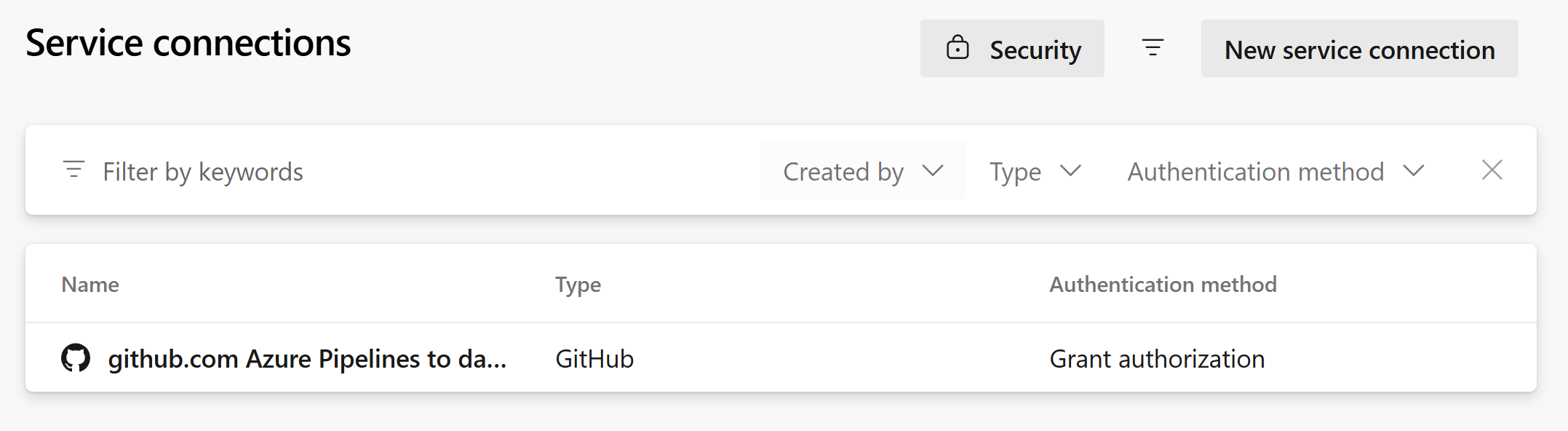
We’ve enhanced the Service Connections administration page to provide greater visibility into your connections. You can now view additional details, including connection type and authentication method.
We’ve also added filtering support for these fields, making it easier to quickly find, organize, and understand the purpose of your service connections.
Note
Additional service connection details are only available for newly created service connections.
Next steps
Note
These features will roll out over the next two to three weeks. Head over to Azure DevOps and take a look.
How to provide feedback
We would love to hear what you think about these features. Use the help menu to report a problem or provide a suggestion.
You can also get advice and your questions answered by the community on Stack Overflow.