Note
Access to this page requires authorization. You can try signing in or changing directories.
Access to this page requires authorization. You can try changing directories.
Build stateful, multi-step AI agents on Azure DocumentDB with LangGraph, the open-source agent runtime from the LangChain team. This guide shows you how to connect LangGraph to an Azure DocumentDB cluster, persist agent state through a custom checkpointer, run a thread that survives across turns, and inspect the persisted state directly in DocumentDB.
What is LangGraph?
LangGraph is a stateful agent orchestration framework built on top of LangChain. You model an agent as a state machine: a graph of nodes (steps such as a model call, a tool call, or a database query) connected by edges (transitions that depend on the current state). A shared State object flows through the graph, and every node reads from and writes back to it.
Three properties make LangGraph well-suited to production agents:
- Explicit, durable state. State is checkpointed to a backing store (Azure DocumentDB, in this guide) after every step, so an agent can pause, resume, branch, or roll back to any earlier point.
- Cycles, not just chains. Unlike linear pipelines, LangGraph supports loops — call a tool, evaluate the result, decide to call another tool, retry, or hand off to a sub-agent.
- Multi-agent and human-in-the-loop. Sub-graphs compose into specialist agents that hand off to one another, and any node can pause for a human approval step.
In short, LangGraph is the runtime layer that adds memory, branching, retries, and persistence to LangChain-based agents.
LangGraph Azure DocumentDB integration
Azure DocumentDB is a natural persistence layer for LangGraph for these reasons:
Document model fits agent state. LangGraph state is a free-form object (messages, tool outputs, scratchpad fields) that varies between threads and over time. A document database stores that shape directly without a fixed schema.
MongoDB-compatible drivers and integrations. Azure DocumentDB exposes the MongoDB wire protocol, so the official MongoDB LangGraph integrations work against your cluster directly:
- Short-term memory (checkpointer):
langgraph-checkpoint-mongodb(Python) and@langchain/langgraph-checkpoint-mongodb(TypeScript) persist agent state to enable human-in-the-loop, time travel, and fault tolerance. - Long-term memory (store):
langgraph-store-mongodblets agents save and retrieve memories across threads. - Retrieval tools: MongoDB LangChain retrievers (full-text, vector, hybrid, parent-document) plug into LangGraph nodes as tools.
MongoDB drivers and tools work without application-level rewrites, simplifying migration in common scenarios.
- Short-term memory (checkpointer):
One store for state and retrieval. Native vector indexing lives alongside document data, enabling RAG and similarity search without introducing a separate vector store. Agent checkpoints, tool call traces, and the knowledge base retrieved by your tools all live in the same cluster.
Portable across environments. The same MongoDB-compatible interface works on the open-source DocumentDB engine and on the Azure-managed service, which simplifies development against local containers and promotion to production.
Get started: install dependencies
Install LangGraph, a model provider, and a MongoDB-compatible driver. The connection string format is identical across both languages — copy the Connection string value from the Azure portal for your DocumentDB cluster and store it as DOCUMENTDB_URI.
pip install langgraph langgraph-checkpoint-mongodb langchain-core pymongo
pip install langchain-openai  # any LangChain-supported model provider
Connect LangGraph to Azure DocumentDB
Use the official MongoDB LangGraph checkpointer (MongoDBSaver) to persist short-term memory — the agent's state, message history, and intermediate tool calls — directly to a DocumentDB collection. The following sample connects to your cluster, configures MongoDBSaver against a dedicated database, and compiles a minimal StateGraph that appends each user message to a running list. The compiled graph uses the checkpointer for persistence on every step.
import os
from typing import Annotated, TypedDict

from pymongo import MongoClient
from langchain_core.messages import AnyMessage, HumanMessage
from langchain_openai import ChatOpenAI
from langgraph.checkpoint.mongodb import MongoDBSaver
from langgraph.graph import START, END, StateGraph
from langgraph.graph.message import add_messages


class AgentState(TypedDict):
    messages: Annotated[list[AnyMessage], add_messages]


client = MongoClient(os.environ["DOCUMENTDB_URI"])
checkpointer = MongoDBSaver(client, db_name="langgraph_state")

llm = ChatOpenAI(model="gpt-4o-mini")


def respond(state: AgentState) -> AgentState:
    reply = llm.invoke(state["messages"])
    return {"messages": [reply]}


builder = StateGraph(AgentState)
builder.add_node("respond", respond)
builder.add_edge(START, "respond")
builder.add_edge("respond", END)

graph = builder.compile(checkpointer=checkpointer)
Note
The Python checkpointer accepts a synchronous MongoClient. The TypeScript checkpointer expects an await client.connect()-ed MongoClient and runs every operation asynchronously. Reuse a single client per process in both languages.
Run the agent
A thread_id ties multiple invocations to the same conversation. Send a message, then send a follow-up against the same thread_id; the second call resumes from the persisted state.
config = {"configurable": {"thread_id": "demo-thread-1"}}

# Turn 1
result = graph.invoke(
    {"messages": [HumanMessage(content="Remember the city Seattle.")]},
    config=config,
)
print(result["messages"][-1].content)

# Turn 2 — resumes the same thread
result = graph.invoke(
    {"messages": [HumanMessage(content="What city did I just mention?")]},
    config=config,
)
print(result["messages"][-1].content)
State persists across process restarts. Stop the program after turn 1, restart it, and the second invocation against demo-thread-1 still has access to the prior message.
Persist LangGraph state in DocumentDB: view checkpoints
The MongoDB checkpointer writes one document per step into a checkpoints collection (and accompanying writes into checkpoint_writes) inside the database name you configured. You can query that collection directly with any MongoDB-compatible client to inspect or audit agent runs.
from pymongo import MongoClient

client = MongoClient(os.environ["DOCUMENTDB_URI"])
checkpoints = client["langgraph_state"]["checkpoints"]

for doc in checkpoints.find(
    {"thread_id": "demo-thread-1"},
    sort=[("checkpoint_id", -1)],
    limit=3,
):
    print(doc["checkpoint_id"], doc["type"])
A persisted checkpoint document looks like the following. The exact field set depends on the checkpointer version, but you can rely on thread_id, checkpoint_id, and a serialized checkpoint payload that captures the state snapshot.
{
  "_id": "65f0a1b2c3d4e5f6a7b8c9d0",
  "thread_id": "demo-thread-1",
  "checkpoint_ns": "",
  "checkpoint_id": "1ef5c8b1-2d34-6e78-8000-abc123def456",
  "parent_checkpoint_id": "1ef5c8b1-2d34-6e78-7fff-abc123def455",
  "type": "msgpack",
  "checkpoint": "<binary serialized state>",
  "metadata": {
    "source": "loop",
    "step": 1,
    "writes": { "respond": { "messages": ["..."] } }
  }
}
View and manage data in Visual Studio Code
You can browse persisted LangGraph state, tool call traces, and any retrieval data interactively without leaving your editor.
Install the Azure DocumentDB extension for Visual Studio Code.
Connect to your Azure DocumentDB cluster from the DocumentDB Connections view by using the same connection string you set as
DOCUMENTDB_URI.Expand your database to view collections — for example, the
checkpointsandcheckpoint_writescollections written byMongoDBSaver, or any retrieval collections your agent's tools query.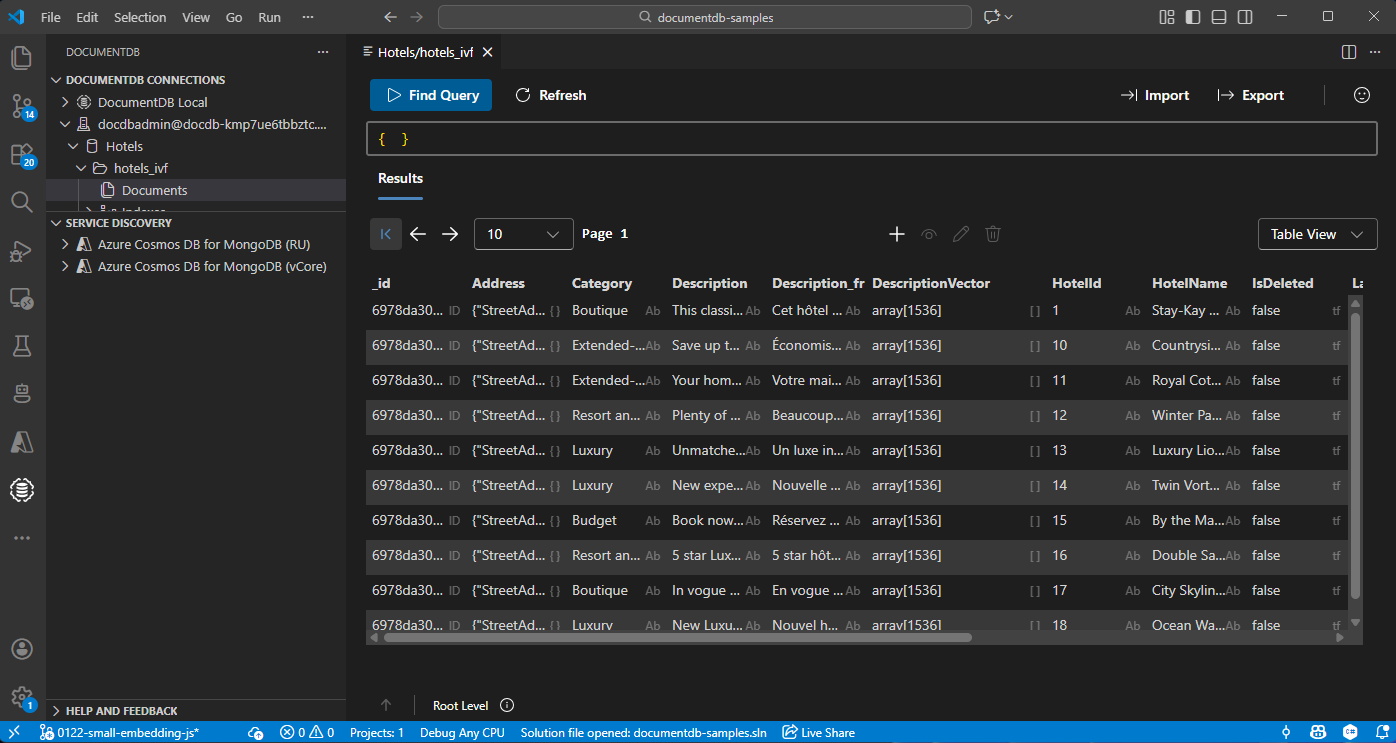
You can run ad hoc find queries, edit documents, manage indexes, and import or export data from the same window — useful for inspecting agent state during development or replaying a thread from a known checkpoint.