Note
Access to this page requires authorization. You can try signing in or changing directories.
Access to this page requires authorization. You can try changing directories.
Use the VPN connection template to create a site-to-site VPN connection from a transit hub VPN gateway to an on-premises VPN device. The template also supports an optional customer-side VPN connection when you already have an Azure standard VPN gateway and local network gateway.
In this article, you:
- Deploy the VPN connection service catalog template into an existing workload from the Azure portal.
Note
This template creates the connection resources, but your VPN device still needs matching IPsec settings and the same pre-shared key before traffic can flow.
Before you begin
- This article assumes a basic understanding of Azure Enclave and network connectivity concepts. For more information, see Best practices of Azure Enclave.
- You need an Azure account with an active subscription. If you don't have one, create an account for free.
- You need a community, enclave, workload, and permissions to create resources inside the workload resource group.
Prerequisites
- An on-premises VPN device or firewall with a static public IP address.
- On-premises address spaces in CIDR format.
- A pre-shared key for IPsec.
If you want the optional customer-side connection, you also need:
- A customer Azure VPN gateway resource ID.
- A customer local network gateway resource ID that already points to the Transit Hub VPN gateway IP.
Deploy the template
Go to the workload for the intended deployment.
Select + Add an Azure Service.
Select VPN Connection from the service catalog list, confirm the version you need (default:
latest), and then select Next.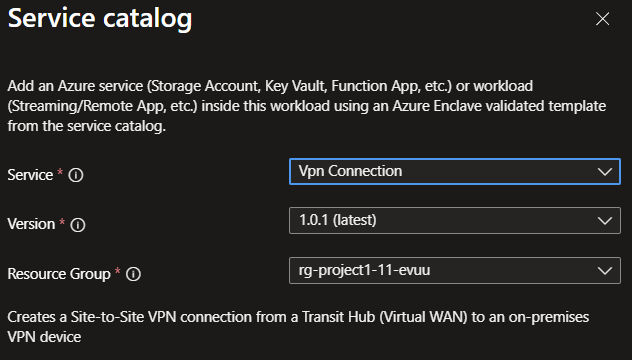
Enter the required values on each tab.
If you want BGP or a custom IPsec policy, set
ipsecModetoCustomand then adjust the optional settings before you create the deployment.Select Review + Create. If validation passes, select Create.
Validate the deployment
Go to the target resource group and confirm that the VPN connection and VPN site were created.
If you created the optional customer-side connection, confirm that the customer VPN gateway connection also exists.
Delete the deployment
If you don't plan to keep the connection, remove it from the workload to avoid unnecessary Azure charges.
Recommendations
- Use the same pre-shared key and IPsec settings on both sides of the tunnel.
- Keep on-premises address spaces accurate so route exchange works as expected.
- Review the Azure VPN documentation for device setup and policy guidance: