Note
Access to this page requires authorization. You can try signing in or changing directories.
Access to this page requires authorization. You can try changing directories.
This article shows you how to manually configure throughput units (TUs) for an Azure Event Grid namespace. Throughput units define the ingress and egress event rate capacity in a namespace. If you want the namespace to automatically adjust TUs based on workload demand instead, see Enable autoscale for an Event Grid namespace.
Configure throughput units (TUs) for a namespace
If you already created a namespace and want to increase or decrease TUs, follow the next steps:
Go to the Azure portal.
In the search bar, search for Event Grid Namespaces, and then select Event Grid Namespaces from the results.
On the Event Grid Namespaces page, select the namespace you want to configure TUs for.
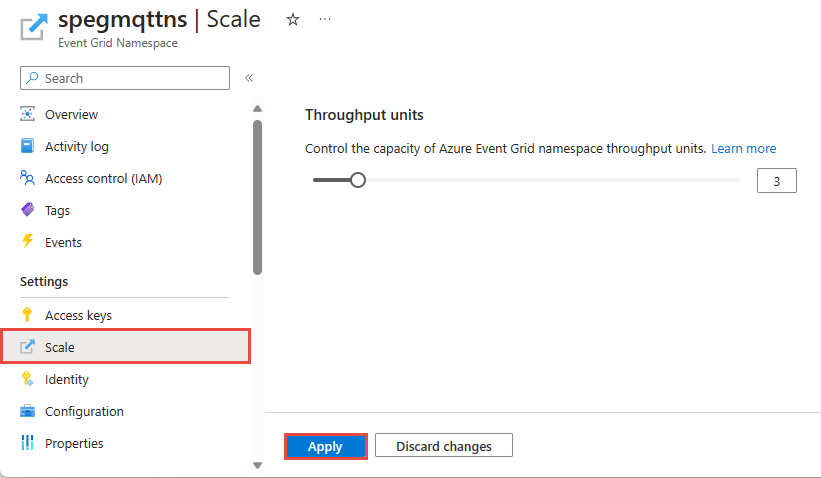
On the Event Grid Namespace page, select Scale in the left navigation menu.
In the right pane, select Manual scale if not already selected.
Enter the number of throughput units in the edit box or use the scroller to increase or decrease the number.
Select Apply to apply the changes.
Note
For quotas and limits for resources in a namespace including maximum TUs in a namespace, see Azure Event Grid quotas and limits.
