Note
Access to this page requires authorization. You can try signing in or changing directories.
Access to this page requires authorization. You can try changing directories.
Applies to: ✔️ Fleet Manager with hub cluster
This article is intended for users of a managed namespace who need to discover and access those namespaces. If you're looking to create and configure managed namespaces, see create and configure Managed Fleet Namespaces.
Important
Azure Kubernetes Fleet Manager preview features are available on a self-service, opt-in basis. Previews are provided "as is" and "as available," and they're excluded from the service-level agreements and limited warranty. Azure Kubernetes Fleet Manager previews are partially covered by customer support on a best-effort basis. As such, these features aren't meant for production use.
Before you begin
- You need an Azure account with an active subscription. Create an account for free.
- You need an existing Managed Fleet Namespace. If you don't have one, see create and configure Managed Fleet Namespaces.
- Understand the Managed Fleet Namespace concept by reading the overview.
You need Azure CLI version 2.78.0 or later installed to complete this article. To install or upgrade, see Install Azure CLI.
You need the
fleetAzure CLI extension version 1.8.0 or later. You can install it and update to the latest version using theaz extension addandaz extension updatecommands.# Install the extension az extension add --name fleet # Update the extension az extension update --name fleetConfirm the fleet extension version is at least 1.8.0 using the
az extension showcommand.az extension show --name fleetSet the following environment variables for your subscription ID, resource group, and Fleet:
export SUBSCRIPTION_ID=<subscription-id>
export GROUP=<resource-group-name>
export FLEET=<fleet-name>
export FLEET_NAMESPACE_NAME=<fleet-namespace-name>
Set the default Azure subscription using the
az account setcommand.az account set --subscription ${SUBSCRIPTION_ID}
View the Managed Fleet Namespaces you can access
View the Managed Fleet Namespaces you can access using the az fleet namespace list command.
az fleet namespace list
    --resource-group ${GROUP} \
    --fleet-name ${FLEET} \
    -o table
Your output should resemble the following example output:
AdoptionPolicy  DeletePolicy   ETag                                    Location   Name                  ProvisioningState   ResourceGroup
--------------  ------------   -------------------------------------   --------   --------------------  -----------------   -------------
Always          Delete         "aaaaaaaa-0b0b-1c1c-2d2d-333333333333   westus2    my-managed-namespace  Succeeded           test-rg
View a Managed Fleet Namespace's configuration
View a specific Managed Fleet Namespace's details by using the az fleet namespace show command.
az fleet namespace show \
    --resource-group ${GROUP} \
    --fleet-name ${FLEET} \
    --name ${FLEET_NAMESPACE_NAME} \
    -o table
Your output should resemble the following example output:
AdoptionPolicy  DeletePolicy   ETag                                    Location   Name                  ProvisioningState   ResourceGroup
--------------  ------------   -------------------------------------   --------   --------------------  -----------------   -------------
Always          Delete         "aaaaaaaa-0b0b-1c1c-2d2d-333333333333   westus2    my-managed-namespace  Succeeded           test-rg
View Managed Fleet Namespaces you can access
You can locate Managed Fleet Namespace from within Fleet Manager, or via Kubernetes center.
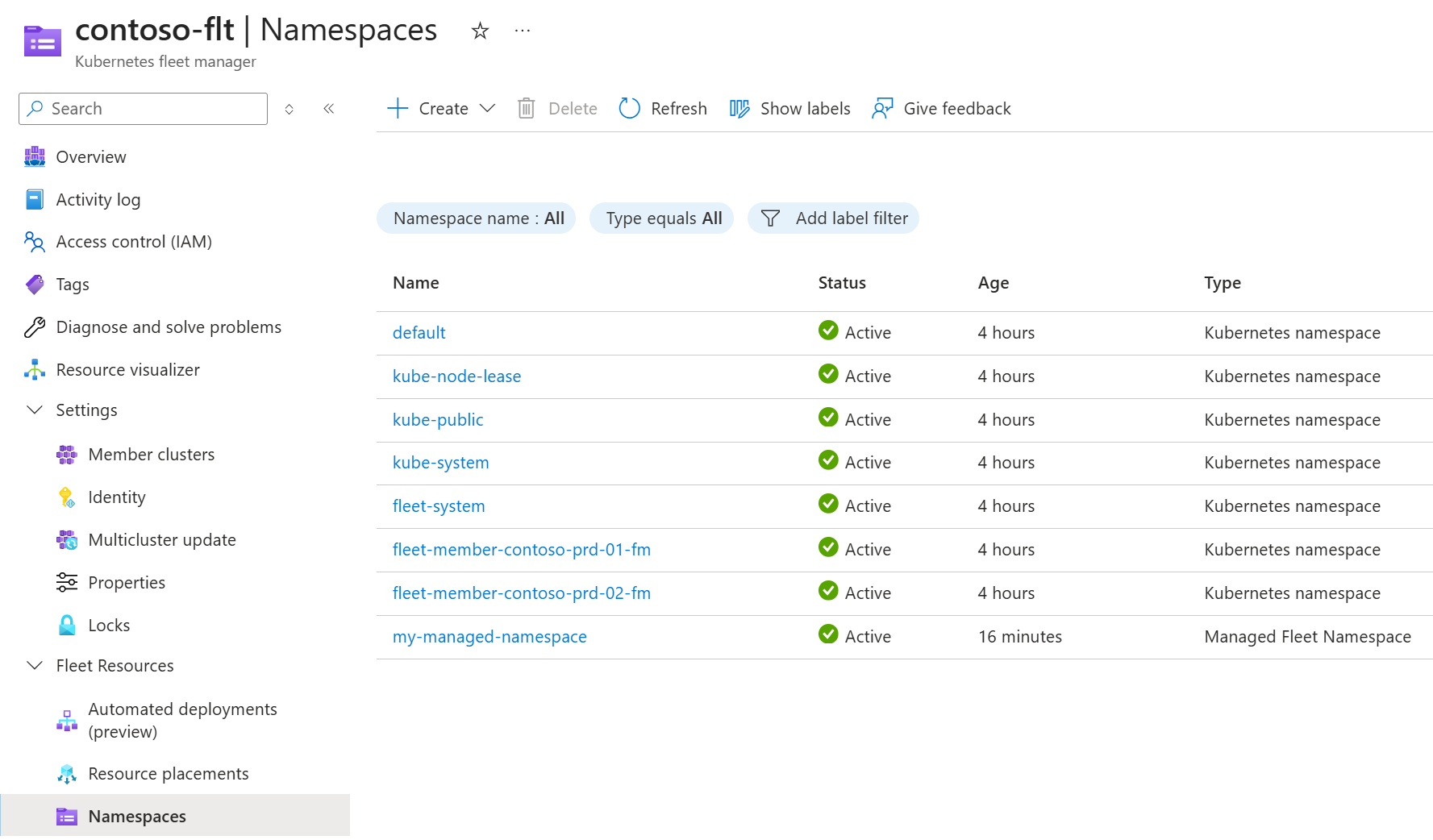
Starting in Fleet Manager:
- In the Azure portal, navigate to your Azure Kubernetes Fleet Manager resource.
- From the left menu, under Fleet Resources, select Namespaces.
- Managed Fleet Namespaces you have access to are shown in the namespaces list.
Starting in Kubernetes center:
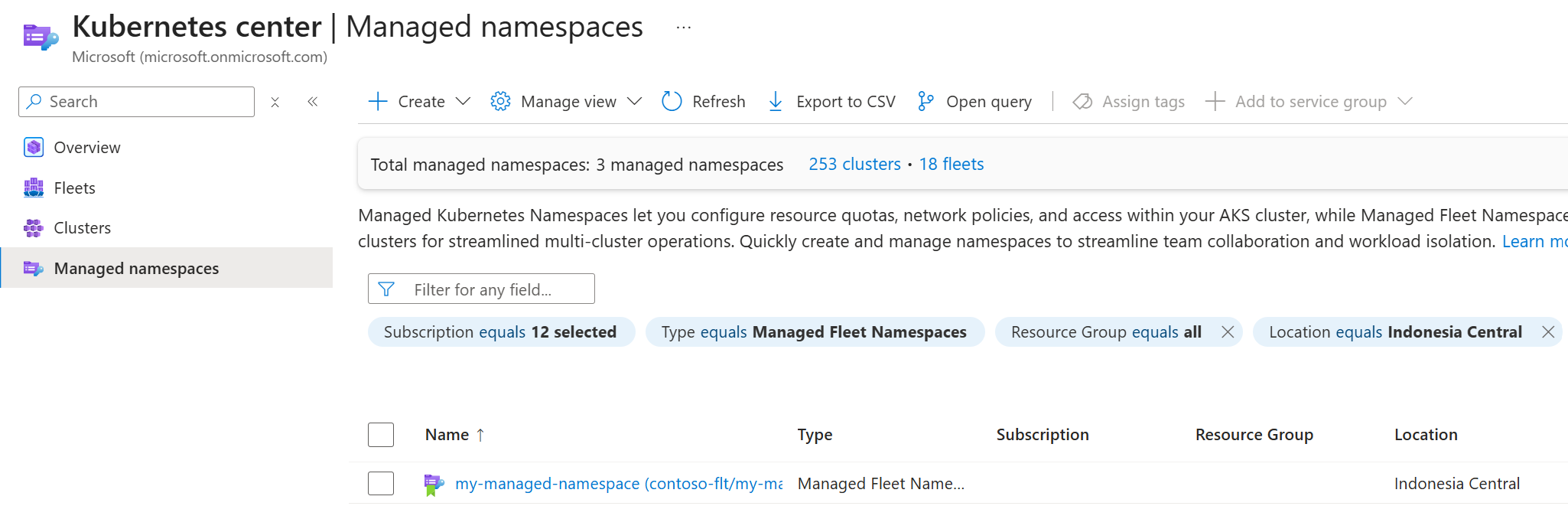
- Open Kubernetes center - Managed namespaces in the Azure portal.
- Set the Type filter to Managed Fleet Namespace.
- Managed Fleet Namespaces you have access to are shown in the namespaces list.
View Managed Fleet Namespace configuration
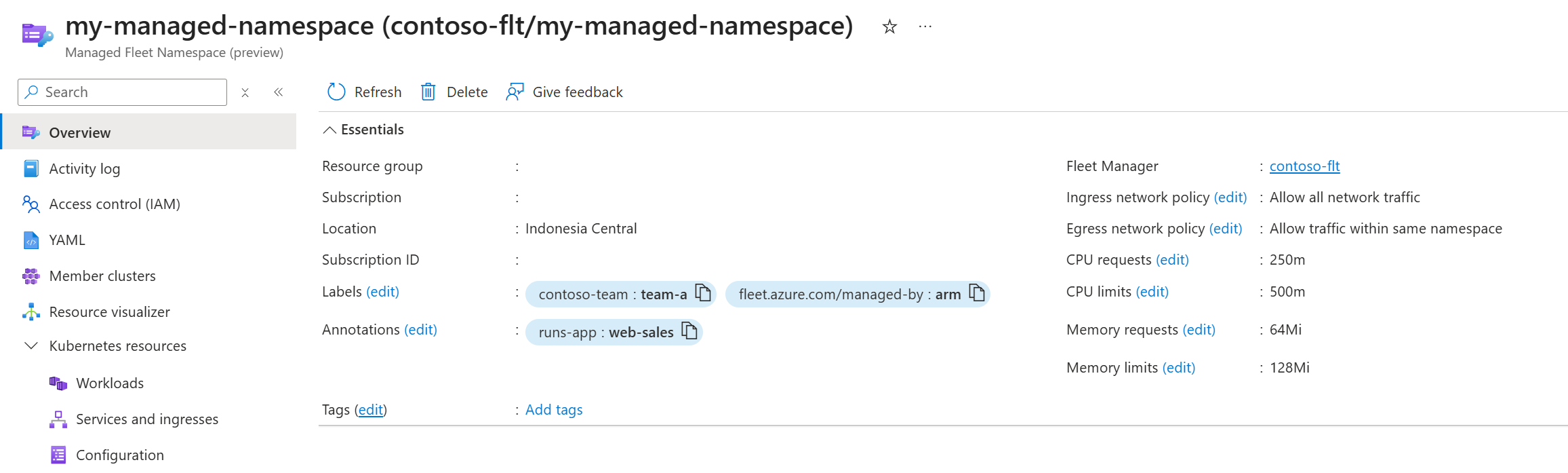
View a Managed Fleet Namespace's configuration on its overview by selecting the namespace from the list.
View Managed Fleet Namespace member clusters
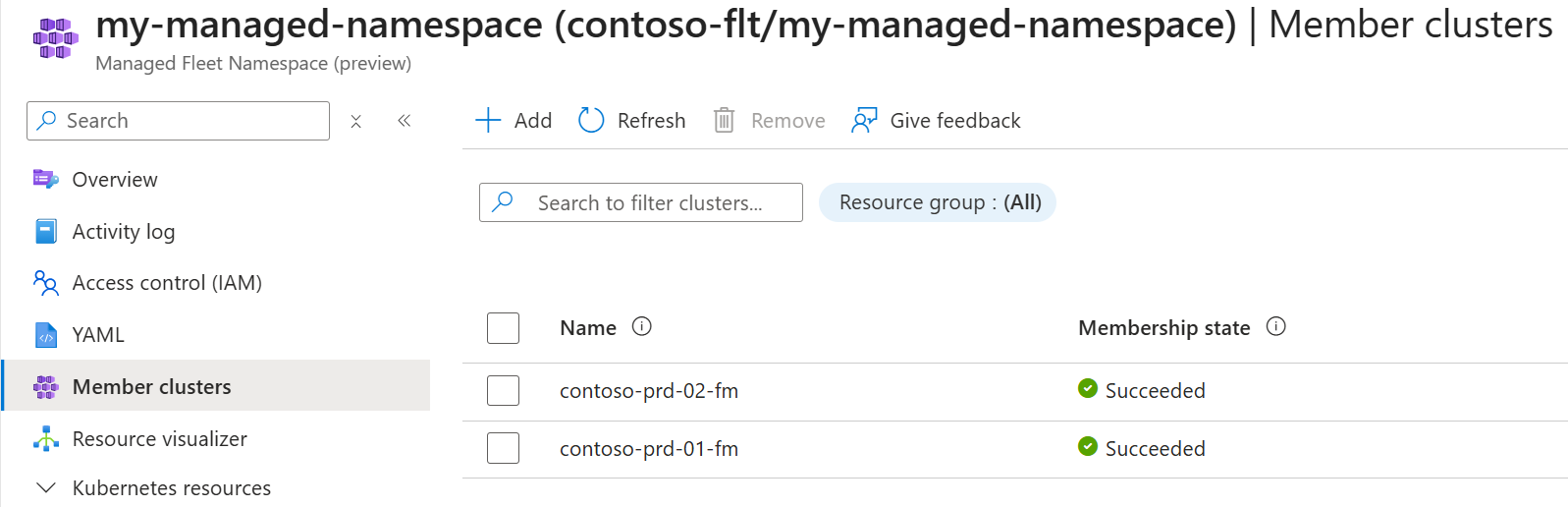
From the Managed Fleet Namespace overview select Member clusters on the left navigation to view the member clusters the namespace is distributed to.
Access a Managed Fleet Namespace
You can retrieve the kubeconfig to access a Managed Fleet Namespace on either the Fleet Manager hub cluster, or on a specific member cluster. If you access the hub cluster, you can utilize Fleet Manager's intelligent resource placement to replicate your resources to member clusters, avoiding the need to manually redeploy the same artifacts on each cluster.
Get credentials to access the namespace on the Fleet Manager hub cluster using the following command.
az fleet namespace get-credentials \
    --resource-group ${GROUP} \
    --fleet-name ${FLEET} \
    --name ${FLEET_NAMESPACE_NAME}
Get credentials to access the namespace on member cluster by providing the member parameter.
az fleet namespace get-credentials \
    --resource-group ${GROUP} \
    --fleet-name ${FLEET} \
    --name ${FLEET_NAMESPACE_NAME} \
    --member myMemberCluster
Next steps
- Understand the concept of Managed Fleet Namespaces by reading the overview.
- Learn how to create and configure a Managed Fleet Namespace.