Note
Access to this page requires authorization. You can try signing in or changing directories.
Access to this page requires authorization. You can try changing directories.
In this article, you learn how to use retrieval-augmented generation (RAG) by creating a prompt flow. A prompt is an input—a text command or question—provided to an AI model to generate desired output such as content or answers. The process of crafting effective and efficient prompts is called prompt design or prompt engineering. Prompt flow is the interactive editor in Azure Machine Learning for prompt engineering projects. To get started, you can create a prompt flow sample that uses RAG from the samples gallery in Azure Machine Learning. You can use this sample to learn how to use Vector Index in a prompt flow.
Important
This feature is currently in public preview. This preview version is provided without a service-level agreement, and we don't recommend it for production workloads. Certain features might not be supported or might have constrained capabilities.
For more information, see Supplemental Terms of Use for Microsoft Azure Previews.
Prerequisites
An Azure subscription. If you don't have an Azure subscription, create a free account.
Access to Azure OpenAI.
Prompt flow enabled in your Azure Machine Learning workspace.
To enable prompt flow in your Azure Machine Learning workspace, turn on Build AI solutions with Prompt flow in the Manage preview features panel.
Create a prompt flow using the samples gallery
Select Prompt flow on the left menu.
Select Create.
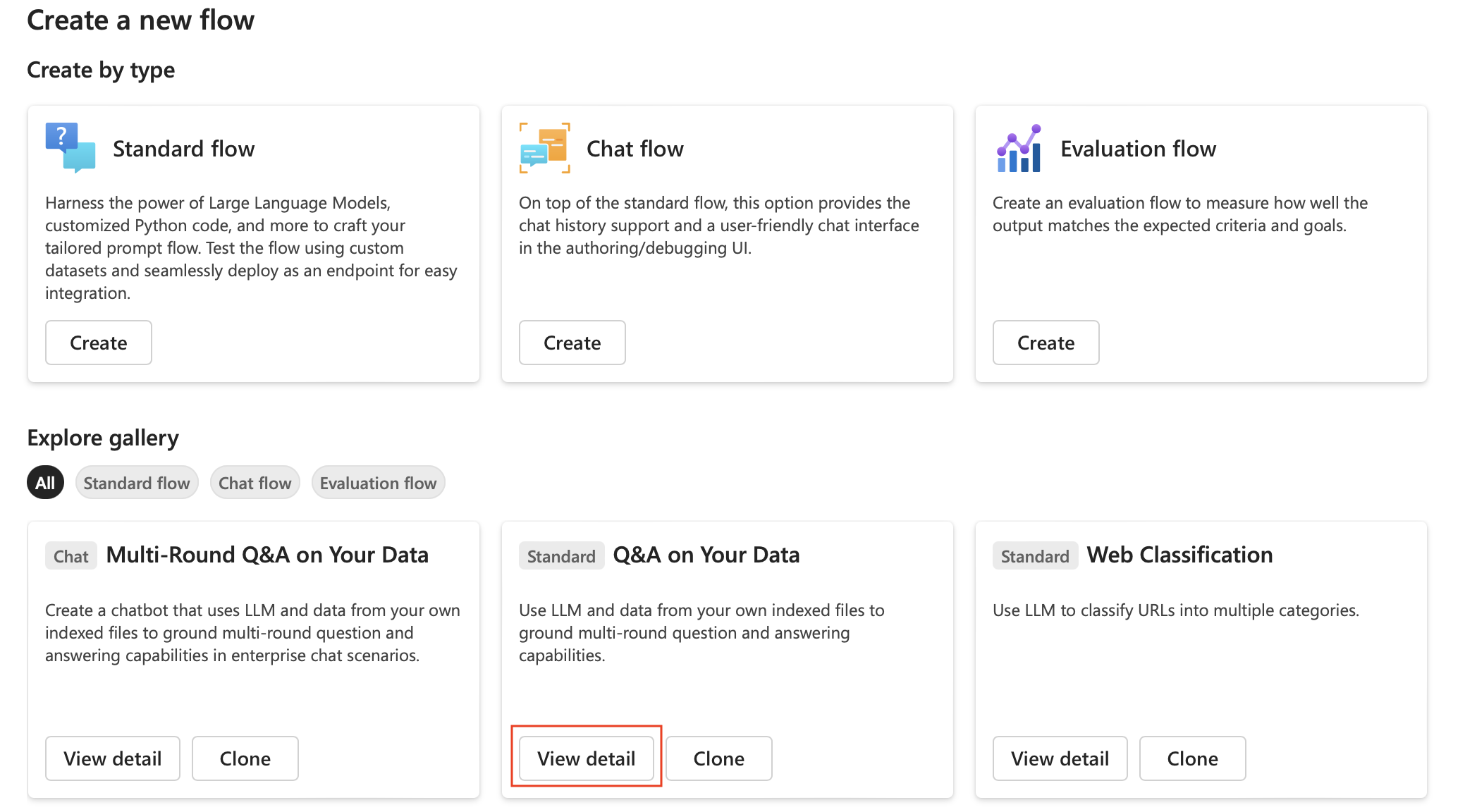
In the Explore gallery menu, select View Detail on the Q&A on Your Data sample.
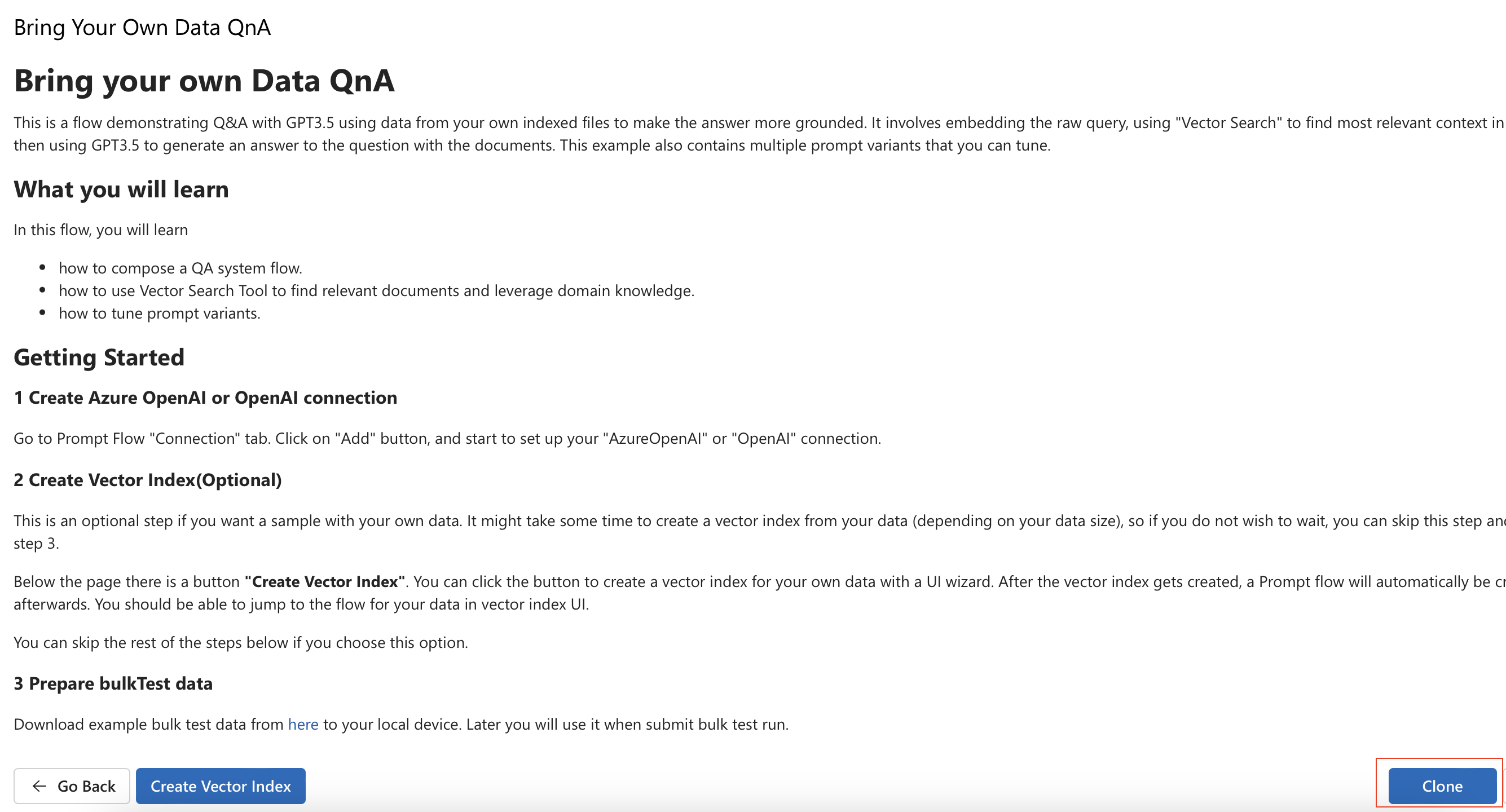
- Read the instructions and select Clone to create a prompt flow in your workspace.
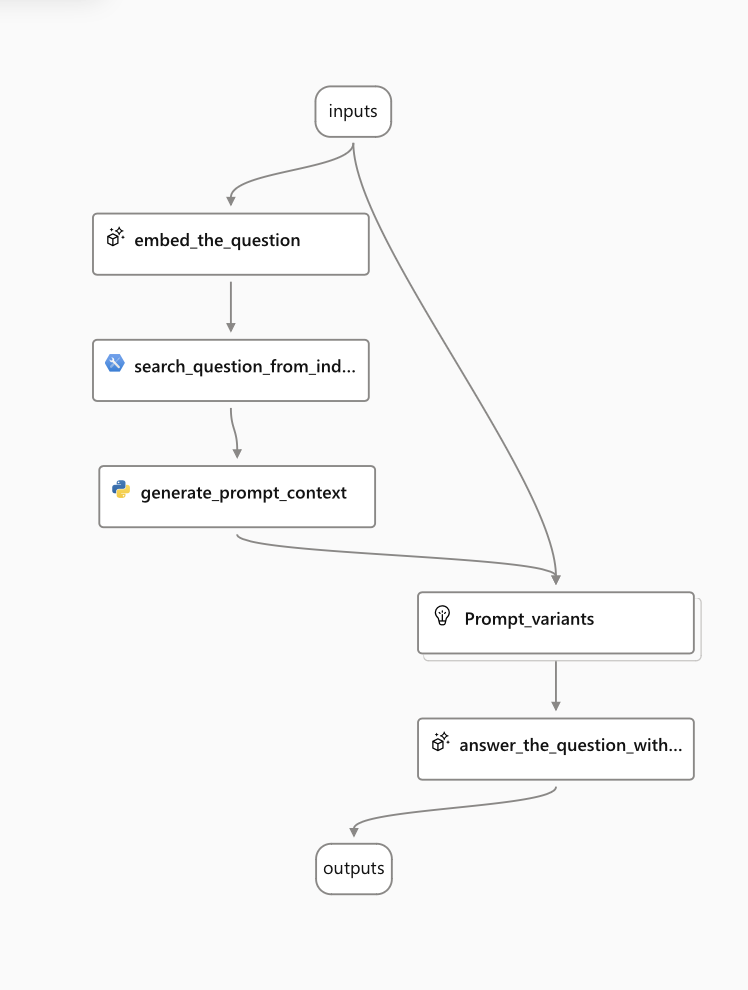
- The cloned prompt flow opens, which you can run in your workspace and explore.
Next steps
Use Azure Machine Learning pipelines with no code to construct RAG pipelines (preview)
How to create vector index in Azure Machine Learning prompt flow (preview)