Note
Access to this page requires authorization. You can try signing in or changing directories.
Access to this page requires authorization. You can try changing directories.
This article describes how to create a web app assessment for modernization to Azure Kubernetes Service (AKS) or Azure App Service using Azure Migrate. Creating an assessment for your web apps provides the recommended targets for them and key insights such as app-readiness, target right-sizing, and cost to host, and run these apps month over month.
In this article, you'll learn how to:
- Set up your Azure Migrate environment to assess web apps.
- Choose a set of related web applications discovered using the Azure Migrate appliance.
- Provide assessment configurations such as preferred Azure targets, target region, Azure reserved Instances, sizing criteria and more.
- Create web app assessment with a recommended modernization path.
Prerequisites
- Deploy and configure the Azure Migrate appliance in your VMware, Hyper-V, or physical environments.
- Check the appliance requirements and URL access to be provided.
- Follow these steps to discover web apps running on your environment. Web app assessment is supported for appliance-based discovery only.
Create a workload assessment for web apps
To create an assessment, follow these steps:
On the Azure Migrate project Overview page, under Decide and Plan, select Assessments.

Select Create assessment.

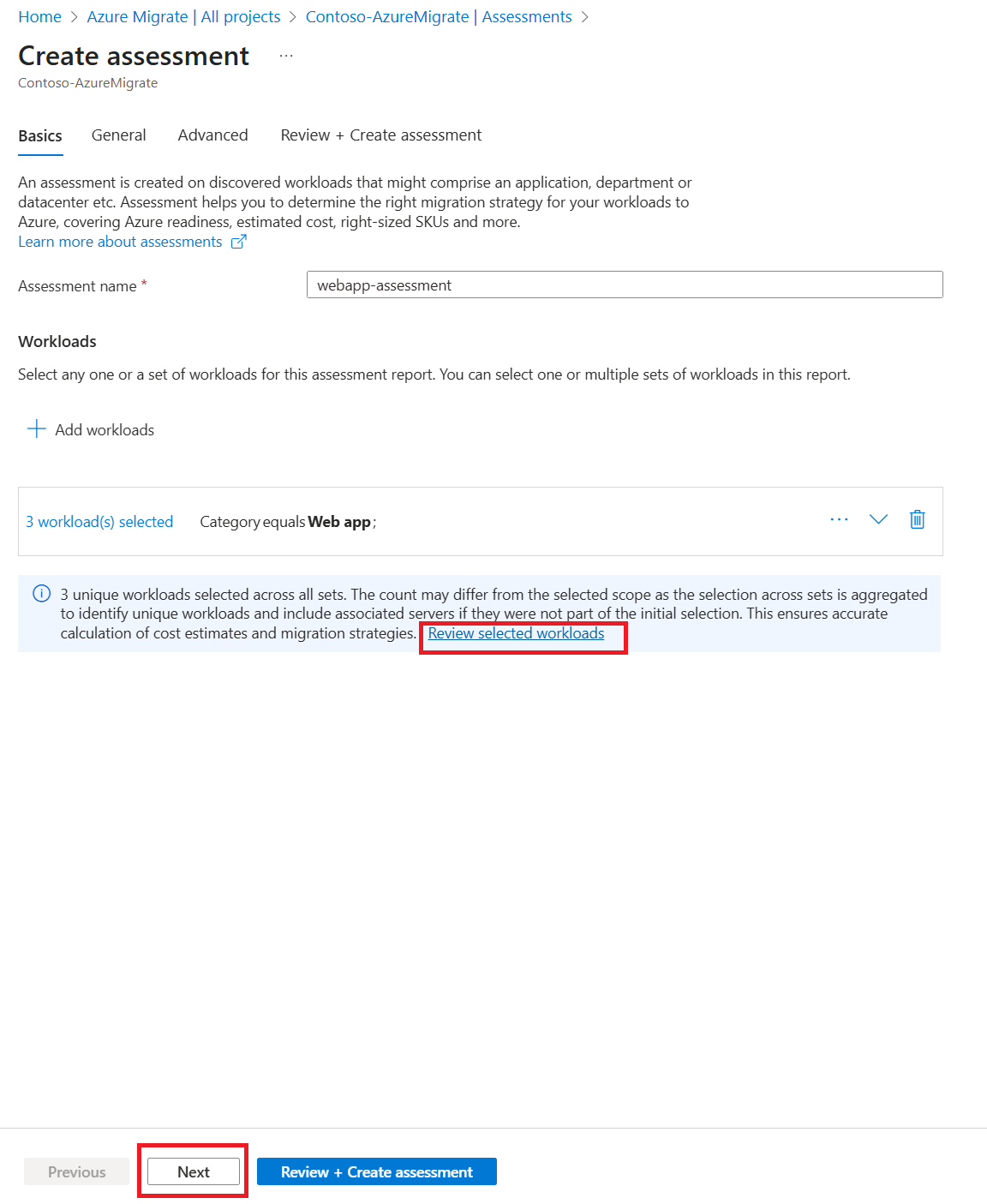
Provide a suitable name for the assessment and select Add workloads.

Using the filters, select web apps, and select Add.

Review the selected workloads and select Next.
On the General settings tab, modify the assessment settings that are applicable across all Azure targets.
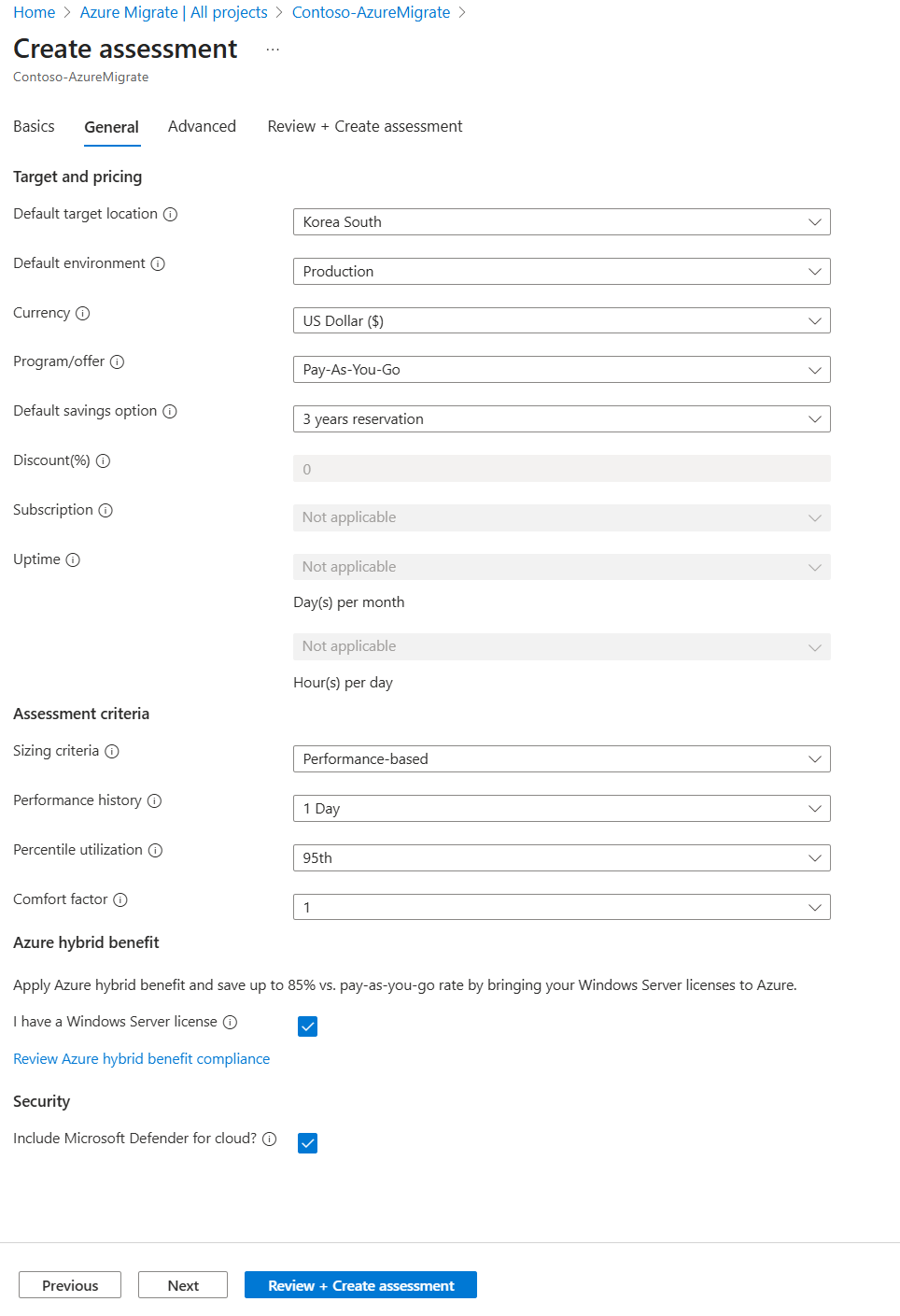
Setting Description Possible Values Default target location Used to generate regional cost for Azure targets. All locations supported by Azure targets Default environment Allows you to toggle between pay-as-you-go and pay-as-you-go Dev/Test offers. Production
Dev/TestCurrency Generates the cost in the currency selected here. All common currencies such as USD, INR, GBP, Euro Program/offer Allows you to toggle between pay-as-you-go and Enterprise Agreement offers. Pay-as-you-go
Enterprise AgreementDefault savings option Select a savings option if you opted for Reserved Instances or Savings Plan. 1 year reserved
3 years reserved
1 year savings plan
3 years savings plan
NoneDiscount(%) Used to factor in any custom discount agreements with Microsoft. This setting is disabled if Savings options are selected. Numeric decimal value EA subscription Select the subscription ID for which you have an Enterprise Agreement. Subscription ID Microsoft Defender for cloud Includes Microsoft Defender for App Service cost in the month over month cost estimate. - Setting Description Possible Values Default target location Target Azure region to which you want to migrate your workloads. Target right-sizing and costing recommendations would be done based on the selected location. All locations supported by Azure targets Default environment Environment type for the workloads you intend to migrate. You can avail Azure discounts for Dev/Test workloads. - Production (default)
- Dev/TestCurrency Currency in which you would like to get your cost estimates. Multiple options, Default is US Dollar ($) Program/offer The Azure offer in which you're enrolled. Assessment estimates the cost for that offer. - Pay-as-you-go (default)
- Enterprise Agreement
- Microsoft Customer AgreementDefault savings option Select applicable commitment-based savings option if you opted for Reserved Instances or Savings Plan. - 1 year reservation
- 3 years reservation
- 1 year savings plan or 1 year reservation
- 3 year savings plan or 3 year reservation
- NoneDiscount(%) Any subscription-specific discounts you receive on top of the Azure offer. This setting is disabled if Savings option is selected. Numeric decimal value, Default is 0% Subscription Negotiated subscription ID for cost estimation Only Negotiated subscription IDs are listed here Uptime Time for which you expect the workloads to run Days per month and Hours per day Sizing criteria Criteria for target Web app right-sizing - Performance based (default) – Select this option if you want assessment based on resource utilization (CPU and memory) and configuration data
- As on-premises - Select this option if you want assessment based on configuration data of the on-premises workloads
In case of unavailability of performance data, assessment would be generated with As on-premises target sizing.Performance history Duration of performance history to generate assessment of the on-premises workloads - 1 day (default)
- 1 week
- 1 monthPercentile utilization Percentile value considered for the performance history of the on-premises workloads - 50th
- 90th
- 95th (default)
- 99thComfort factor Buffer added on top of utilization to account for scenarios like seasonal spikes in usage, insufficient performance data, likely increase in future usage, etc. As an example, normally, a 16-core VM with 20% utilization results in a 4-core VM. With a comfort factor of 2.0, it results in an 8-core VM as a match. Multiple options. Default is 1. Azure Hybrid benefit Azure Hybrid Benefit allows Microsoft customers with Windows Server Software Assurance or Windows Server subscriptions to bring their licenses to Azure. Learn more Specify whether you already have a Windows Server license. This setting is enabled by default. Microsoft Defender for cloud Includes Microsoft Defender for Cloud to protect your Web apps on Azure. Specify whether you want to include Microsoft Defender for Cloud in the cost estimate. Microsoft Defender for App service or Microsoft Defender for Containers cost would be selected based on the target workload. This setting is enabled by default. On the Advanced settings tab, select Edit defaults to choose the preferred Azure targets and target-specific settings to meet your migration requirements.
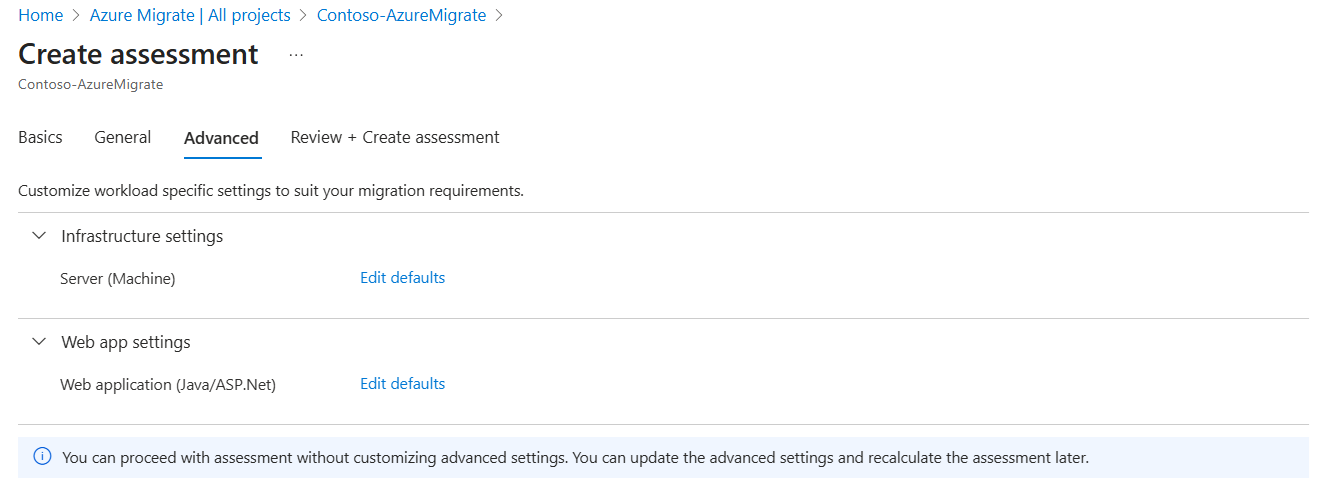
Infrastructure - Azure VM settings
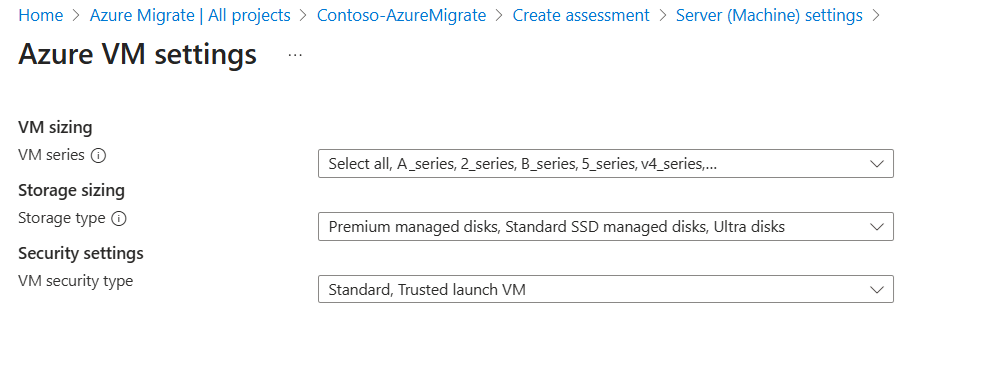
Setting Description Possible Values VM sizing The Azure VM series that you want to consider for rightsizing. All VM services are selected by default Storage sizing Specifies the type of target storage disk - Premium managed disk
- Standard HDD managed disks
- Standard SSD managed disks
- Ultra DisksSecurity settings Security type of the VM - Standard
- Trusted launch VMAKS settings
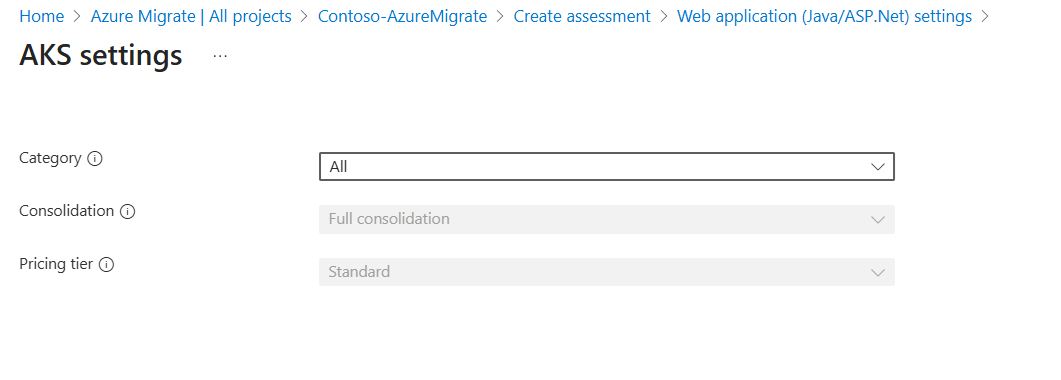
Setting Description Possible Values Category Selecting a particular SKU category ensures we recommend the best AKS Node SKUs from that category. - All
- Compute optimized
- General purpose
- GPU
- High performance compute
- Isolated
- Memory optimized
- Storage optimizedPricing tier Pricing tier for AKS Standard Consolidation Maximize the number of web apps to be packed per node. Full Consolidation(default) App Service settings
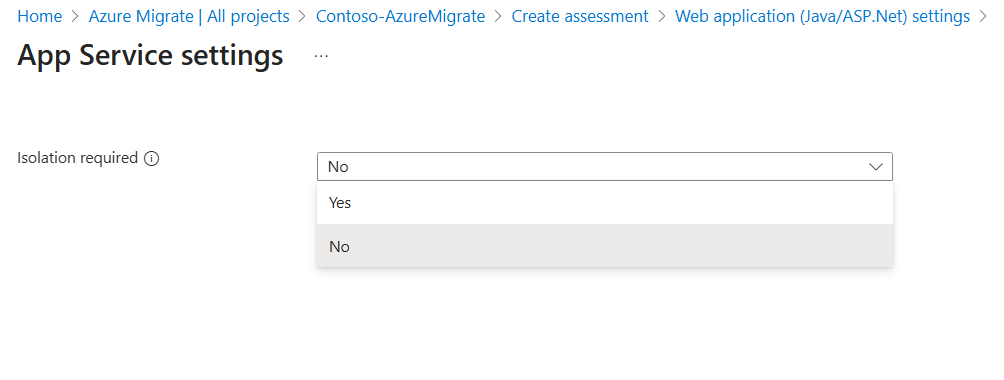
Setting Description Possible Values Isolation required The Isolated plan allows you to run your apps in a private, dedicated environment in an Azure datacenter using Dv2-series VMs with faster processors, SSD storage, and double the memory-to-core ratio compared to Standard. - No
- YesReview and create the assessment.


Target right-sizing for Web apps
Azure Migrate supports two types of target sizing for Web app assessments:
Performance-based Sizing
This method provides target size recommendations based on gathered performance data.
For ASP.NET web apps, performance data is collected for the associated application pools.
- When multiple web apps run under the same application pool, the percentage of resources allocated to every web app is a linear function of the number of apps in the application pool.
- The more the number of web apps in a single application pool, the lesser the resource allocation per app.
- The minimum utilization share for any web app is 60%.
For Java Web Apps on Tomcat Server, performance data is collected for each Tomcat server instance. When multiple web apps are running on a single Tomcat server, resource distribution follows a similar pattern as with ASP.NET web apps.
Performance data is collected every 15 minutes in both ASP.NET and Java web app scenarios and stored in a service-managed storage account.
Note
For private endpoint scenarios, data is stored in a user-managed Storage account set up during Azure Migrate project creation.
As on-premises sizing:
This method provides target size recommendations based on configuration data. Following values are considered for CPU and memory utilization per web app:
- ASP.NET web app: 0.15 cores, 0.25 GB memory
- Java web app: 0.15 cores, 0.15 GB memory. If static memory is configured for Tomcat server, it is considered instead of these values.
Besides the values estimated for performance-based and as on-premises sizing, following default resource utilization values for running the container image for each web app are added when Azure App Service containers and AKS are considered as migration targets:
- ASP.NET web app: 0.2 core, 0.65 GB memory
- Java web app: 0.1 core, 0.25 GB memory
Next steps
- Understand the assessment insights to make data-driven decisions for web app modernization.
- Optimize Windows Dockerfiles.
- Review and implement best practices to build and manage apps on AKS.