Note
Access to this page requires authorization. You can try signing in or changing directories.
Access to this page requires authorization. You can try changing directories.
After your Microsoft Sentinel solution is published, it goes through a series of validation checks before it becomes live in the Content Hub, Azure Marketplace, and Microsoft Security Store.
Note
Within Partner Center, your solution is referred to as an offer. The terms are used interchangeably in this article.
If you haven't created an offer yet, see Publish solutions to Microsoft Sentinel.
Automated validation phase
The first step in the publishing process is a set of automated validations to ensure that the offer is set up correctly and can be provisioned successfully. This step can take 1–2 hours. Fix any issues before the offer proceeds to the next stage.
After the offer is published, Partner Center notifies the owner of your developer account by email. Notifications also appear under Action Center in Partner Center. You can also add users with a developer or manager role to receive notifications. For more information, see Action Center Overview and Notifications.
Preview creation
During the preview creation phase, Partner Center creates a version of your offer that only the preview audience you specified can access. The preview version of your offer isn't available to anyone outside the preview audience until you make the offer live in the Publisher approval phase. Don't use the preview audience settings to share the offer with people outside your organization. Use the Private Offer option instead. At this point, your offer isn't fully tested and validated and isn't ready for external distribution.
Publisher approval
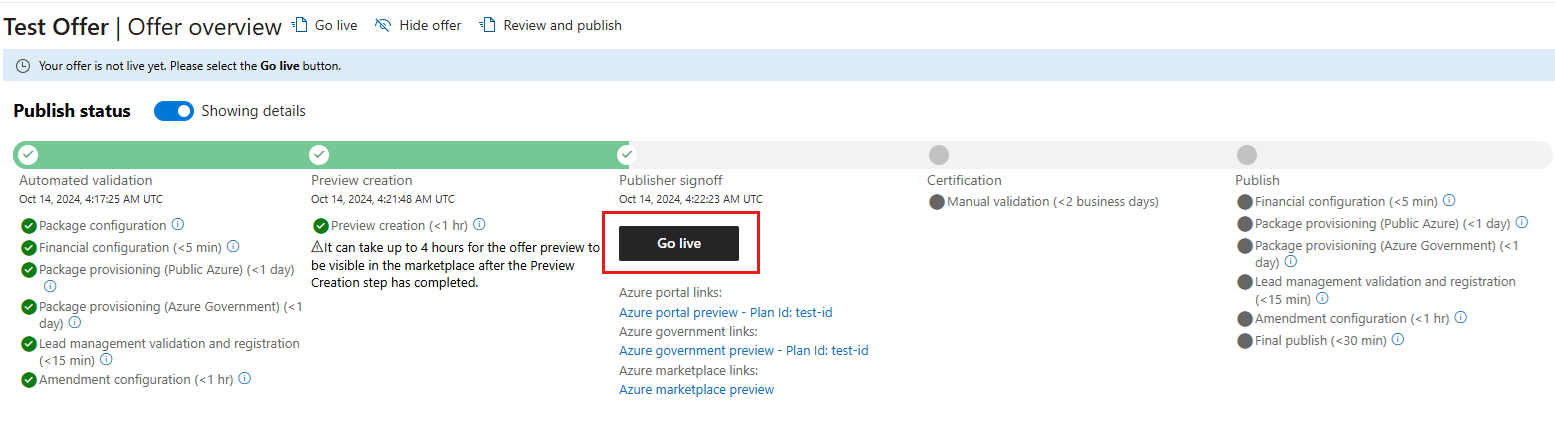
You receive an email once the offer is created. At this point, you can review and approve your offer. You can also refresh the Offer overview page in your browser to see if your offer has reached the Publisher approval phase. If it has reached the Publisher approval phase, the Go live button and preview links are available. Validate all aspects of your solution in the preview phase before you make the offer live.
Certification
Offers submitted to the commercial marketplace must be certified before being published. Offers undergo a series of rigorous automated and manual validations. To learn more, see commercial marketplace certification policies. As part of the manual validations, checks include:
- Publisher business eligibility
- Content validations, such as appropriate title, well-written descriptions, quality screenshots
- Technical validations, such as malware scanning, package analysis, and test deployments
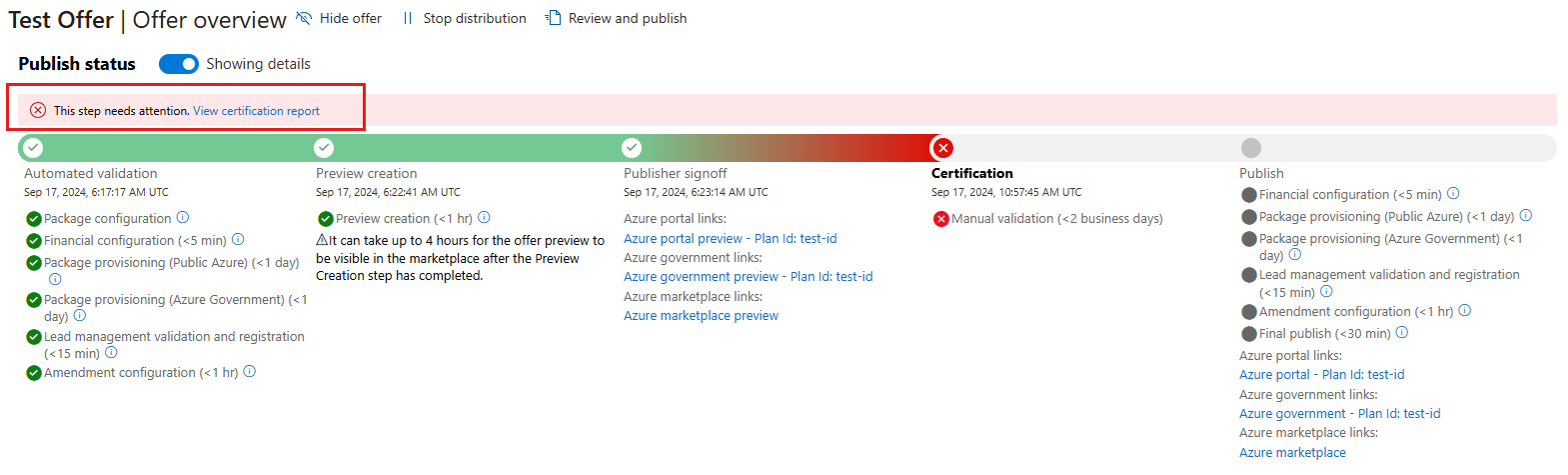
If your offer fails any checks, or if you aren't eligible to submit that type of offer, Partner Center sends a certification failure report to your email address. The errors also appear in Action Center in Partner Center. The report contains descriptions of any policies that failed, and review notes. Review the report, address any issues, update your offer as needed, and resubmit using the commercial marketplace portal in Partner Center. You can resubmit as many times as needed until passing certification.
If there are certification failures, you can select View certification link to review the issues.
Publishing
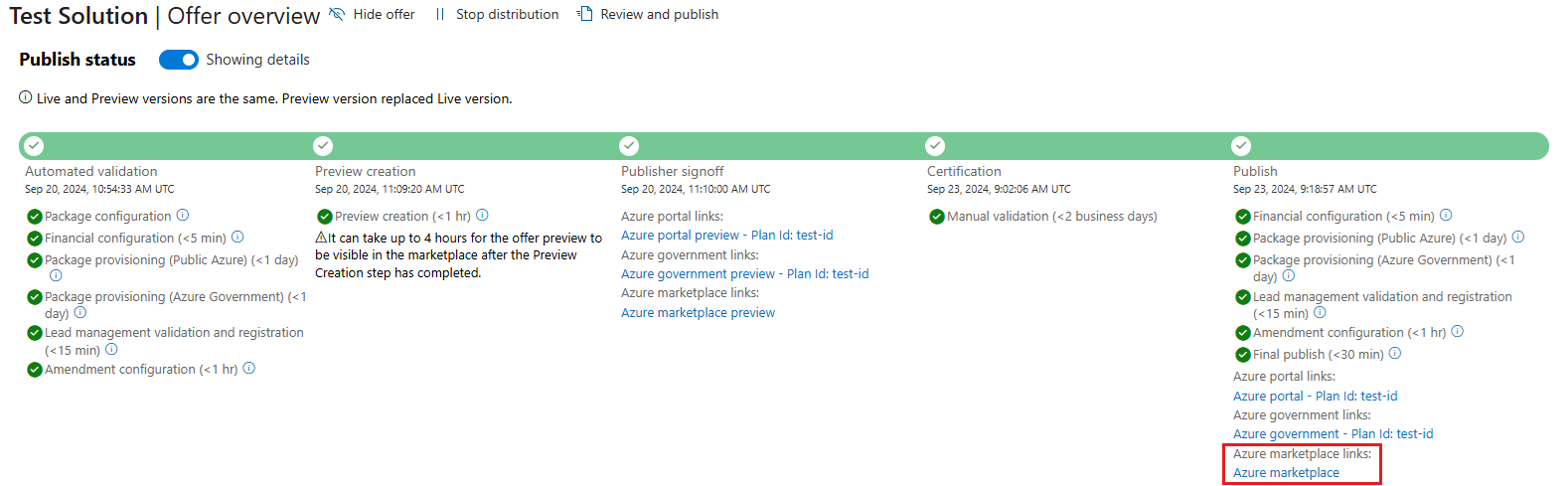
In the Publishing step, a series of final validation checks run to ensure the live offer is configured just like the preview version. After these validation checks are complete, your offer is live in the marketplace. Select the Azure Marketplace link under the Publish step to see the published solution in Azure Marketplace.
Solution availability in Sentinel content hub
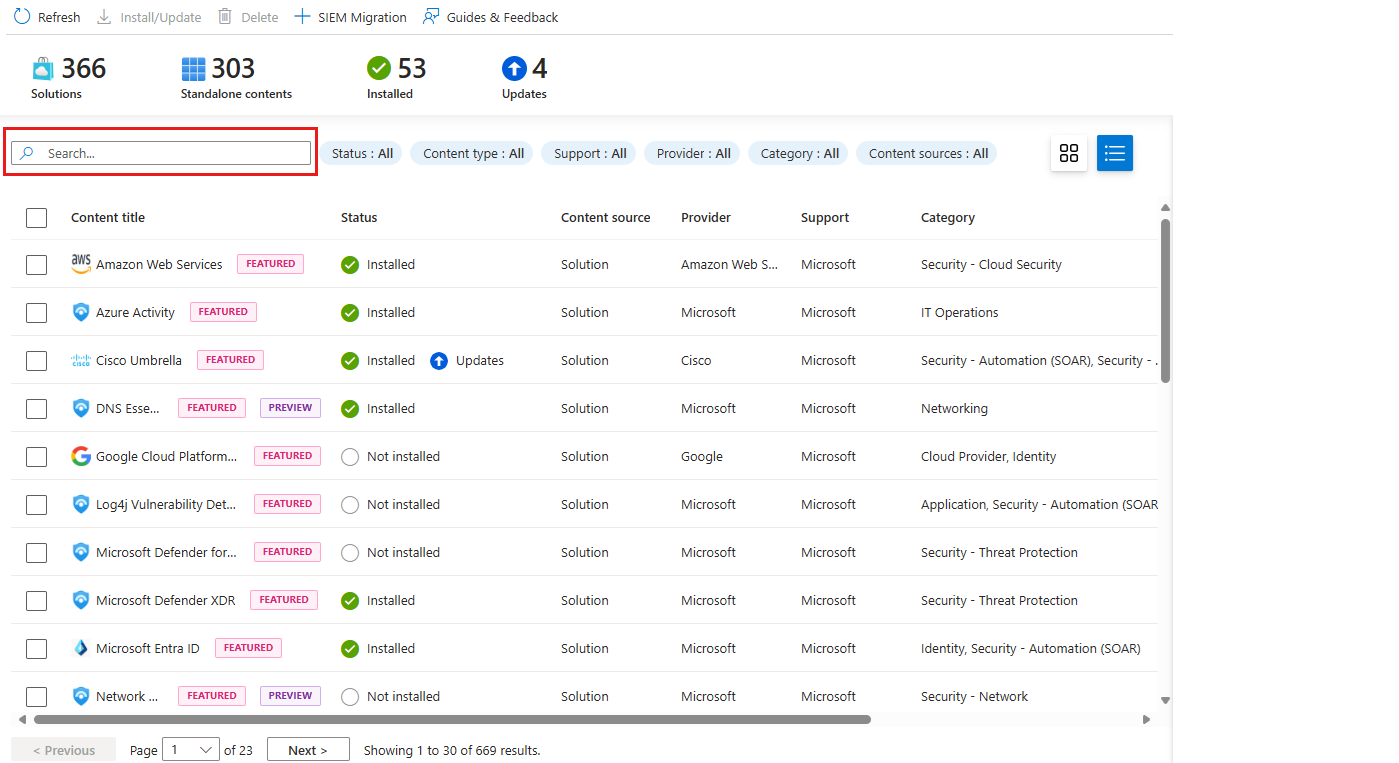
After the solution is published in Azure Marketplace, the solution is available in the Microsoft Sentinel content hub within 3–5 days. If you published your solution over the weekend, your solution is available by Tuesday. After your solution syncs to Microsoft Sentinel, customers can find it in the Microsoft Sentinel content hub, Azure Marketplace, and Microsoft Security Store. They can install, configure, monitor, and uninstall it from Microsoft Sentinel in the Microsoft Defender portal.
Related content
Discover and manage Microsoft Sentinel out-of-the-box content