Note
Access to this page requires authorization. You can try signing in or changing directories.
Access to this page requires authorization. You can try changing directories.
Every Network Interface Card (NIC) attached to a virtual machine has one or more IP configurations associated to it. Each configuration is assigned one static or dynamic private IP address. Each configuration may also have one public IP address resource associated to it. A public IP address resource has either a dynamic or static public IP address assigned to it. Learn more about IP addresses in Azure.
Azure Site Recovery automatically configures the failover of the Primary IP Configuration. This article describes how you can configure failover of Secondary IP configuration with Site Recovery. This is supported only for Azure virtual machines.
Configure secondary IP address failover via Azure portal
Site Recovery automatically configures the failover of your Primary IP Configuration when you Enable Replication for the virtual machine. Secondary IP Configurations need to be manually configured after the replication completes. For this, you need a protected virtual machine that has one or more Secondary IP Configurations.
To configure secondary IP address failover, follow these steps:
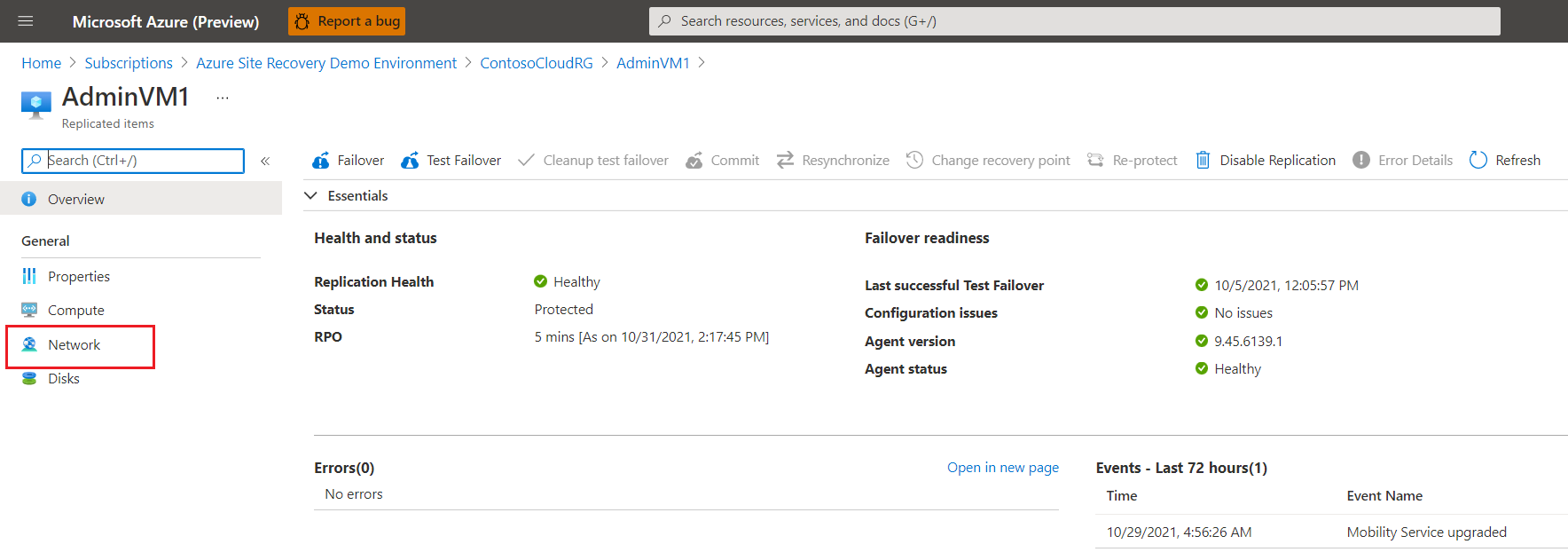
Navigate to the Network section on the Replicated items page.
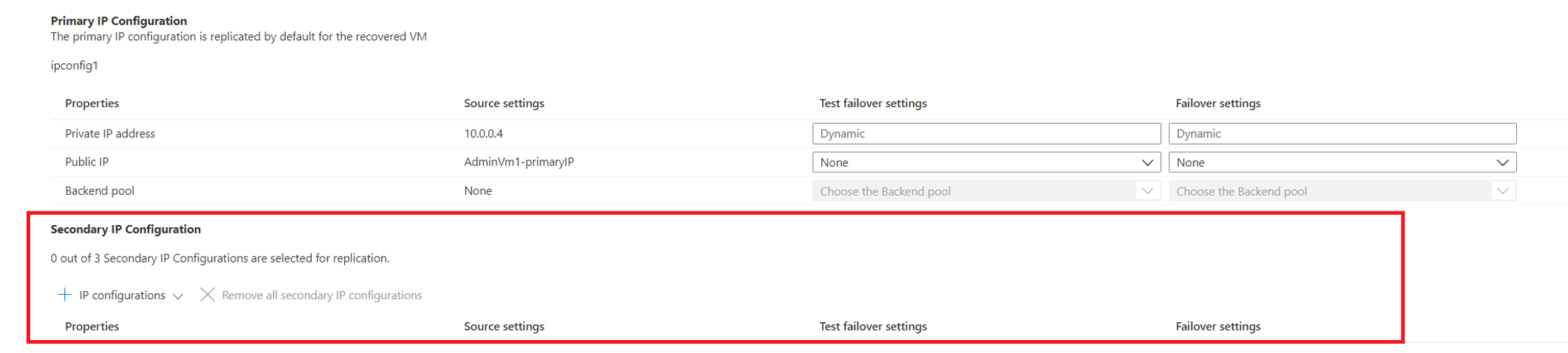
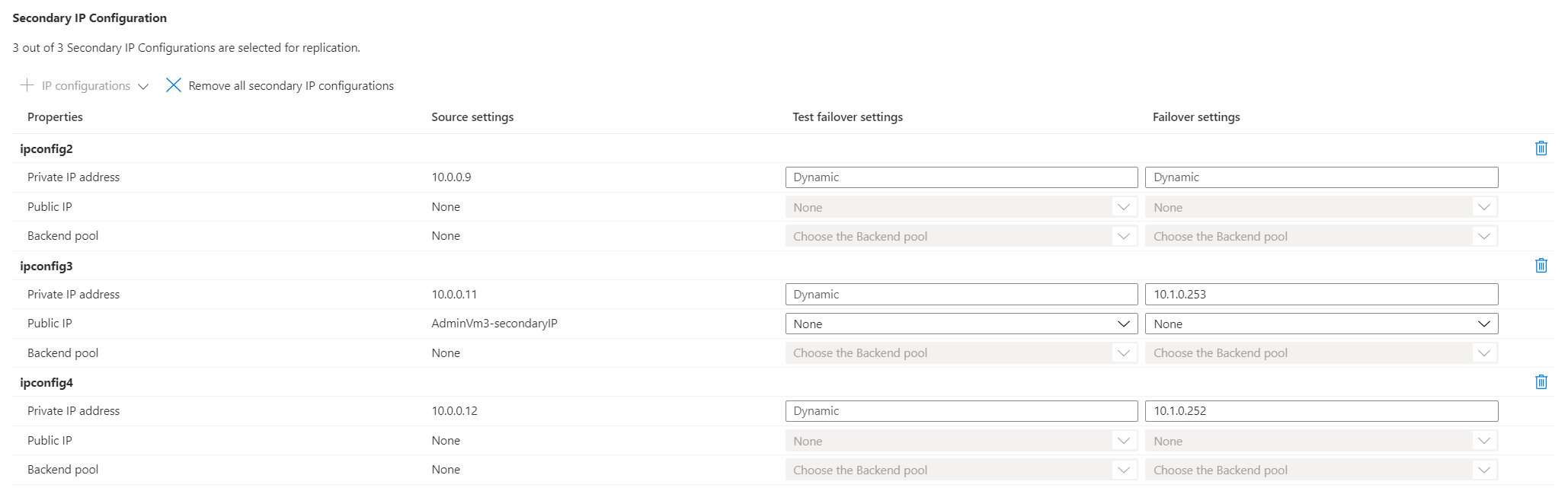
Under Secondary IP Configuration, select Edit to modify it.
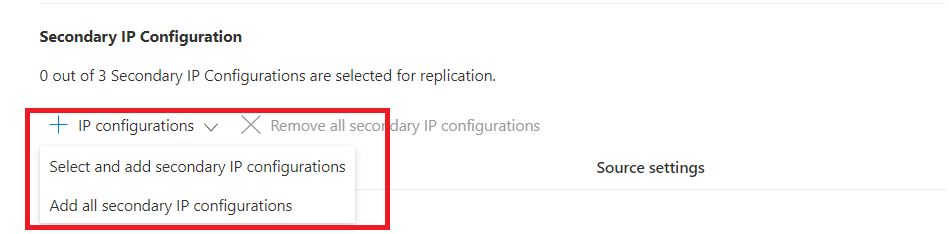
Select + IP configurations. You have two options, you can either add all IP configurations, or select and add individual IP configurations.
Note
If you add a NIC to the source virtual machine while replication is ongoing, you must disable and re-enable replication to update the same settings for the target virtual machine.
Select Add all secondary IP configurations to list all available configurations. You can now configure them as you like.

Alternatively, selecting Select and add secondary IP configurations, opens a pane where you can pick and add IP configurations you'd like to configure for failover.
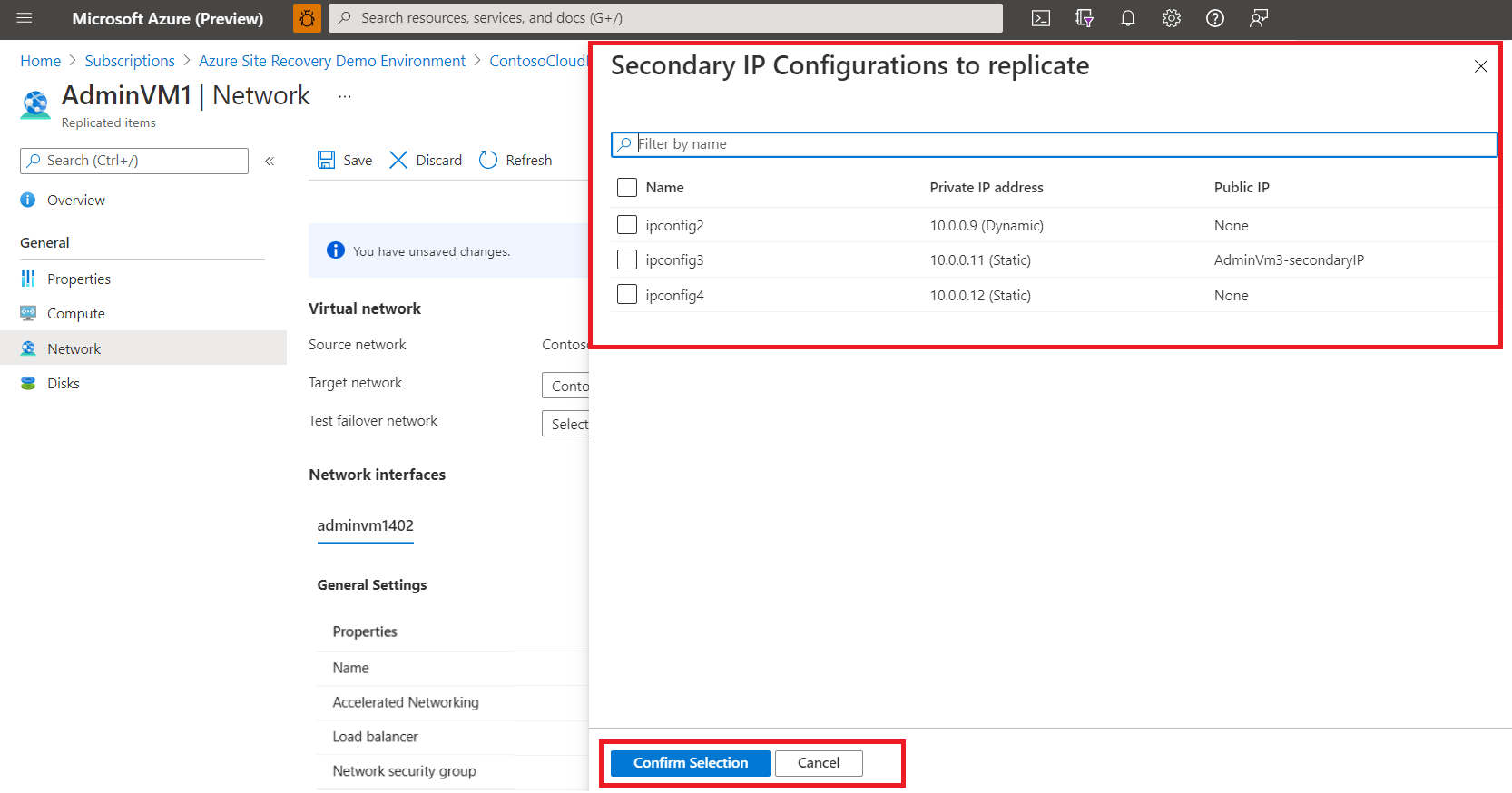
For each IP configuration that was added, you can configure the values for Private IP, Public IP, and Backend Pool for Failover and Test Failover separately.
Save your changes.
Next steps
Learn more about:
- Traffic Manager with Azure Site Recovery
- Traffic Manager routing methods.
- Recovery plans to automate application failover.