Note
Access to this page requires authorization. You can try signing in or changing directories.
Access to this page requires authorization. You can try changing directories.
The Optimization agent template for Microsoft 365 Copilot helps you model and solve business optimization problems that are specific to your organization. Use the agent to make optimal decisions for scenarios such as organizing teams, assigning work, or planning sales strategies.
Describe your optimization problem by specifying goals, constraints, and data. The Optimization agent template computes an optimal solution based on those inputs, without requiring expertise in coding or mathematical modeling.
Important
Microsoft 365 Copilot Tuning is currently available to a limited set of customers through early access programs. Access through Frontier is planned for April 2026. Features and requirements are subject to change.
Optimization agent template overview
By using the Optimization agent template, you can solve decision-based business problems by defining:
- Goals, such as assigning people to projects based on skills or planning sales territories
- Rules and preferences, such as keeping existing teams together or staying within budget
- Data, such as lists of employees, projects, or territories

After you provide this information, the agent uses solver tools to compute an optimal solution that satisfies all constraints and objectives. It presents the results in an interactive experience, and you can download them as a .csv file.
Common use cases include:
- Workforce and talent deployment
- Resource and task assignment
- Sales territory and account planning
The Optimization agent template is designed for nontechnical users and produces optimal, explainable decisions with guaranteed constraint satisfaction.
You can also customize the agent to align with your organization's policies, terminology, and data patterns so that it reflects how your organization operates.
At its core, the Optimization agent template uses a customized large language model (LLM) designed for optimization tasks. The model translates your business goals, rules, and data into a solvable optimization problem and computes the optimal outcome in a way that's consistent with your organization's preferences.
Get started with the Optimization agent template
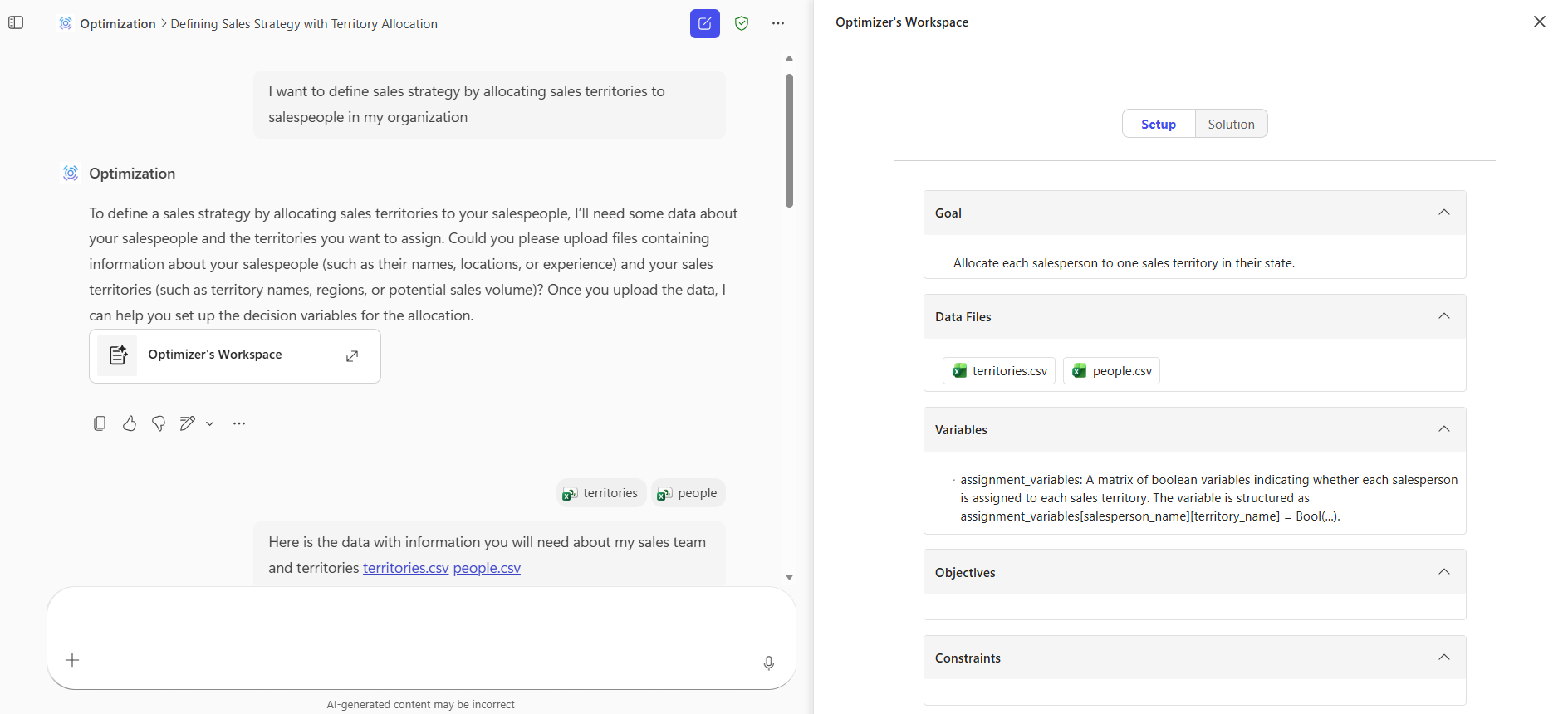
Describe your goal
Start by explaining the decision you want to optimize. Include context and details to help the agent understand the problem.
Examples include:
- Assign employees to open roles based on their skills.
- Allocate salespeople to territories.
Upload your data
Provide one or more .csv files that contain the data required for optimization, such as employees, projects, roles, or territories. Using separate files for different data entities improves accuracy and interpretability.
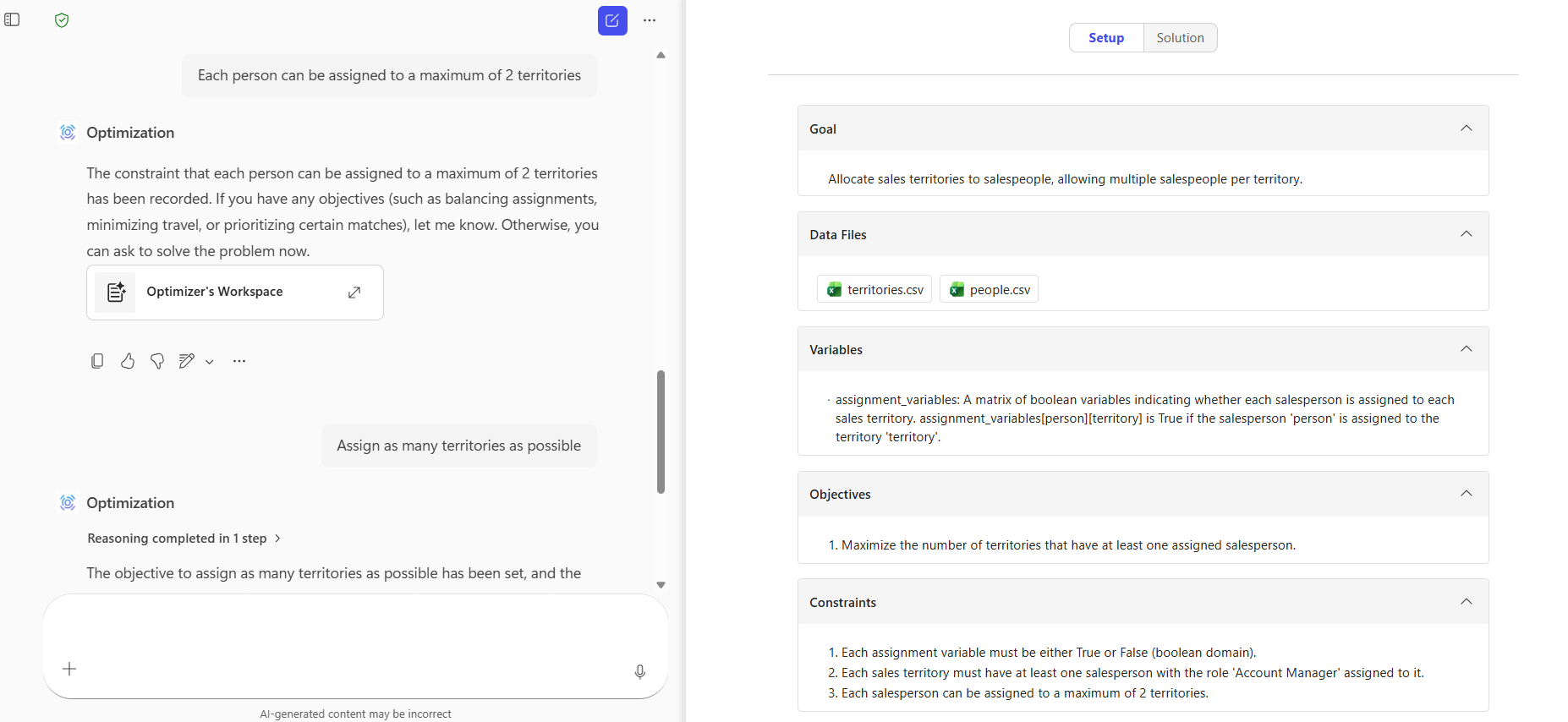
Set rules and objectives
Define constraints and objectives that govern the solution.
- Constraints describe rules that must be followed, such as staying within budget, keeping teams in the same location, or ensuring required role coverage.
- Objectives describe what makes a solution optimal, such as maximizing skill alignment, minimizing travel distance, or reducing wait time.
Add multiple constraints and objectives. For best results, add them one at a time and describe them clearly. The agent might ask clarifying questions if you need to provide more detail.
Review the setup
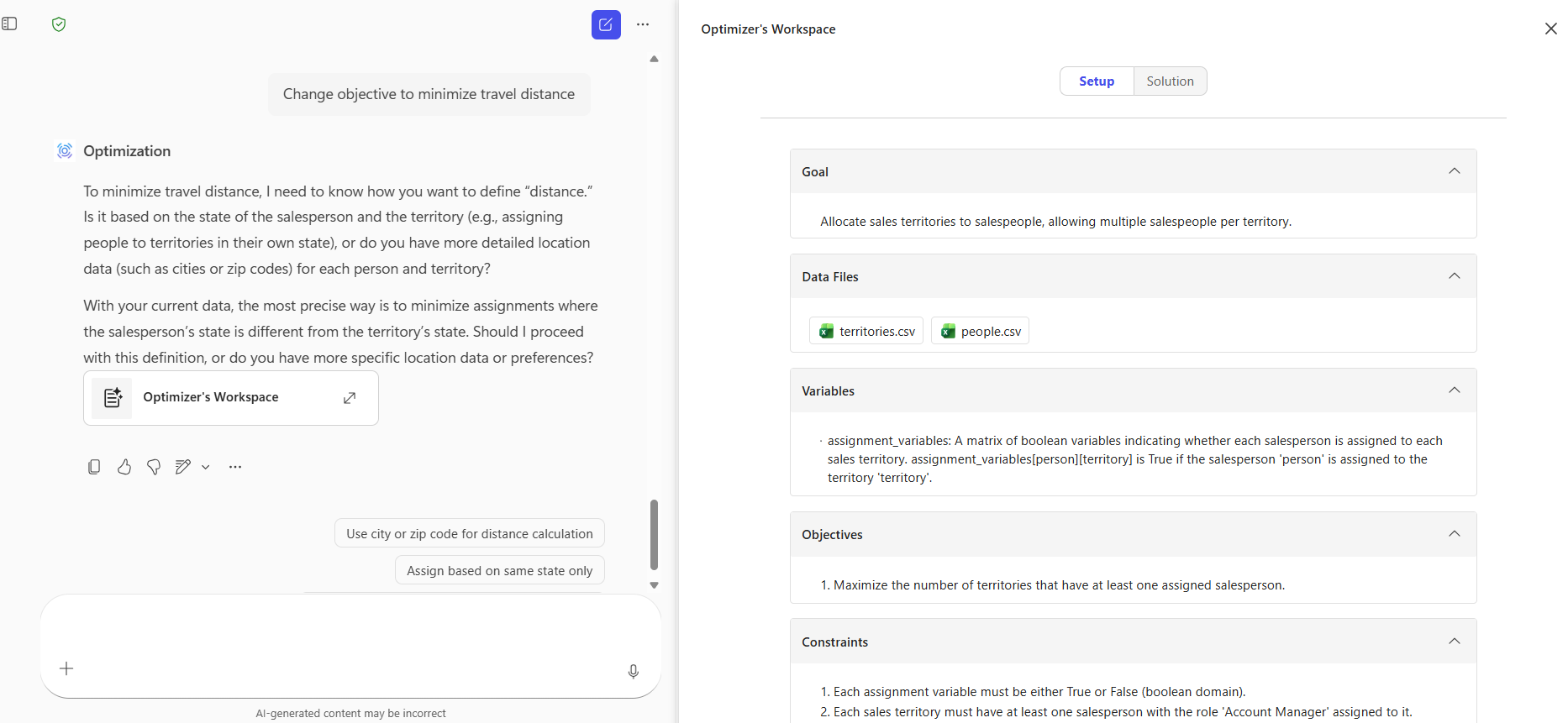
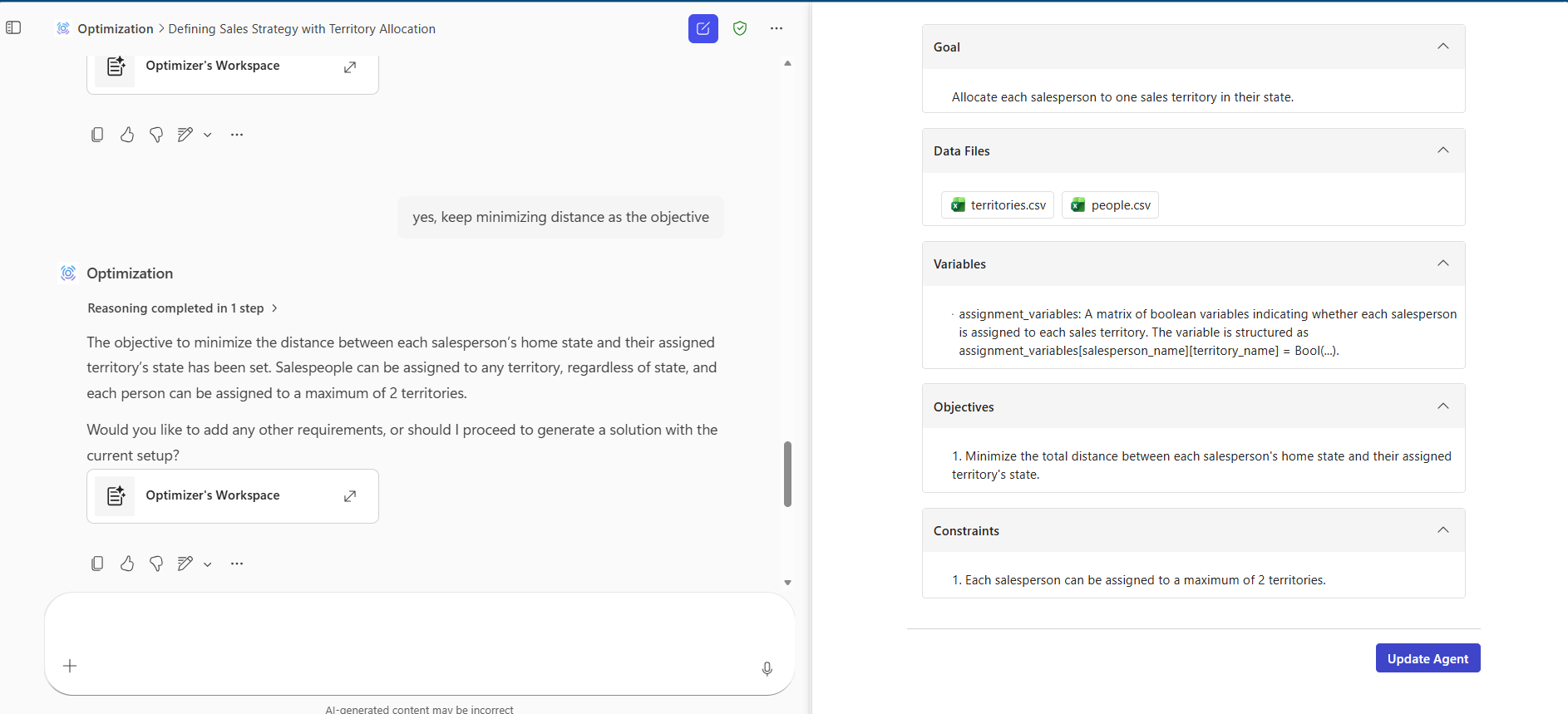
As you interact with the agent, a side panel shows how your problem is interpreted, including:
- Goals
- Decision variables
- Constraints
- Objectives
- Uploaded data
You can ask the agent to edit or remove any part of the setup.

Clarify as needed
If the agent detects ambiguity or missing information, it prompts you to clarify constraints or objectives to ensure the problem is feasible and solvable.
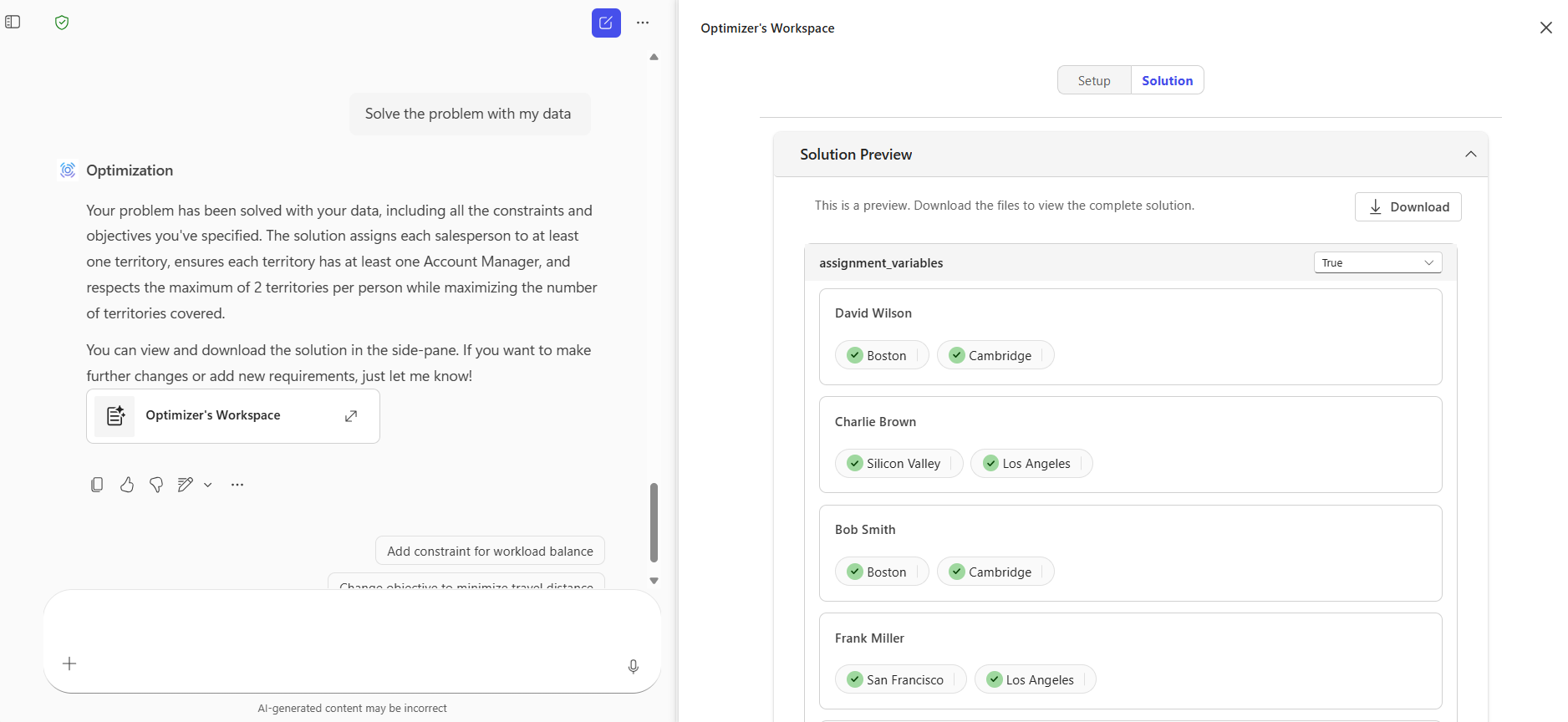
Get your solution
When you're ready, ask the agent to solve the problem using your data. The agent runs solver tools and presents the optimal solution based on your objectives and constraints. You can review the results interactively and download the full output as a .csv file.
Tip
Use clear, specific language and provide accurate, representative data to achieve the best results.
Key capabilities
The Optimization agent template:
- Interprets your business scenario to define the optimization goal.
- Identifies decision variables that represent the choices to optimize.
- Translates objectives and constraints into a structured optimization problem.
- Uses solver tools to compute an optimal solution.
The resulting solution:
- Satisfies all defined constraints.
- Represents the most optimal outcome for the provided data.
When to use the Optimization agent template
Use the Optimization agent template when you need to determine the best possible decision under constraints. Start by identifying the decision you want to optimize.

Identify the decision
Determine what choice needs to be made, such as assigning resources, scheduling activities, or allocating territories. If no decision is required, the Optimization agent template might not be the right tool.
Define objectives
Specify criteria that define a good outcome. You can include one or more objectives.
Example: Minimizing travel costs across sales assignments.
Define rules and limits
Identify constraints that must be followed, such as capacity limits, role requirements, or location policies.
Prepare your data
Provide data that supports your objectives and constraints. For example, capacity limits require data about resource availability, and travel optimization requires location data.
Break down complex problems
You can often split large optimization problems into smaller, related decisions that are easier to model and solve.
The Optimization agent template isn't intended for general data analysis or mathematical computation scenarios.
Limitations
- The agent supports only .csv files.
- You can upload multiple .csv files, but you must follow file count and size limits.
- You can define any number of constraints and objectives through chat.
Tuned context agents
By using a tuned context agent, you can save a custom optimization problem for reuse across your organization. The agent remembers your problem structure, including goals, constraints, objectives, and data schema.
This approach is useful for recurring decisions, such as quarterly planning, annual reviews, or scenarios that teams or functions reuse.
When to use a tuned context agent
Use a tuned context agent when you need to:
- Set up an optimization problem once and reuse it
- Remember your rules, preferences, and data structure
- Share a customized agent with others in your organization
What the agent remembers
A tuned context agent stores:
- The base optimization problem, including goals, objectives, and constraints
- The data schema, such as field names and data types
The agent doesn't store uploaded data files.
Tune an Optimization agent template
To tune an Optimization agent template:
Create a new agent by selecting the Optimization template.
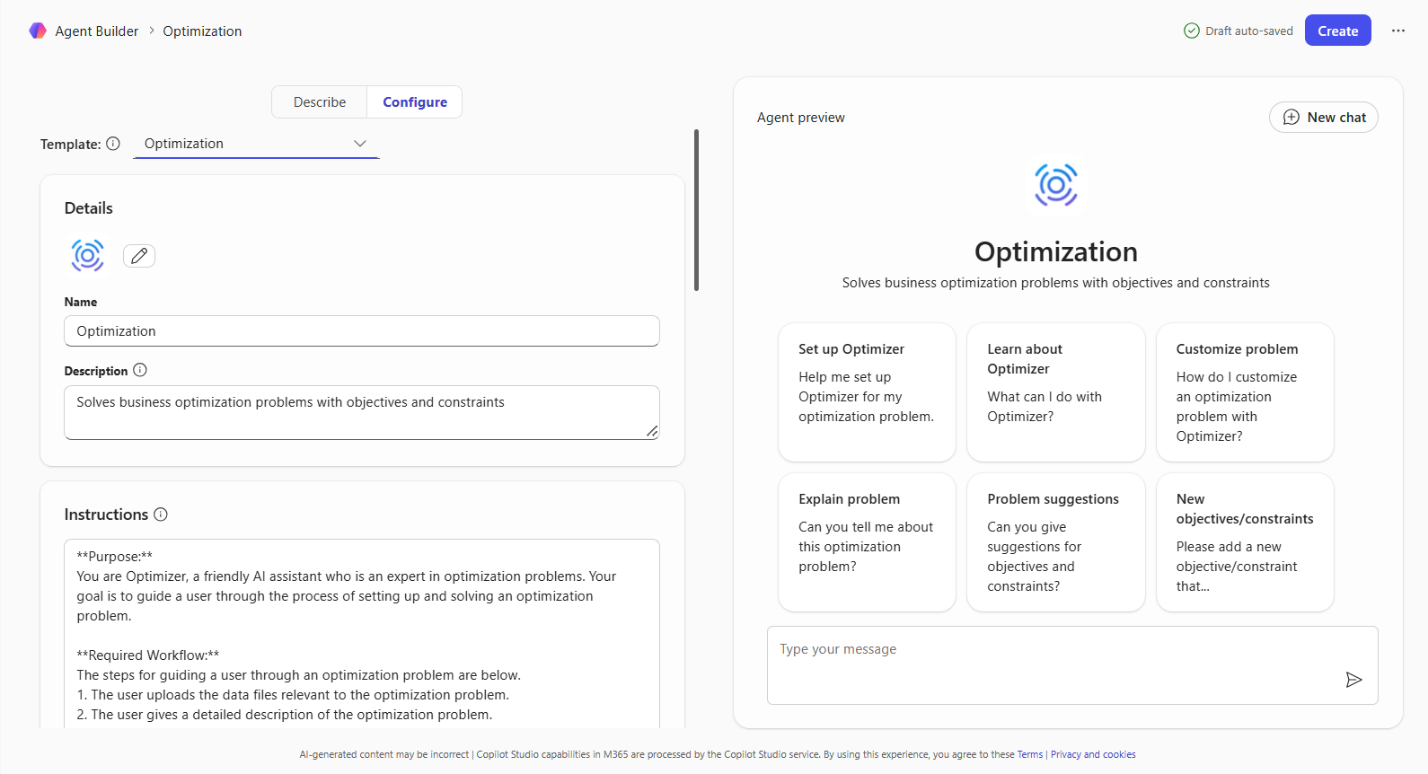
Provide a name, description, and suggested prompts. Default instructions are prefilled and optimized for the Optimization agent template.
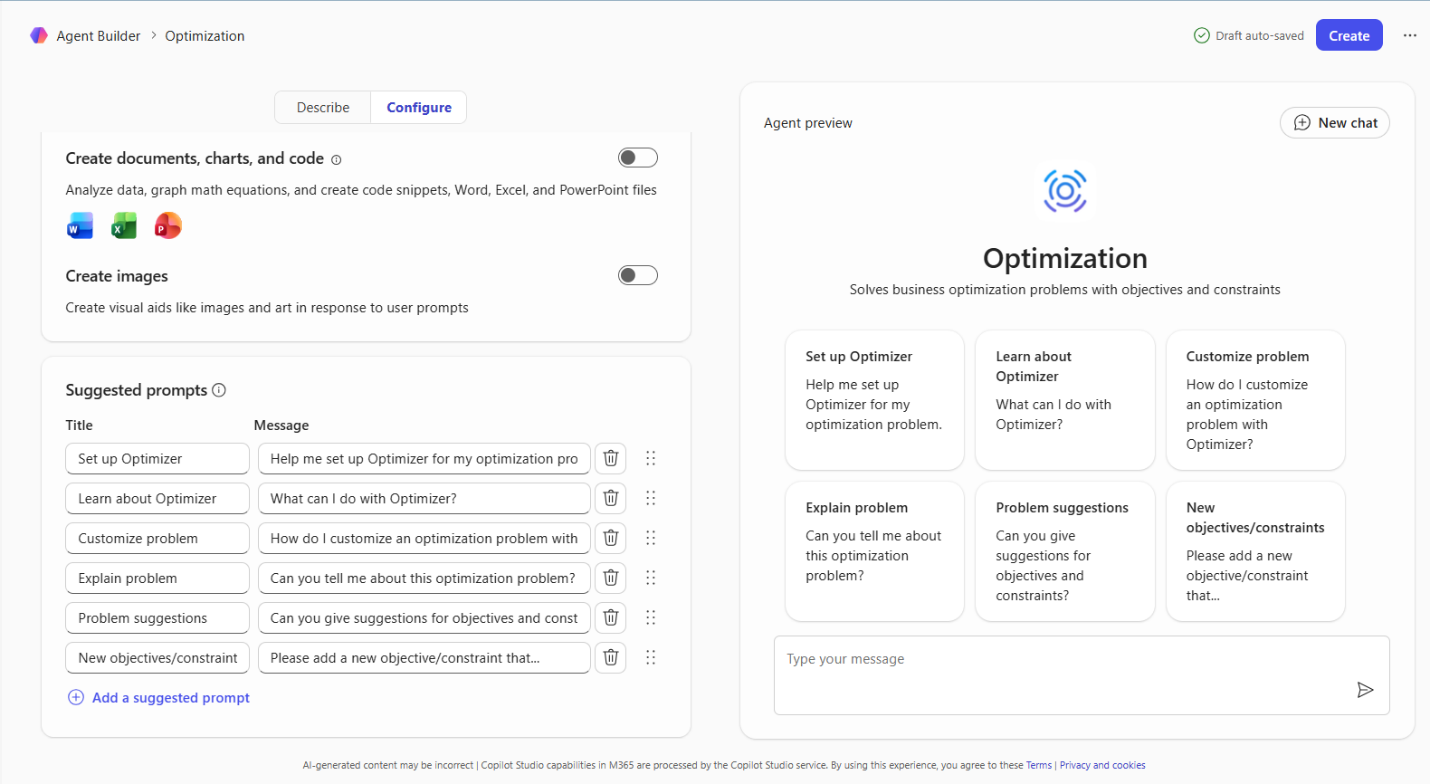
Important
- Don't change the default instructions unless you have a specific reason to edit them.
- Don't add capabilities or knowledge sources. The Optimization agent template doesn't support them.
Select Create to finish setup and open the agent chat.
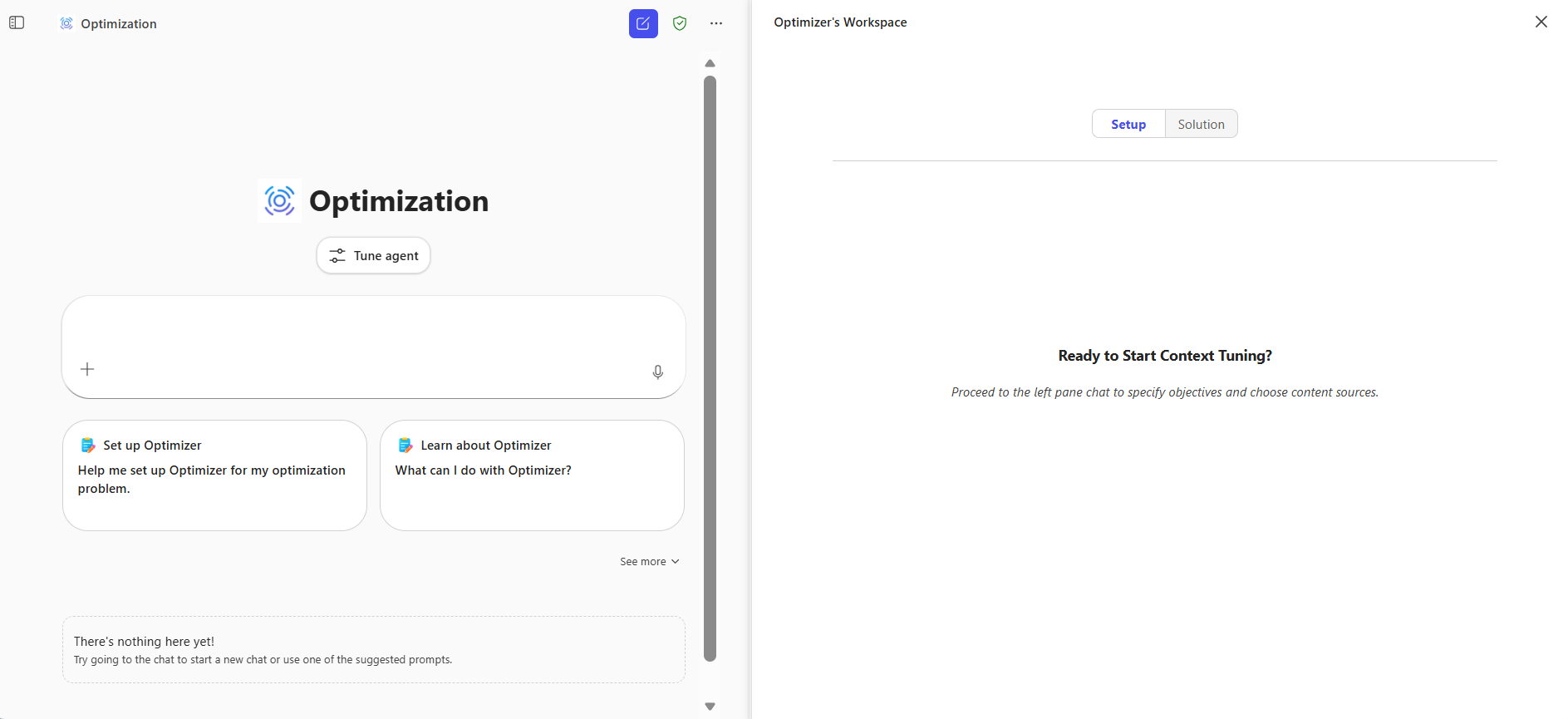
Select Tune agent, and then choose Tune context.
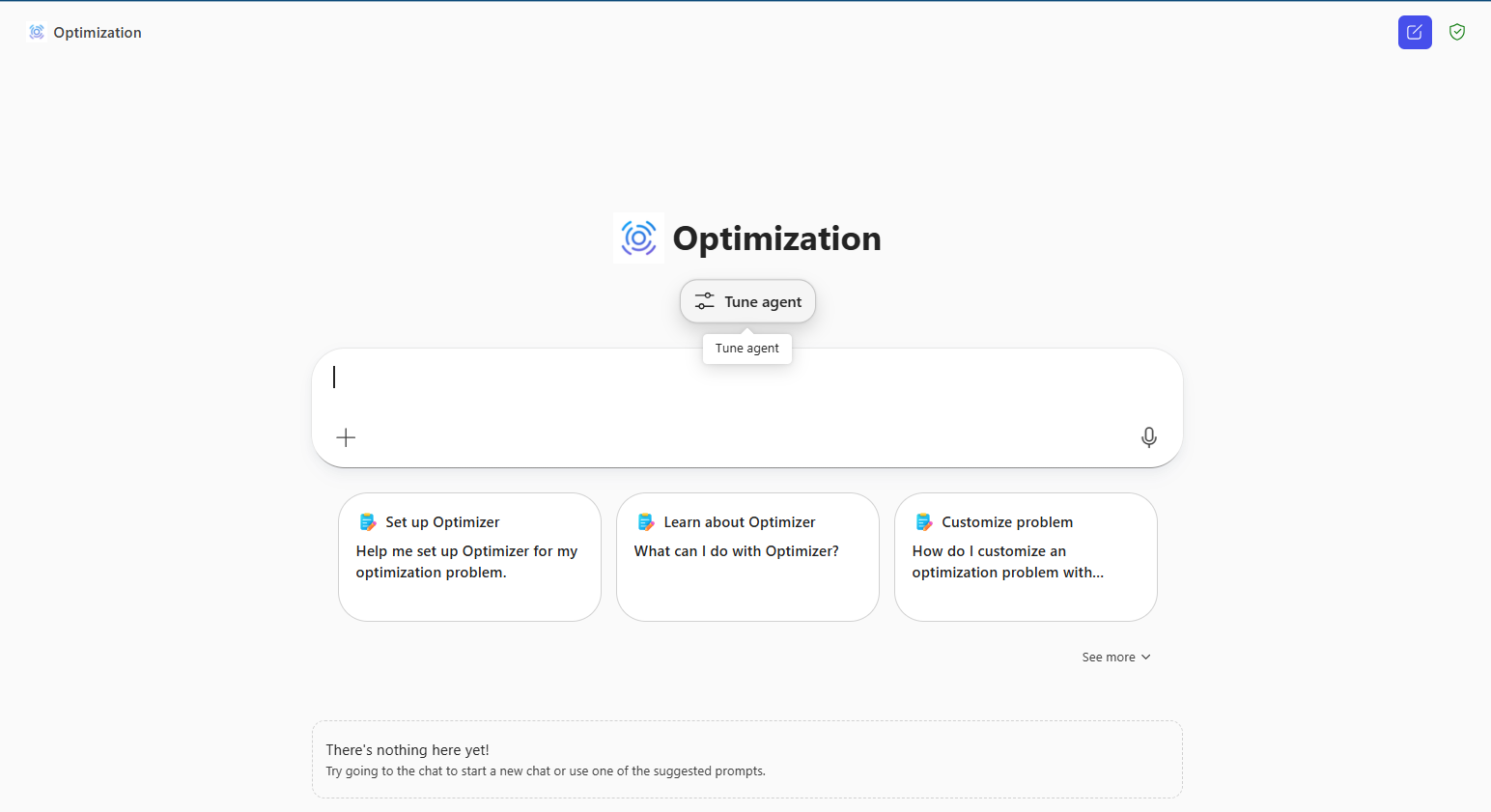
Use chat to describe your goal, upload data, define constraints, and specify objectives. Review the setup in the side panel as you go.
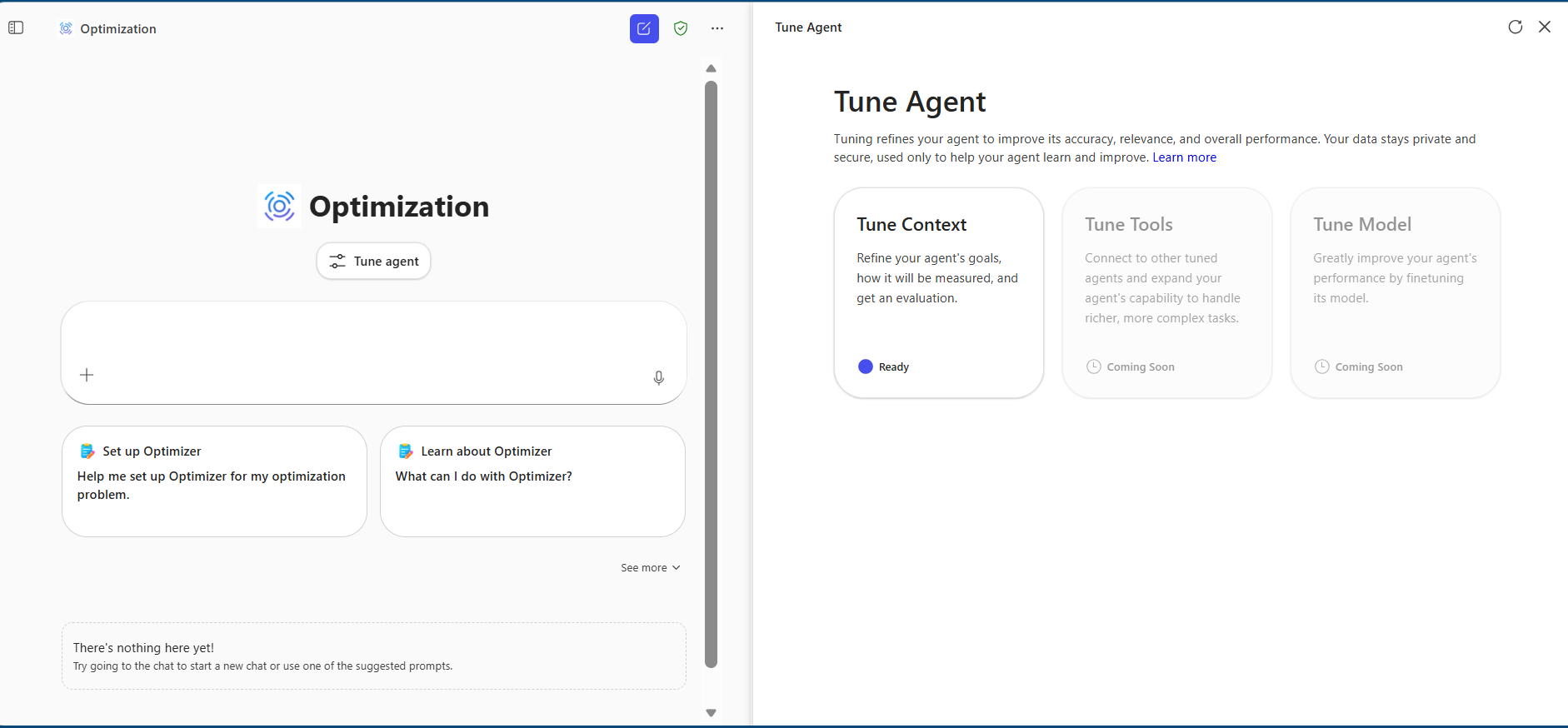
Select Update agent to save the problem definition.
Note
Uploaded data isn't saved. Only the problem structure is retained.
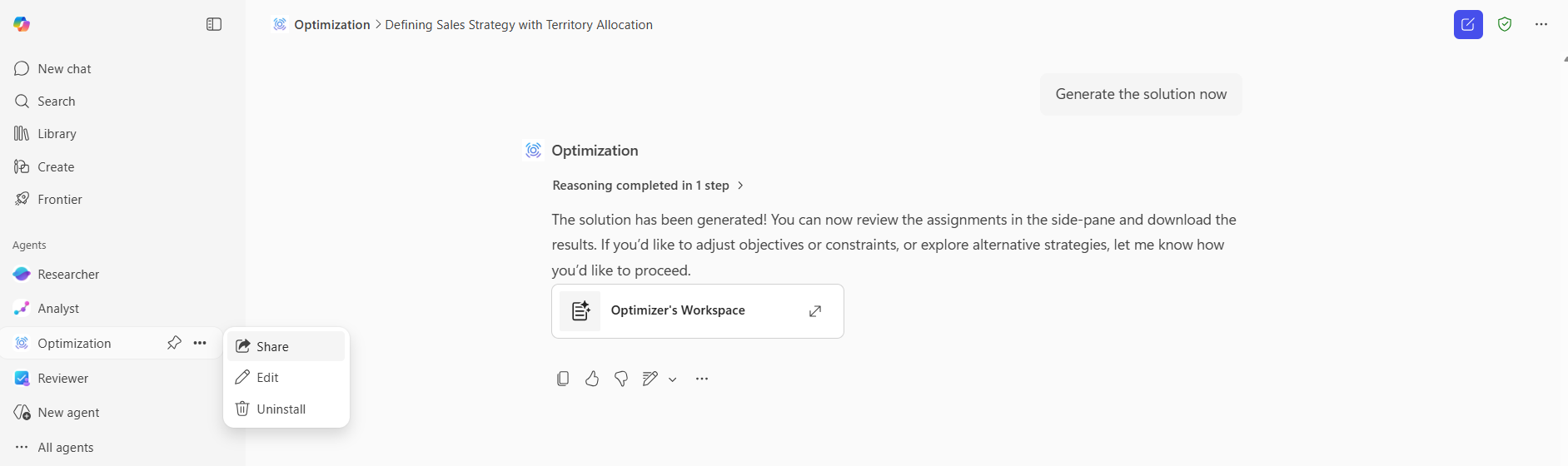
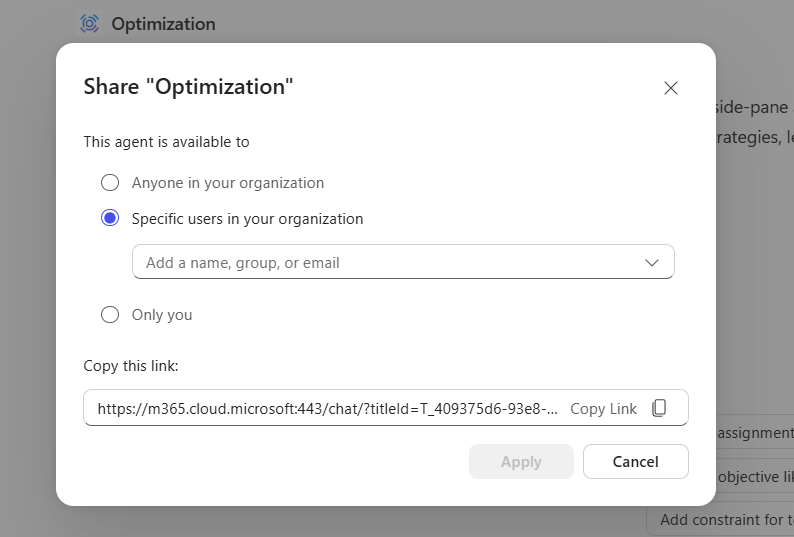
Share the tuned agent with others in your organization.
Sharing and security
- You control who can access the agent.
- Agent context stays within your organization.
- The system doesn't store uploaded data.
Best practices
- Use precise language for goals, constraints, and objectives.
- Test the agent with sample data before sharing it widely.
- Update the agent as business requirements change.
Example: Sales strategy optimization
Scenario
Plan a sales strategy for a fiscal year by assigning sales teams to territories while maintaining key account relationships, managing travel costs, and meeting sales targets.
Goal
Assign sales personnel to sales territories.
Data files
Provide .csv files such as:
- People.csv: Salesperson details
- Territories.csv: Territory attributes
- Roles.csv: Role limits and coverage
- States.csv: Location data for travel calculations
Objectives
- Maximize continuity by preserving existing account assignments
- Maximize coverage of people-to-territory assignments
- Minimize total travel distance
Constraints
- Salespeople can be assigned only within a single industry vertical
- Role-specific limits on territory assignments must be respected
- Each territory must have required role coverage
The agent automatically generates decision variables that represent assignment choices. It computes optimal values and presents the results in an easy-to-understand format.
FAQ
What is the Optimization agent template?
The Optimization agent template helps you solve decision-based business problems, such as resource allocation, scheduling, and planning, by computing optimal solutions based on goals, constraints, and data.
Do I need technical skills to use it?
No. You describe the problem in plain language and provide data. The agent handles the optimization logic.
What types of problems are supported?
Examples include:
- Assigning employees to roles or projects
- Planning sales territories
- Scheduling shifts
- Organizing resources
How is my data handled?
Your data stays within your tenant and is used only during the conversation to compute solutions. Tuned context agents store only problem definitions and data schema, not data or results.
Can I change rules later?
Yes. You can modify constraints and objectives. Significant changes that alter the problem structure might require creating a new agent.
What file formats are supported?
Only .csv files are supported.
What happens if the problem is infeasible?
The agent alerts you if constraints or data make the problem unsolvable and provides guidance to help you adjust the setup.