Note
Access to this page requires authorization. You can try signing in or changing directories.
Access to this page requires authorization. You can try changing directories.
Applies to:  Calculated column
Calculated table
Measure
Visual calculation
Calculated column
Calculated table
Measure
Visual calculation
Returns a table with information about each relationship in the semantic model, such as name, cardinality, and cross-filtering behavior. This information helps you understand the model and to self-document the model when used in calculated tables.
Syntax
INFO.VIEW.RELATIONSHIPS()
Return value
A table with the following columns:
| Column | Description |
|---|---|
| [ID] | The unique ID for each relationship in this semantic model as an integer. |
| [Name] | The name of each relationship in this semantic model as a string. Might be a GUID. |
| [Relationship] | The descriptive relationship name of each relationship in this semantic model as a string. Includes from table and column, to table and column, with cardinality and cross filter direction. |
| [Model] | The relationship's semantic model ID, usually a GUID. |
| [IsActive] | The is active property of each relationship in this semantic model as True or False. |
| [CrossFilteringBehavior] | The cross-filter behavior or direction of each relationship in this semantic model as a string. |
| [RelyOnReferentialIntegrity] | The rely on referential integrity property of each relationship in this semantic model as a string. Also called assume referential integrity in the relationship editor, as it assumes all rows in the column in the many table have a match to a row in the one side table. |
| [FromTable] | The from table name of each relationship in this semantic model as a string. |
| [FromColumn] | The from column name of each relationship in this semantic model as a string. |
| [FromCardinality] | The from column cardinality of each relationship in this semantic model as a string. |
| [ToTable] | The to table name of each relationship in this semantic model as a string. |
| [ToColumn] | The to column name of each relationship in this semantic model as a string. |
| [ToCardinality] | The to column cardinality of each relationship in this semantic model as a string. |
| [State] | The state of each relationship in this semantic model as a string. |
| [SecurityFilteringBehavior] | The security filtering behavior of each relationship in this semantic model as a string. Important for row-level security roles. |
Remarks
Unlike INFO.RELATIONSHIPS, this function can be used in calculated tables, columns, and measures of a semantic model, including as part of a model refresh.
Example 1 - DAX query
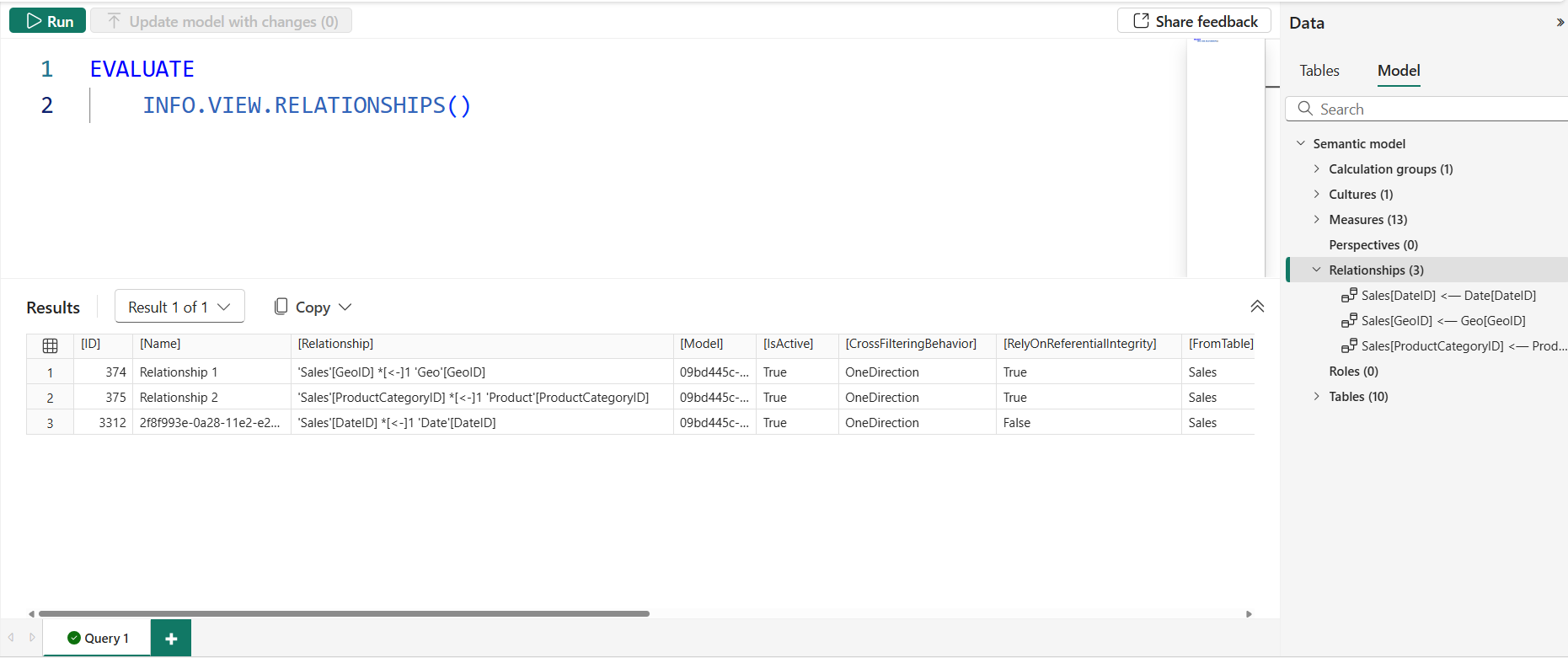
The following DAX query can be run in DAX query view:
EVALUATE
	INFO.VIEW.RELATIONSHIPS()
This DAX query returns a table with all of the columns of this DAX function.
Example 2 - DAX query with SELECTCOLUMNS
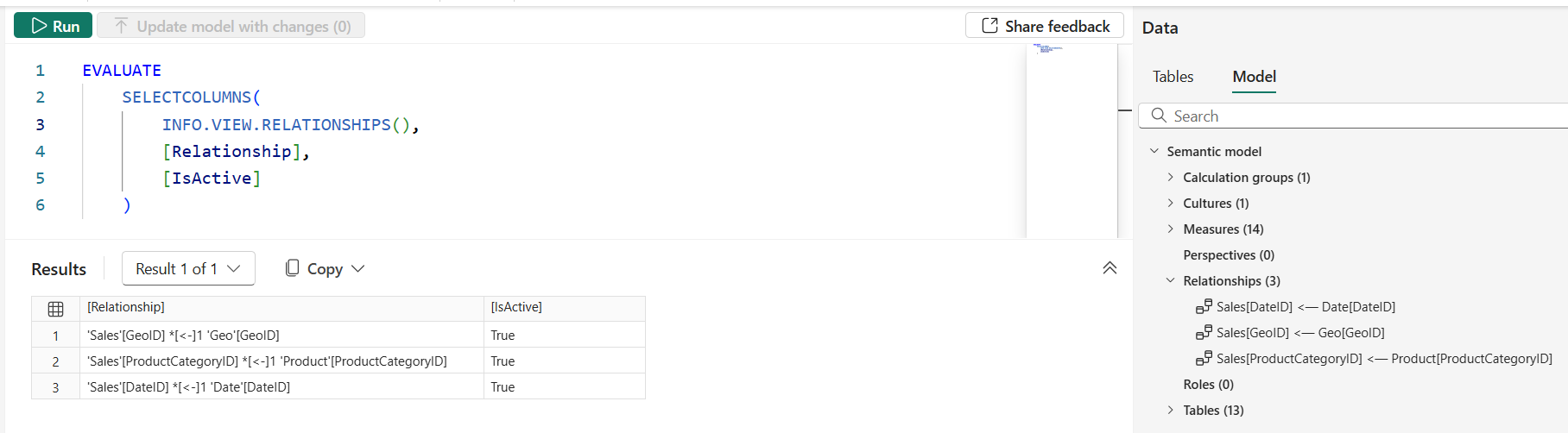
The following DAX query can be run in DAX query view:
EVALUATE
	SELECTCOLUMNS(
		INFO.VIEW.RELATIONSHIPS(),
		[Relationship],
		[IsActive]
	)
This DAX query returns a table with only the specified columns.
Example 3 - calculated table with SELECTCOLUMNS
Either of the above examples work in a calculated table when the EVALUATE and ORDER BY keywords are removed and a table name added. Here is example 2 in a calculated table:
Relationships in this semantic model =
SELECTCOLUMNS(
    INFO.VIEW.RELATIONSHIPS(),
    [Relationship],
    [IsActive]
)
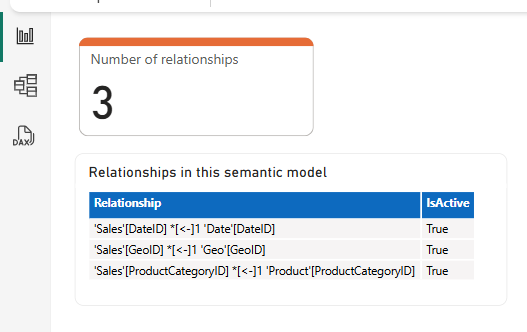
This calculated table shows the same information as the DAX query in example 2 in a table in the model itself.
Example 4 - measure
The following measure can be added to count the number of relationships in a semantic model:
Number of relationships =
COUNTROWS( INFO.VIEW.RELATIONSHIPS() )
This will show a scalar value with the number of relationships in my model.
This can be shown in a visual:
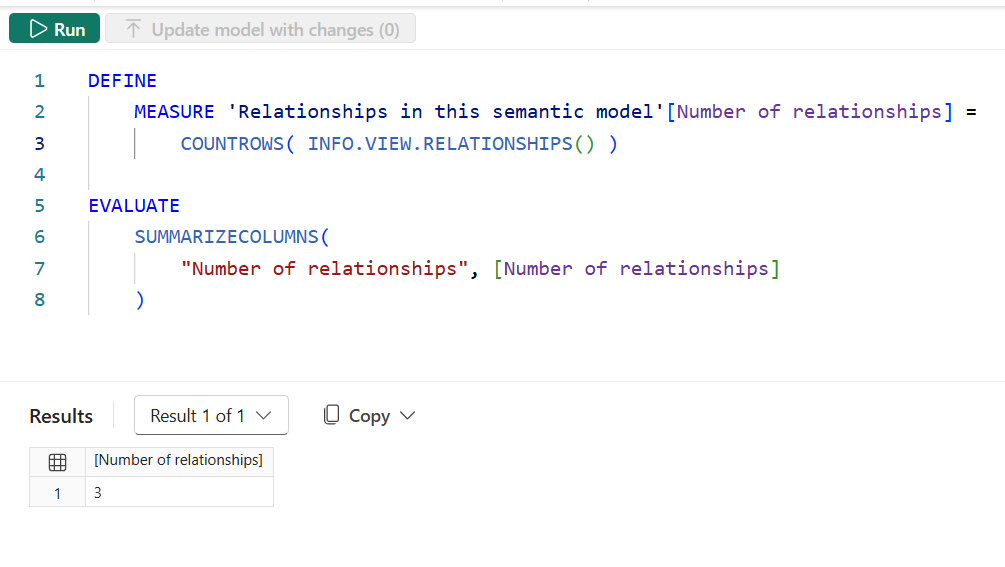
Or a DAX query in DAX query view:
DEFINE
    MEASURE 'Measures in this semantic model'[Number of measures] = COUNTROWS( INFO.VIEW.MEASURES() )

EVALUATE
    SUMMARIZECOLUMNS(
        "Number of measures", [Number of measures]
    )