Note
Access to this page requires authorization. You can try signing in or changing directories.
Access to this page requires authorization. You can try changing directories.
Microsoft Entra role assignments can give service principals broad access to Microsoft 365 resources. Use app governance to find role-assigned apps and inspect their role permissions and risk.
Before you begin, make sure your account has access to app governance data.
Prerequisites
Your sign-in account must have one of the required app governance roles to view app governance data.
Overview
Microsoft Entra service principals can access Microsoft 365 resources through API permissions or through Microsoft Entra role-based access control (RBAC) roles that are assigned directly to the service principal. App governance provides visibility into these role assignments so security teams can identify service principals with privileged roles and review their risk.
Note
Currently, app governance includes built-in and custom Microsoft Entra directory roles that are assigned directly to a service principal. Azure RBAC roles and roles inherited through group membership aren't included.
Role-based signals contribute to the service principal's privilege level and risk score.
Identify apps with Microsoft Entra roles
Use the Roles filter to find service principals with specific built-in Microsoft Entra role assignments:
- In the Microsoft Defender portal, go to Assets > Identities.
- Select the Non-human identities tab, and then select Entra ID.
- Open the Roles filter.
- Search for and select one or more built-in Microsoft Entra roles.
- Select Apply.
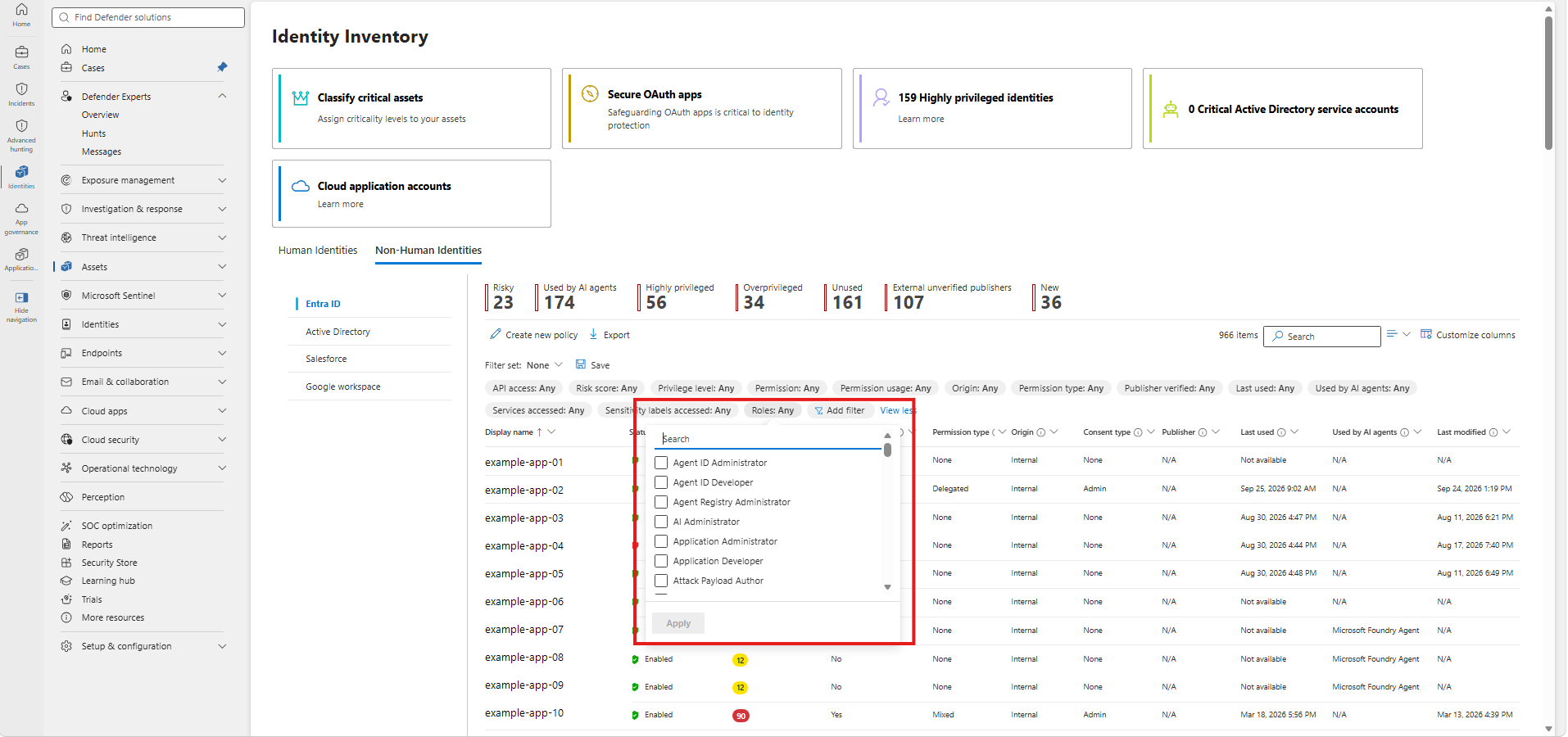
The Permission type column and filter show how each service principal accesses resources. The available values are:
- Delegated: The app has delegated API permissions.
- Application: The app has application API permissions.
- Microsoft Entra roles: The app has Microsoft Entra roles and no API permissions.
- Mixed: The app has more than one access type.
- None: The app has no API permissions or Microsoft Entra role assignments.
View roles assigned to an app
To review the Microsoft Entra roles assigned to a service principal, follow these steps:
- Select a service principal in the inventory.
- In the details pane, select the Permissions tab.
- Expand Microsoft Entra roles.
- Review each role's name, privilege level, and role type.
- Select a role to view the permission actions that make up the role, including each action's description and privilege level.
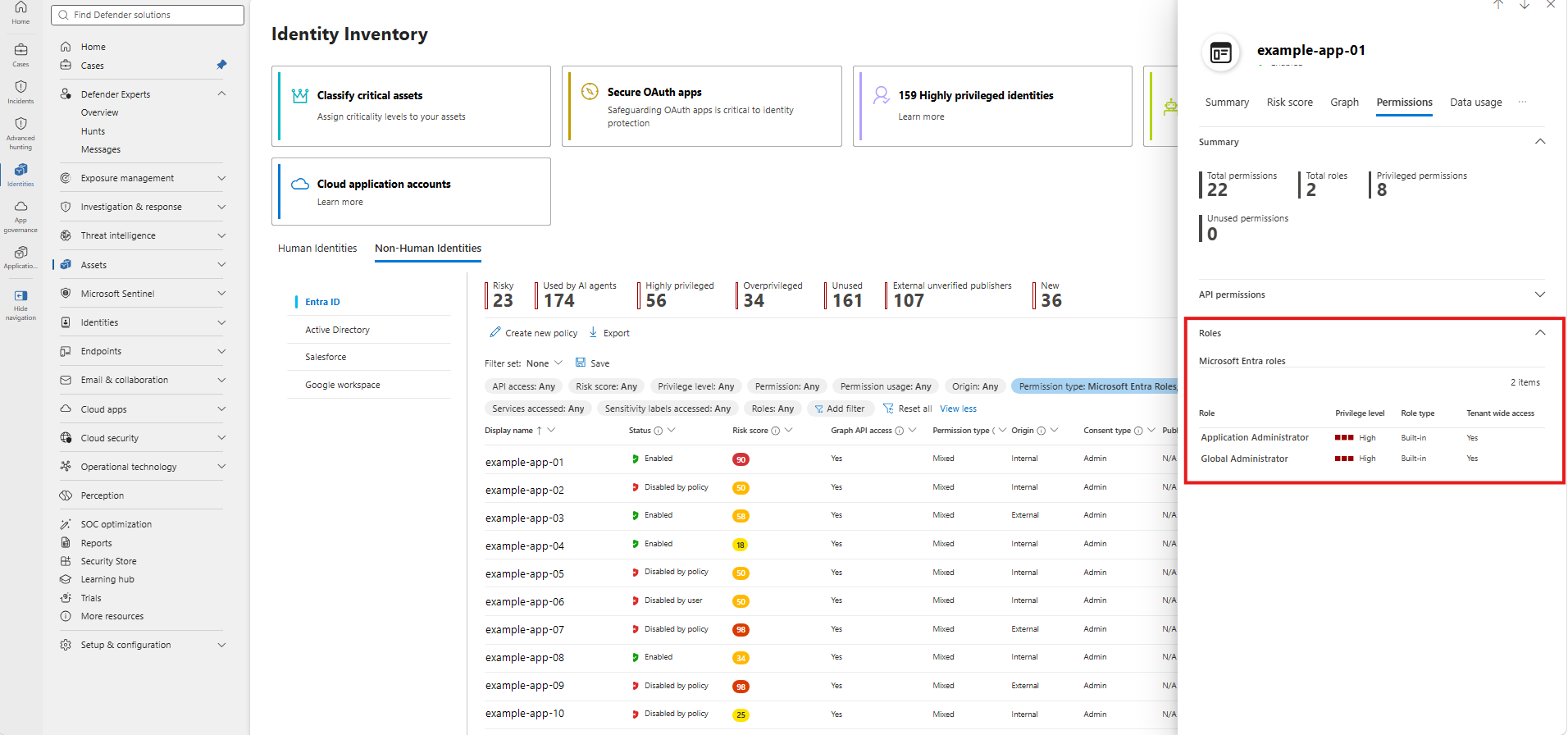
The summary shows the total number of assigned roles. It also shows the app's total permissions, privileged permissions, and unused permissions.
Note
Microsoft Entra role information is also available in the AssignedRoles column of the OAuthAppInfo table in advanced hunting for investigations and custom detections.