Note
Access to this page requires authorization. You can try signing in or changing directories.
Access to this page requires authorization. You can try changing directories.
Note
Commercial Journeys (Get things done) is coming soon to Microsoft Edge for Business. The feature is now available in the Microsoft Edge Canary channel. Availability, requirements, and functionality described on this page are subject to change before Stable release.
Introduction
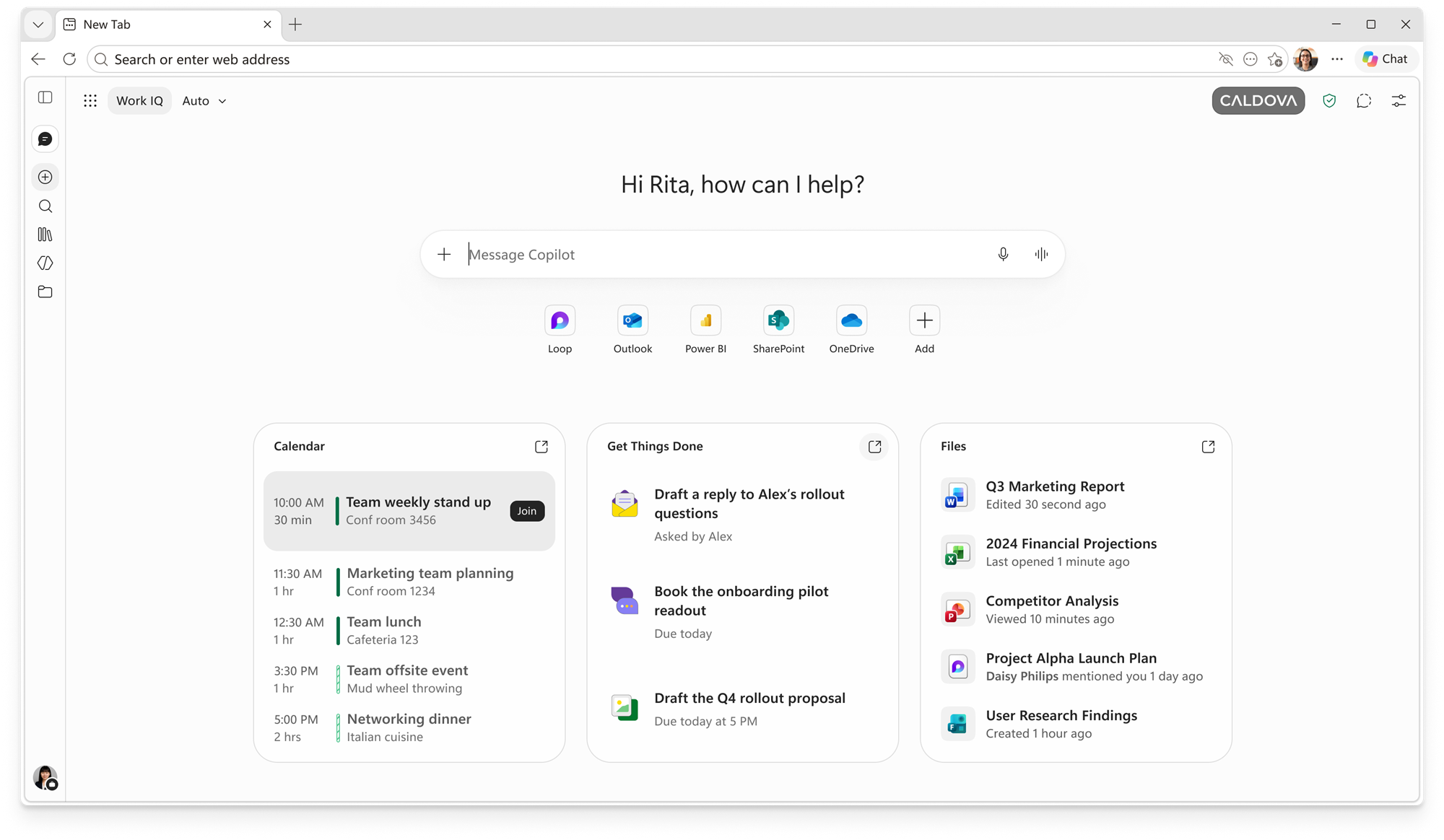
Commercial Journeys, shown to users as Get things done, proactively surfaces relevant new, unfinished, and recurring work on the Copilot New Tab Page, helping users stay on top of their most important tasks. Users can open a Journey to complete the task through a guided flow with ready-to-use outputs.
Commercial Journeys uses Microsoft 365 work data available to the user through Work IQ to generate personalized task cards. Work IQ applies the user's existing Microsoft 365 permissions and organizational controls when accessing this data.
Prerequisites
- Microsoft 365 Copilot premium license or a higher tier.
- The Copilot new tab page to be enabled. For more information, see CopilotNewTabPageEnabled policy.
- Work IQ API access to be available to the user. Work IQ requires usage-based billing and one-time tenant setup by an administrator. For more information, see Enable your tenant for Work IQ.
What are task cards?
A task card is a concise representation of relevant work that the user might need to act on. For example, a card might surface new work, remind the user about unfinished work, or help them return to a recurring workflow.
Task cards are intended to help users:
- Recognize important work without searching across multiple Microsoft 365 applications.
- Understand what action might be needed.
- Start completing the task directly from the Copilot New Tab Page.
The cards are generated from Microsoft 365 derived data obtained through Work IQ. They don't change the user's permissions or provide access to content the user couldn't otherwise access.
Complete a task with Microsoft 365 Copilot Chat
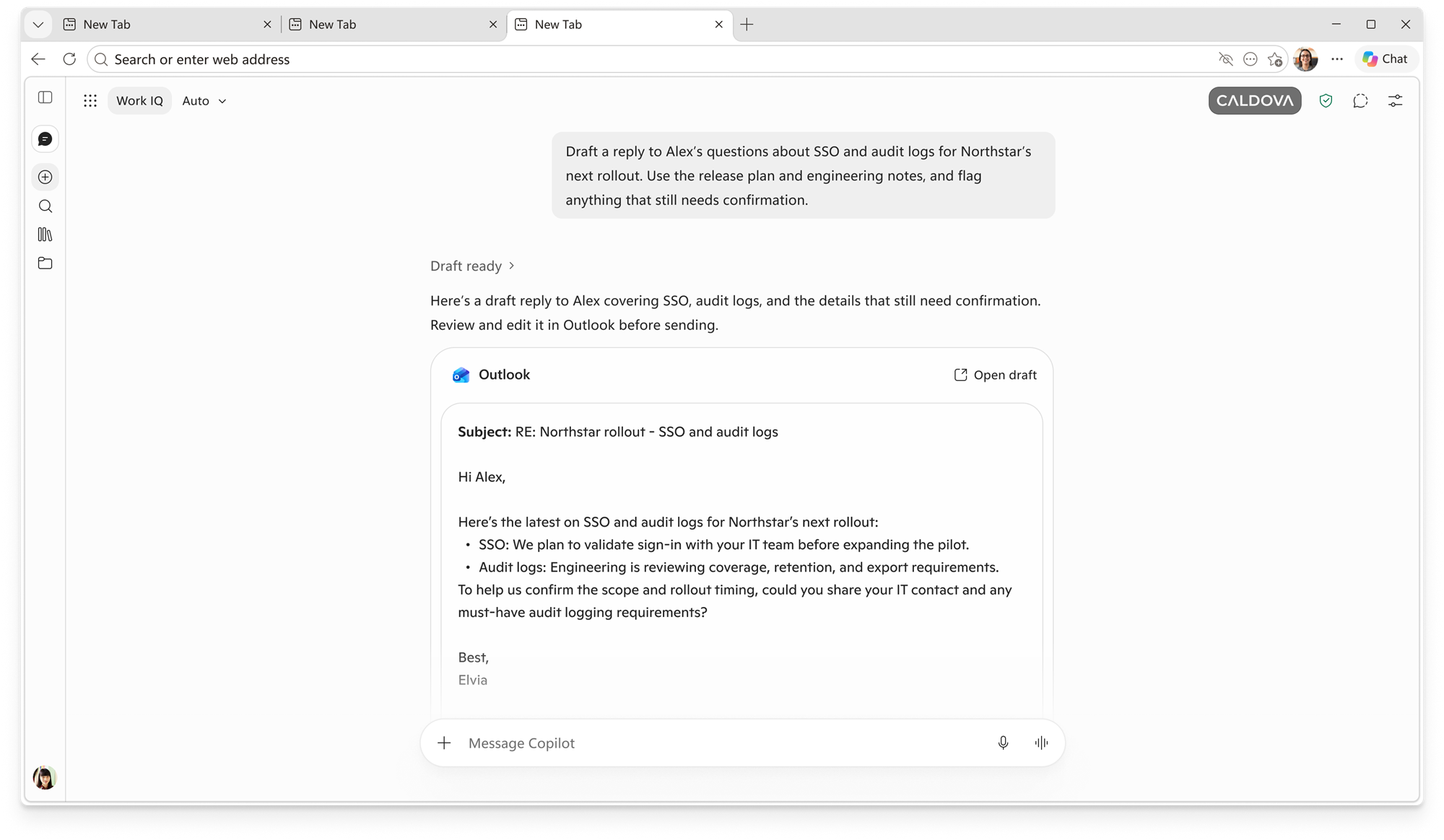
When a user opens a task card, Commercial Journeys starts a guided experience in Microsoft 365 Copilot Chat. Copilot Chat uses the context associated with the Journey to help the user complete the task and produce ready-to-use outputs.
Depending on the task, an output might help the user prepare content, follow up on work, or complete another relevant business workflow. Users remain in control of reviewing and refining the result.
Data use and local storage
Commercial Journeys uses Microsoft 365 derived data obtained through Work IQ to generate Journey and task card content.
To keep new, unfinished, and recurring Journeys available across browser sessions, generated Journey and task card data is stored locally in Microsoft Edge for up to 14 days. Commercial Journeys doesn't expand the user's access to Microsoft 365 content.
Admin and user controls
Commercial Journeys is off by default if the administrator doesn’t enable the policy. An administrator must explicitly enable the Commercial Journeys policy CommercialJourneysGetThingsDoneEnabled (now a hidden policy, accessible through https://admin.cloud.microsoft/#/Edge/Copilot) before eligible users can access the feature.
When the policy is enabled and its dependencies are available:
- Commercial Journeys becomes available to eligible users without an additional user consent step.
- Users can turn off Get things done from Microsoft Edge settings if they don't want to use the feature.
- Turning off the feature prevents task cards from being shown to that user and delete the data.
Enabling the Commercial Journeys policy doesn't automatically enable the Copilot New Tab Page, configure Work IQ, or grant Work IQ access.
If the administrator disables the policy, Commercial Journeys (Get things done) is turned off and isn't shown.