Note
Access to this page requires authorization. You can try signing in or changing directories.
Access to this page requires authorization. You can try changing directories.
WPF provides three specialized controls for viewing FlowDocument content, each optimized for different presentation scenarios. These controls enable you to display rich, reflowable content in your applications while offering users different ways to interact with that content.
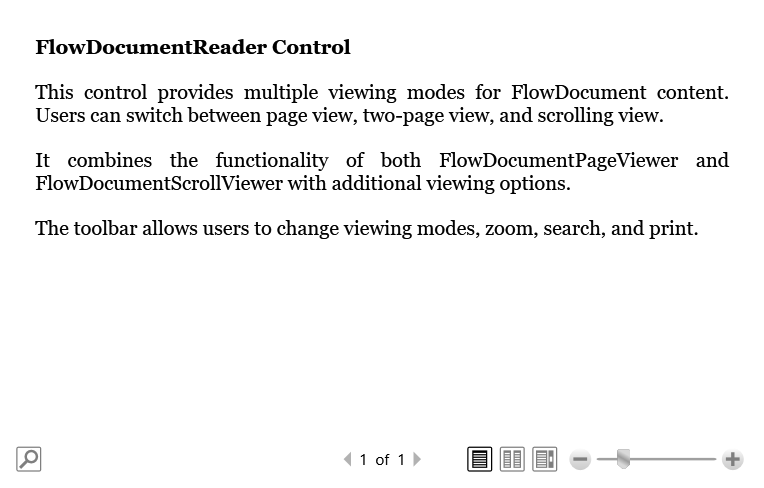
The three FlowDocument controls are:
- FlowDocumentScrollViewer: Displays content in a continuous scrolling view, ideal for reading long documents without pagination.
- FlowDocumentPageViewer: Presents content page by page, similar to a book or magazine layout.
- FlowDocumentReader: Offers the most flexibility by allowing users to switch between different viewing modes, including scrolling, page-by-page, and two-page spread views.
All three controls share the common purpose of displaying FlowDocument content, which automatically adjusts to fit the available viewing area. Choose the control that best matches your application's needs: use FlowDocumentScrollViewer for simple scrolling scenarios, FlowDocumentPageViewer for fixed-page presentations, or FlowDocumentReader when you want to give users control over how they view the content.
For detailed information about creating and working with flow documents, see Flow Document Overview.
FlowDocumentScrollViewer
The FlowDocumentScrollViewer control displays FlowDocument content in a scrolling container. This control is ideal for continuous reading experiences where you want users to scroll through content rather than navigate between pages. Contrast with FlowDocumentPageViewer, which views content on a per page basis.
Content property
The content property for FlowDocumentScrollViewer is Document, which specifies the FlowDocument to display.
Parts
The following table lists the named parts for the FlowDocumentScrollViewer control.
| Part Name | Part Type | Description |
|---|---|---|
| PART_ContentHost | ScrollViewer | The scrolling host for the flow document content. |
| PART_FindToolBarHost | Decorator | The host for the find toolbar. |
| PART_ToolBarHost | Decorator | The host for the toolbar. |
Visual states
The following table lists the visual states for the FlowDocumentScrollViewer control.
| VisualState Name | VisualStateGroup Name | Description |
|---|---|---|
| Valid | ValidationStates | The control is valid and has no validation errors. |
| InvalidFocused | ValidationStates | The control has a validation error and has keyboard focus. |
| InvalidUnfocused | ValidationStates | The control has a validation error but doesn't have keyboard focus. |
FlowDocumentPageViewer
The FlowDocumentPageViewer control displays FlowDocument content on a per page basis. This control provides a book-like reading experience with page navigation controls. Contrast with the FlowDocumentScrollViewer, which presents FlowDocument content in a scrolling viewer.
Content property
The Document property is the content property of the FlowDocumentPageViewer control and contains the flow document displayed in the viewer.
Parts
The following table lists the named parts for the FlowDocumentPageViewer control.
| Part Name | Part Type | Description |
|---|---|---|
| PART_FindToolBarHost | Decorator | The decorator that hosts the find toolbar. |
Visual states
The following table lists the visual states for the FlowDocumentPageViewer control.
| Visual state | Visual state group | Description |
|---|---|---|
| Valid | ValidationStates | The control is valid and has no validation errors. |
| InvalidFocused | ValidationStates | The control has a validation error and has keyboard focus. |
| InvalidUnfocused | ValidationStates | The control has a validation error but doesn't have keyboard focus. |
FlowDocumentReader
The FlowDocumentReader control displays FlowDocument content and supports multiple viewing modes. This control provides the most flexibility by allowing users to choose their preferred reading experience, switching between scrolling, single-page, and two-page spread views.
Content property
The Document property is the content property and defines the FlowDocument content that the reader displays.
Parts
The following table lists the named parts for the FlowDocumentReader control.
| Part Name | Part Type | Description |
|---|---|---|
| PART_ContentHost | Decorator | The decorator that hosts the content viewer for different viewing modes. |
| PART_FindToolBarHost | Decorator | The decorator that hosts the find toolbar when find functionality is enabled. |
Visual states
The following table lists the visual states for the FlowDocumentReader control.
| Visual State Name | Visual State Group Name | Description |
|---|---|---|
| Valid | ValidationStates | The control is valid and has no validation errors. |
| InvalidFocused | ValidationStates | The control has a validation error and has keyboard focus. |
| InvalidUnfocused | ValidationStates | The control has a validation error but doesn't have keyboard focus. |
Styles and templates
You can modify the default ControlTemplate for these controls to give them a unique appearance. For more information, see What are styles and templates? and How to create a template for a control.
See also
Collaborate with us on GitHub
The source for this content can be found on GitHub, where you can also create and review issues and pull requests. For more information, see our contributor guide.

.NET Desktop feedback