Note
Access to this page requires authorization. You can try signing in or changing directories.
Access to this page requires authorization. You can try changing directories.
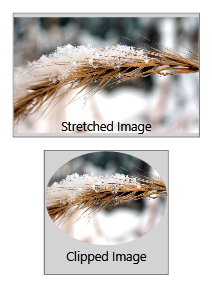
The Image element displays bitmap images in Windows Presentation Foundation (WPF) applications. Use this control to show various image formats and manipulate their appearance through transforms like cropping, rotating, and converting to greyscale.
| Title | Description |
|---|---|
| Use the Image Element | Learn how to use the Image element in your applications. |
| Convert an Image to Greyscale | Learn how to convert a color image to a greyscale image. |
| Crop an Image | Learn how to crop an image. |
| Rotate an Image | Learn how to rotate an image by 90 degrees. |
Styles and templates
The Image control doesn't define template parts or visual states. It's a simple display element that renders bitmap content.
Content property
This control doesn't define a content property.
See also
Collaborate with us on GitHub
The source for this content can be found on GitHub, where you can also create and review issues and pull requests. For more information, see our contributor guide.

.NET Desktop feedback