Note
Access to this page requires authorization. You can try signing in or changing directories.
Access to this page requires authorization. You can try changing directories.
This article highlights the improvements introduced in the October 2026 release of Dynamics GP, which includes enhancements across various areas of the product.
For an overview and more details about key enhancements, see the Microsoft Dynamics GP October 2026 Feature Blog Series Schedule!
Core Features
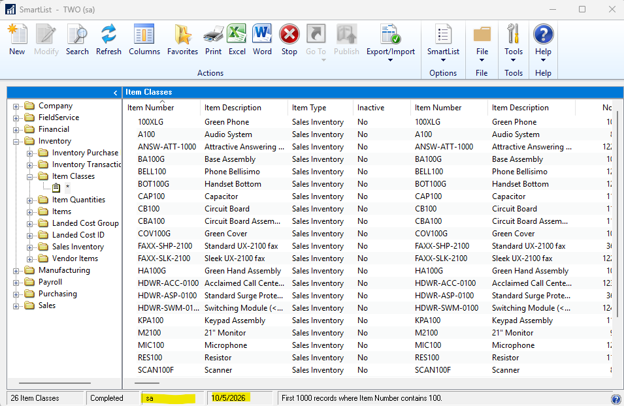
See who last saved a SmartList
SmartList shows the user and date of the last saved change for built-in lists, SmartList Builder lists, and favorites. Existing records remain blank until saved after upgrading; running a list or making unsaved changes isn't tracked. Optional Activity Tracking can also record create, modify, and delete activity when enabled.
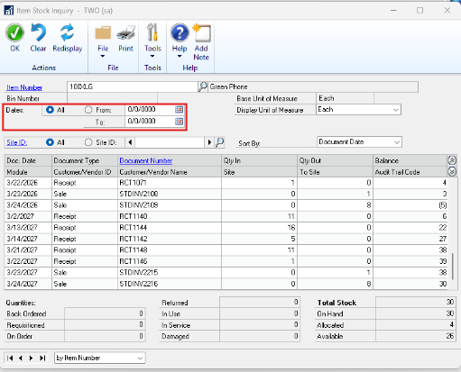
Choose a date range before retrieving item history
Item Stock Inquiry no longer loads document details as soon as you enter an item. Set your date range and other criteria, then select Redisplay to retrieve the details you need without automatically loading years of history. Inventory, costing, and posting behavior are unchanged.
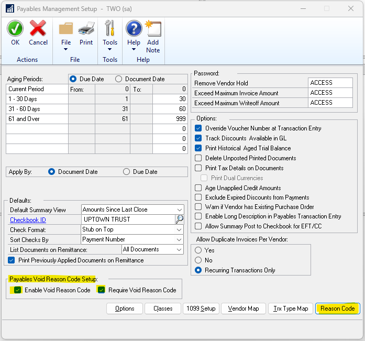
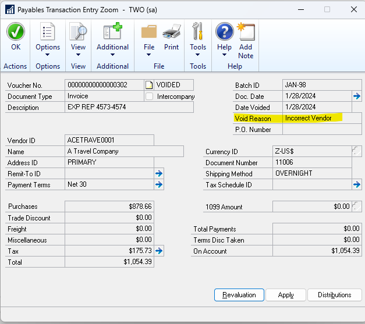
Record a reason for voiding payables transactions
Enable void reason codes in Payables Management Setup to capture why open or historical payables transactions are voided. You can make codes optional or required. Saved reasons appear in Payment Entry Zoom and Payables Transaction Entry Zoom, helping users understand the transaction's history.
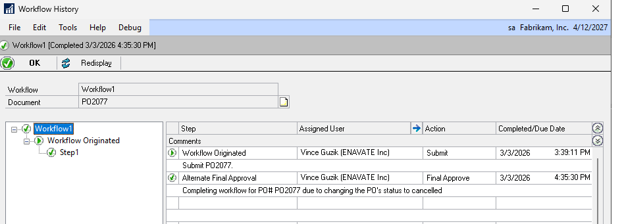
Complete workflow when a purchase order is canceled
When you cancel all applicable remaining lines of a submitted purchase order through Edit Purchase Order Status and the header reaches Canceled, workflow automatically becomes Completed. Workflow history records the completion. Canceling only some lines doesn't complete workflow unless the header becomes Canceled.
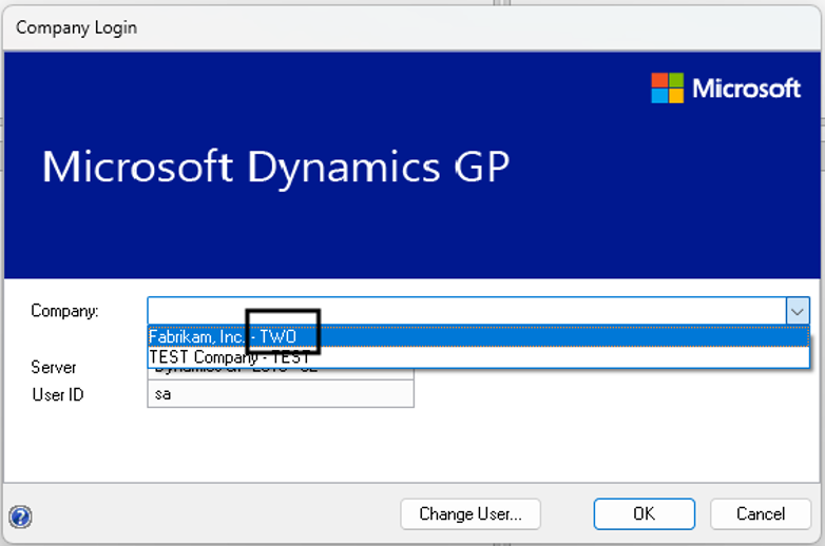
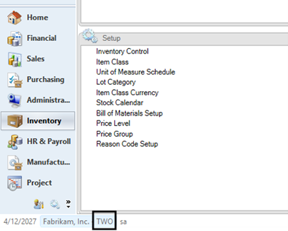
Identify companies by name and database
The company database identifier (INTERID) now appears alongside the company name in company selection and in the bottom status bar after authentication. This feature makes similarly named companies easier to distinguish and helps you confirm which company is active, without changing security or company setup.
Manage existing purchase links for kit components
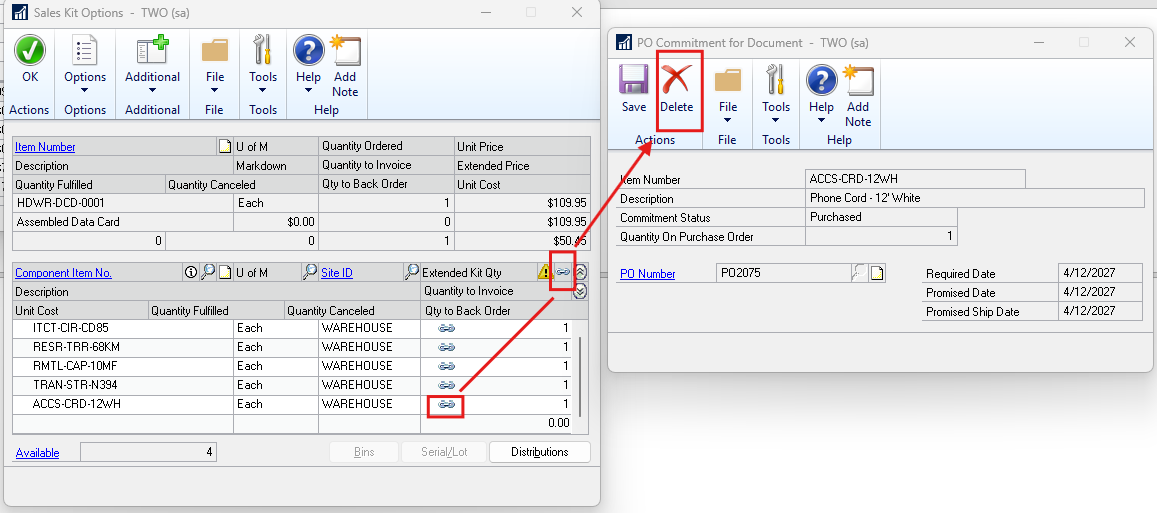
You can now view and break an existing sales order or purchase order link for a kit component even when additional inventory becomes available. Previously, sufficient current inventory blocked access to that purchase commitment. This change applies to existing links, not to creating new links when stock is sufficient.
Notify approvers when another approver takes action
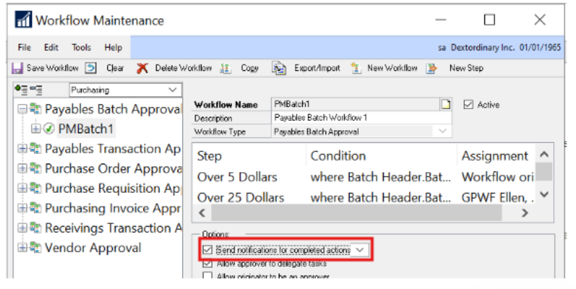
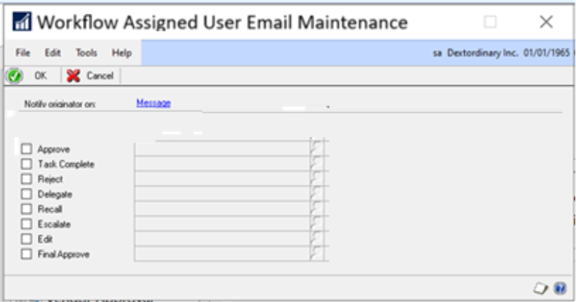
Configured completed-action emails can notify assigned workflow users when another approver acts, especially when only one approval is required. Enable completed-action notifications in Workflow Maintenance and choose actions and messages in Workflow Assigned User Email Maintenance. These notifications are separate from originator emails and don't change all-approver requirements.
Include or exclude voided transactions in inquiries
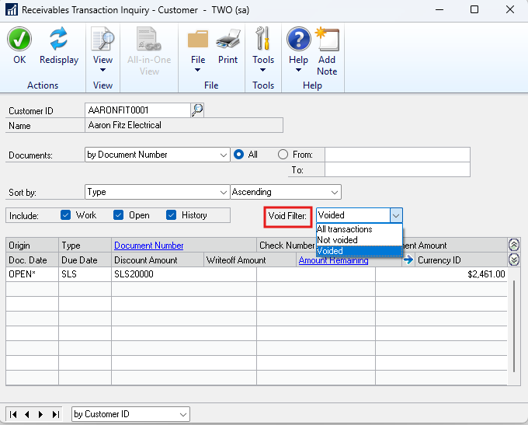
The new Void Filter in customer and vendor transaction inquiries offers All Transactions, Not Voided, and Voided options. Use it with Work, Open, and History selections to focus on voided or nonvoided transactions, or compare the two views.