Note
Access to this page requires authorization. You can try signing in or changing directories.
Access to this page requires authorization. You can try changing directories.
Note
The Retail Interest Group by Dynamics 365 Commerce has moved from Yammer to Viva Engage. If you don't have access to the new Viva Engage community, fill out this form (https://aka.ms/JoinD365commerceVivaEngageCommunity) to be added and stay engaged in the latest discussions.
This article explains how to restrict certain payment types for refunds when customers return items without a receipt in Microsoft Dynamics 365 Commerce.
You configure each payment type that a retailer accepts during system setup. This article describes how to restrict certain payment types for refunds when customers return items without a receipt.
Set up payment methods
To set up payment methods, follow these steps:
- Create the payment methods that the entire organization accepts.
- Create organization-wide card types and card numbers. If you accept credit or debit cards, you must create one payment method for cards, and then create the organization-wide card types and card numbers.
- Set up store payment methods. Associate payment methods with each store, and then enter the store-specific settings for each payment method.
- Set up card payment methods for stores. For any card payment methods that the store accepts, complete the card setup.
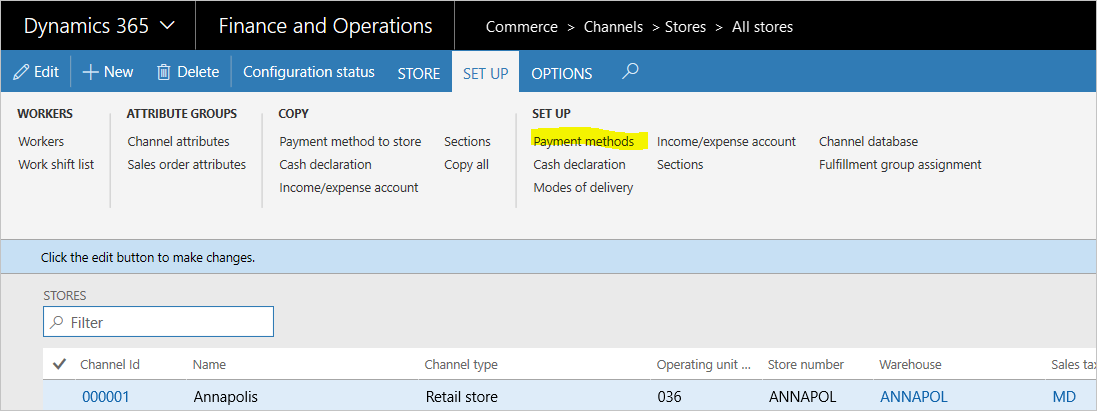
Restrict payment methods for returns without a receipt
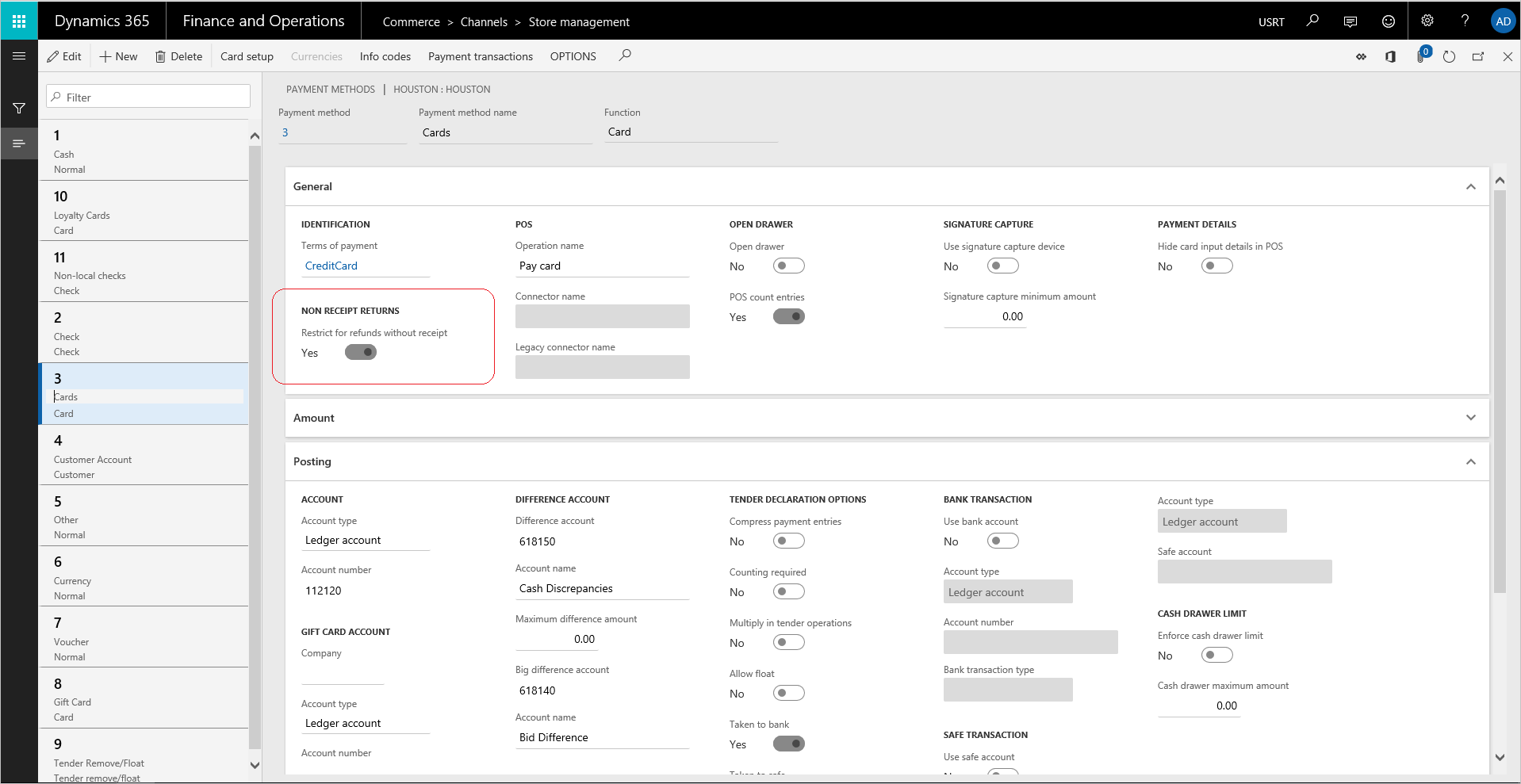
For each store payment method, on the Store management page, under Non receipt returns, set Restrict for refunds without receipt to Yes.
The default value of the toggle is No, which ensures that the payment method is allowed for refunds.
When you set Restrict for refunds without receipt to Yes, the selected payment method isn't available for refunds.
Note
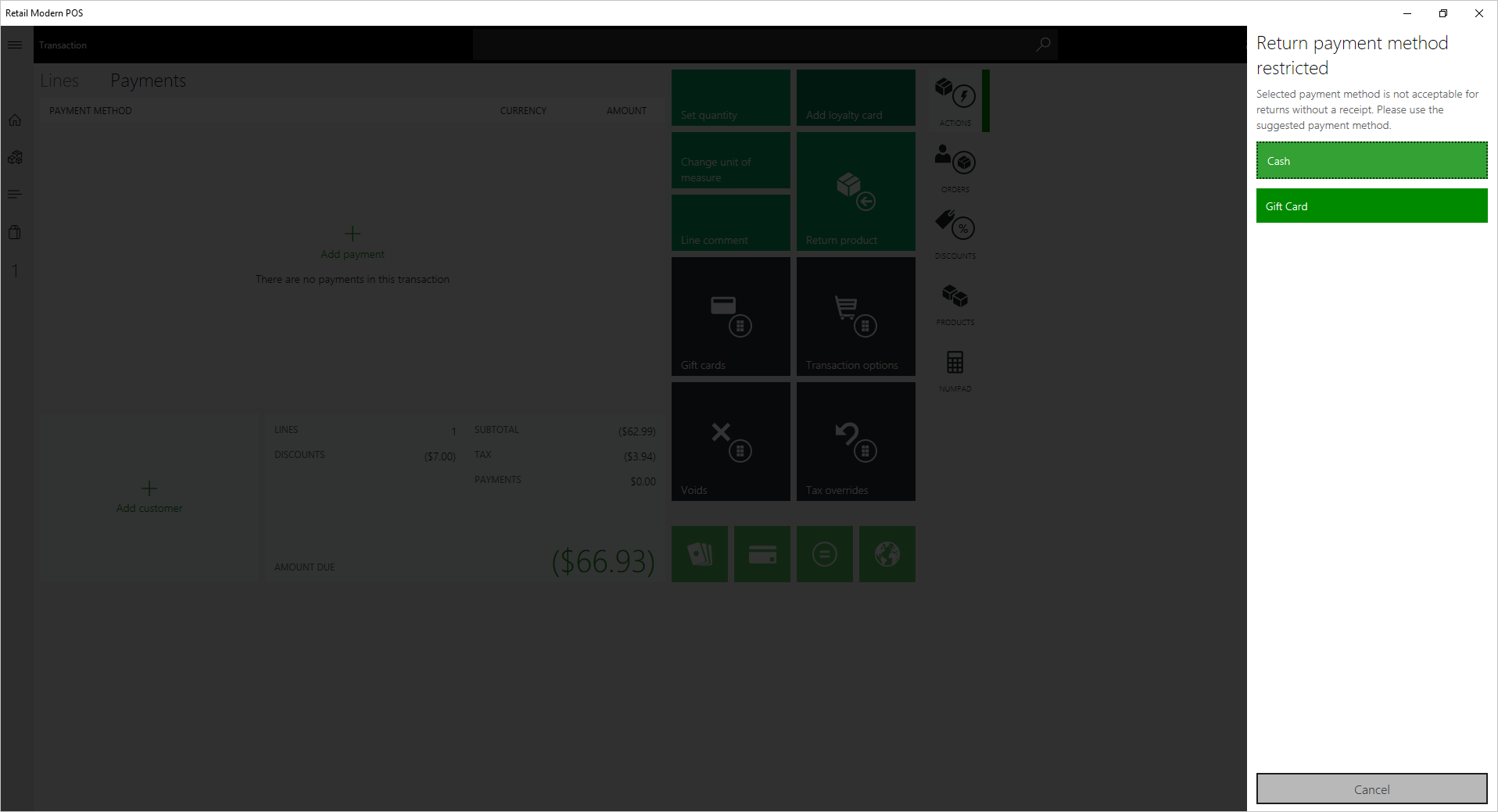
When a cashier selects a payment method that is restricted for refund without a receipt, a message displays to verify the acceptable payment methods.
If a transaction has both a receipted return and a return without a receipt, the restriction conditions aren't enforced because the transaction is a return workflow with a receipt.