Note
Access to this page requires authorization. You can try signing in or changing directories.
Access to this page requires authorization. You can try changing directories.
[This article is prerelease documentation and is subject to change.]
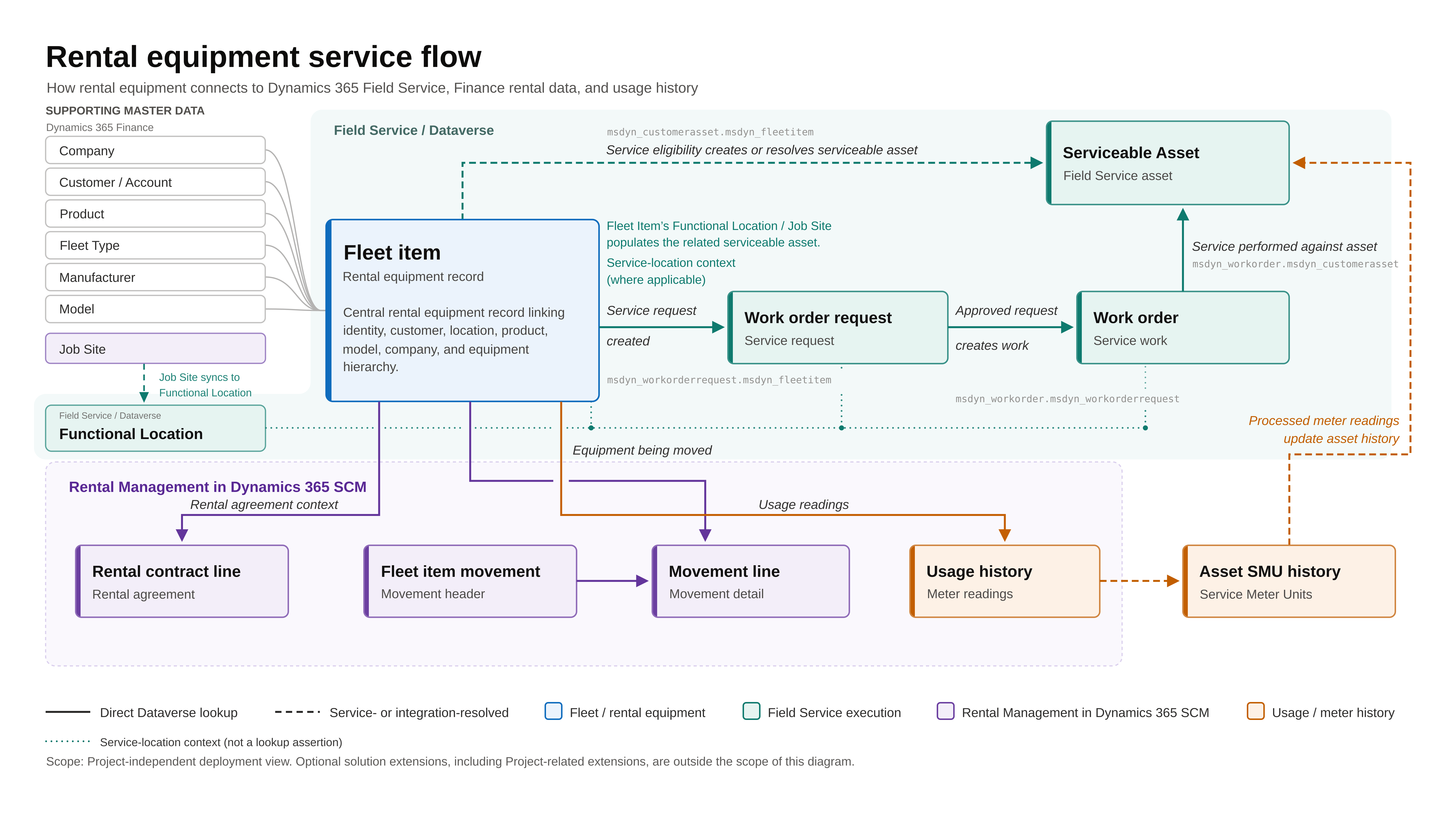
Rental operations involve providing equipment to customers for a defined period, during which the equipment might be deployed, returned, inspected, and serviced. To effectively manage this lifecycle, organizations must track the commercial aspects of the rental agreement and the physical location, condition, and serviceability of the equipment. The Field Service rental integration helps you manage the rental lifecycle and track potential and actual service work through fleet items, work order requests, and work orders.
Together, fleet items and work order requests enable a new, more connected service model where commercial transactions, asset tracking, and service execution are fully aligned, while still giving organizations control over when work is performed.
Important
- This is a preview feature.
- Preview features aren't meant for production use and may have restricted functionality. These features are available before an official release so that customers can get early access and provide feedback.
Key benefits
The Field Service rentals integration provides the following key benefits:
- Enables teams to quickly capture service needs without prematurely committing to execution
- Allows a review and approval process before scheduling unapproved work
- Ensures all service work is tied to a tracked, serviceable asset
- Provides seamless alignment between rental operations and service execution
- Automates asset creation to reduce manual effort and minimize errors
- Delivers end-to-end visibility across Finance and operations and Field Service
Fleet item
A fleet item represents a specific piece of equipment that you rent to customers and might require service. It includes key details such as rental status, physical location, and service condition.
Because rental equipment is actively used in the field, service needs can arise at any point during the rental lifecycle. A work order request captures and manages those service needs while maintaining the connection to the rented equipment and its associated contract.
This process enables your organization to capture, review, and validate service needs before initiating operational work in Field Service. It improves control, visibility, and coordination across teams.
Work order request
A work order request is a way to request service in Field Service without immediately creating a full Field Service work order.
A work order request acts as an intake step that confirms service is needed and allows teams to review, validate, and decide how the work should be carried out before scheduling.
This process is especially useful in rental and service scenarios, where requests often come from commercial or operational teams (such as a rental desk or yard) but require coordination before work begins.
How it works
Finance and operations users create fleet items.
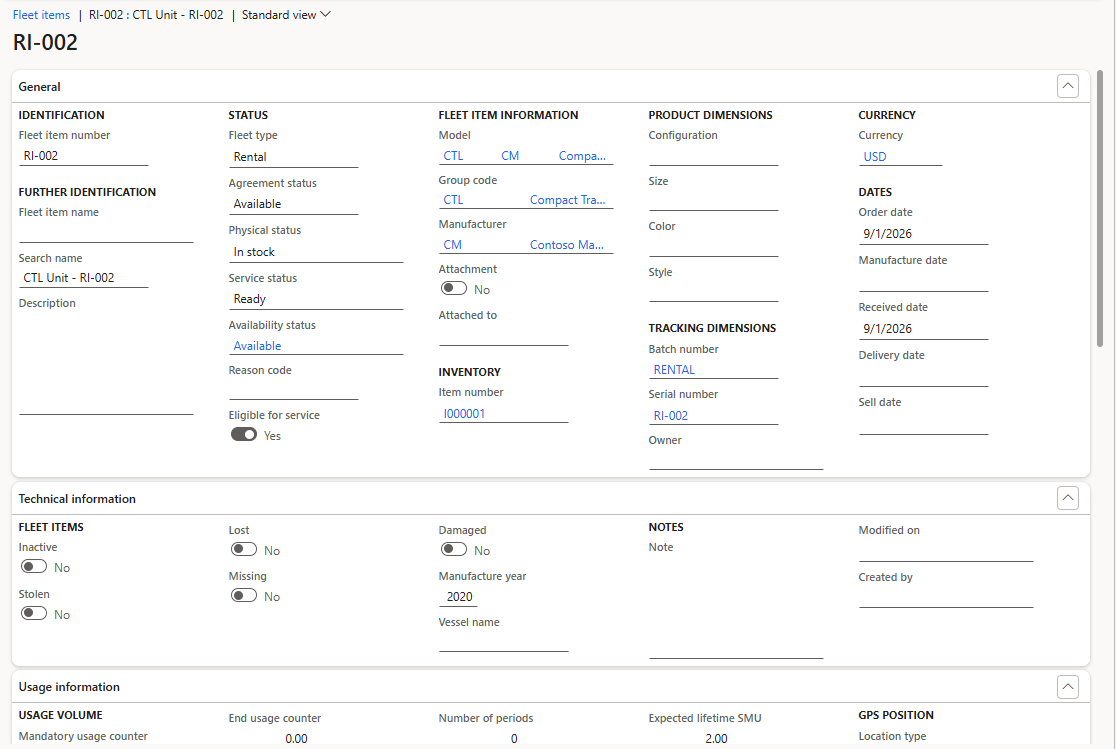
The integration automatically sets the
IsAssetflag to true and creates an asset in Field Service that’s associated with the fleet item. You can view the fleet item in Field Service.Users create a work order request in finance and operations or Field Service to capture a service need. The work order request is associated with that fleet item.
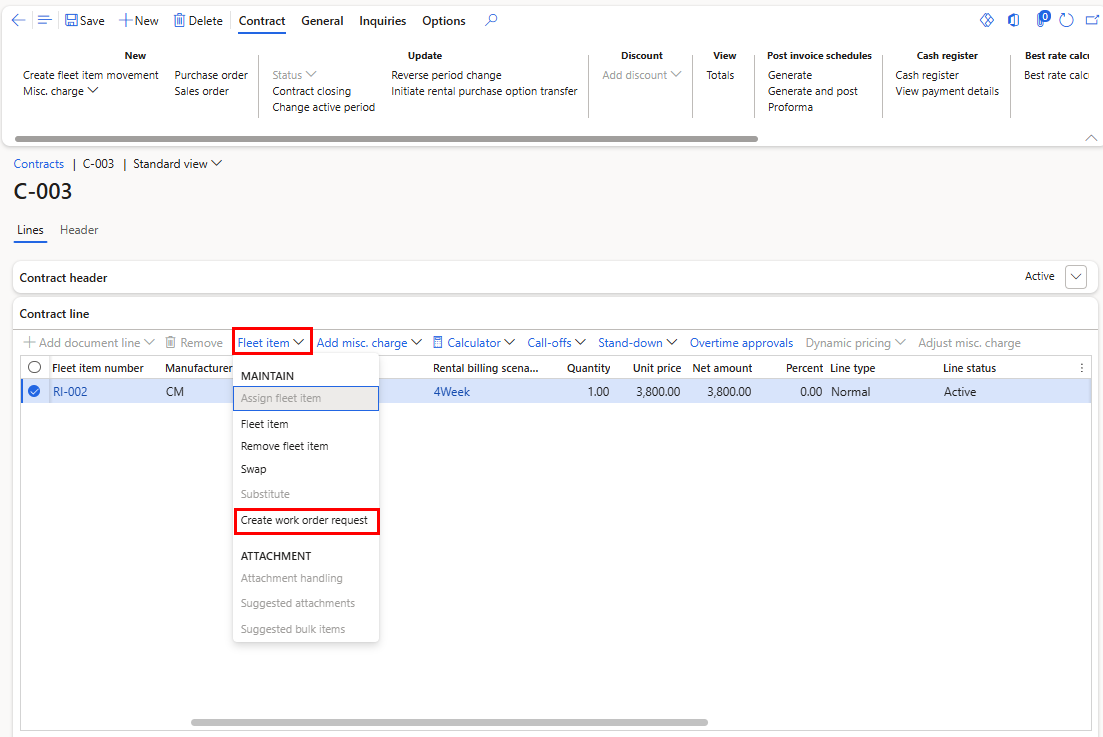
You can create the work order request from the Fleet items page, the Fleet item Damage history page, or the Rental contract line.
A Field Service user reviews the request in Field Service. The user approves or rejects the request.
If approved, Field Service automatically creates a work order in Field Service.
All service activity from request to execution is accurately linked to the equipment a customer is renting, providing end-to-end traceability across commercial and service processes.
Data flow and integration model
Fleet items and work order requests follow different integration patterns between finance and operations and Field Service.
Dual-write synchronizes fleet items from finance and operations to Field Service, making rental records available for service-related scenarios.
For work order requests, finance and operations creates Field Service work order request records directly by using an IOrganizationService API call. In this model, the work order request exists only in Field Service, and no synchronization back to finance and operations is required.
When needed, finance and operations users can access the latest request data by querying Field Service directly, ensuring visibility without duplicating records across systems.