Screen destination
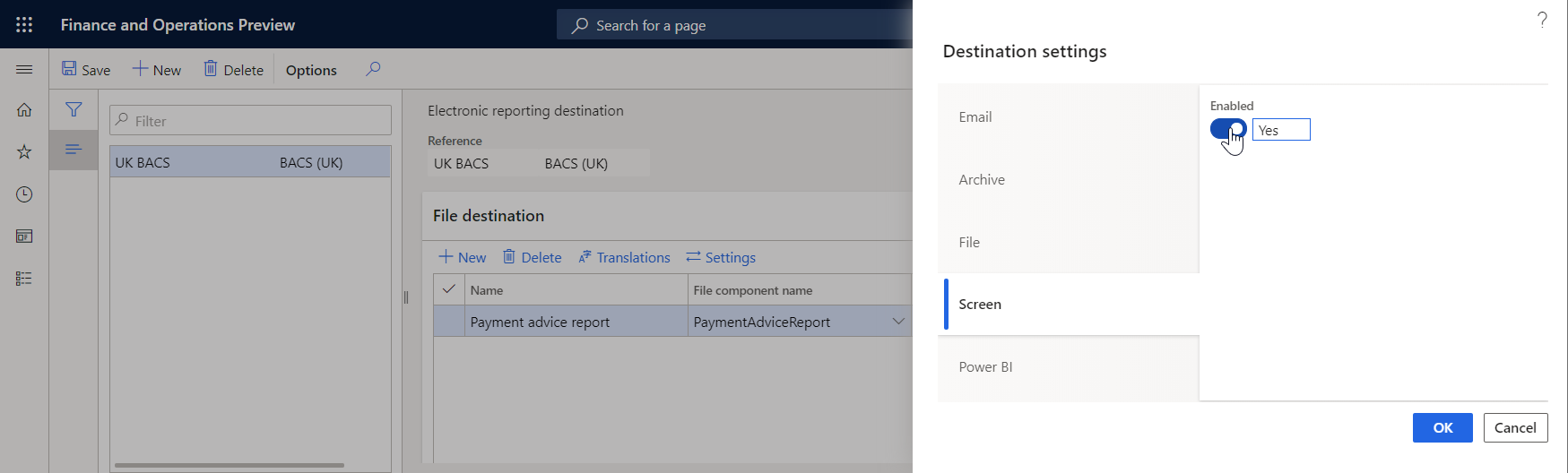
You can configure a screen destination for each folder or file component of an Electronic reporting (ER) format that is configured to generate outbound documents. Based on the setting of the destination, a generated document is opened for preview in a separate browser tab.
If you set Enabled to Yes, a preview of the output is created. You can view some file types, such as XML, TXT, or PDF, directly in a browser window. For other file types, such Microsoft Excel or Word, the Microsoft Office Online service is used.
Additional resources
Feedback
Coming soon: Throughout 2024 we will be phasing out GitHub Issues as the feedback mechanism for content and replacing it with a new feedback system. For more information see: https://aka.ms/ContentUserFeedback.
Submit and view feedback for