Note
Access to this page requires authorization. You can try signing in or changing directories.
Access to this page requires authorization. You can try changing directories.
Note
Community interest groups have now moved from Yammer to Microsoft Viva Engage. To join a Viva Engage community and take part in the latest discussions, fill out the Request access to Finance and Operations Viva Engage Community form and choose the community you want to join.
Important
Customers using Human Resources, the functionality noted in this article is currently available in both the stand-alone Dynamics 365 Human Resources and the merged Finance infrastructure. Navigation might be different than noted while we make updates. If you need to find a specific page, you can use Search.
Describes support for inheritance patterns in data entities.
Patterns
You can create entities for tables that involve inheritance in several ways:
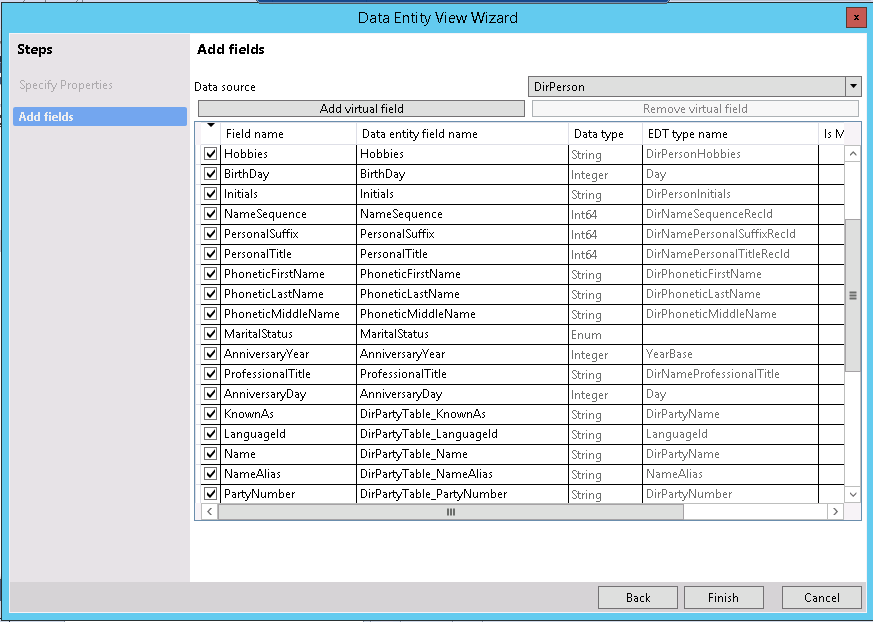
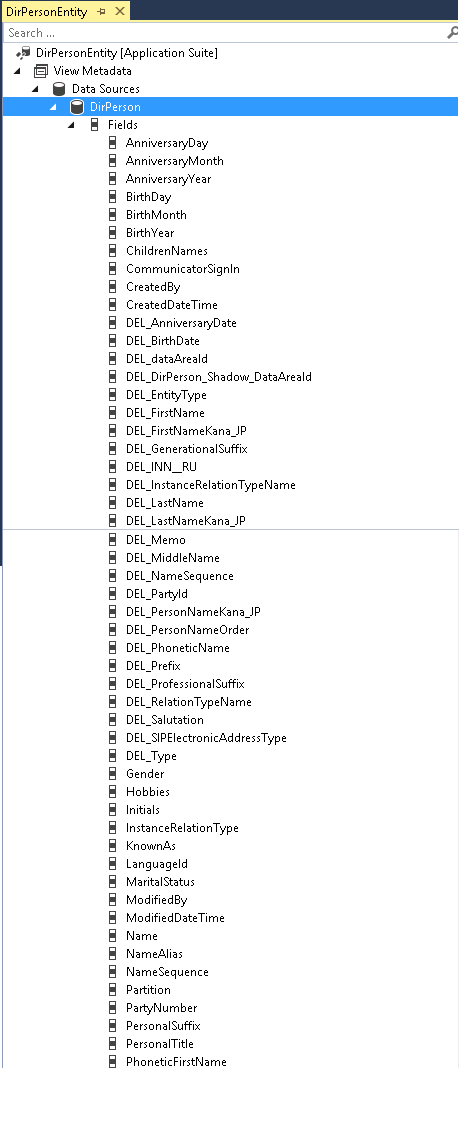
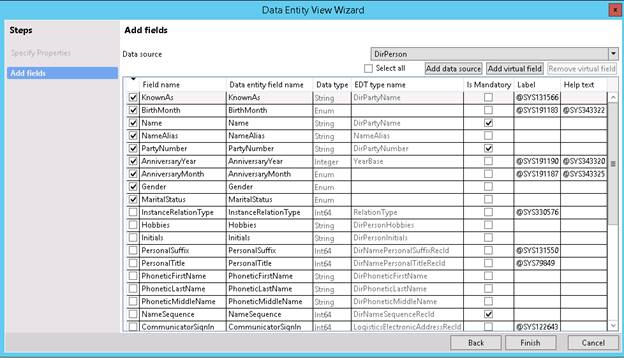
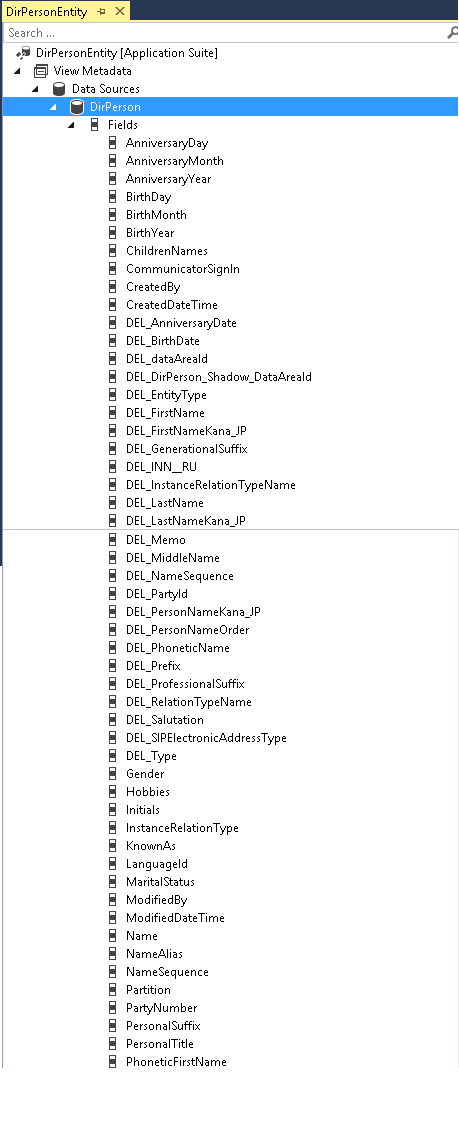
Leaf/concrete type as data source: If a concrete type is used as a data source, fields are displayed for both the base type and the current type. For example, in the following screenshots, if DirPerson is the data source, you can see data source fields from both DirPerson and DirPartytable.
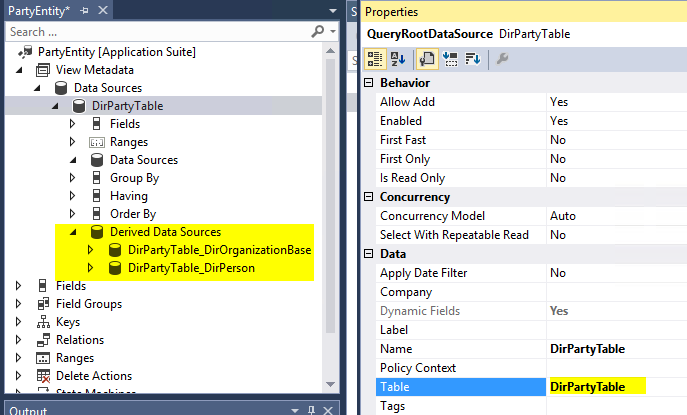
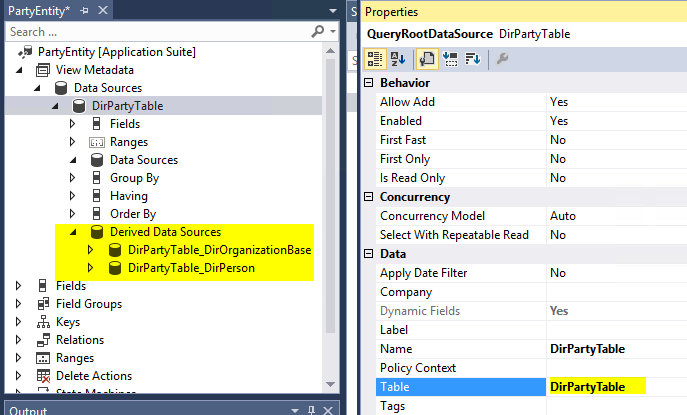
Abstract type/non-leaf as data source: If you use a non-leaf type as a data source, you see fields for both the base type and the current type, but you don't see fields from any derived types. To add fields from derived types, you must add derived data sources, as shown in the following screenshot.
Data Entity View wizard
Use the Data Entity View wizard to create data entities where the primary data source (and additional data sources) can be tables that use inheritance.
Note
Currently, the wizard doesn't support derived data sources. It shows only fields from the current type or the base type. After you create an entity, you can manually modify it to display derived data sources.
The following screenshots show a data entity that you create by using the wizard, where DirPartyTable is the primary data source.
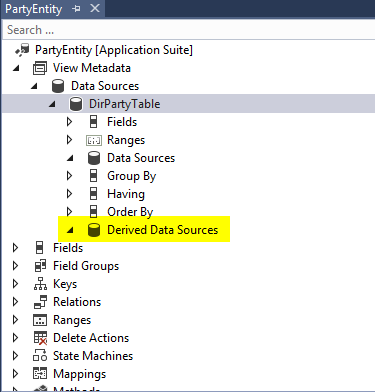
Update the data source table to DirPartyTabl.
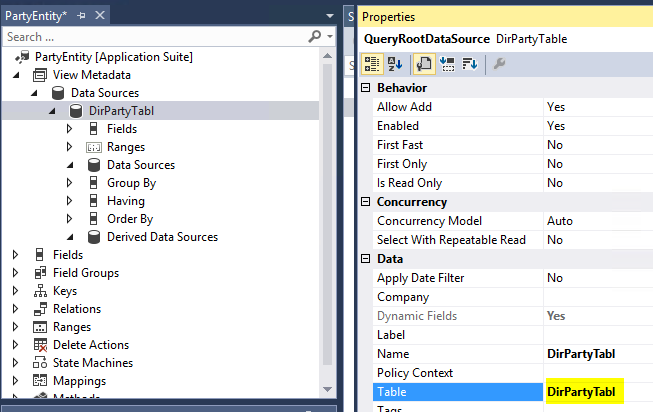
Update the data source table to DirPartyTable.
Run time
There's run-time behavior for entities that relate to inheritance.
Creating entities for specified types
In this example, you create separate Person and Organization entities. The primary data source for the Person entity is DirPerson, and the primary data source for the Organization entity is DirOrganization. This approach, which is reflected in the following screen shots, doesn't require that you write any special run-time code.
Creating entities for generalized types
In this example, you create a single entity, Party, that you can use for both Person and Organization. The primary data source is DirPartyTable, and the derived data sources are DirPerson and DirOrganization. The new entity contains the following kinds of fields:
- Common attributes – Attributes that aren't specific to Person or Organization, such as Name. These fields map to DirPartyTable.
- Person-specific attributes – Gender, Marital Status, and so on. These fields map to the derived data source DirPartyTable_DirPerson.
- Organization-specific attributes – OrgNumber, ABC, and so on. These fields map to the derived data source DirPartyTable_DirOrganization.
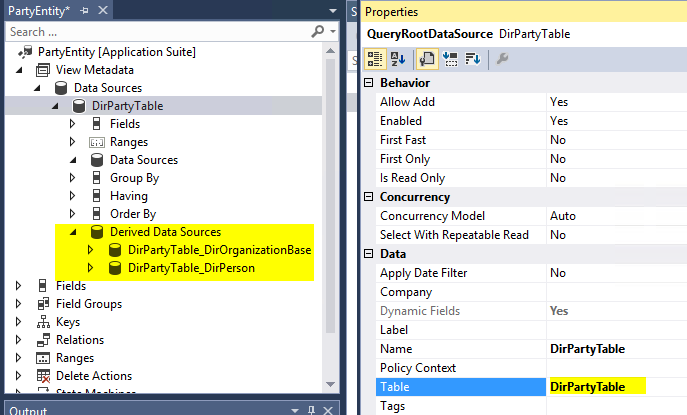
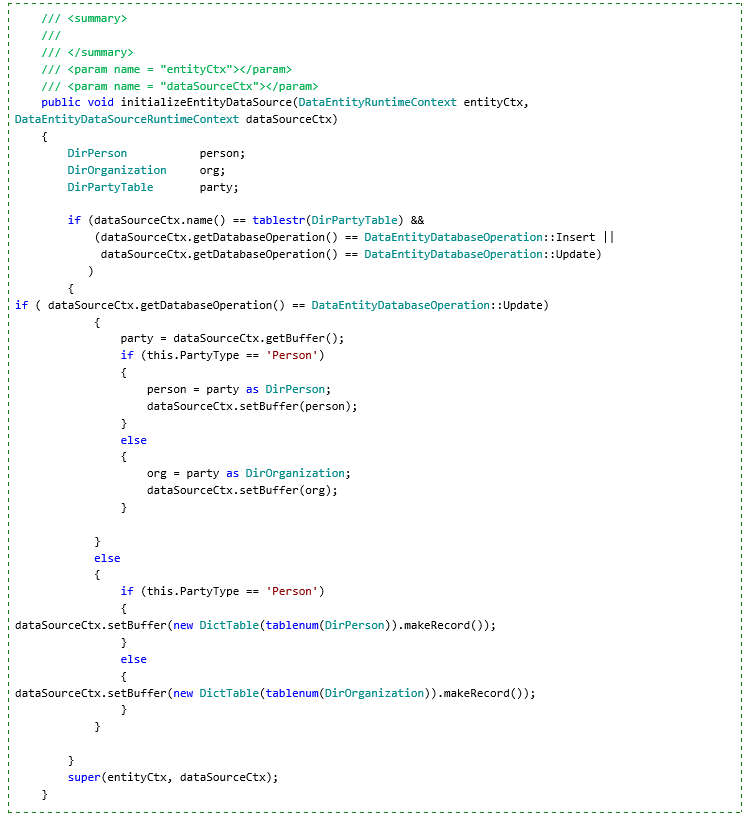
Mapping fields from base and multiple derived types in a single data entity is a design-time task. However, at run time, you must specify when each derived type should be created. This specification can be based on fields such as InstanceRelationType, or you can create a computed column that uses String to represent different types. In the Party entity example, you can create a PartyType computed column to represent the Person and Organization derived types. The following code snippet illustrates this approach.
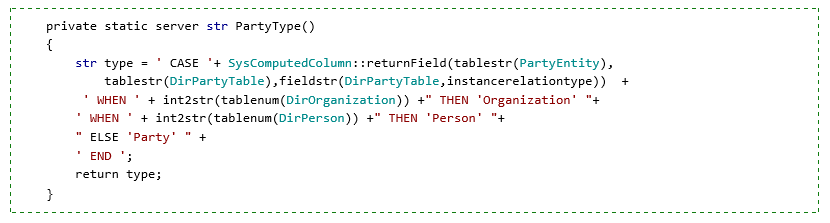
In this example, the Party type is computed by using the InstanceRelationType column on DirPartyTable. This approach works for reading data. However, to perform Create or Update operations, you must write code that overrides the initializeEntityDataSource method on the data entity, and set the correct instance of the derived type for the data source run-time context buffer.