Note
Access to this page requires authorization. You can try signing in or changing directories.
Access to this page requires authorization. You can try changing directories.
Note
Community interest groups have now moved from Yammer to Microsoft Viva Engage. To join a Viva Engage community and take part in the latest discussions, fill out the Request access to Finance and Operations Viva Engage Community form and choose the community you want to join.
To modify properties on an existing field in a table, you must first create an extension for the table. You can modify the following properties:
- Label
- Help text
- Country Region Codes
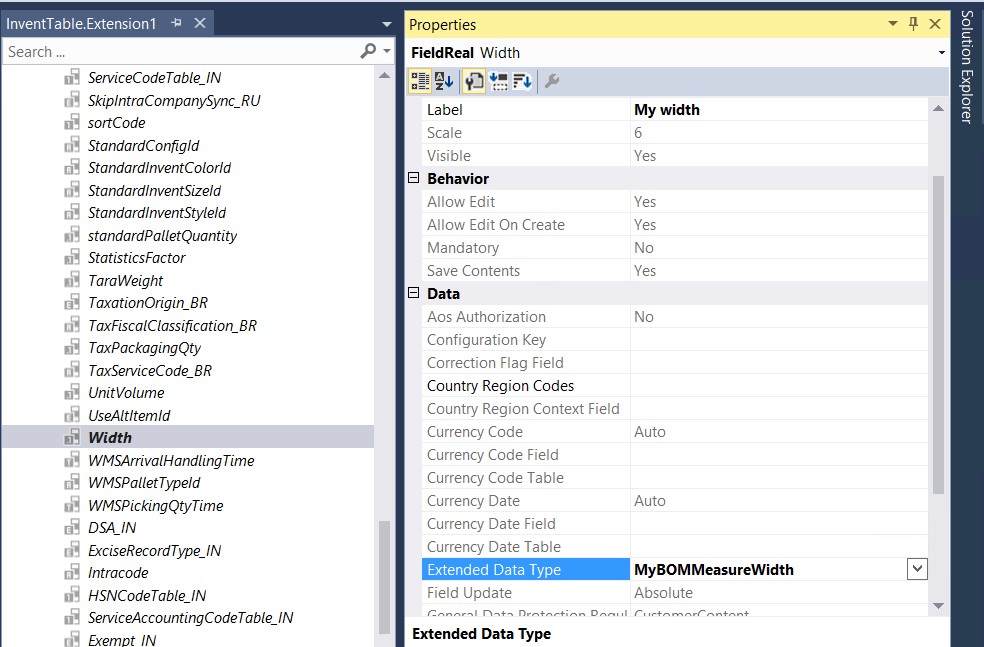
- Extended Data Type – You can select only extended data types (EDTs) that are derived from the currently selected EDT. The lookup in the property sheet is filtered so that only those EDTs are shown. For example, to edit the EDT on the Width field in the InventTable table, you can create a derived EDT that is based on BOMMeasureWidth, and then modify the Extended Data Type property on the Width field in the InventTable extension. In this way, you can modify the look and feel of the Width field in the user interface when the new package is deployed.