Price and discount extensibility
In Microsoft Dynamics 365 for Finance and Operations, Enterprise edition 7.3 and later, the pricing area is extensible. Some common customizations for price and discounts include:
- Adding new price group types and the corresponding price types (enum values for PriceType and PriceGroupType), in addition to adding search mechanisms for the new price types.
- Modifying the price and discount search, including passing in any additional parameters to the PriceDisc class.
PriceType and PriceGroupType enums
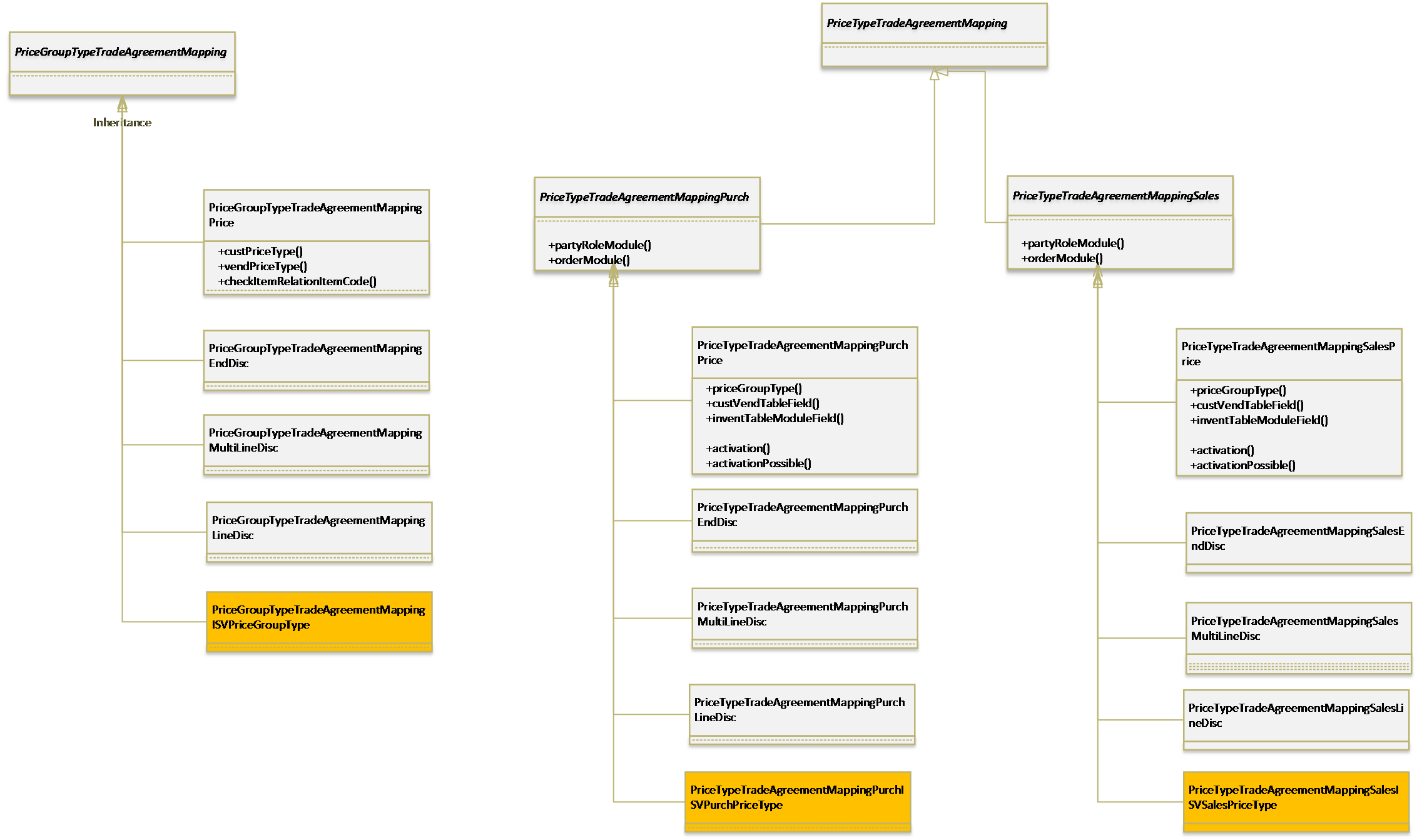
Typically, adding a new type of price discount search starts with adding a new enum value in the two enums: PriceType and PriceGroupType. To support extensibility, PriceType and PriceGroupType enum values are now encapsulated in the class hierarchies PriceGroupTypeTradeAgreementMapping and PriceTypeTradeAgreementMapping, respectively. These can be extended for any new PriceType and PriceGroupType extended enum values.
The mapping of fields on the Customer, Vendor, and InventTable tables that correspond to the price types is defined in PriceTypeTradeAgreementMapping.
The following diagram highlights the implementation. Note that the methods show only one of the sub-classes. The implementation needs to be on each sub-class.
PriceDisc class
The PriceDisc class is the search engine for price and discounts. This class uses a PriceDiscParameters object as a member for passing in the parameters that are used in the price and discount search. This enables you to pass in the additional search parameters for the specific solutions. Only the parameters for a given PriceGroupType search are passed through the corresponding find methods on the PriceDisc class.
The ability to wrap and modify the instantiation of the PriceDiscParameters class is enabled for all price and discount search calls made throughout AppSuite.
In the following diagram, you can see how the PriceDisc class can be extended to modify existing searches or to add new search methods that correspond to the extended PriceType enum values.
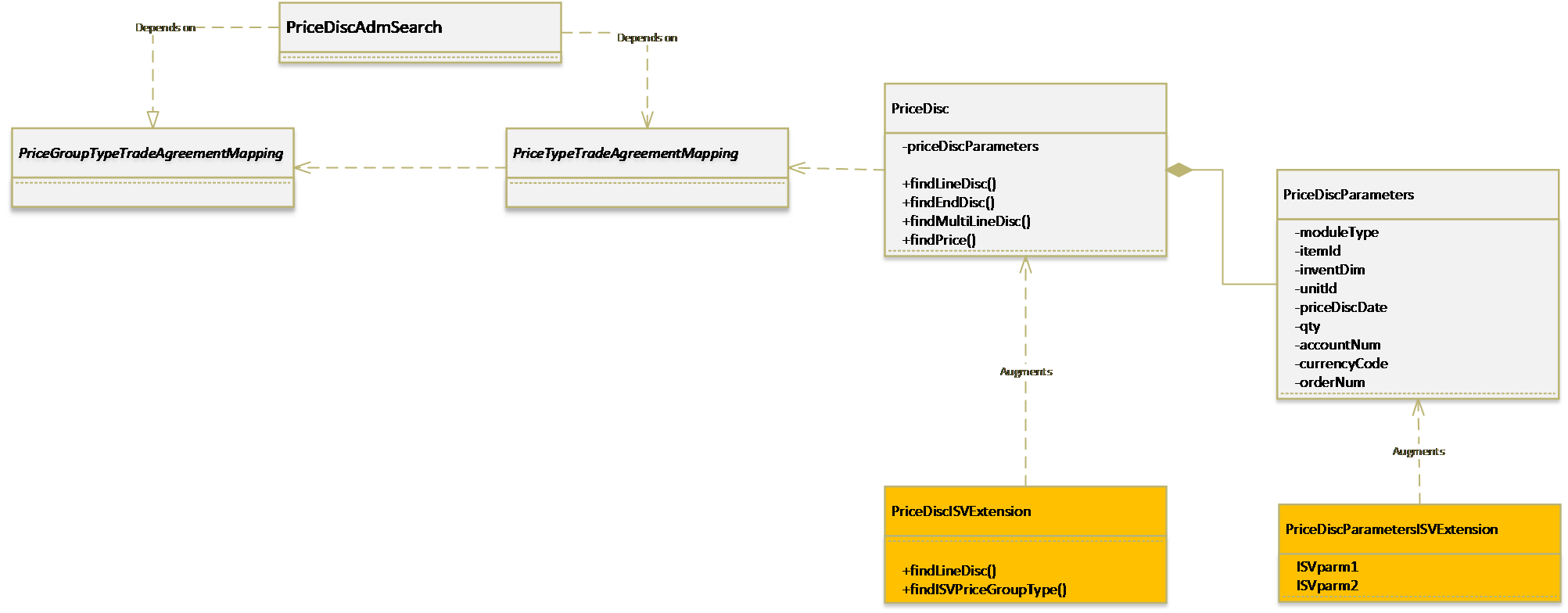
Add a new price search
In this scenario, you have extended the PriceGroupType enum with a new value PriceGroupTypeISVExtension, and two corresponding PriceType enum values - ISVPurchPriceType and ISVSalesPriceType.
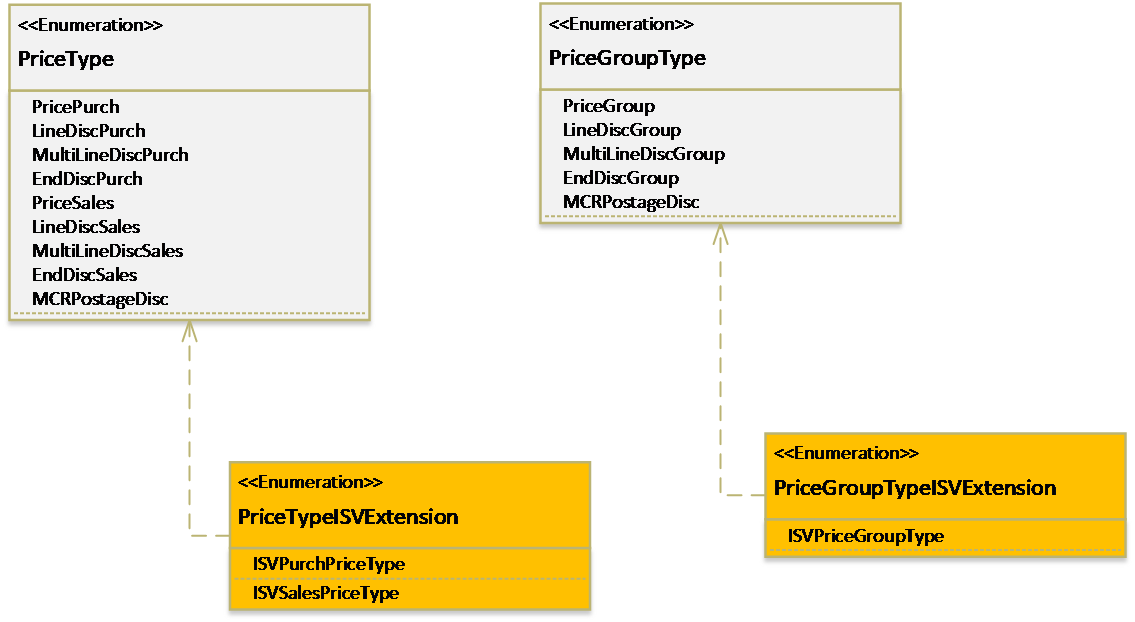
The following diagram illustrates how a new price search can be added for the PriceType and PriceGroupType values.
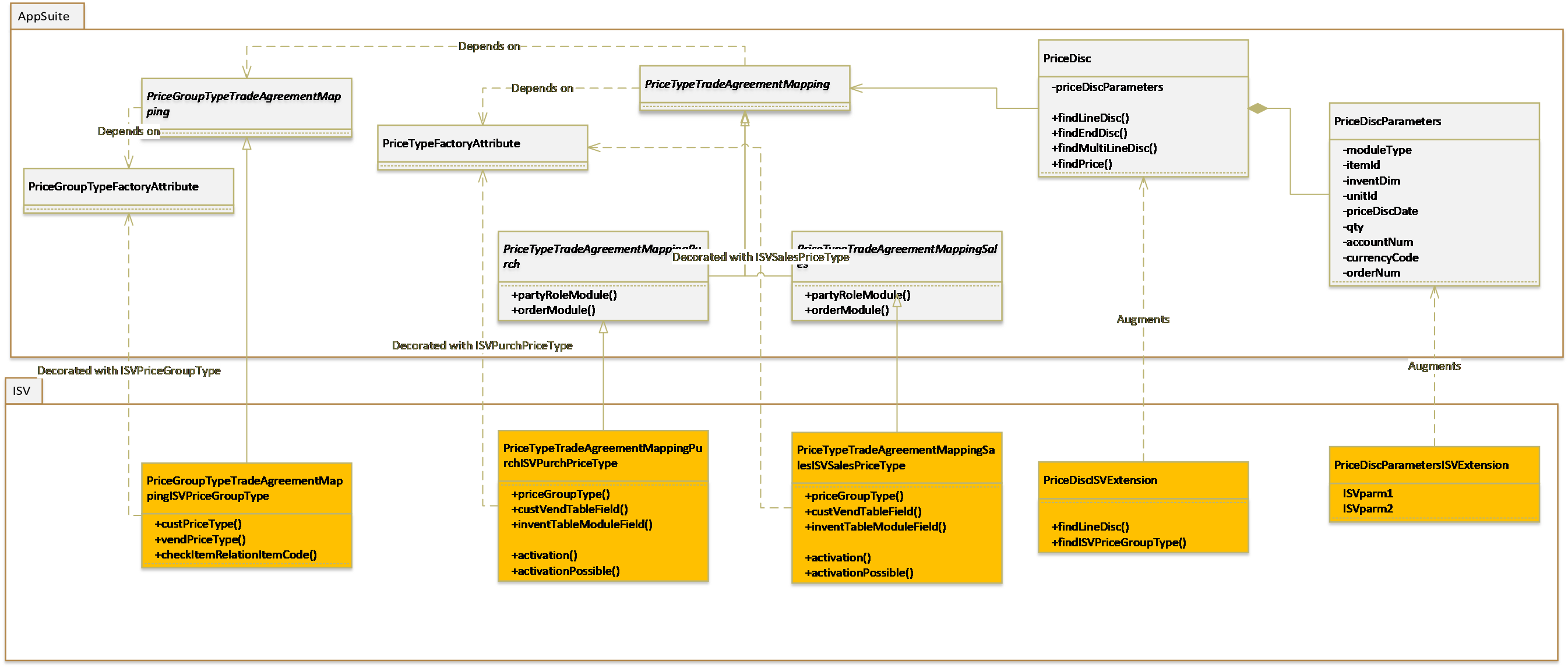
This example shows the following:
- For the newly created PriceGroupType value, a PriceGroupTypeTradeAgreementMappingISVPriceGroupType class decorated with the attribute ISVPriceGroupType defines the behavior of the price group type.
- For the newly created PriceType value, the PriceTypeTradeAgreementMappingISVPurchPriceType and PriceTypeTradeAgreementMappingISVSalesPriceType classes correspond to Purchase and Sales.
- Augmenting the PriceDiscParameters class to add any generic parameters for the price discount search.
- Augmenting the PriceDisc class to create the new price discount search methods for the new price types.
- The PriceDiscParameters is accessible from all classes related to price and discount search and these could be augmented, based on the requirements.
Feedback
Coming soon: Throughout 2024 we will be phasing out GitHub Issues as the feedback mechanism for content and replacing it with a new feedback system. For more information see: https://aka.ms/ContentUserFeedback.
Submit and view feedback for